Upgrading your Service
info
Some of the higher specification packages are not listed due to their size and can only be ordered as a new service.
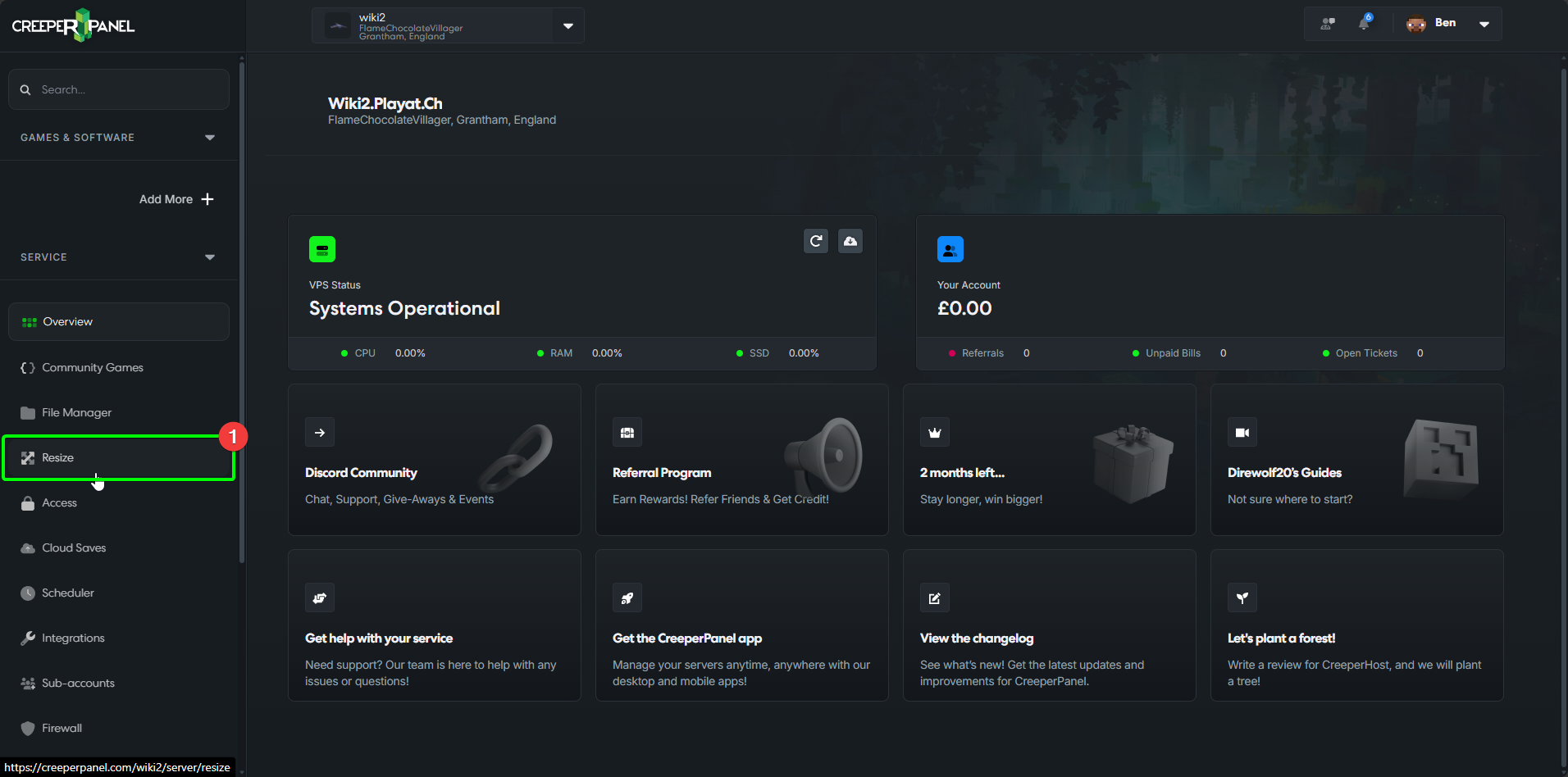
Resizing your service is quick and easy on the CreeperPanel. To get started, log in to the Panel, then:
- Select
Resizefrom the Panel's sidebar.
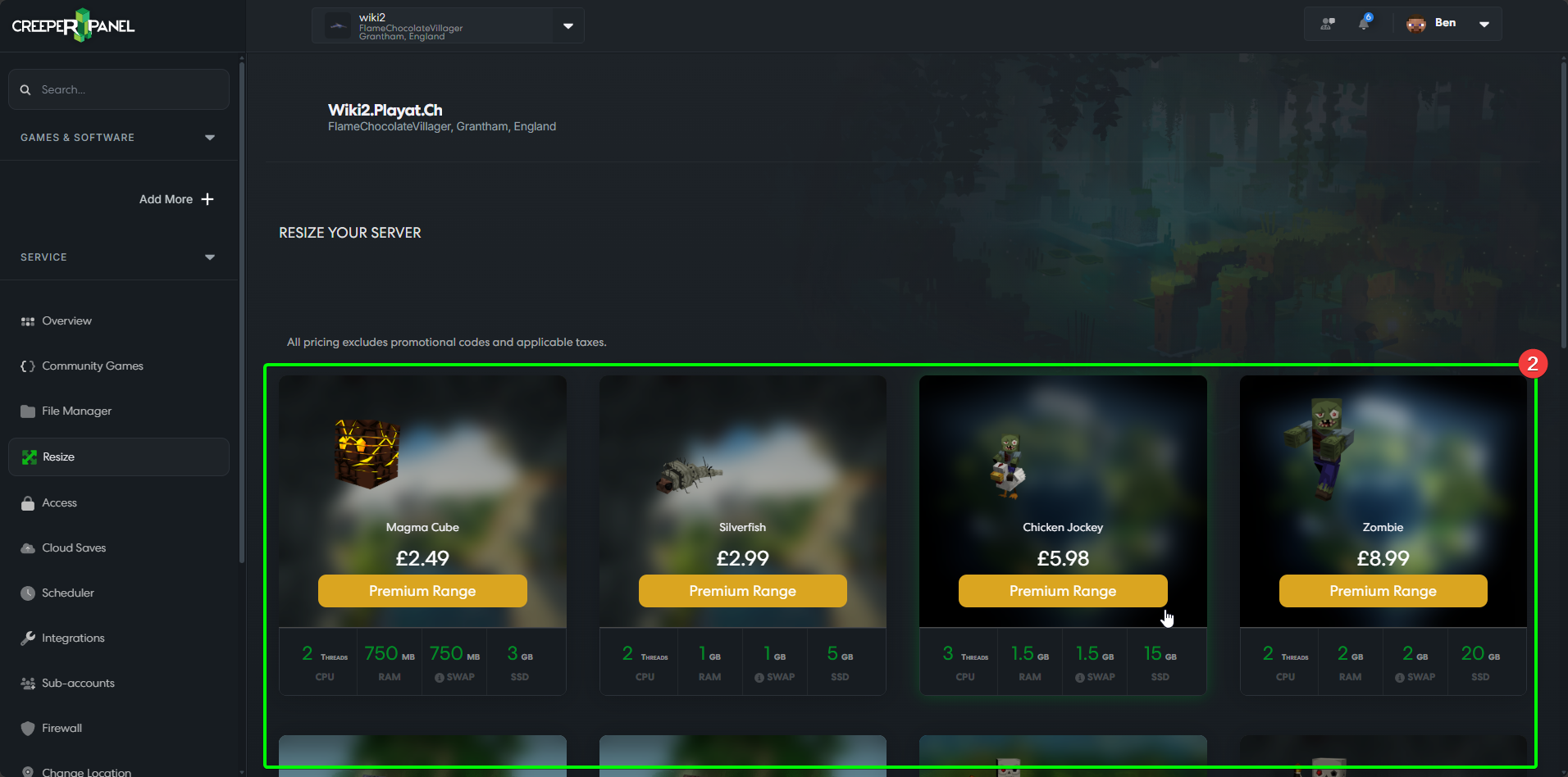
- You'll see the available packages you can resize to in the main window. Your current package will be highlighted in the list.
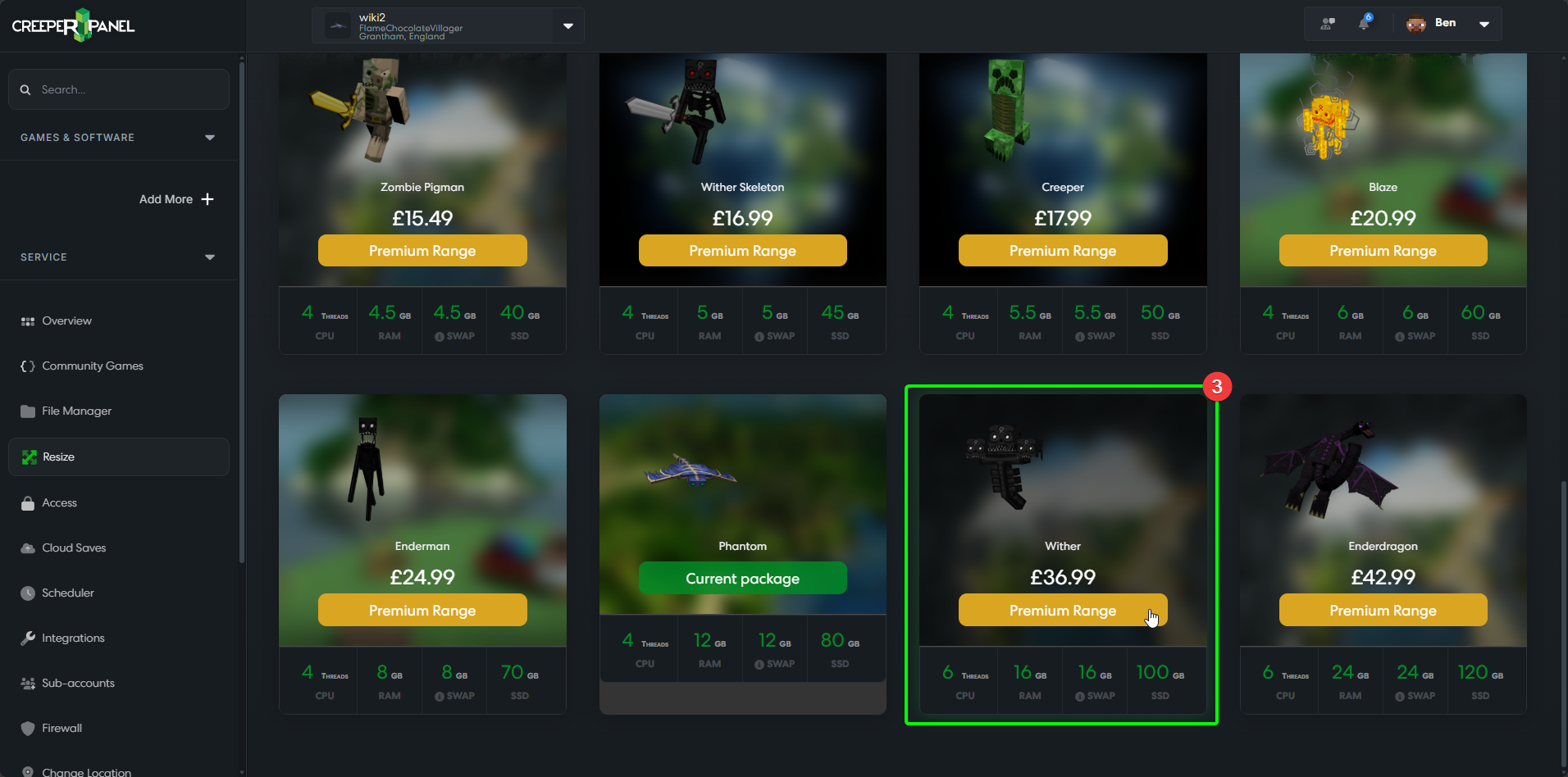
- Select the package you wish to resize to.
- If you have a promotional code, you can enter it in the
Promotional Codefield. - Select
Upgradewhen you're ready.
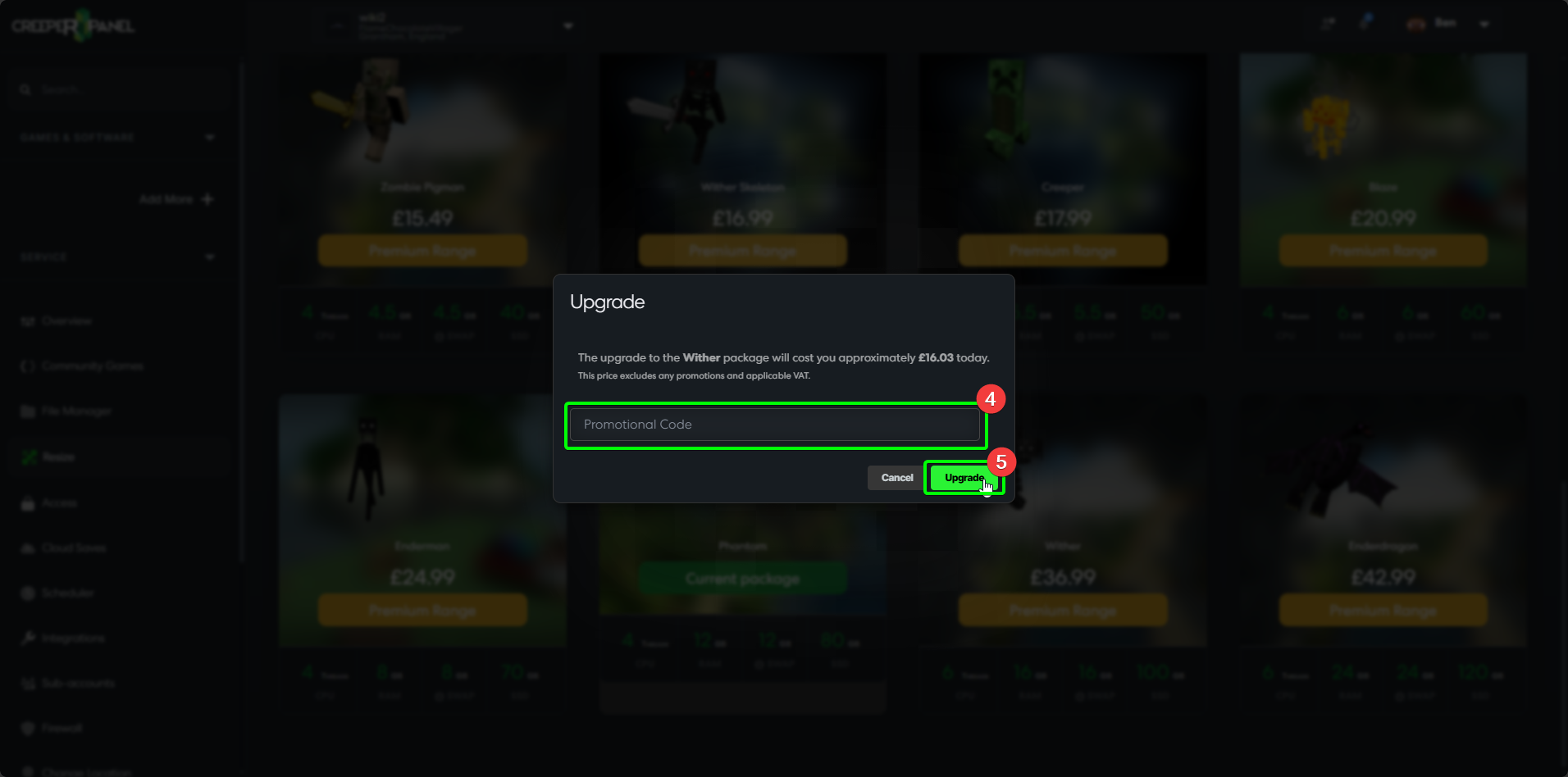
Once you select Upgrade, the resizing process will start; you don't need to do anything else. You will then receive an invoice for your upgrade.