Finding your IP address
Where to find your IP address
You can easily find your IP address through the CreeperPanel:
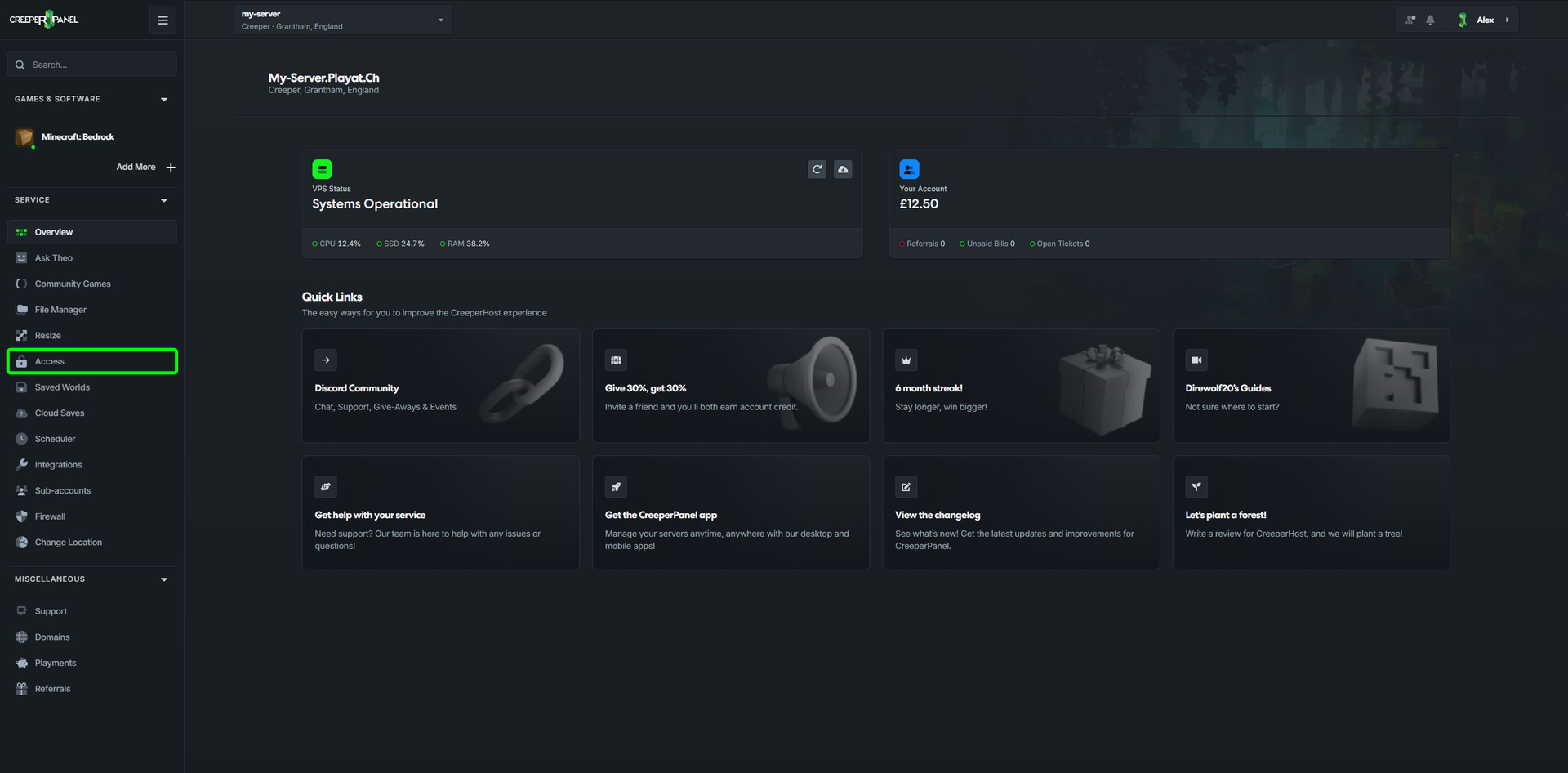
- Select
Accessunder theServicetab in the sidebar.
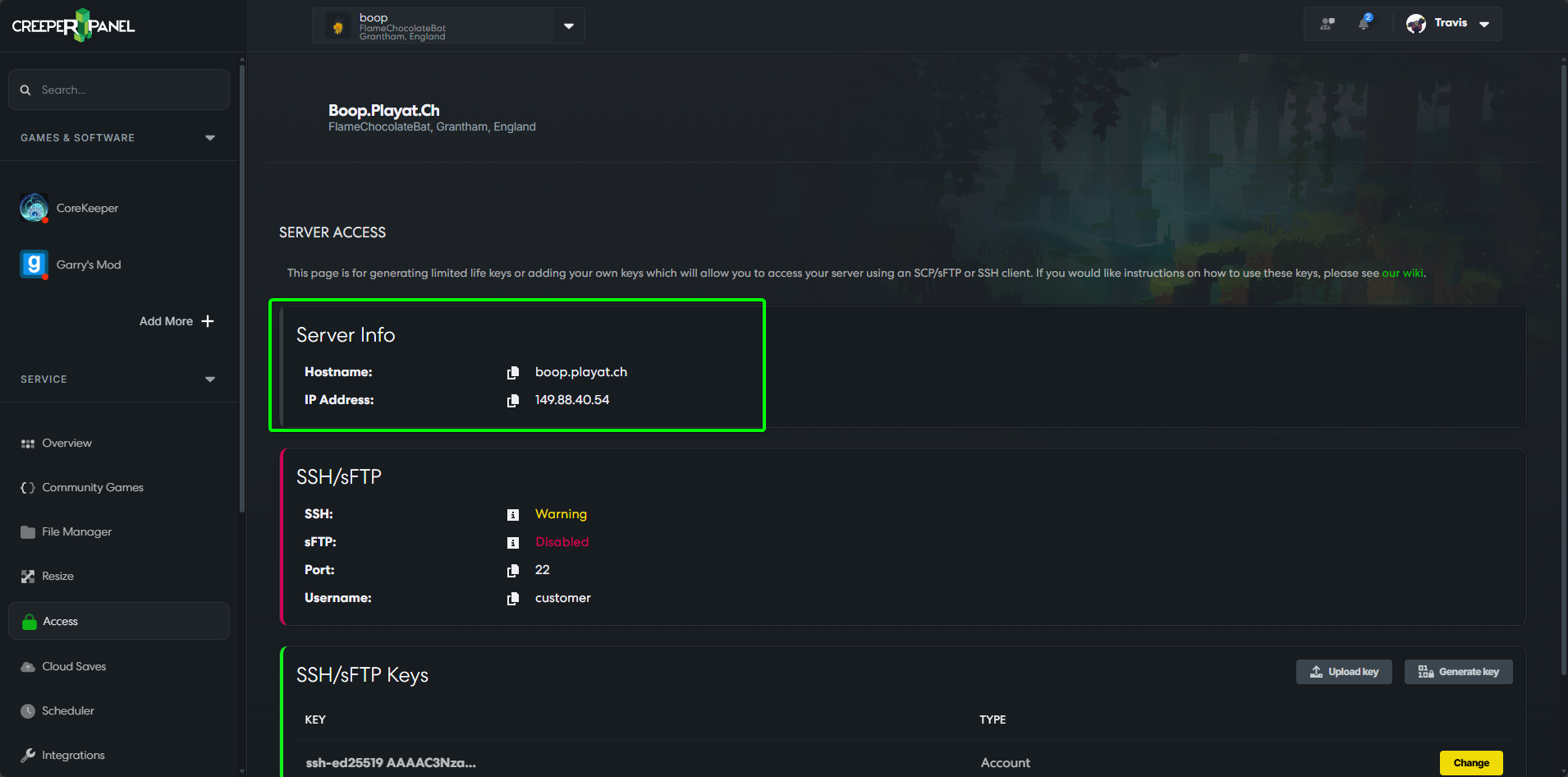
- You will be taken to the main server access page. Your IP address will be in the top section, along with your Hostname. If you need to copy the address, click the symbol to the left to send it to your clipboard.
Terminology
You will find an explanation of the terminology in this table below:
| Username | This is the SSH/sFTP username for your service. |
|---|---|
| Hostname | The hostname will always point to the IP address of your server and gives you an easy to remember name to use when connecting or sharing your server details. |
| IP Address | This is the numerical IP address of your service, if your service is transferred or recreated this will likely change so we recommend you use the hostname when connecting to your server. |
| Port | This port is only needed if you are connecting to your service via SSH or SFTP, so can be ignored most of the time. |
You will notice the SSH/sFTP key section on the access page, mainly used for the minecraft and root user access. You can learn more about setting up and using SSH/ SFTP here.