Checking server performance
When your world slows down, Monitor helps you see what the whole server is doing. Open your server's Overview and select the resource/status panel to reach it.
Performance
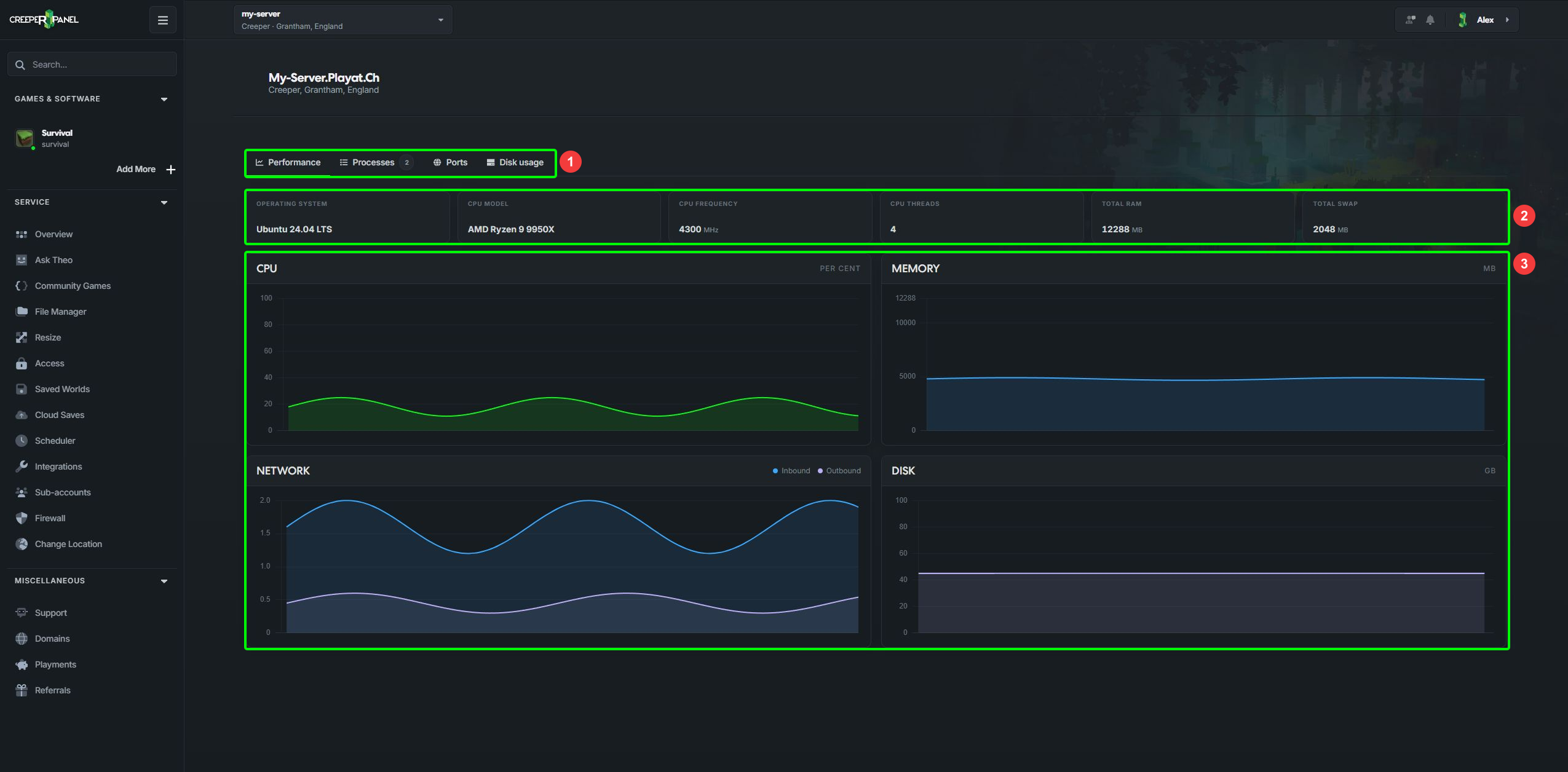
1: Monitor tabs. 2: Server details. 3: Live performance graphs.
The Performance tab shows CPU, memory, network and disk graphs, alongside the server's operating system and hardware information. Watch what happens while players reproduce the problem: a short startup spike tells a different story from memory staying full throughout a session.
The server's memory includes more than the game alone. Swap gives memory somewhere to spill over, but it is slower than RAM. For a game-specific view, check that game's console or Metrics page where available.
Processes
- Open Processes.
- Search by process name, command or PID, or sort by CPU or Memory.
- Select a process name to expand its details.
- Check its command, memory use, process ID, thread count and open ports where reported.
A process marked Service has a shortcut to its game/service controls. Use those controls to stop a game cleanly. Other processes may offer End process; ending a process can interrupt what it is doing, so only use this when you know which process needs to stop.
New and Ended markers help you follow changes in the live list. If the connection stops updating, use the retry control when it appears.
Ports
Open Ports to see listening ports, protocols and their processes. Search for a port number, process or PID. Select a linked process to open its details.
This can help identify which program is already using a port. It does not prove that a player can connect from outside the server: game settings and firewall rules also matter. If open-port data is unavailable, the page says so; an unavailable result is not an empty list of ports.
Disk usage
Open Disk usage to find the folders taking up space. Follow the disk usage guide for the folder breakdown and File Manager shortcuts.
If you need help interpreting a busy server, send support the game, time of the problem and what you were doing. Ask Theo can also investigate eligible services.