World pregen
Pre-generating a Minecraft world can help reduce the lag you may encounter when starting a new server, as world generation is one of the most common sources of lag in Minecraft.
On supported Forge or NeoForge instances running Minecraft 1.12 or later, start your server and open Worlds & Backups to use the pregeneration controls. We recommend you only pre-generate your world when there are very few to no players online, as it can cause severe lag.
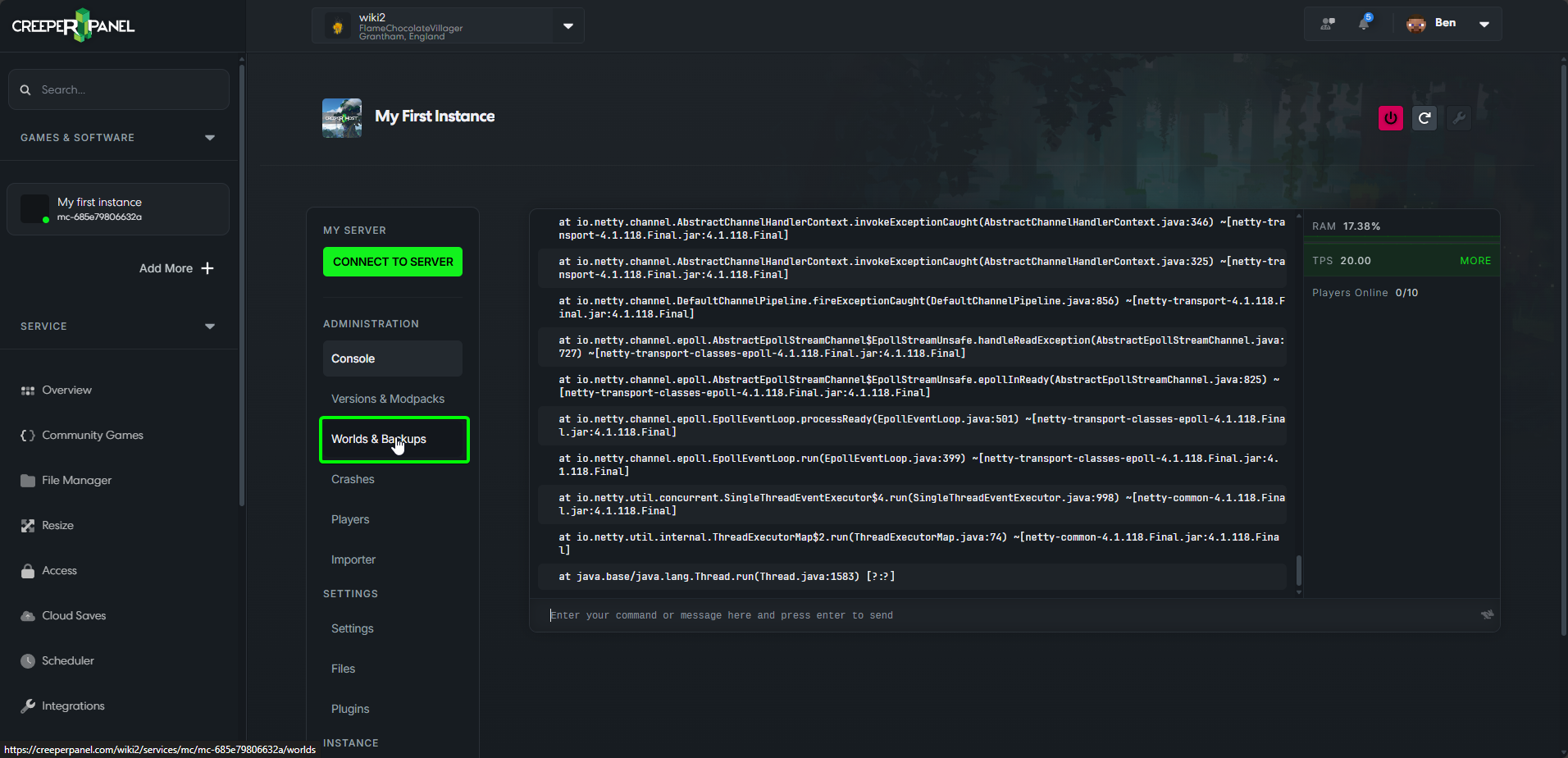
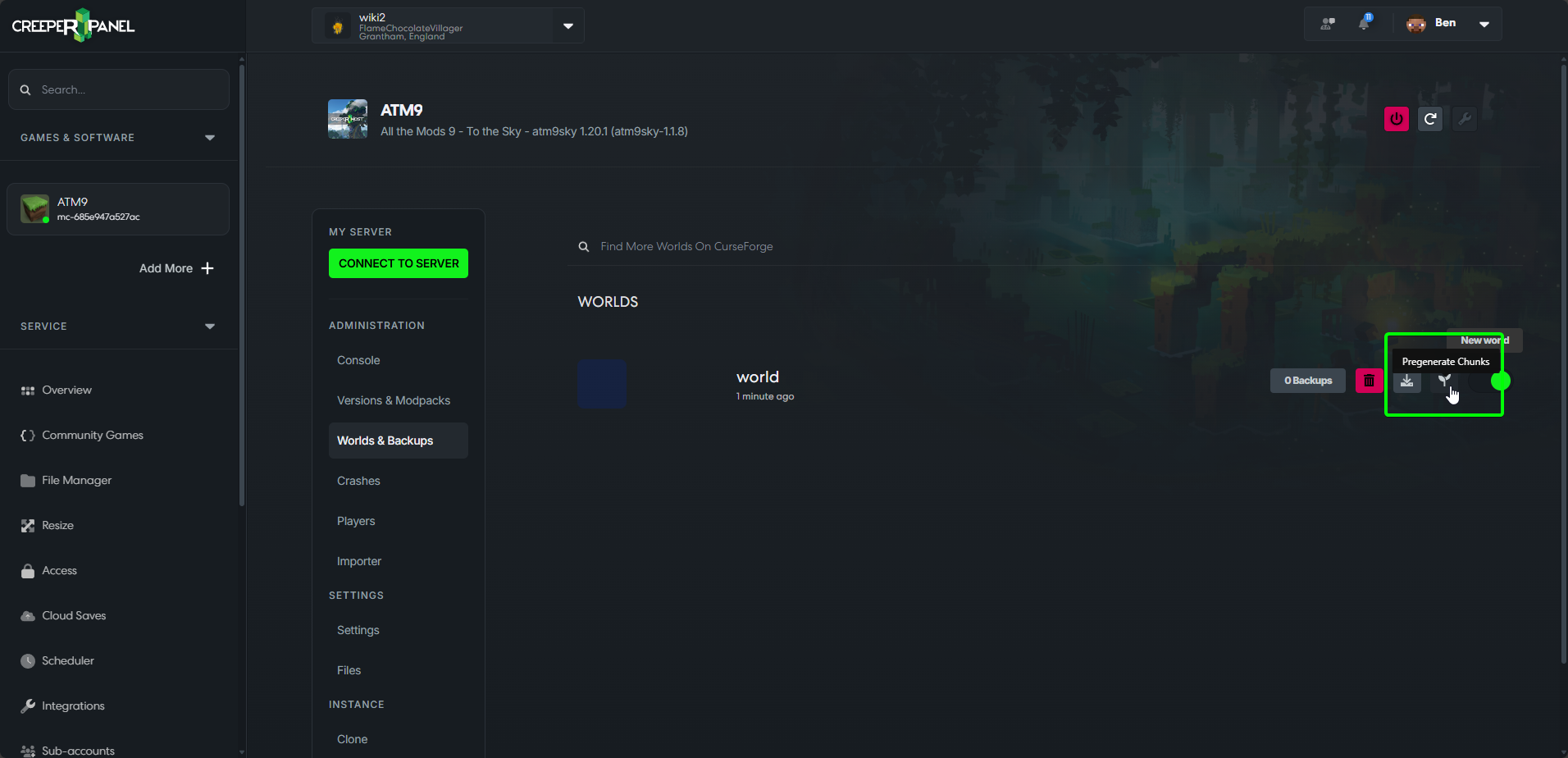
Once there, you should see a little blue button with a sapling icon.
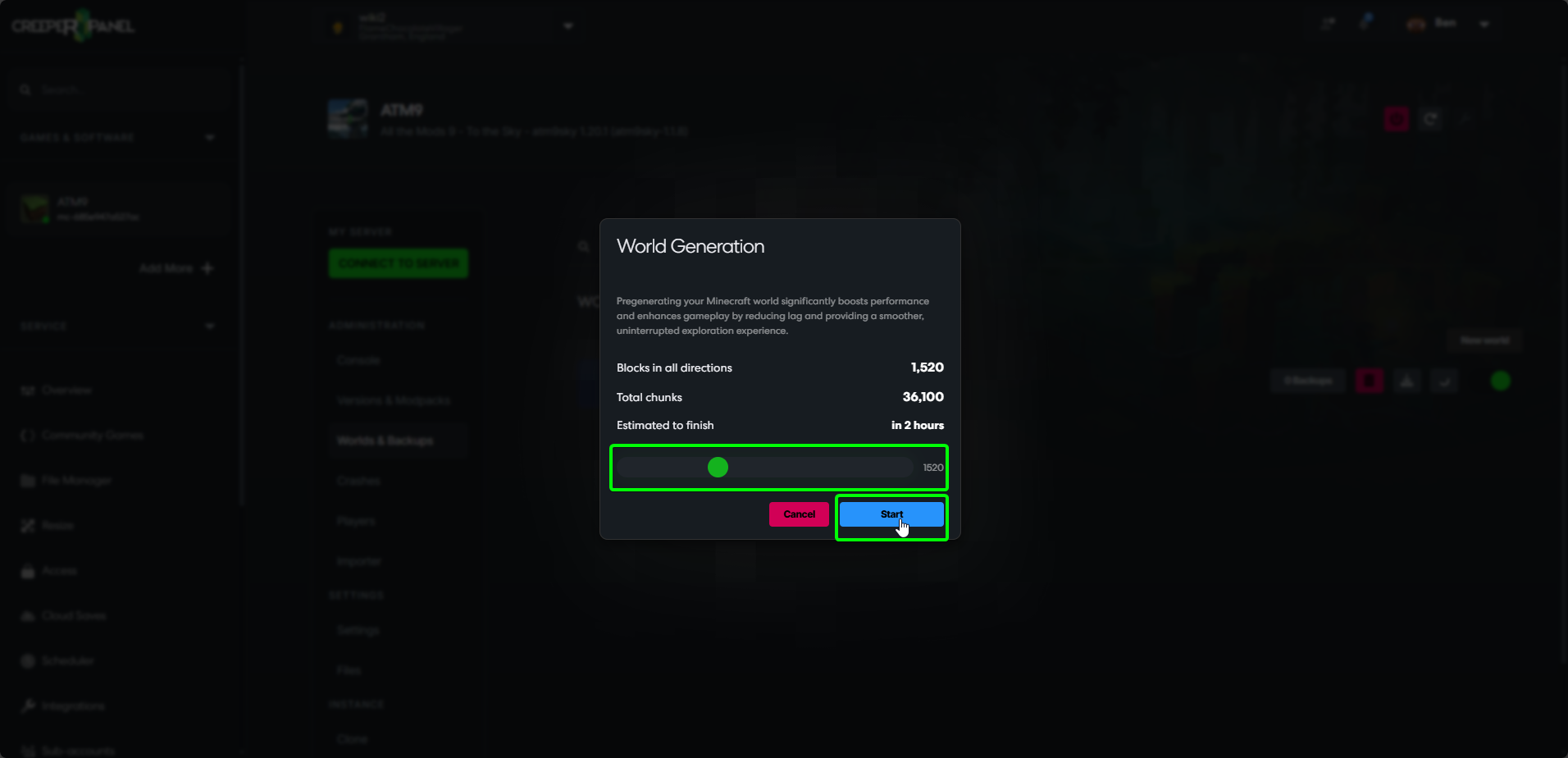
Clicking this button will open up a popup which will allow you to select how many blocks in each direction you want to pre-generate using the slider, changing this will also update the estimate of how long it will take to finish pre-generating the chunks.
World of the Day
When starting a supported new Forge or NeoForge world, World Generation may also offer Use WOTD. This downloads an available pregenerated World of the Day for that new world. Wait for the download and extraction to finish before continuing.
Choose Generate instead if you want to prepare your own world with the radius slider. Use WOTD is a choice made during setup; it does not replace your existing world every day. The offer depends on a compatible world being available.