Opping a Player
There are multiple methods you can use to OP a player when using the CreeperPanel. Those methods are listed below.
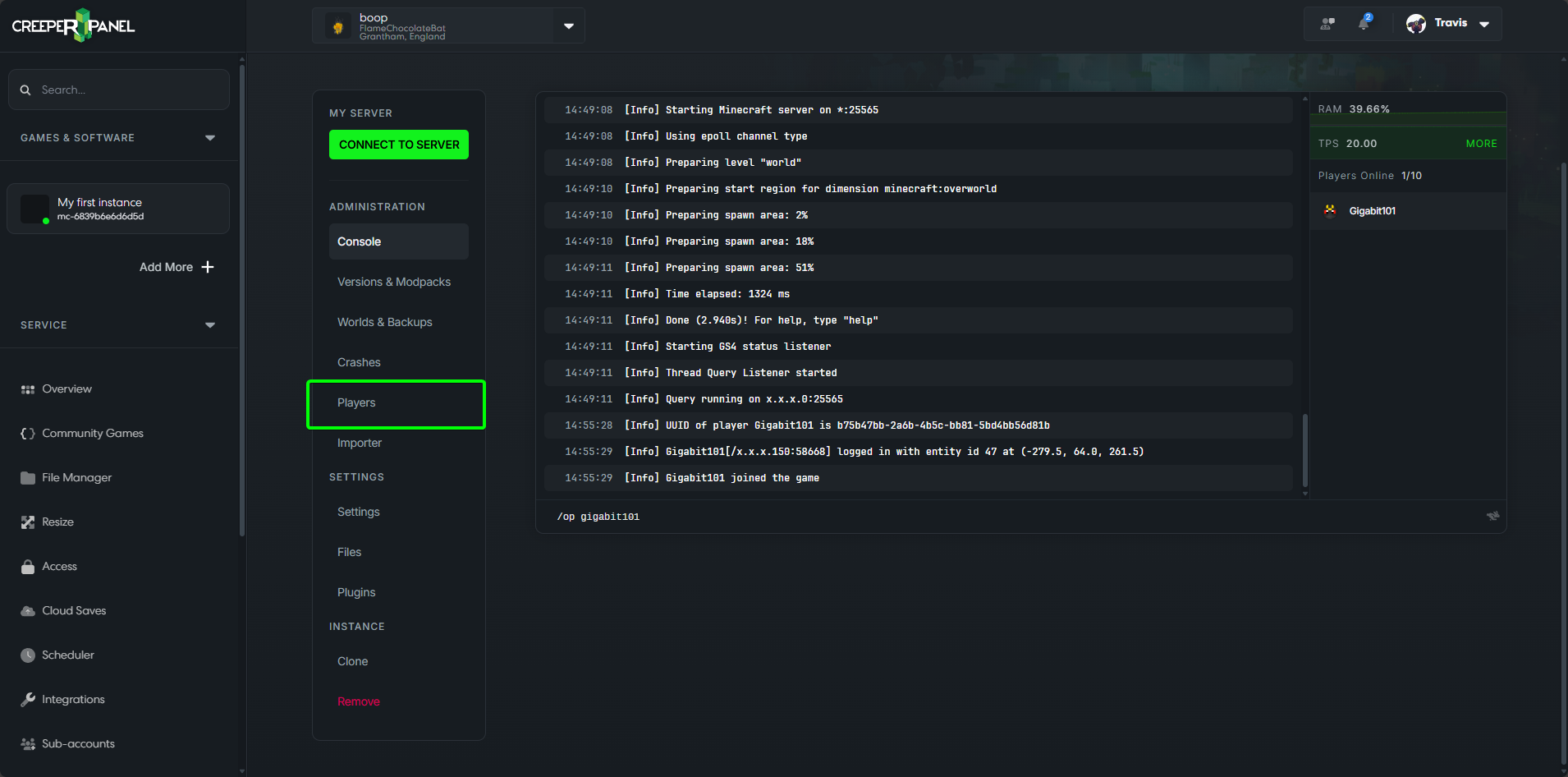
You will first need to go to the Console page of your instance, if you are not sure how to get to your instance, take a look at the How do I find my Instance guide here: https://www.creeperhost.net/help/docs/minecraft/instance/finding-your-instances
Method 1 - Using the Online Players list
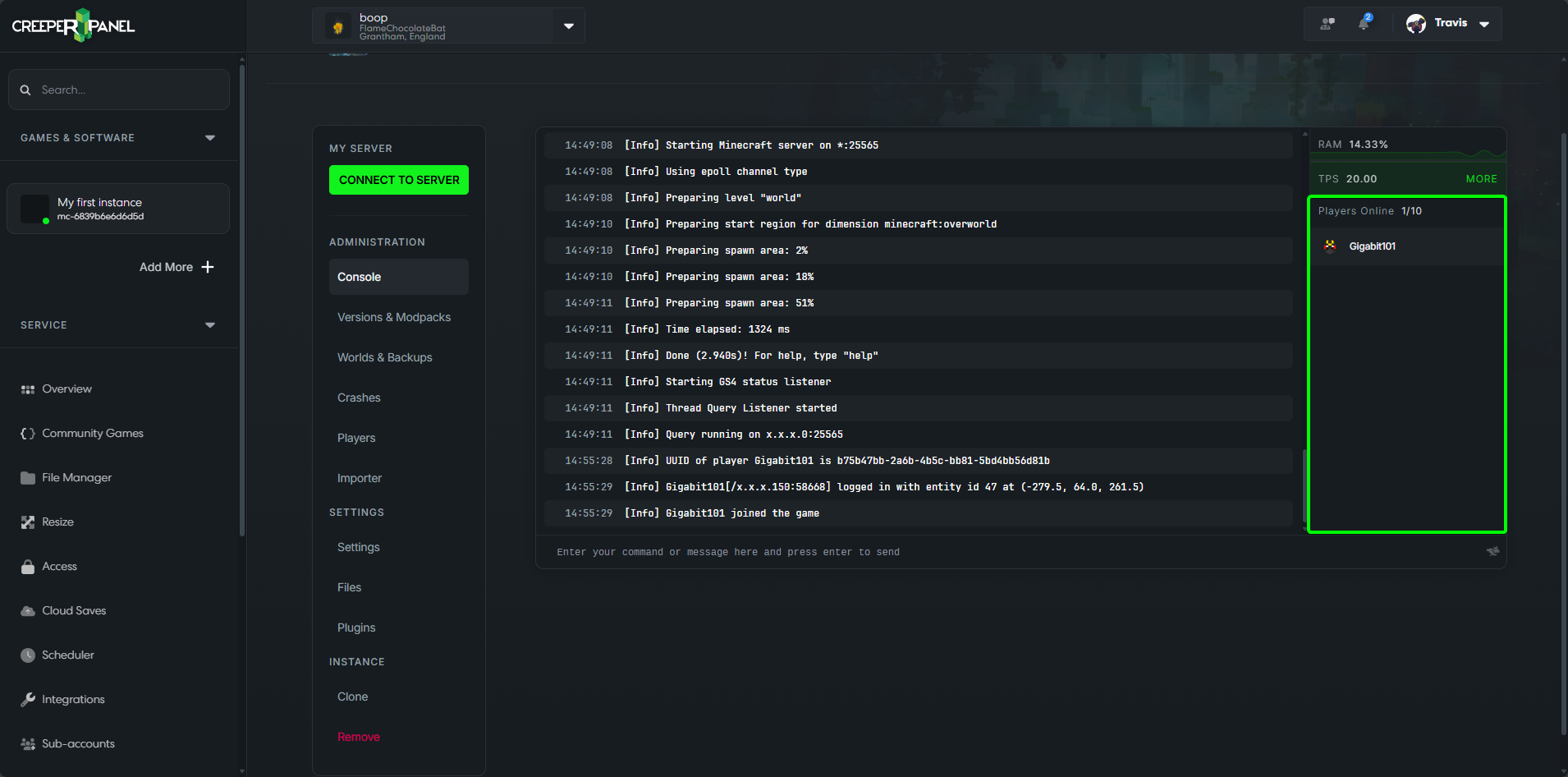
If the player is currently playing on the server they should appear in the Players Online list on the right of the console page.
If you do not see the player in the Players Online list, please go to Method 2.
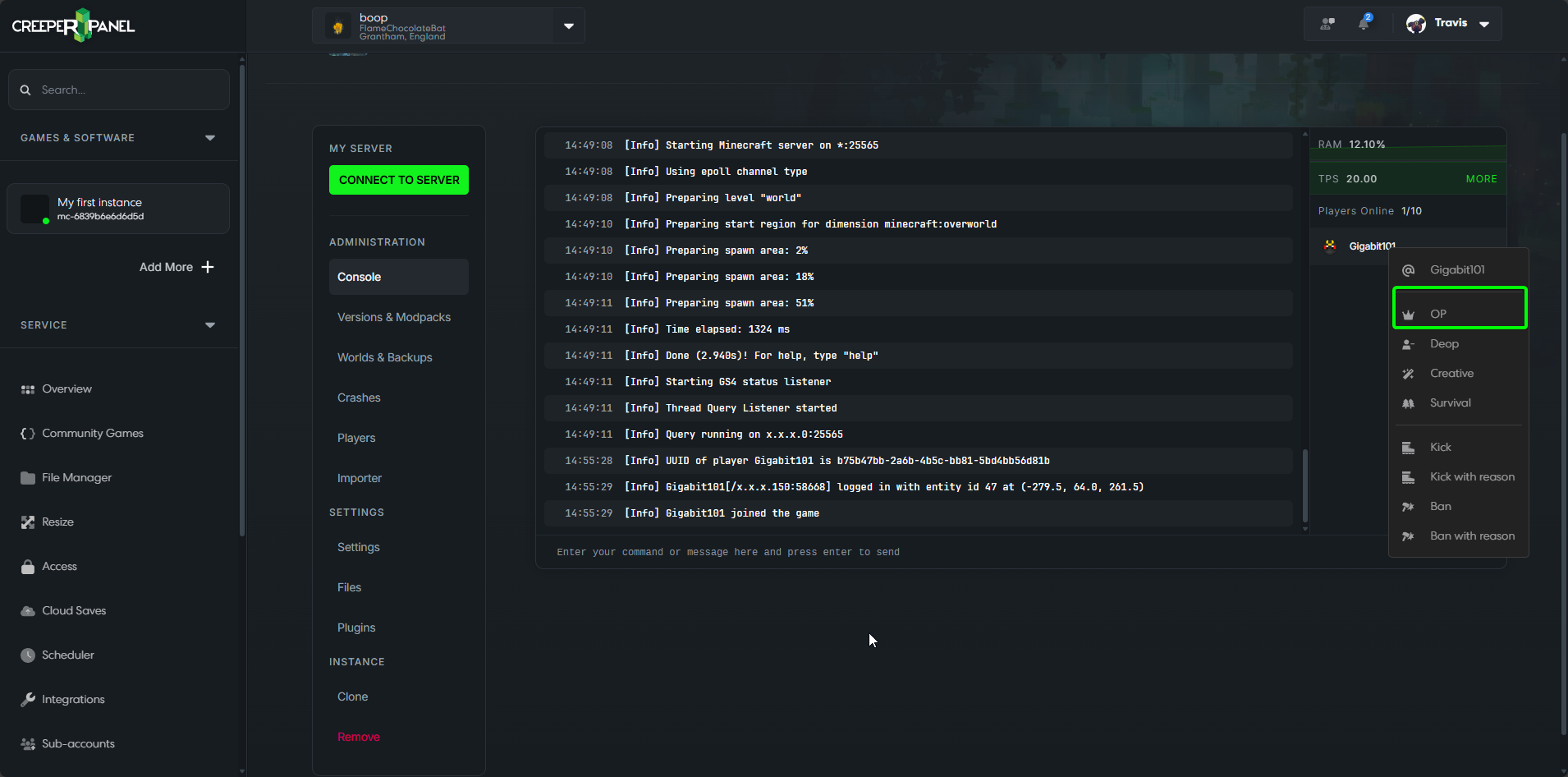
If you see the player you want to OP, right-click on them to bring up the Player Management menu, then click OP. You should now get a notification at the bottom of the screen saying that the player is now an OP.
Method 2 - Using console commands
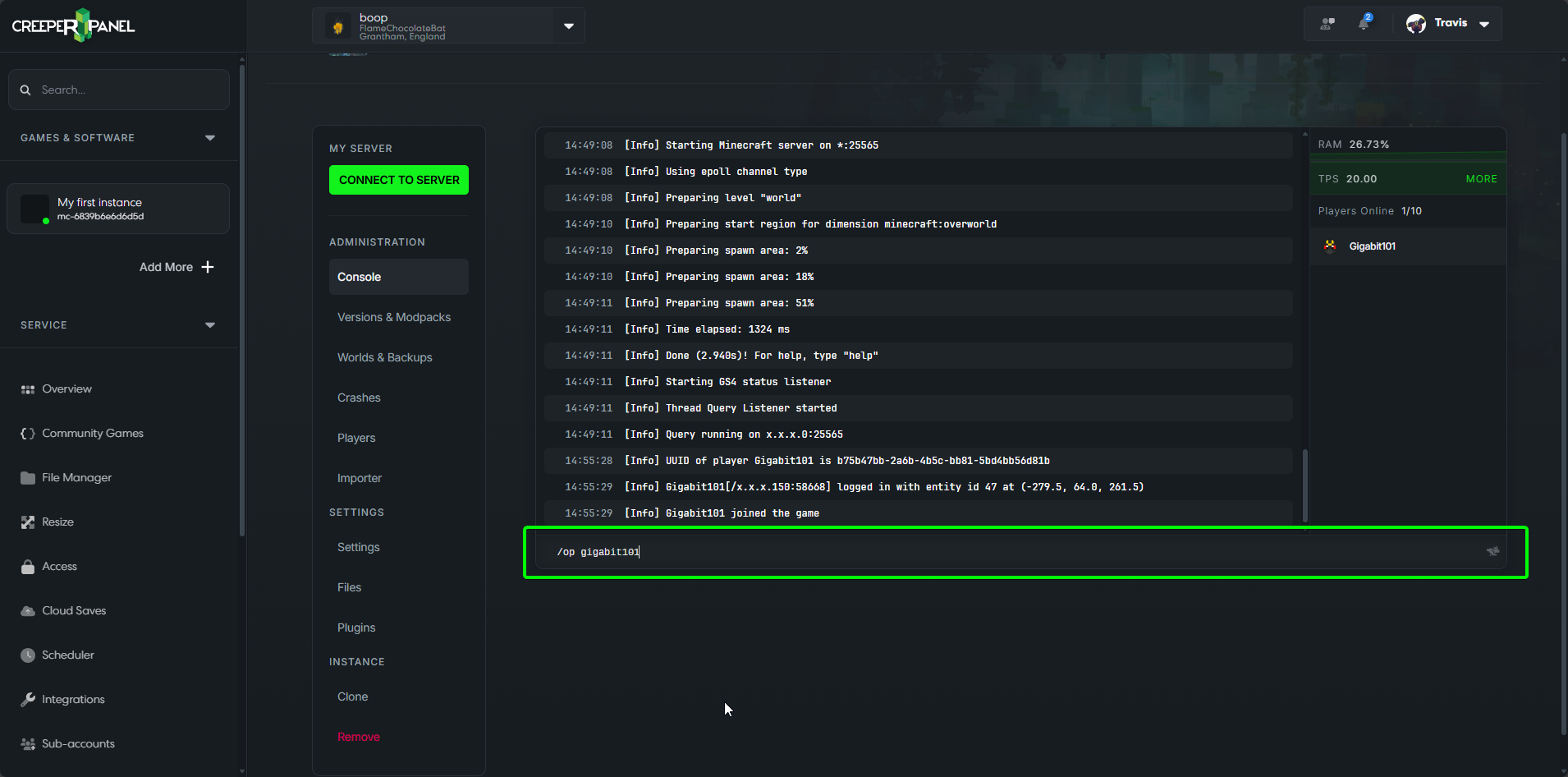
Click in the textbox below the console output where it says Enter your command or message here and press enter to send, and type /op playerName. Next, press the enter key on your keyboard. You will then get a message in the console output saying Made playerName a server operator
Method 3 - Using the player's menu
You will need to reboot your server after using this method.
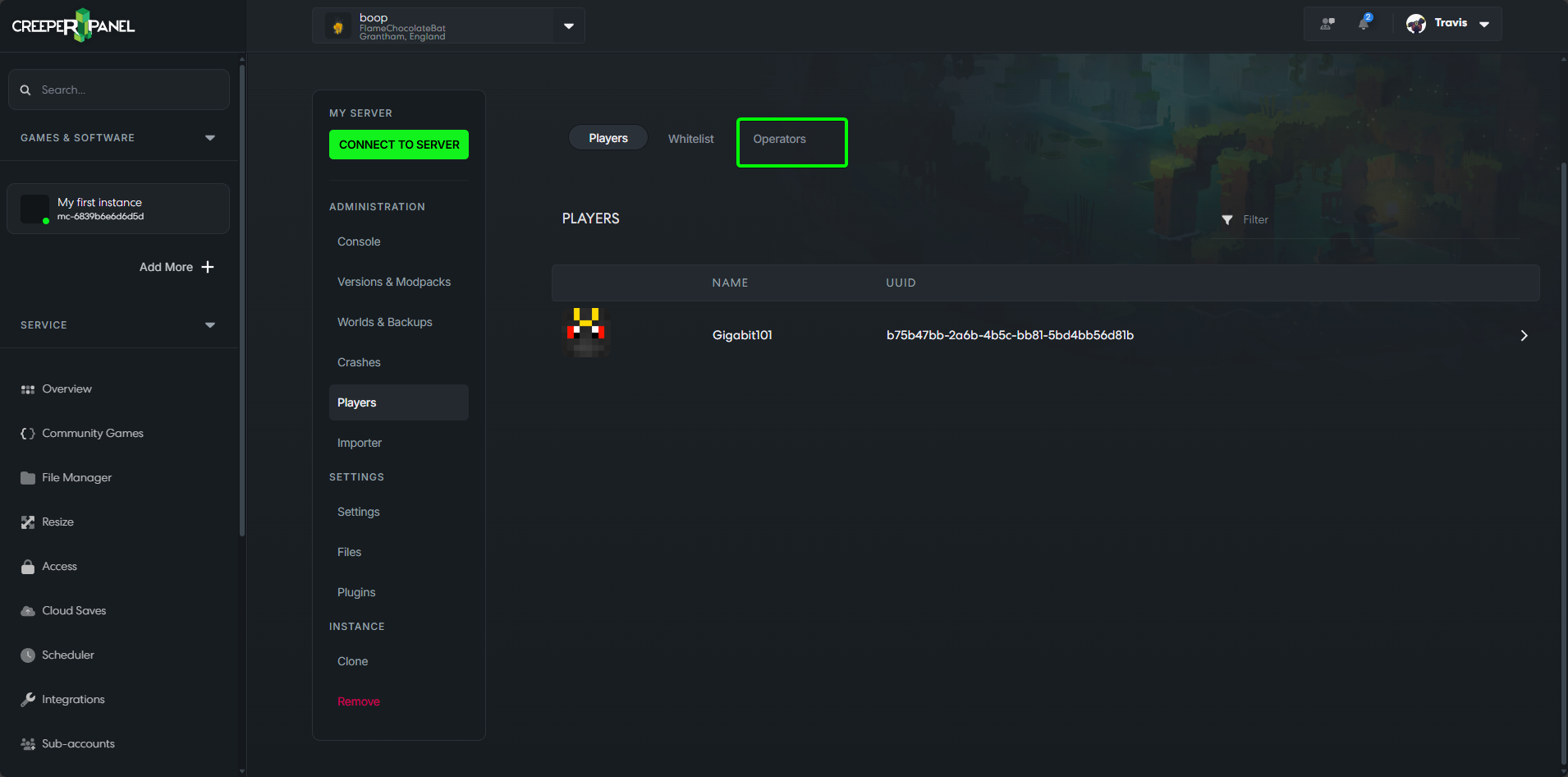
Once on the Console page for your instance, you will be able to see a Players tab in the instance's submenu. If you click this, it will take you to a new page where you can Whitelist or Op players.
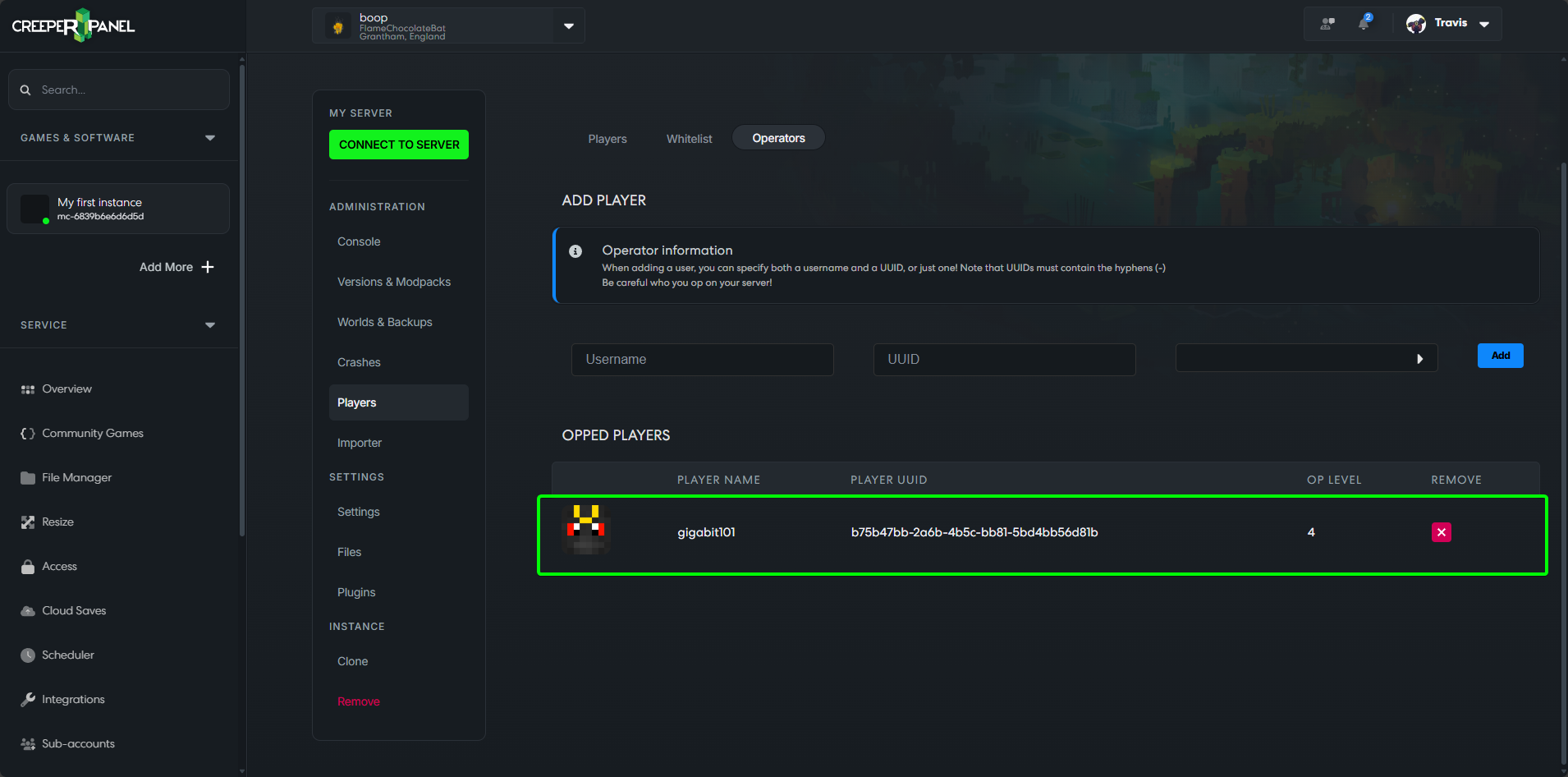
Now that we are on the Players page, click on the Operators tab.
From here you can now either enter the username or UUID of the player you want to Op. You can also select the OP level for the user. You can read more about OP levels here.
Once you have entered the username or the UUID of the player and selected their OP level, click the Add button.
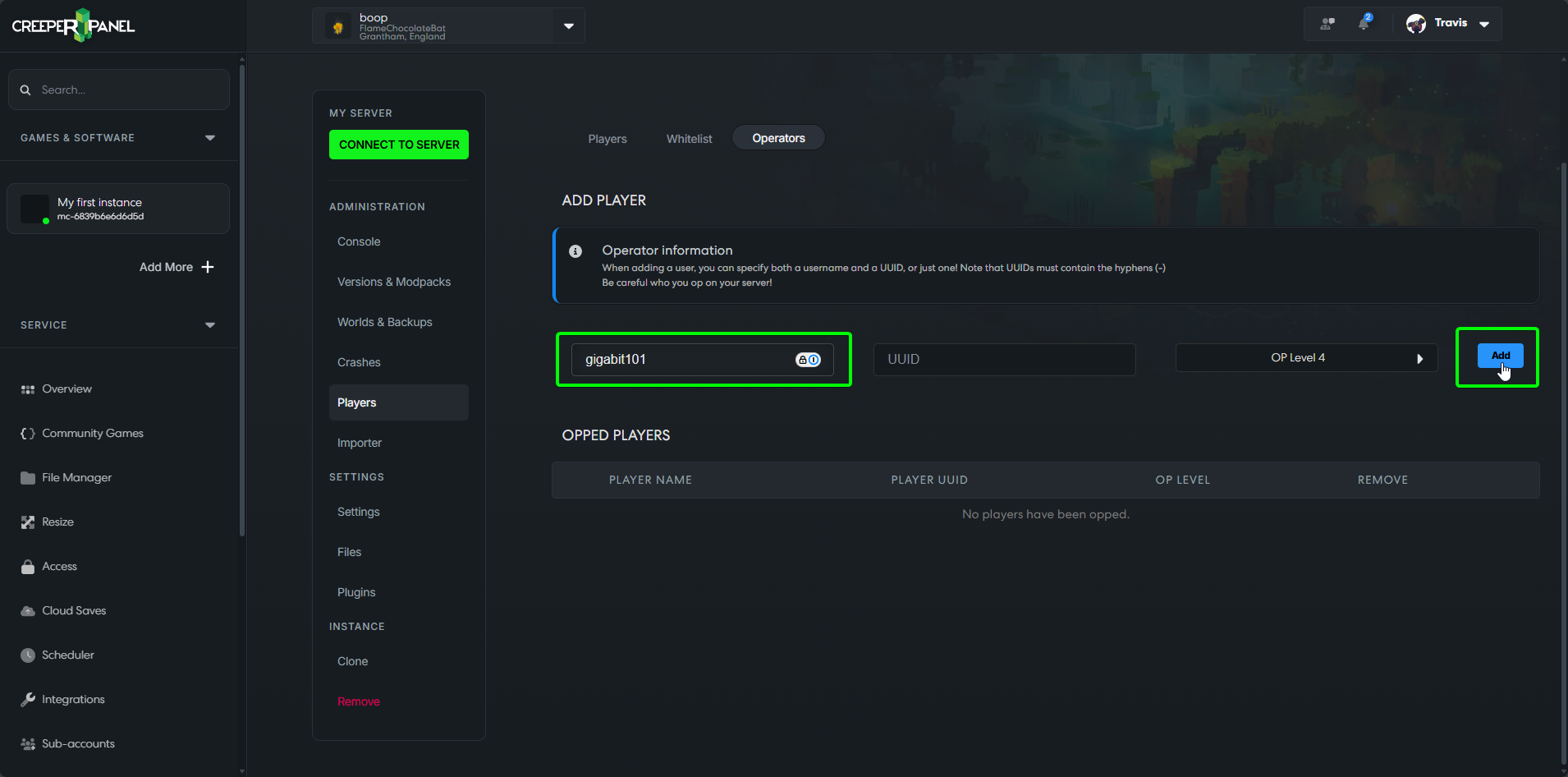
The page will now refresh, and add the player to the OPs list. The recently Oped player may need to reconnect for the changes to take effect.