Enabling Chat via Xbox Account Settings
If you are unable to send or see chat messages in Minecraft, your Microsoft/Xbox account privacy settings may be restricting in-game communication or cross-platform text and voice chat.
info
If you are using a child account you will need to get a parent or guardian to do this for you.
Follow the steps below to enable chat in your Xbox account settings:
- Open your web browser and navigate to the Xbox Privacy & Online Safety settings page: https://www.xbox.com/en-US/user/settings/privacy-and-safety
- Sign in to the Microsoft/Xbox account associated with your Minecraft profile.
- Select the Privacy tab.
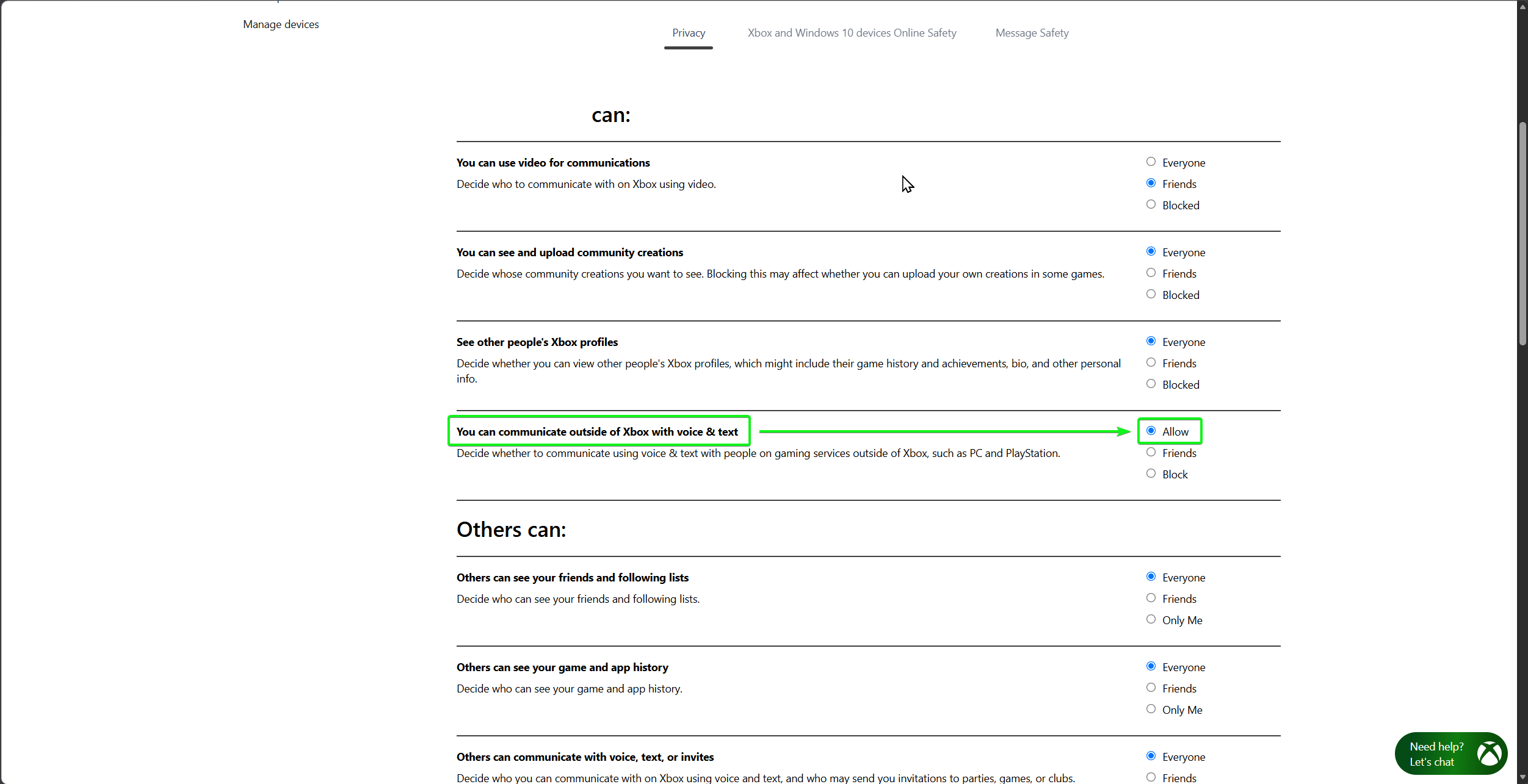
- Scroll down to the You can: section and locate the setting You can communicate outside of Xbox with voice & text.
- Set this option to Allow.
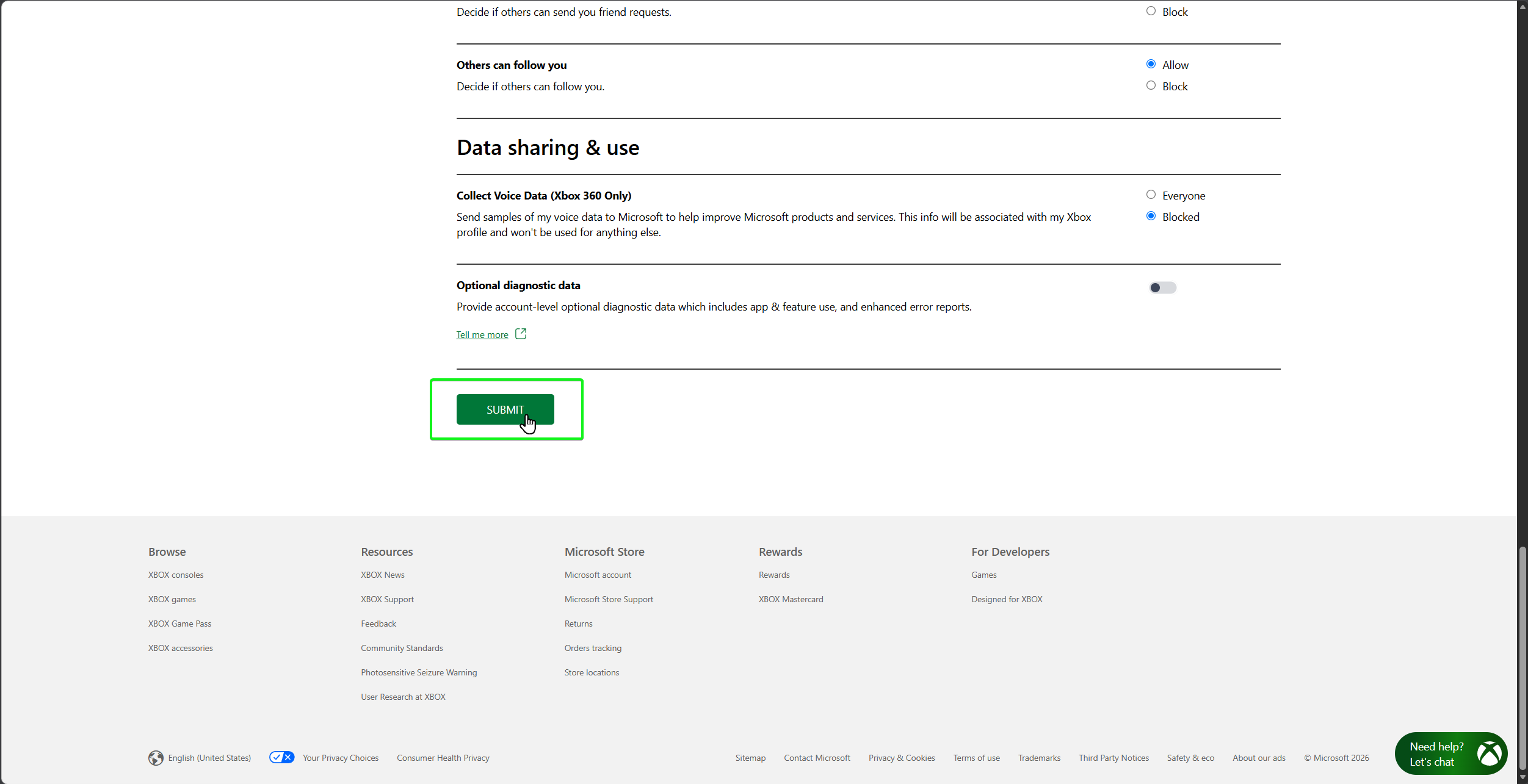
- Scroll down to the bottom of the page and click the Submit button to save your settings.
info
After saving your changes, close and restart both your Minecraft game client and launcher for your updated account privacy settings to take effect.