Whitelist and Player Settings
The CreeperPanel makes managing your Whitelist for Hytale pleasantly simple. To get started on configuring your Whitelist:
Players
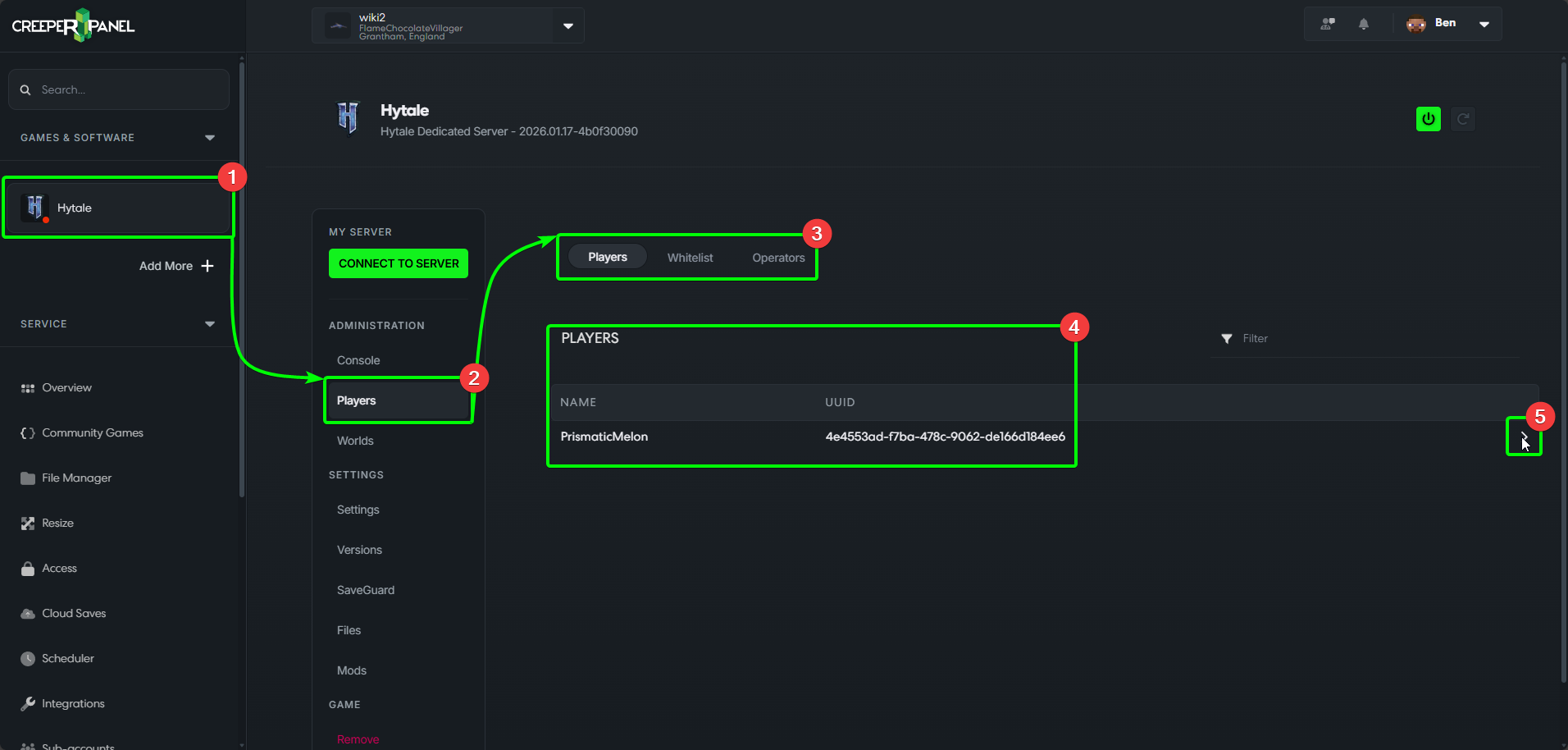
- Navigate to
Hytaleon the sidebar. - Select
Players, underAdministrationon the sub-menu. - You will be taken straight to the
Playerstab - you will also seeWhitelistandOperators. - Whilst in the
Playerstab, you will see a list of all players who have joined your server at one point or another. - An arrow should appear next to each player name/ UUID. Clicking the arrow will present you with a list of options for each player.
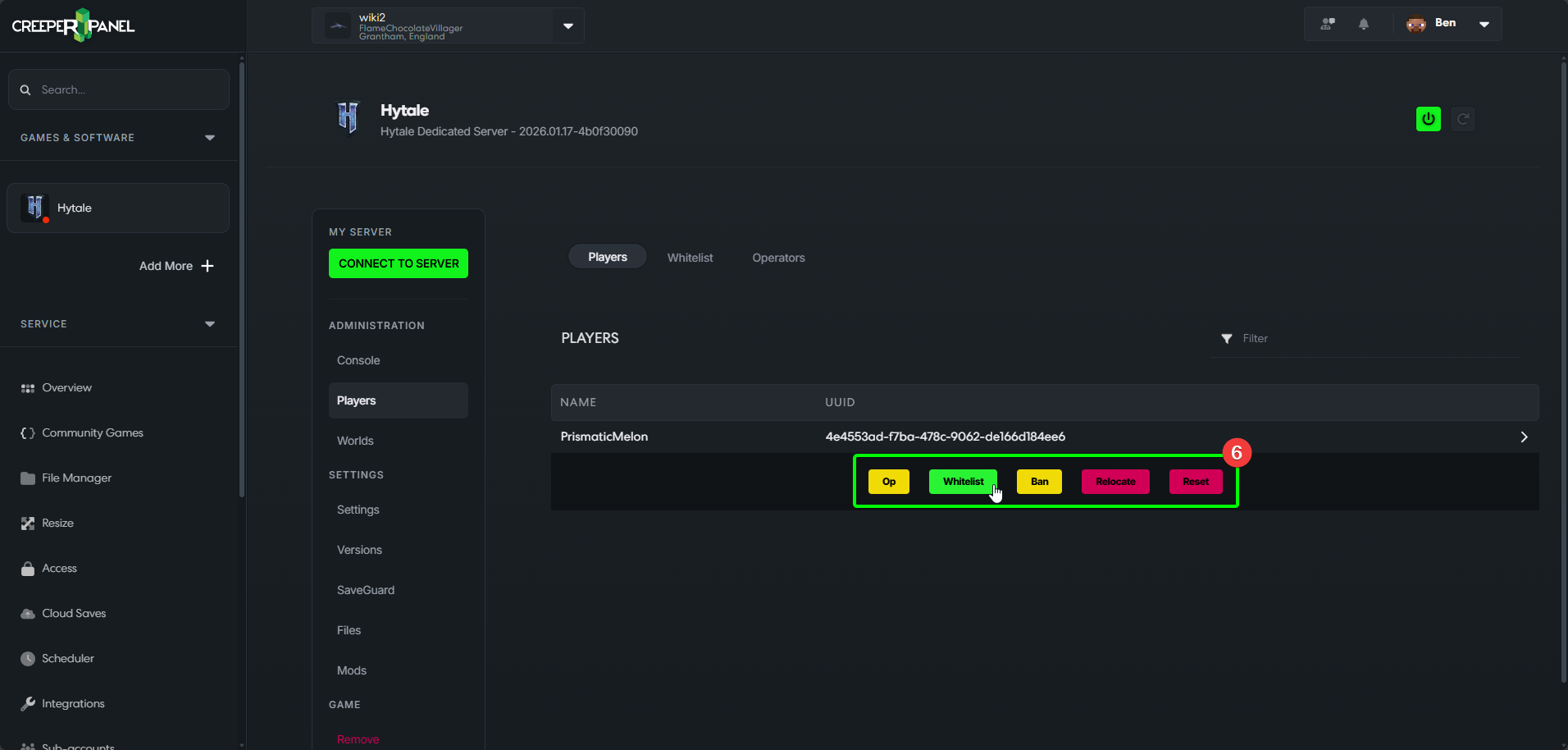
- Clicking the player's arrow reveals the options for each player. Here you can use
Op,Whitelist,Ban,Relocate, orReset.- Op - give the selected player Op status.
- Whitelist - add the selected player to your Whitelist.
- Ban - ban the selected player from joining/ rejoining your server.
- Relocate - teleports the selected player back to spawn. This will need to be used when the player is offline.
- Reset - reset the selected players information - this includes inventory and hotbar.
Whitelist
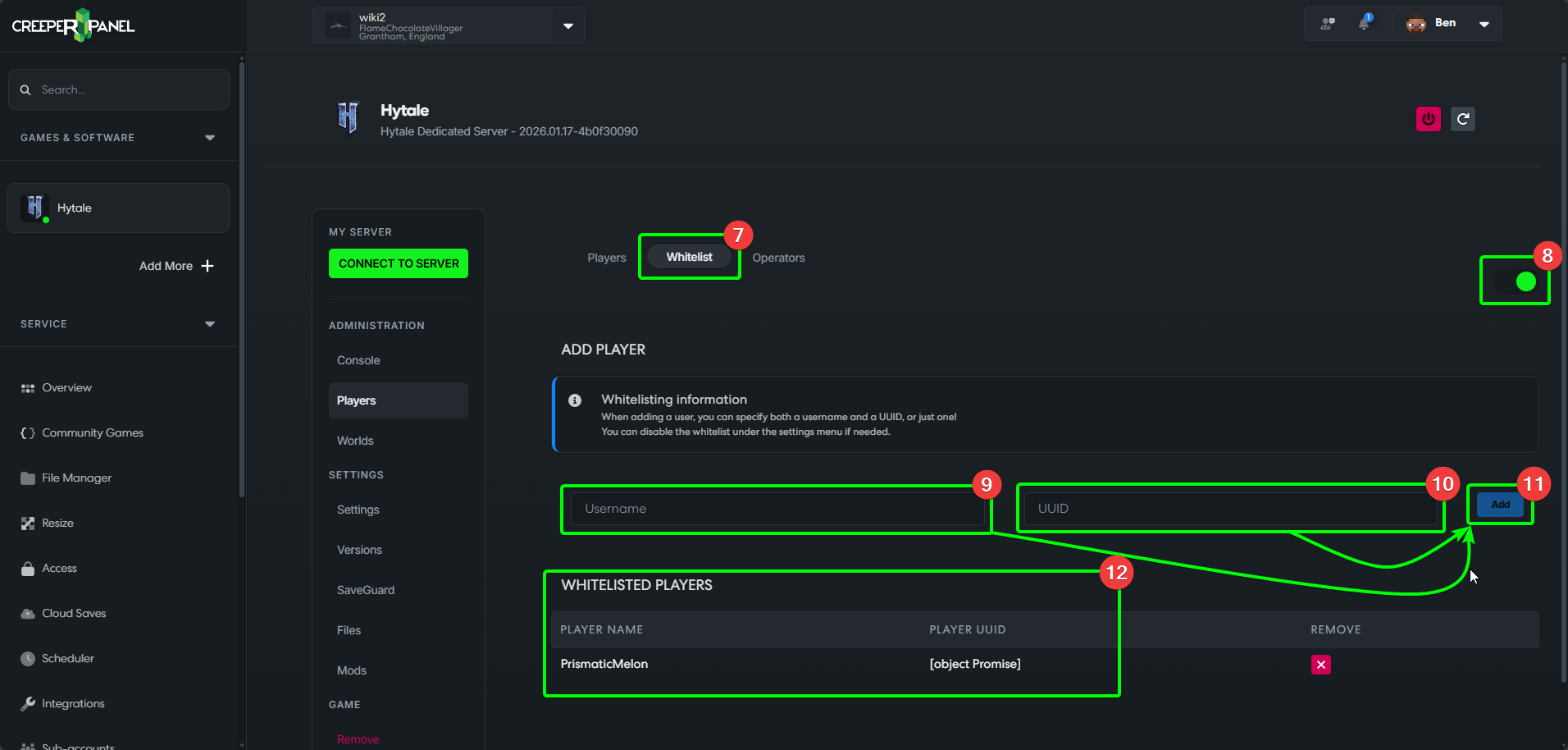
- Selecting Whitelist at the top of the page will take you to your Whitelist settings page.
- A toggle switch to turn your Whitelist on or off.
- Here is where you can manually add players to the Whitelist. Fill out either a username in the
Usernamefield, or, - A player's UUID in the
UUIDfield. Both the Username and UUID can be found on thePlayerstab under their relevant columns. - The
Addbutton: once you've entered a player's username or UUID, press this to add them to the Whitelist. - This is where you will find a list of players you have already added to the Whitelist. You can remove a player from the Whitelist by clicking the red
Xnext to their name in this list.
Operators
- Selecting the last tab,
Operatorswill take you to the Operators page. This works similarly to the Whitelist. - Username field - enter a player's username to begin giving them Op status.
- UUID field - enter a player's UUID to begin giving them Op status.
- The
Addbutton. Once you've entered a player's username or UUID, press this to give them Op status. - A list of players who have Op status. You can revoke a player's Op status by clicking the red
Xthat will appear next to their name.
That's it for now! Time to Hytale on out of the Wiki and get to playing!