Connecting to your Hytale server.
info
Please ensure your server is switched ON before attempting to connect.
Now you've configured and started your server, it's time to connect! Begin by starting the Hytale launcher, and pressing play.
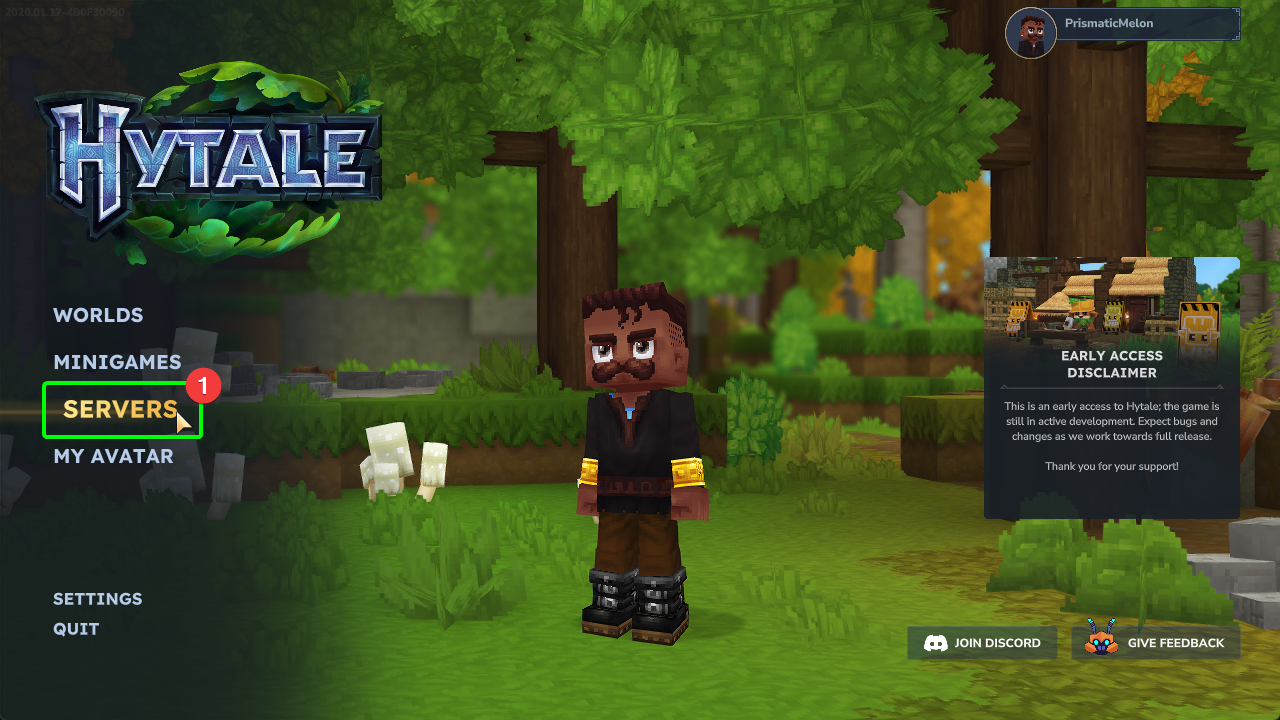
- Select
Serversfrom Hytale's main menu.
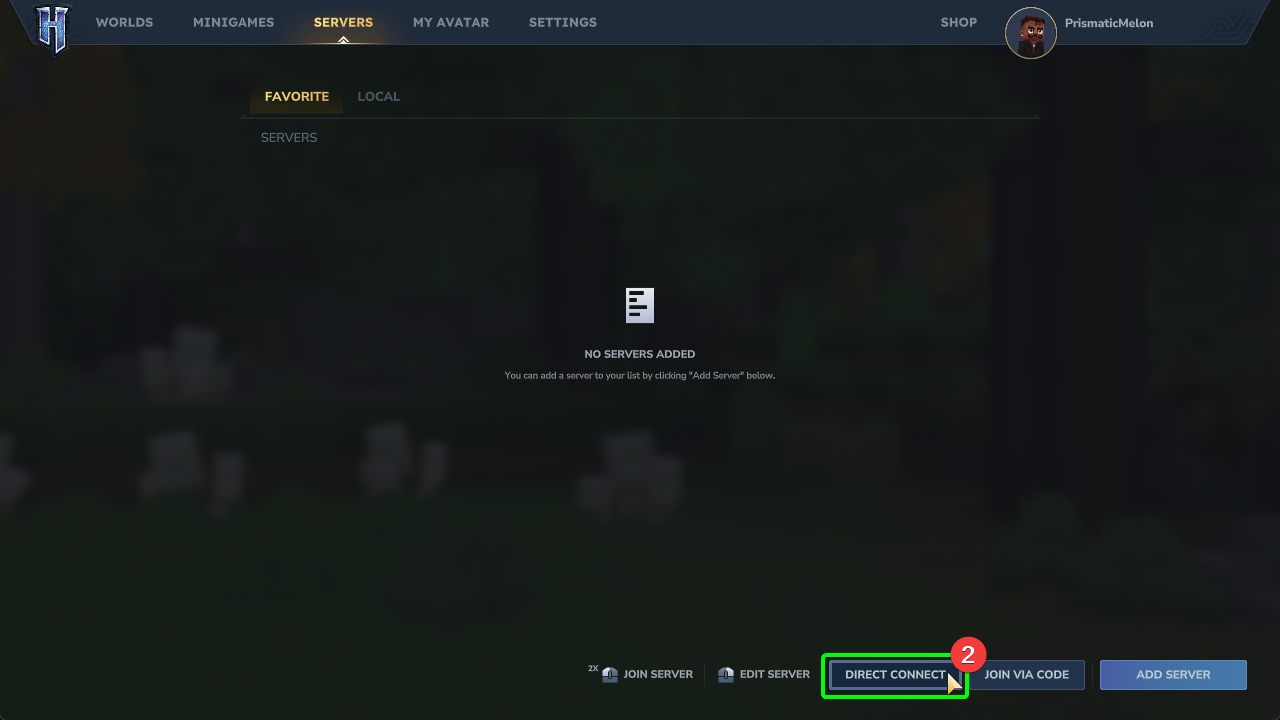
- On the server browser page, select
Direct Connectin the bottom right corner. This will open a window for the connection information.
Now, head back to the CreeperPanel.
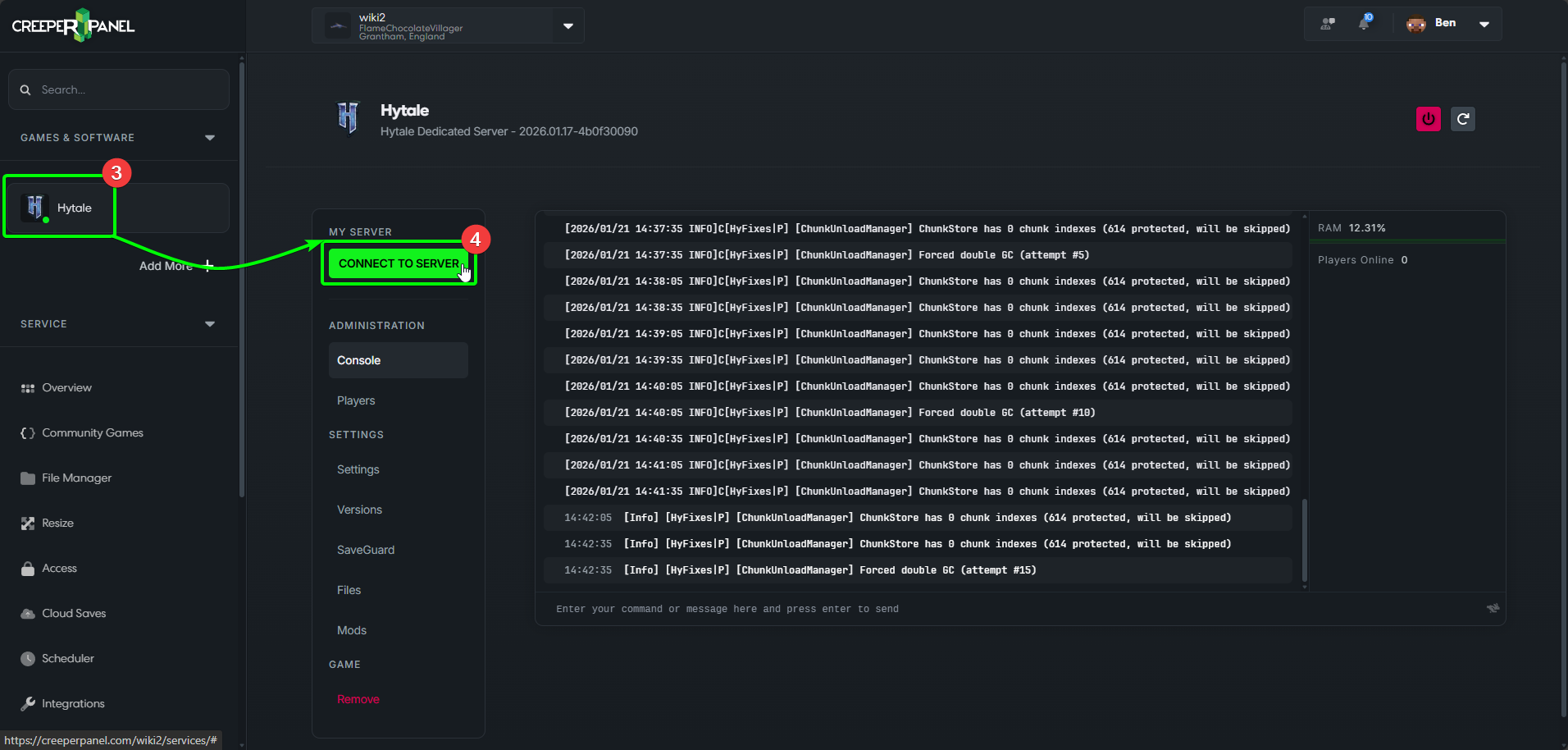
- Select Hytale from the side-bar to be taken to the console page for Hytale.
- Select the green
Connect to Serverbutton to see your connection details.
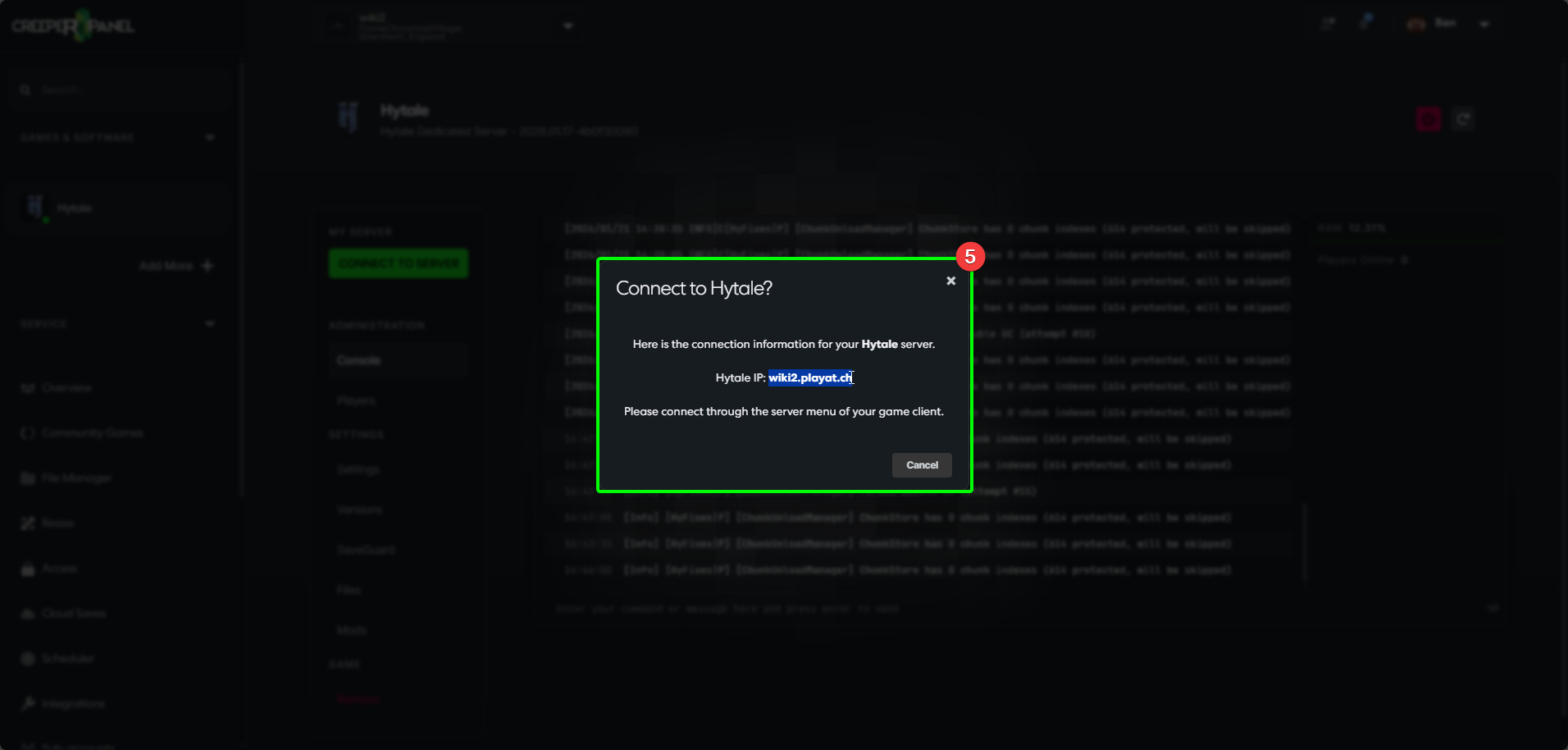
- You will see a new pop-up - you can find your connection details in the middle. Copy the details to your clipboard, and close the pop-up.
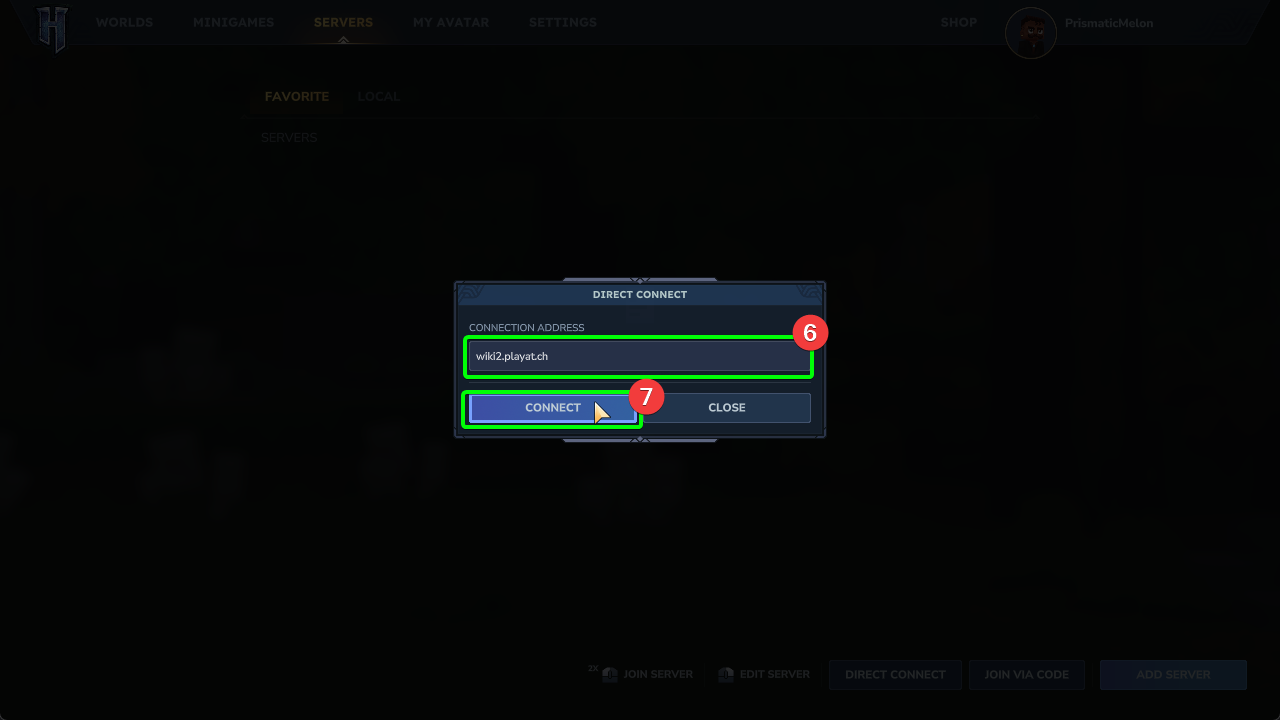
- Head back to Hytale on your client machine, and paste the connection information into the
Connection Addressfield. - Select
Connect.
- Enter your password into the password box, and select
Login.
You will now connect to your Hytale server! Remember - any mods installed on your server will be automatically downloaded to your client for you.