Changing your Hytale server settings
info
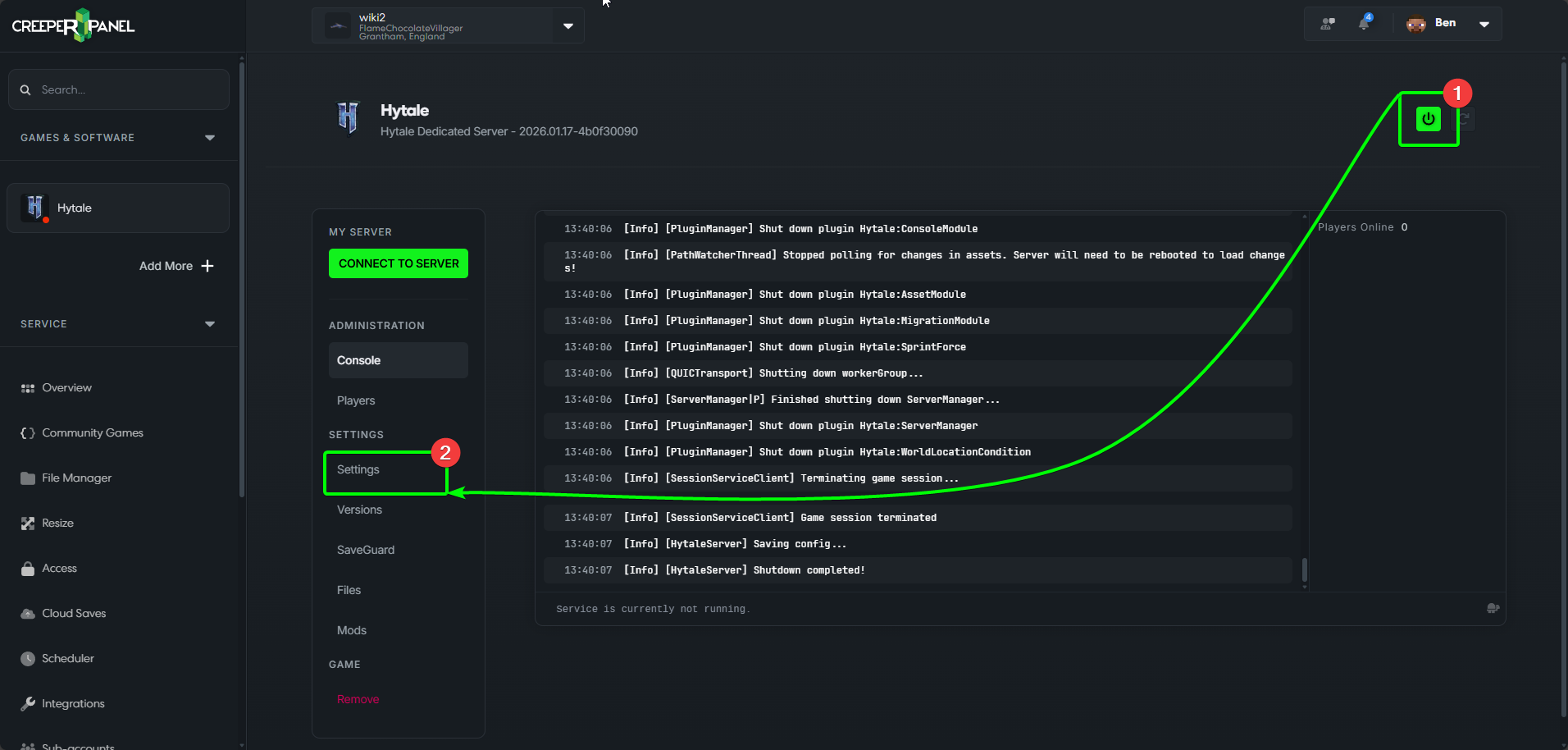
Before making any changes to your Hytale server, remember to turn it OFF.
- Ensure your Hytale server is turned off.
- Head to
Settings, found underSettingsin the sub-menu.
General Settings
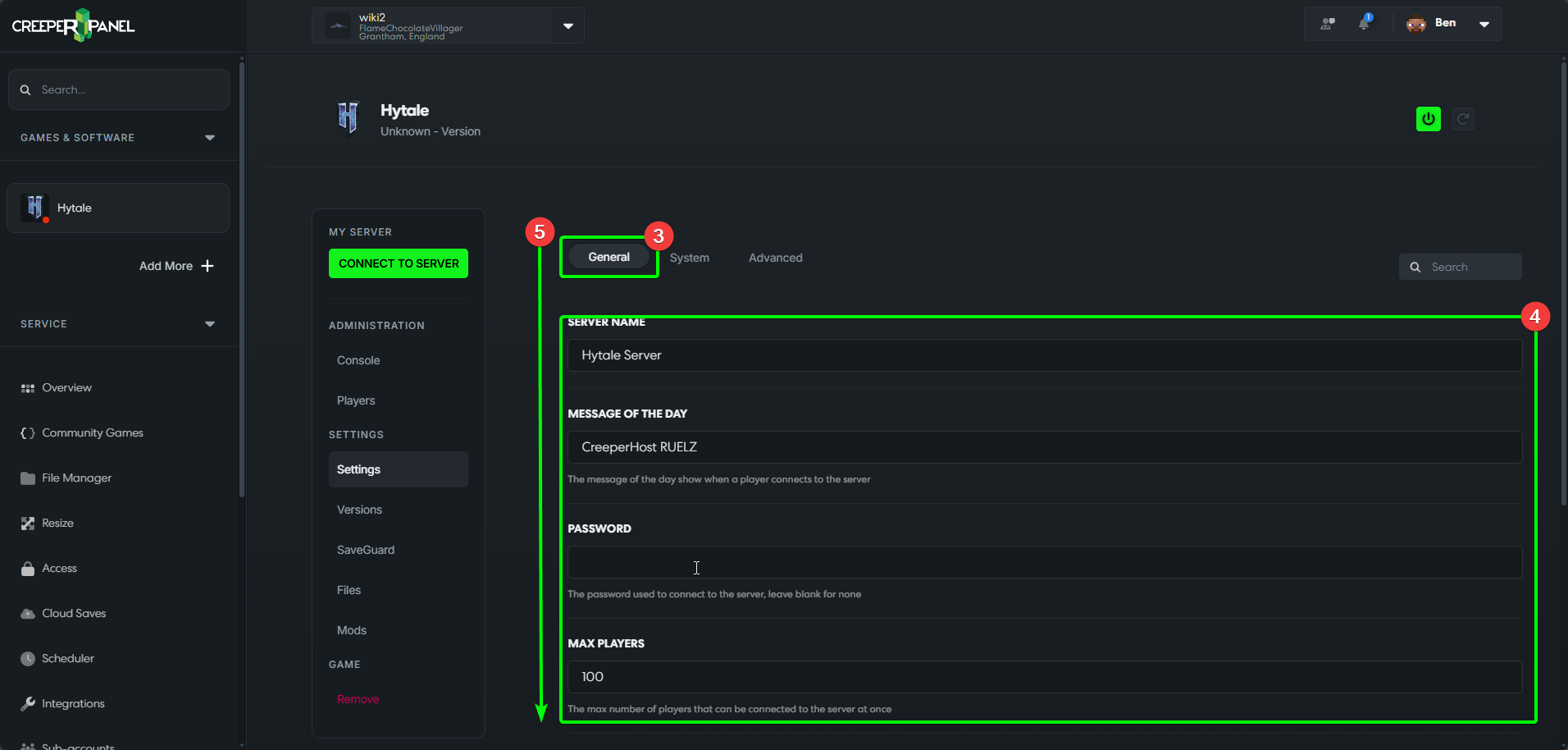
- The
Generaltab is where you will land, and it has most of the settings you would need to change, such as: - Server name, password, player count, Message of the Day etc. Change the settings as you wish.
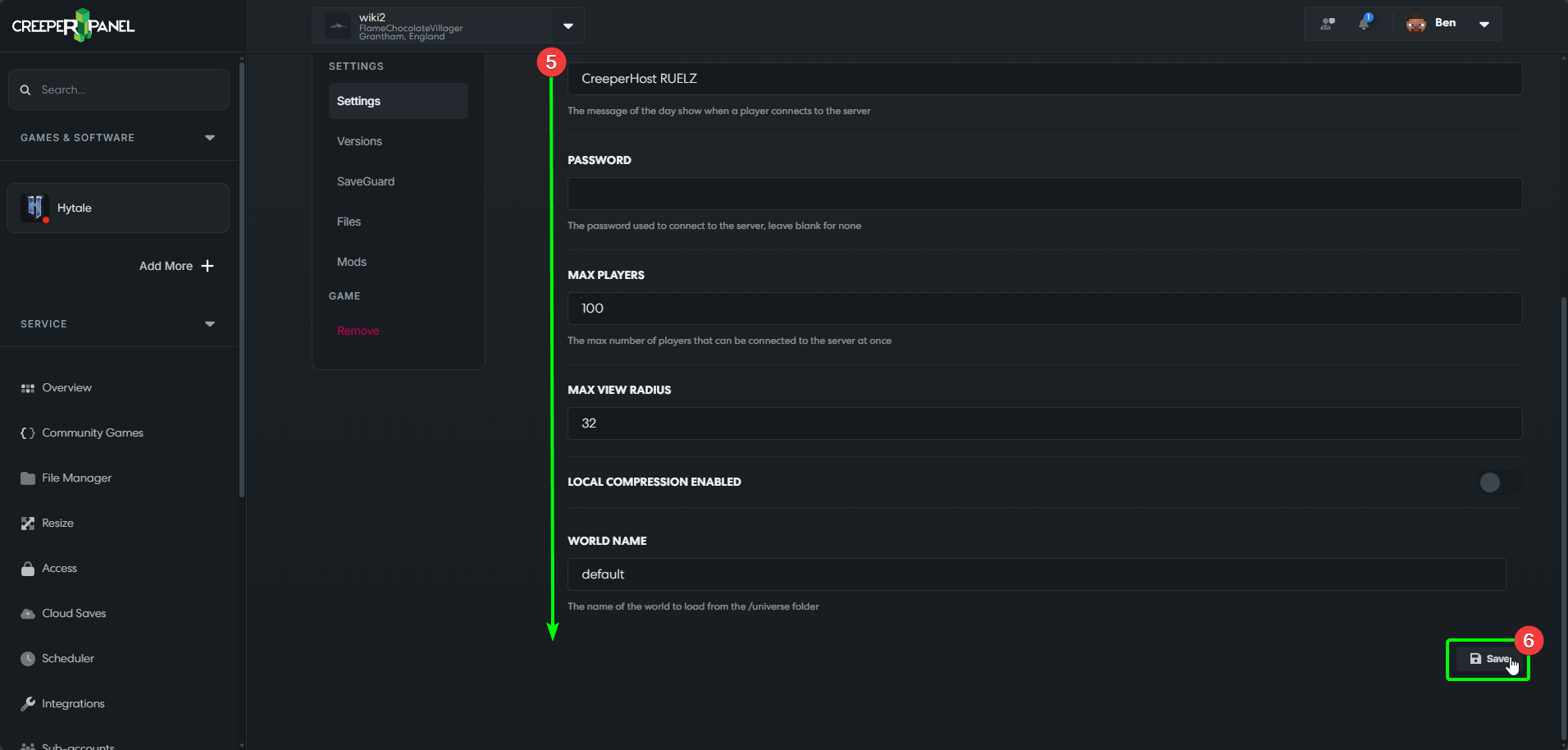
- Scroll down to see the other available settings. When you're finished changing them, scroll to the bottom of the page.
- Before exiting your settings, select the
Saveicon at the bottom of the Settings page to save any changes. Leaving without saving means your changes will not persist.
System Settings
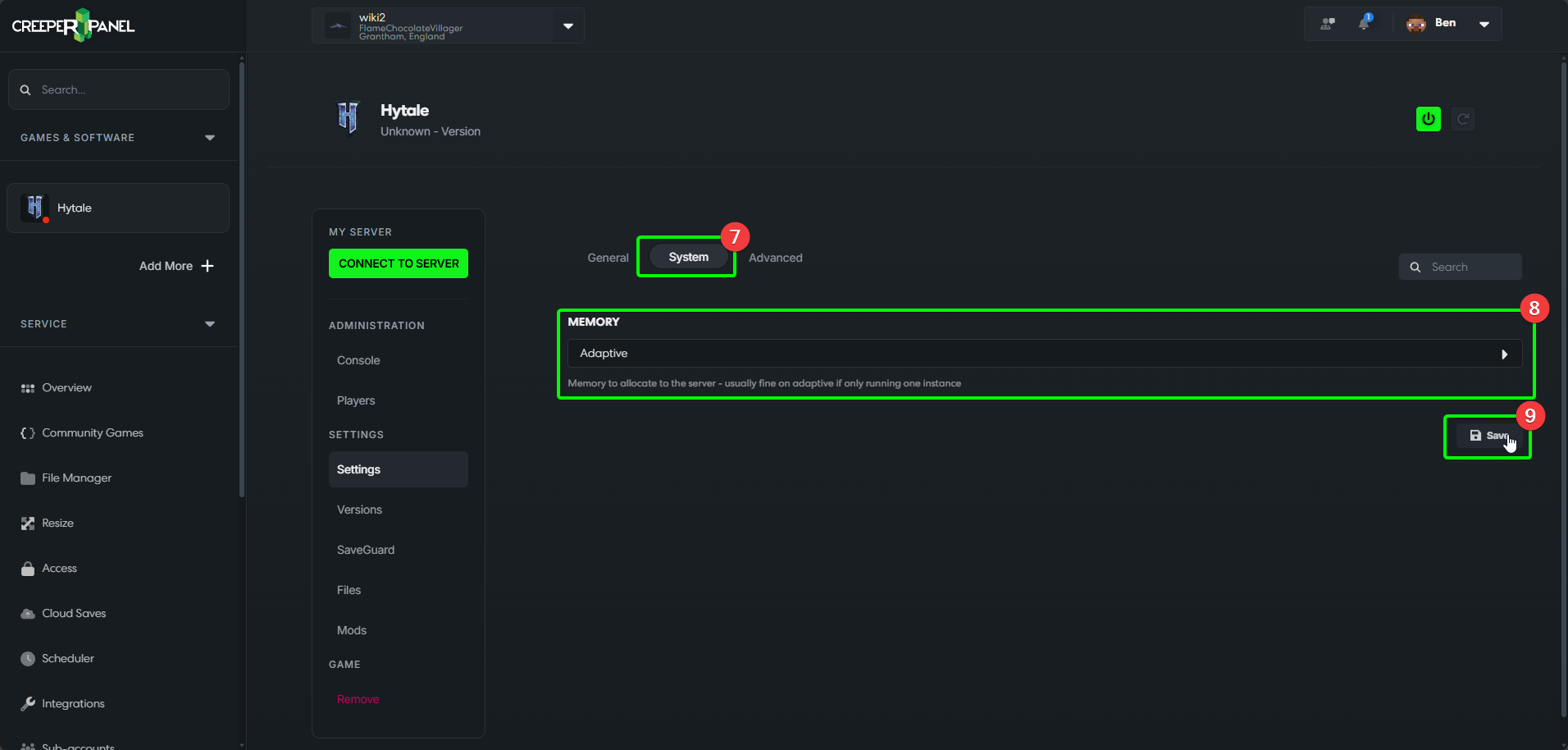
- The next tab you will have available is
System. - Currently, you can only change memory allocation for your instance(s). If you only intend to have one instance, you can leave this unchanged.
- As before, save any changes before leaving.
Advanced Settings
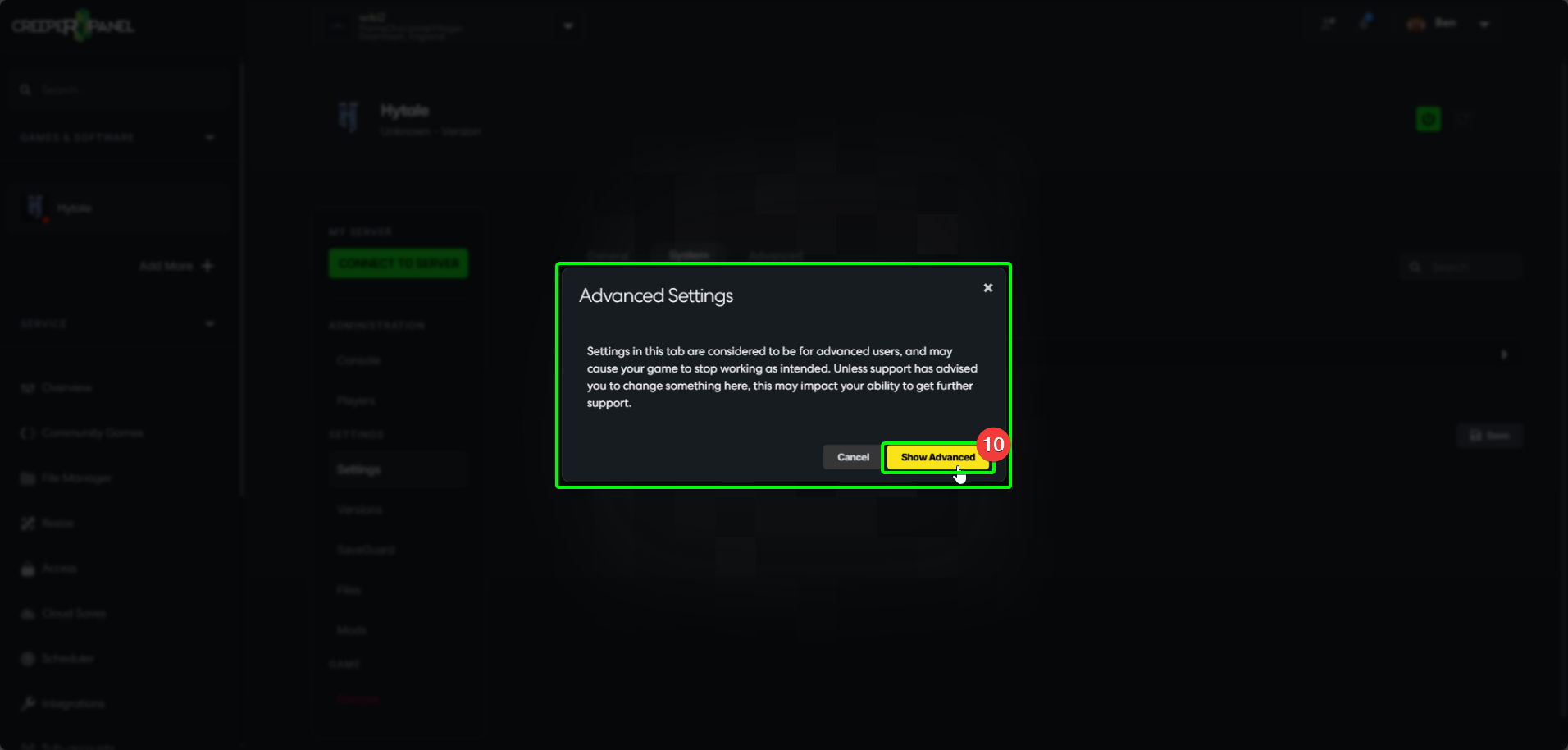
The last tab you will have available to view is Advanced. These settings should usually not be changed unless requested to by a member of CreeperHost Support.
- When selecting this, you will be warned about the effects of using the Advanced Settings. They can cause issues with your game, and may result in limited service from support.
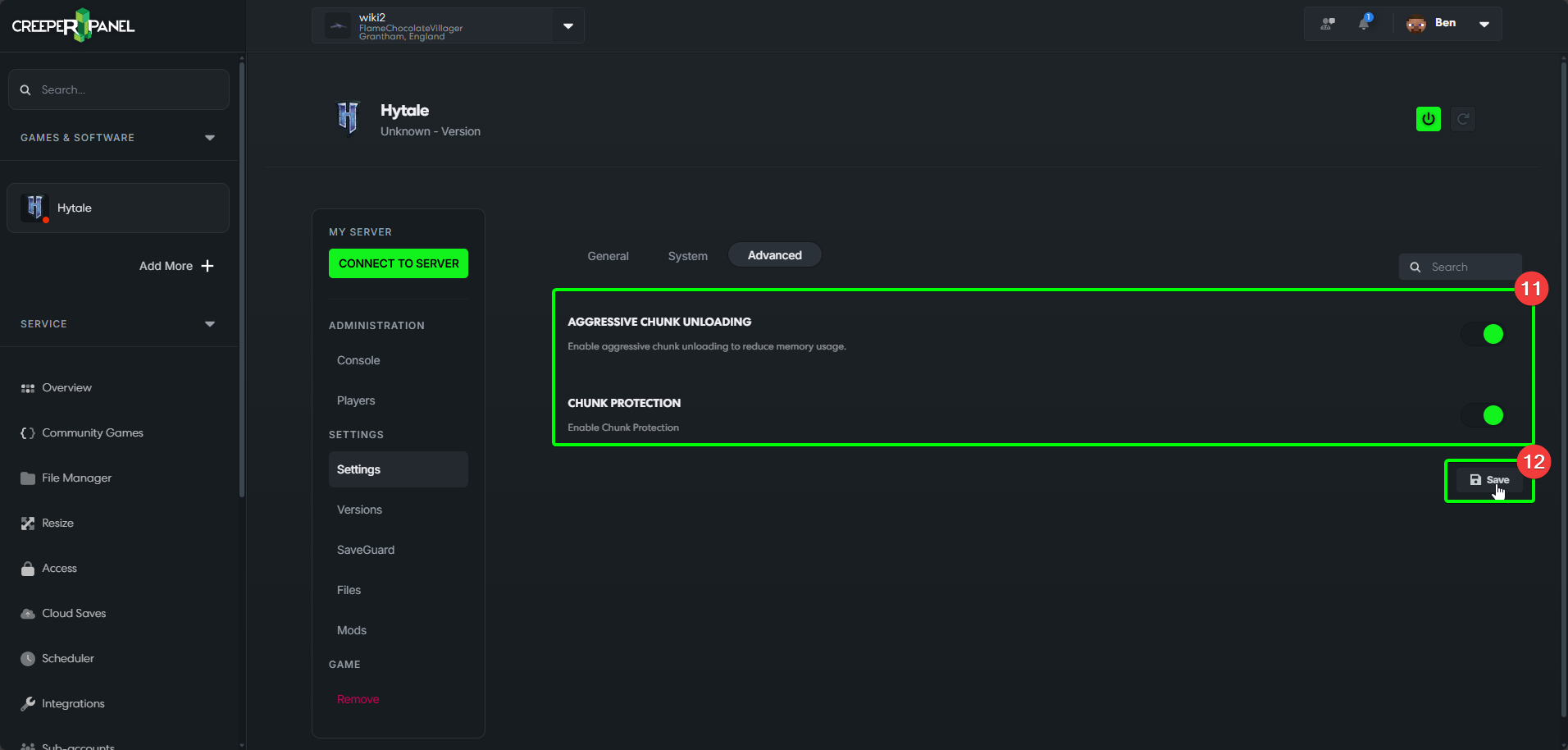
- Available settings under the advanced tab. You can toggle them on and off. They will be turned on by default.
- As always, save any intended changes before leaving with the
Saveicon.