Vanilla Minecraft Launcher
Downloading the Vanilla Minecraft launcher
You can download the Vanilla Minecraft launcher from https://www.minecraft.net/en-us/download
Changing your Minecraft version
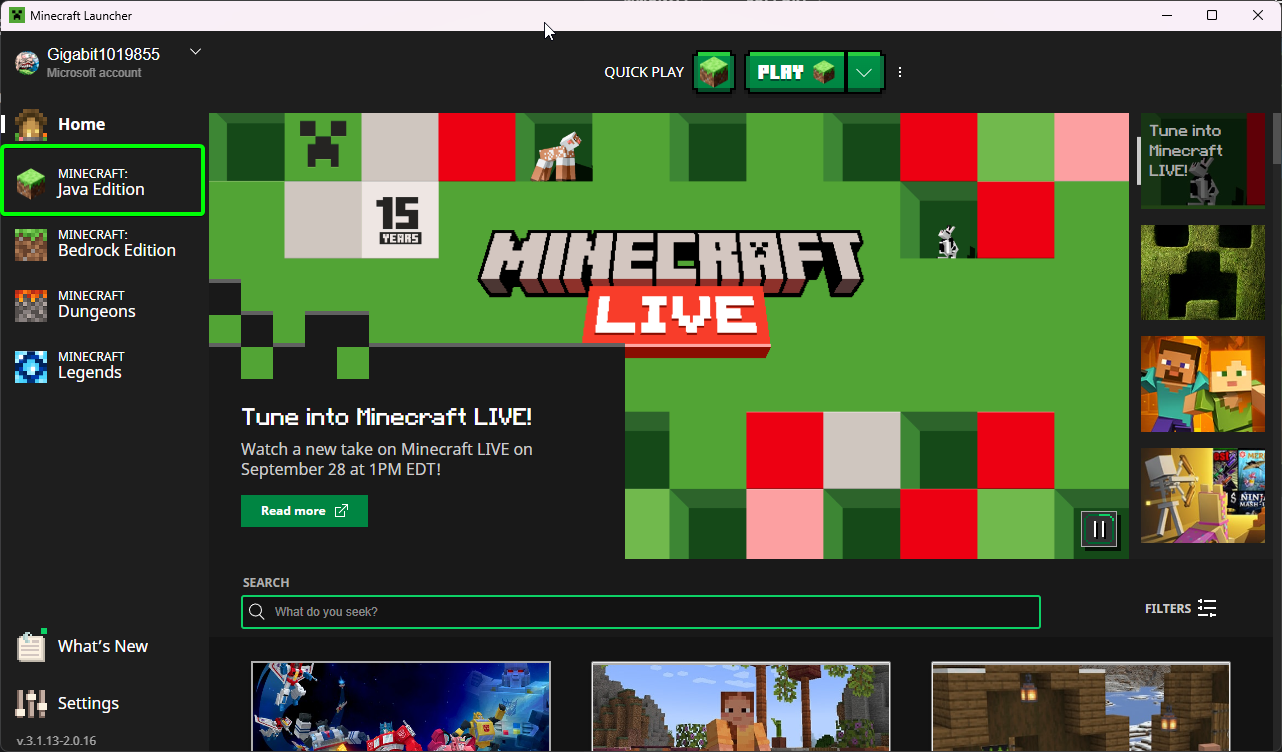
- Select
Minecraft Java Edition.
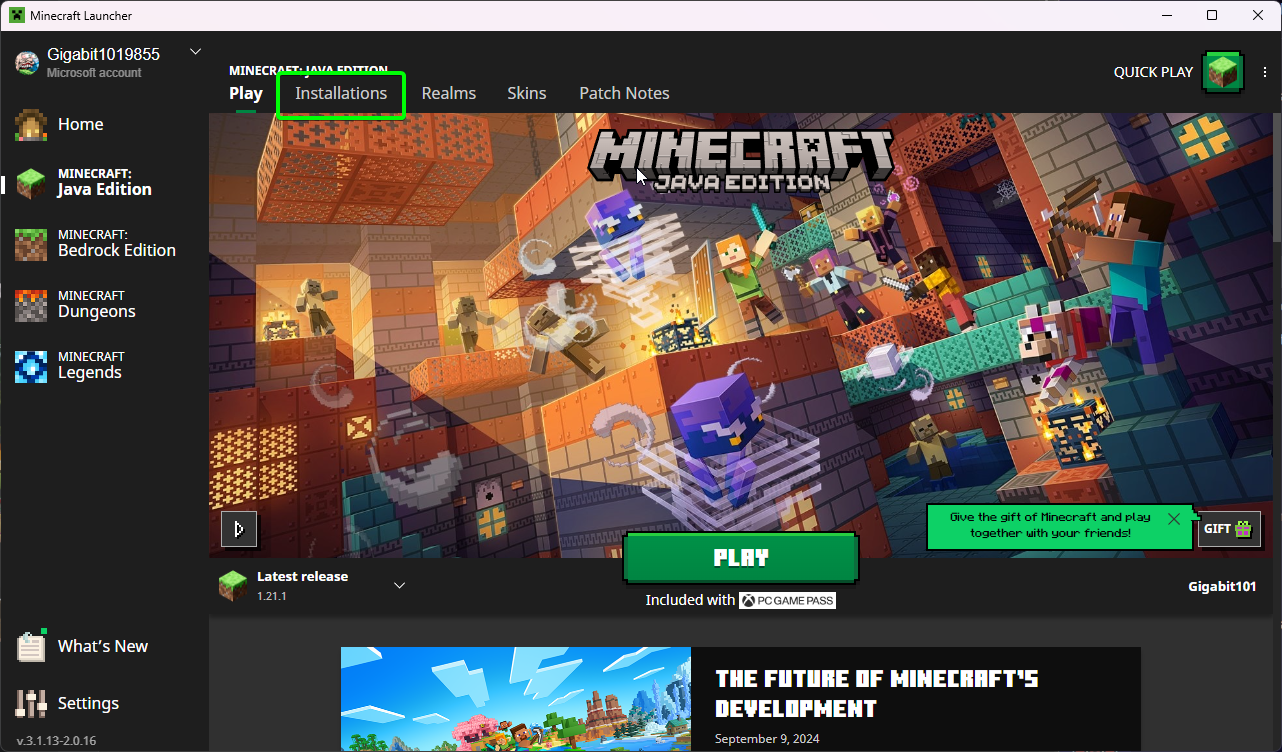
- Select
Installations.
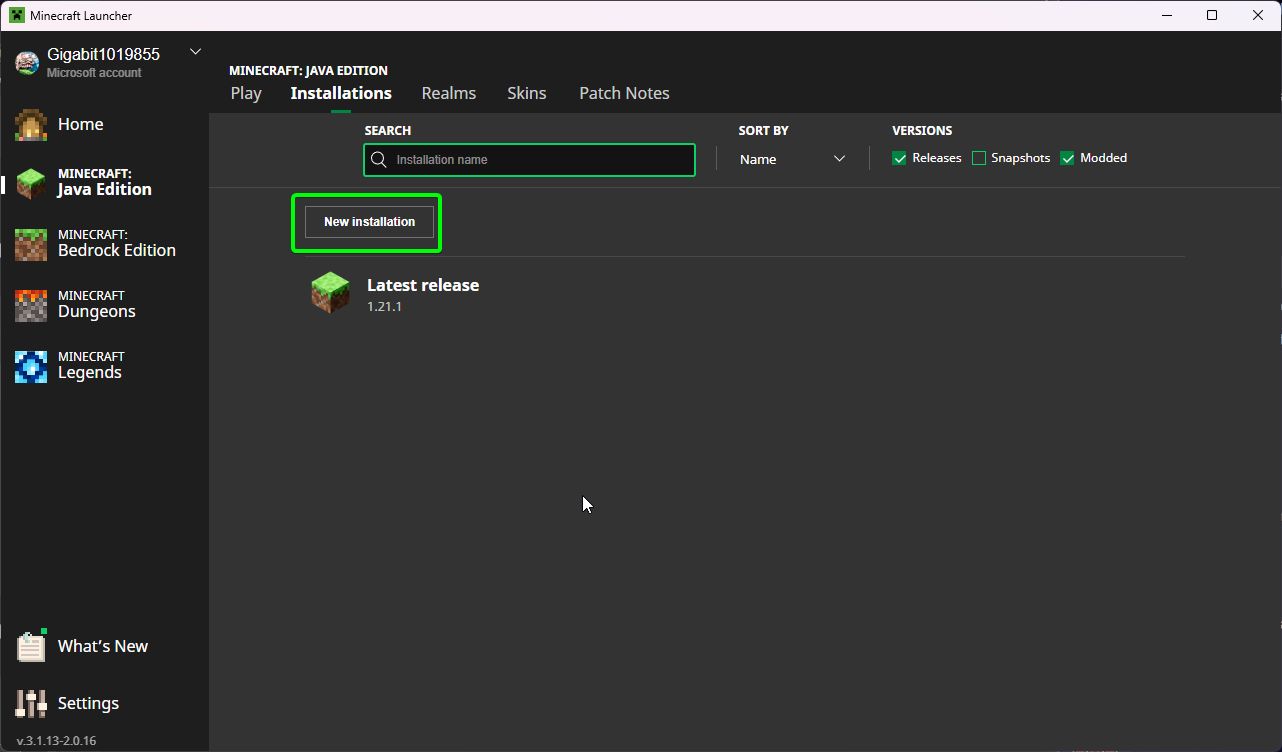
- Select
New Installation.
- You can name the Installation whatever you want.
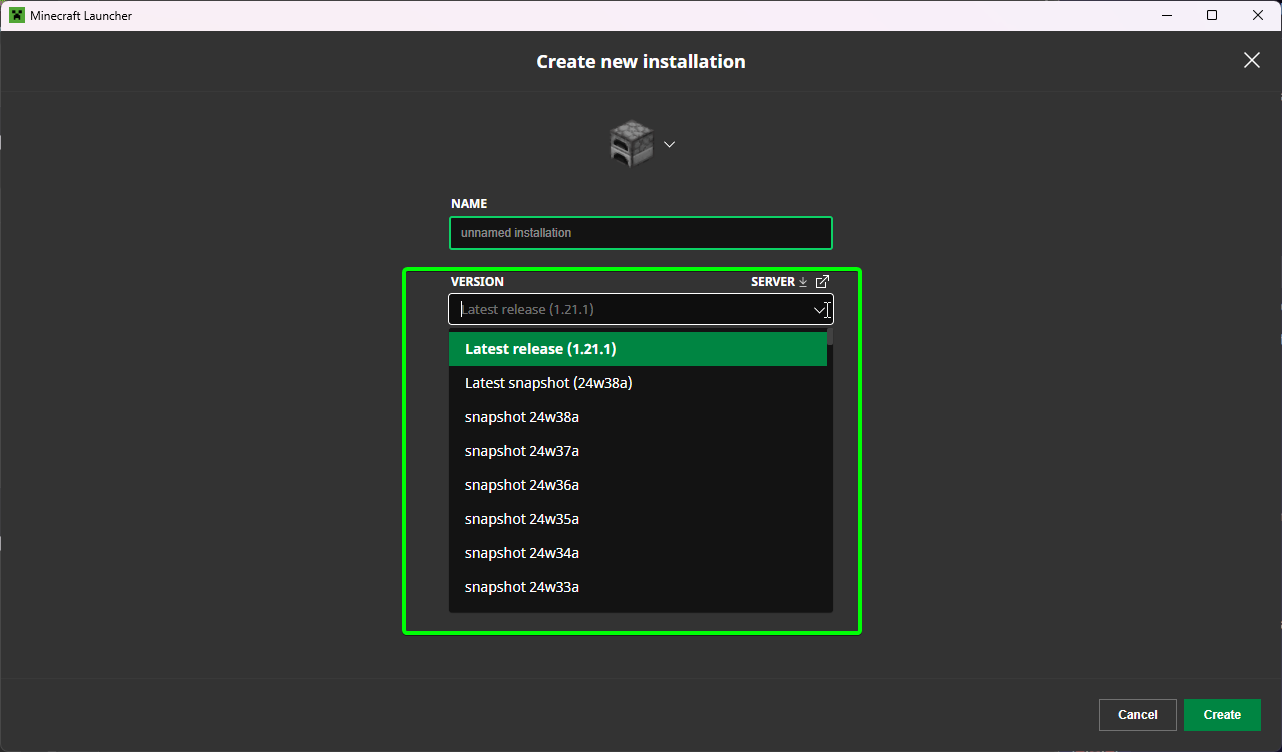
- Select the Version dropdown menu.
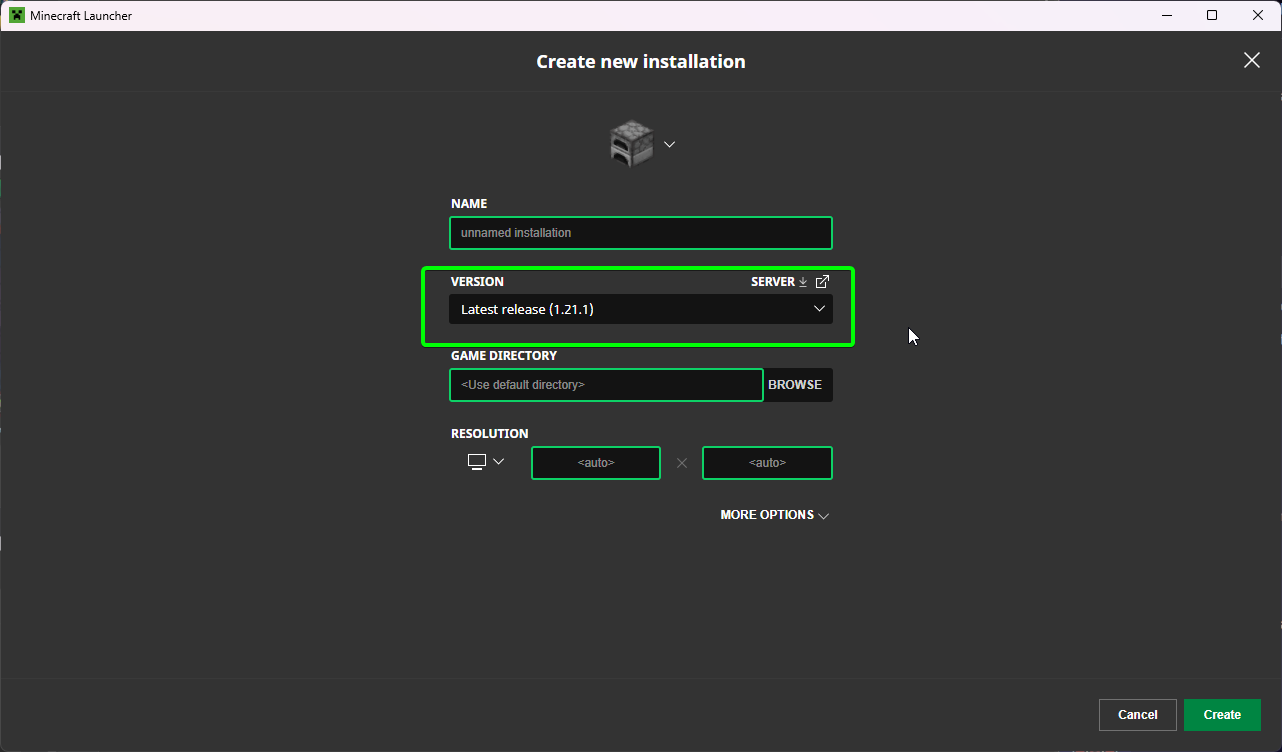
- Select the version you wish to use. This is a long list so you might need to scroll to find the version you wish to play.
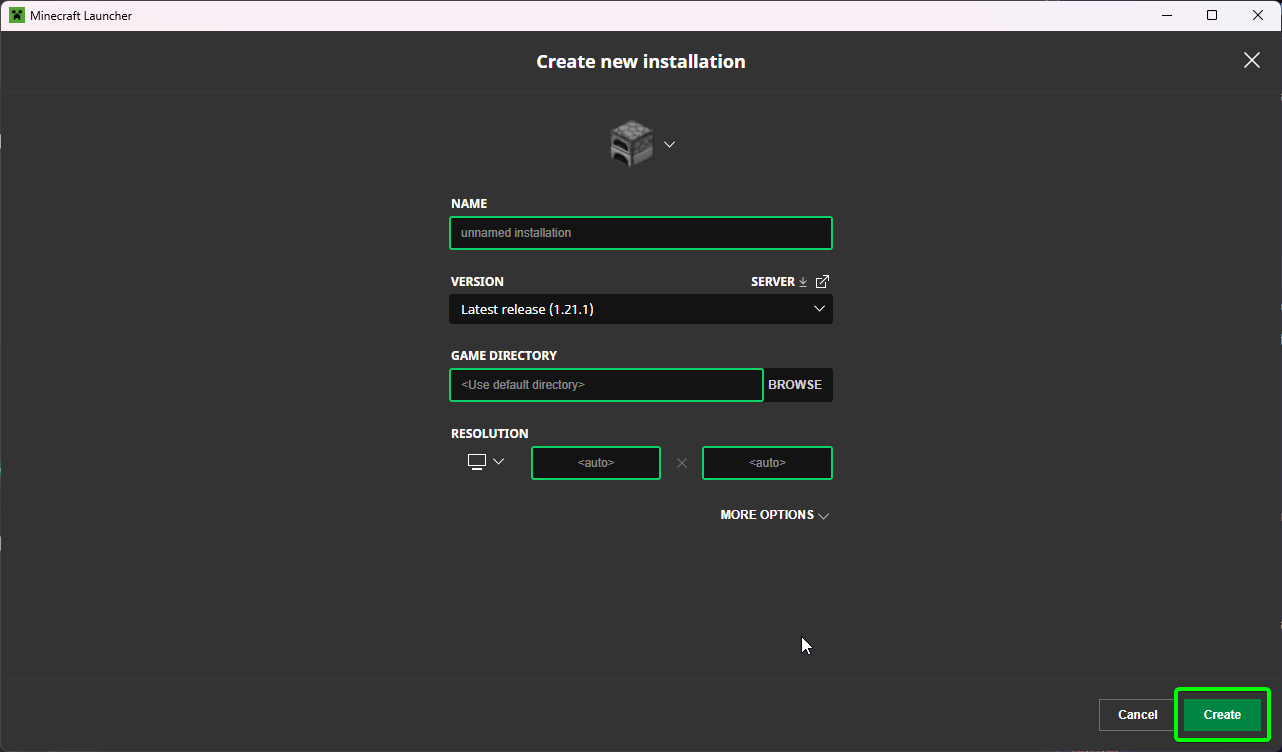
- Save your changes by pressing the green "Create" button.
You've successfully installed your chosen version of vanilla Minecraft Java!