Connecting to your Vintage Story instance
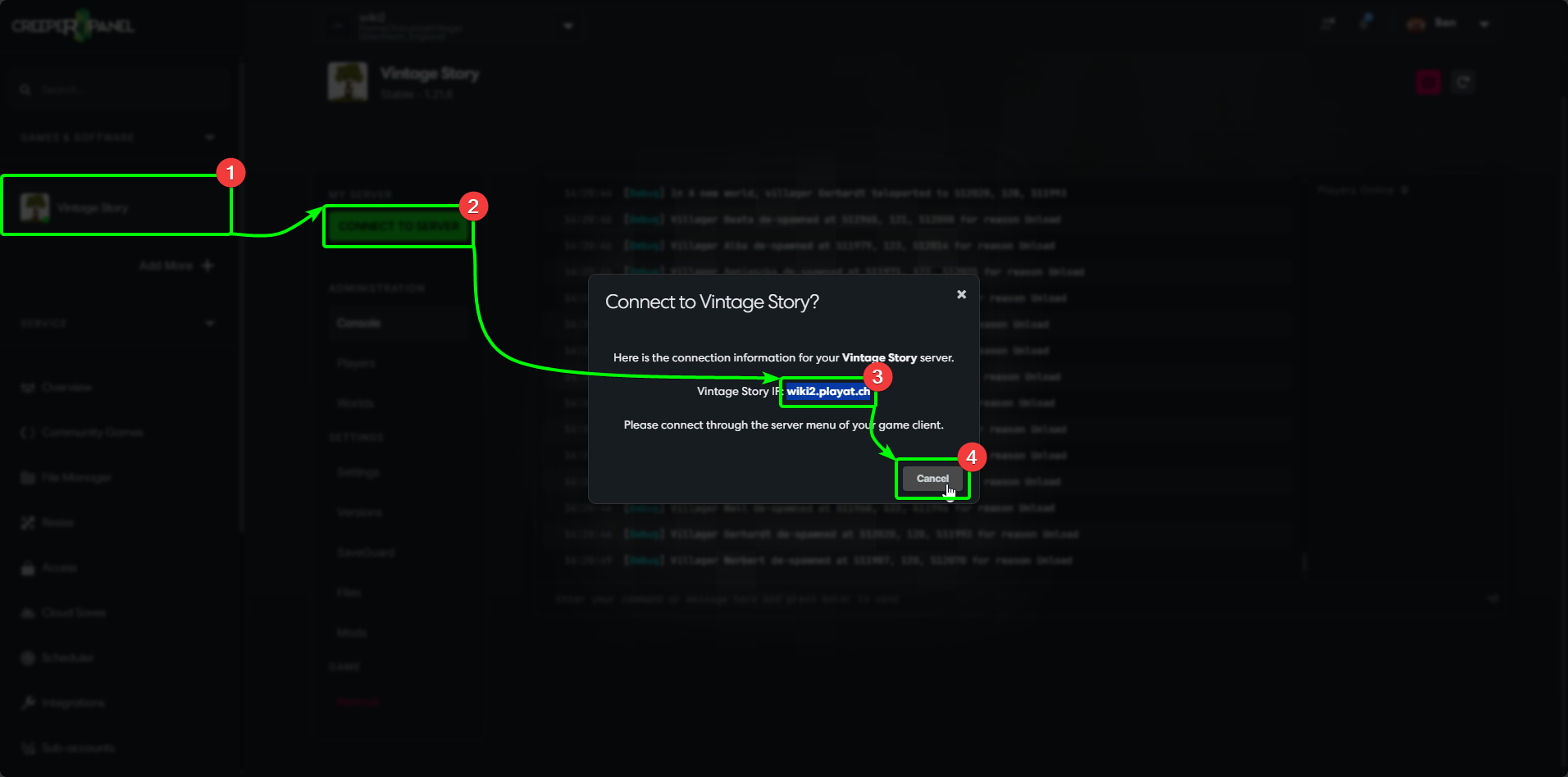
To get connected to your Vintage Story instance, first log in to the CreeperPanel, then;
- Select
Vintage Storyfrom yourGames & Softwaretab, then - Select the green
Connect to Serverbutton; this will open a pop up with the required connection information. - Copy your hostname from the popup.
- Select
Closeto close the window.
Next, load up Vintage Story on your client machine. Then;
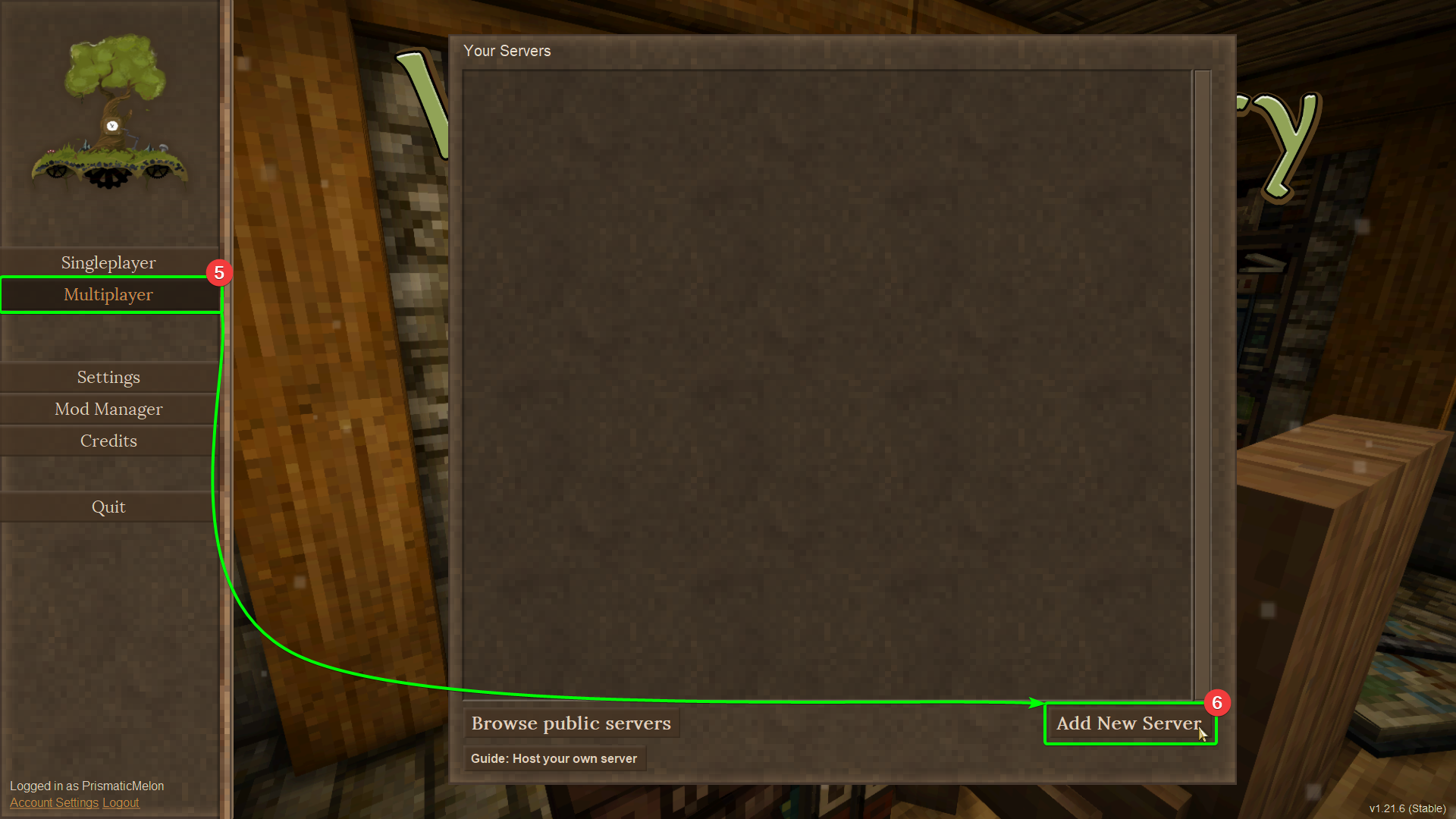
- Select
Multiplayerfrom the main menu, then - Select
Add New Serverin the pop-up.
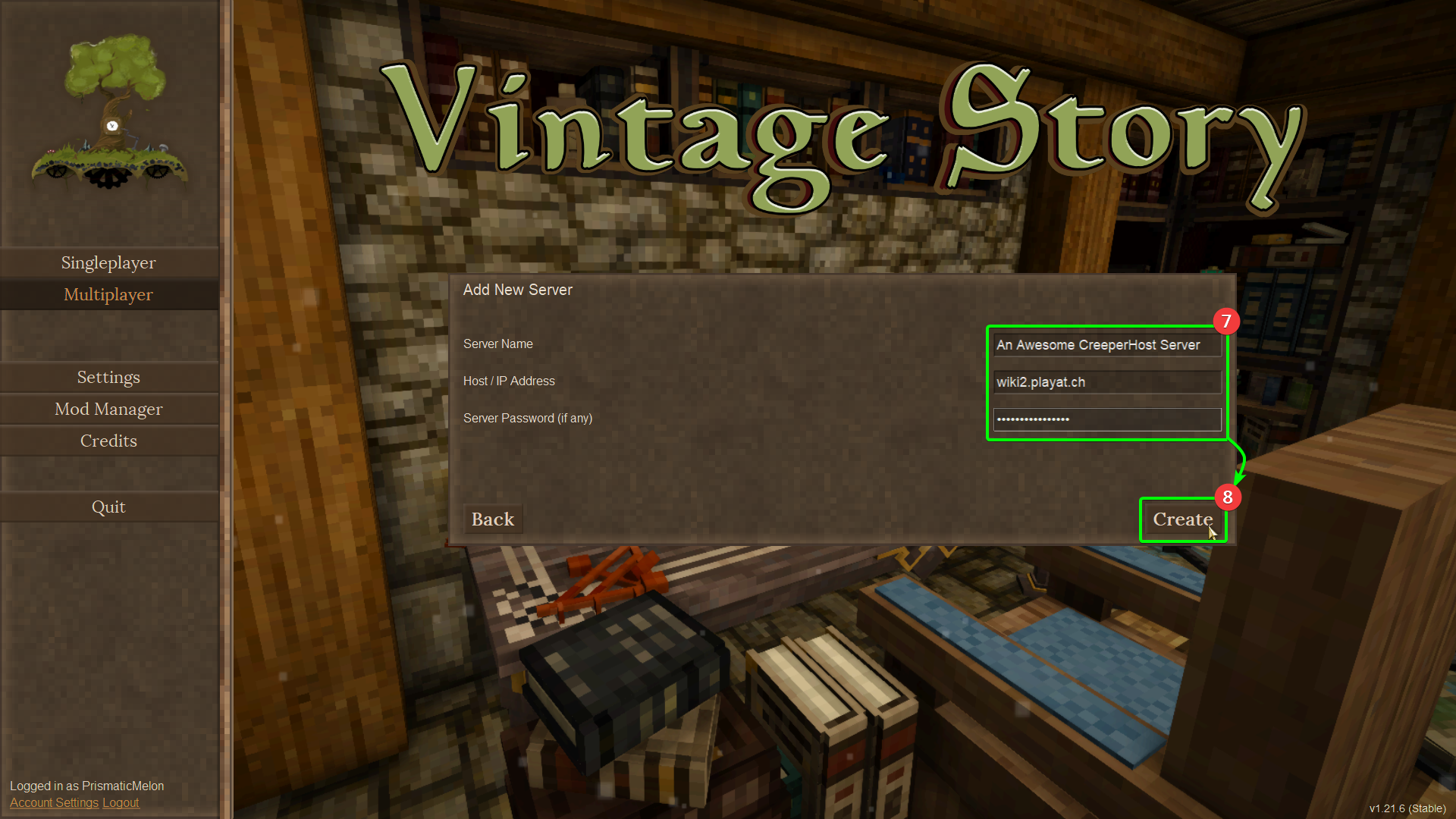
- Enter your desired server name into the
Server Namefield, paste your host name you copied earlier into theIP/ Hostnamefield, and enter your password (if you've set one) into thePasswordfield. - When finished, select
Create.
- You'll be taken back a page to your server list - click the server you just added to load into it.
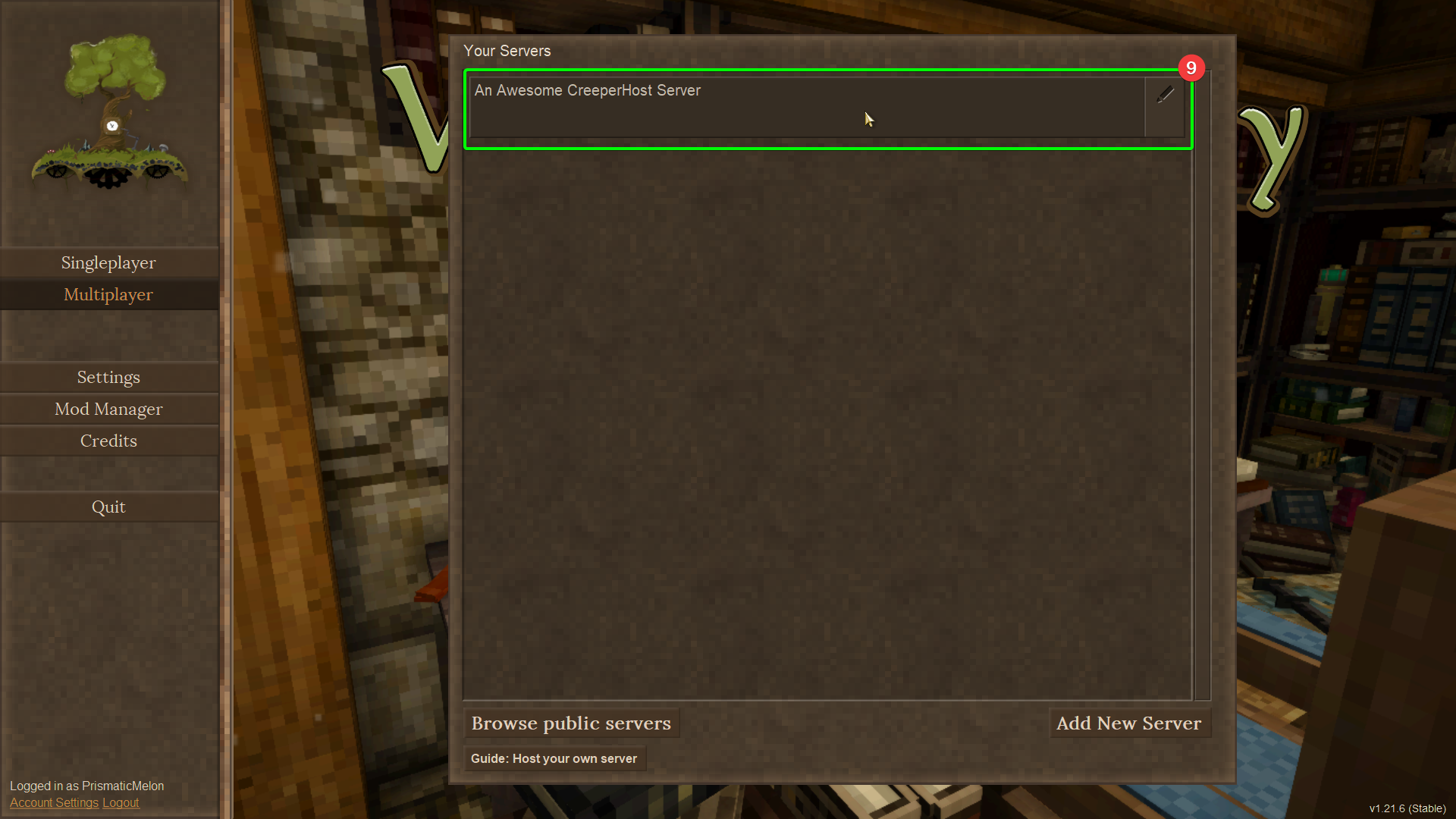
You should now start connecting to your server!