Connecting to your Windrose server
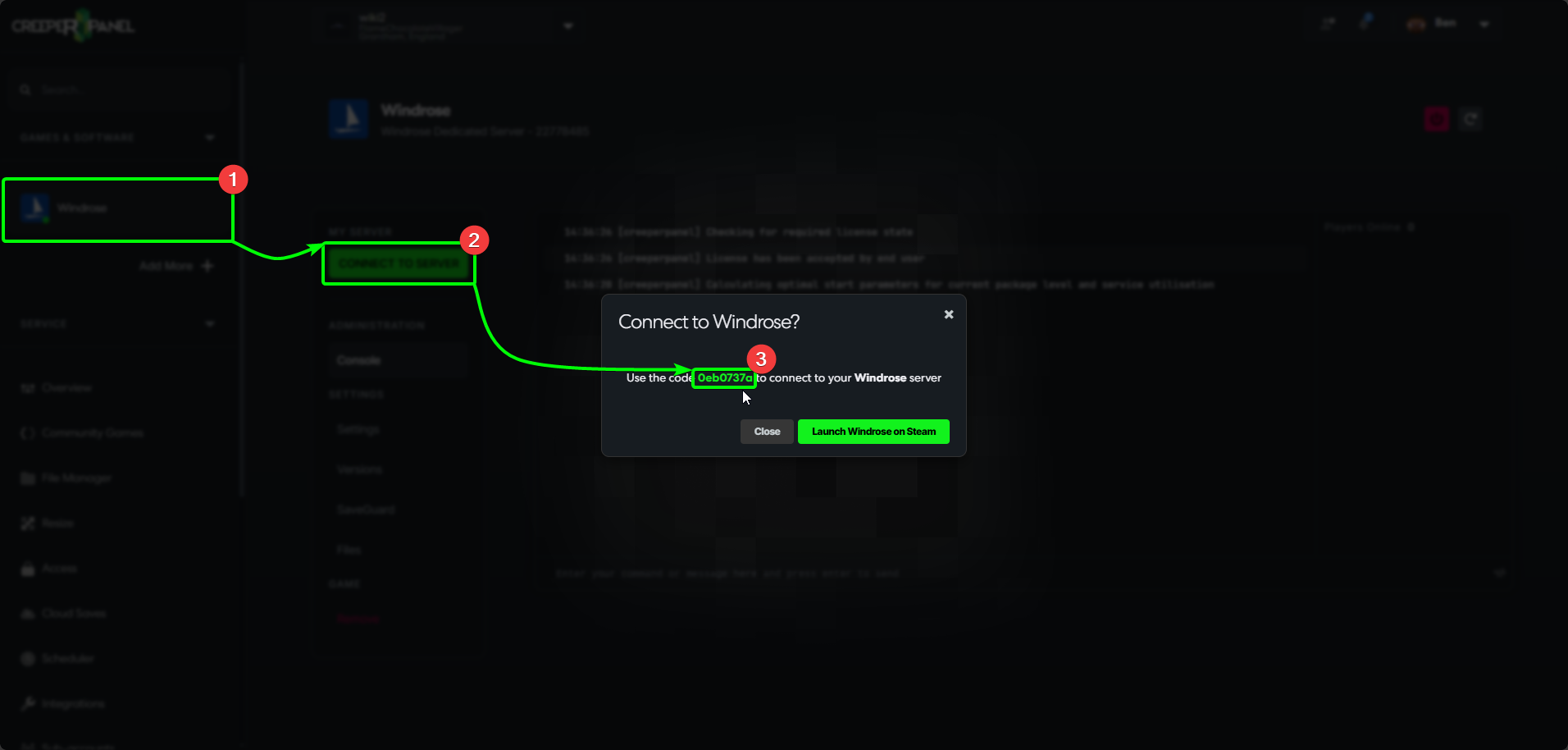
To start connecting to your Windrose server, you'll need an "Invite" code; you can find this via the CreeperPanel. To get started:
- Navigate to your Windrose instance on the CreeperPanel.
- Select the green
Connect to Serverbutton in the main window. This will open a popup with your invite code. - Copy the invite code to your clipboard - you can click the code and the Panel will send it to your clipboard.
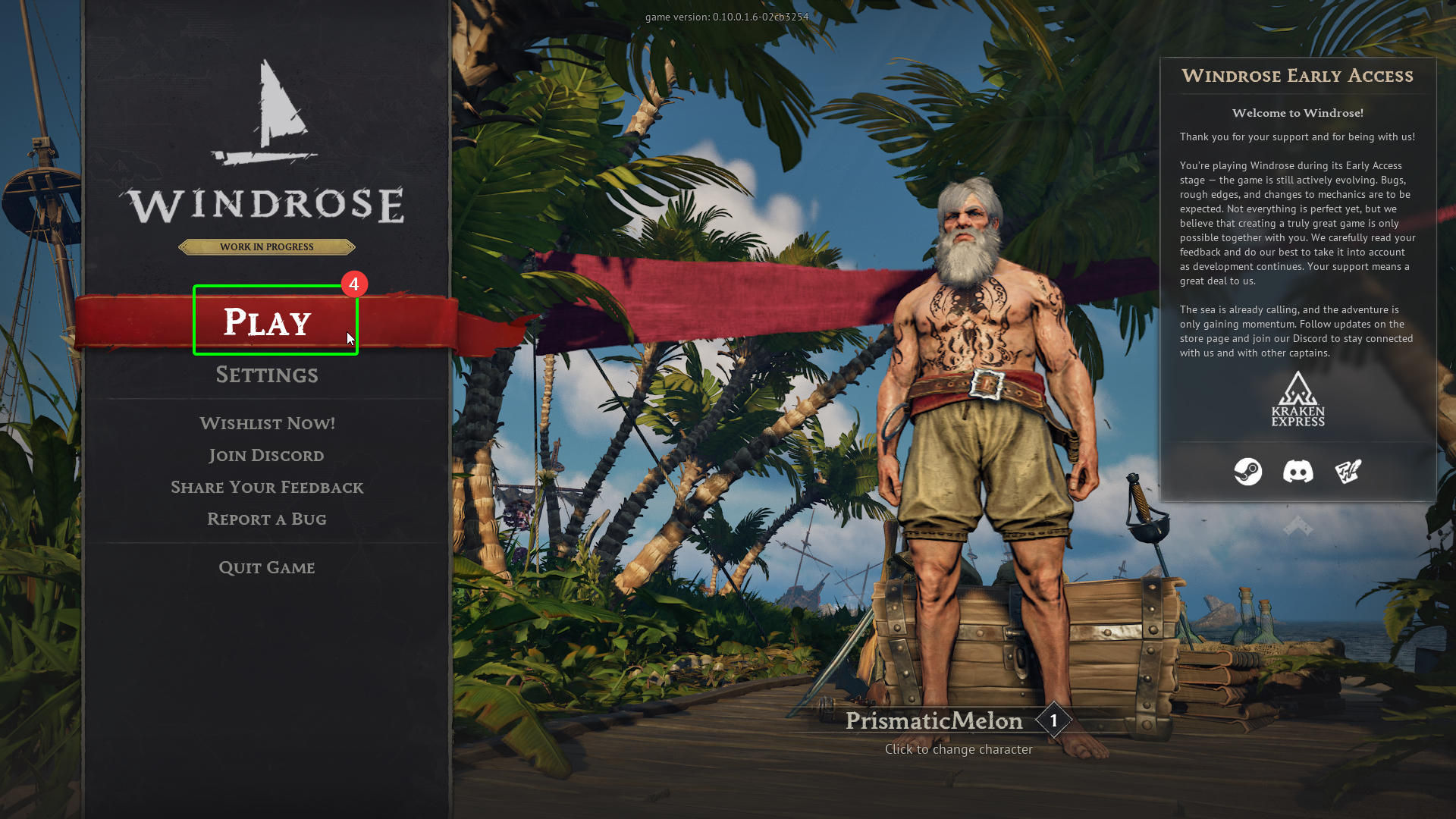
Now you've got your invite code, load up Windrose on your client machine, then:
- Select
Playat the main menu.
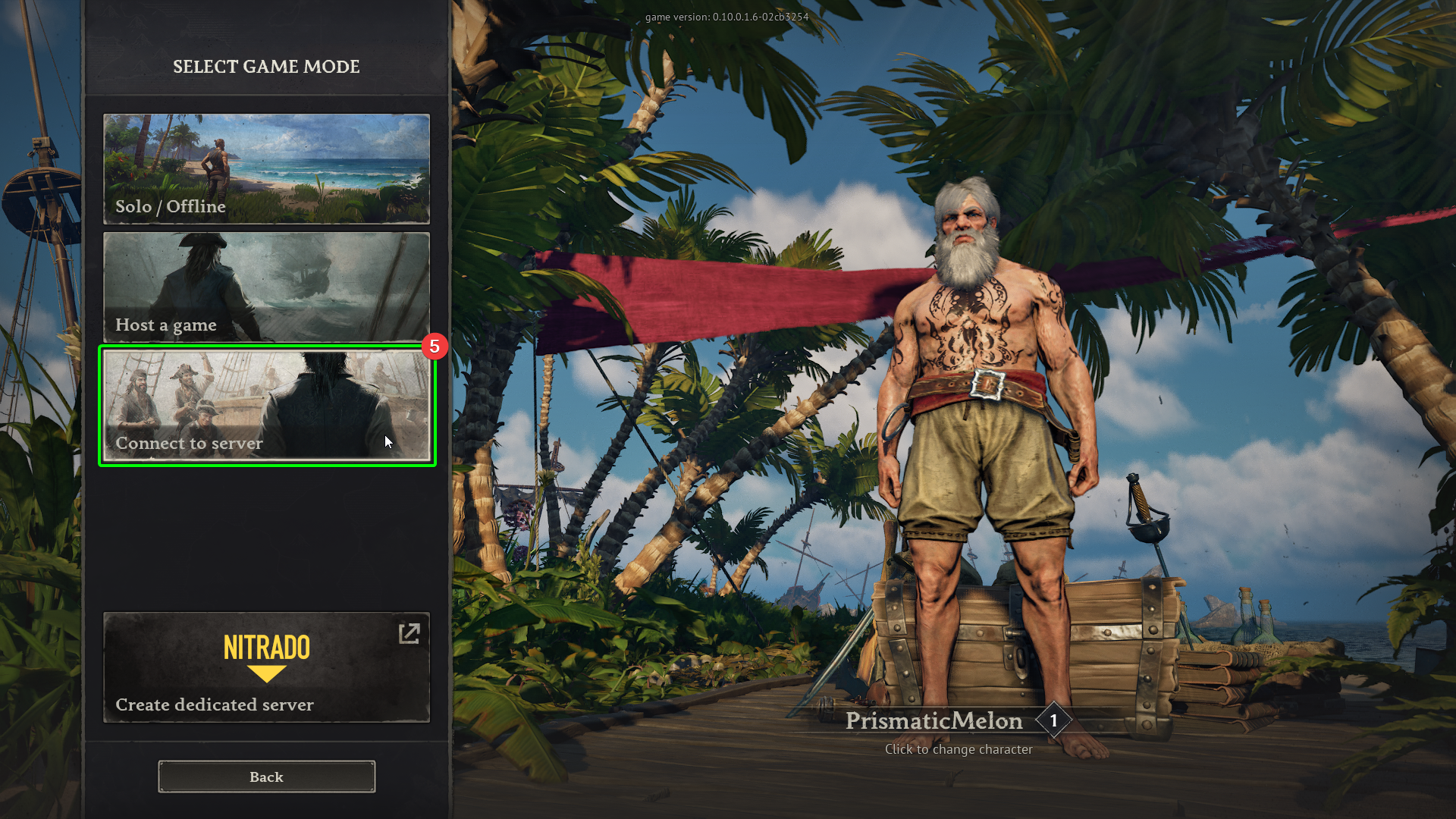
- In the next screen, select
Connect to server
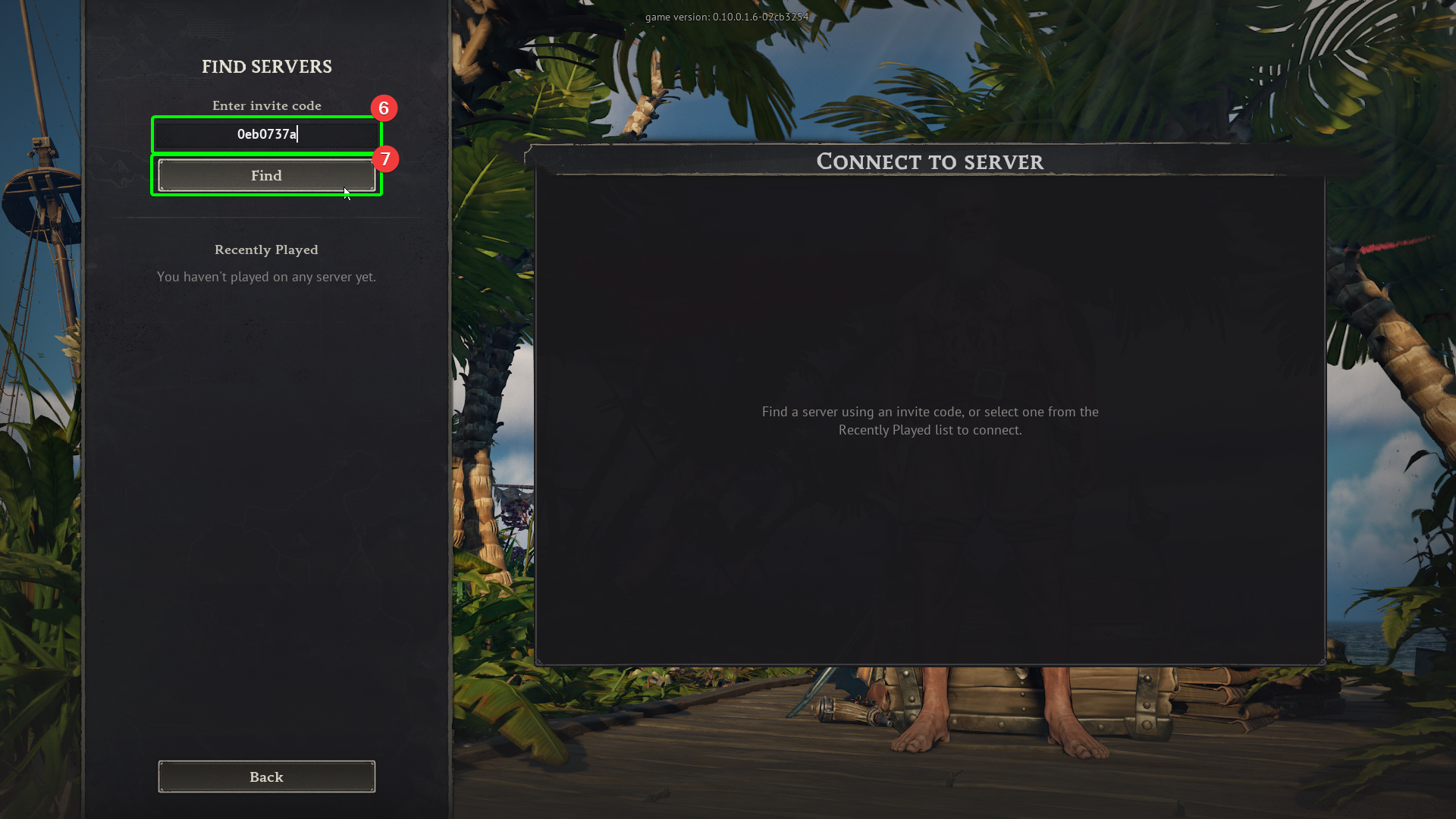
- Enter your invite code in the
Invite codefield, and then; - Select
Find.
- Next, enter your password into the password field, then
- Select
Connect.
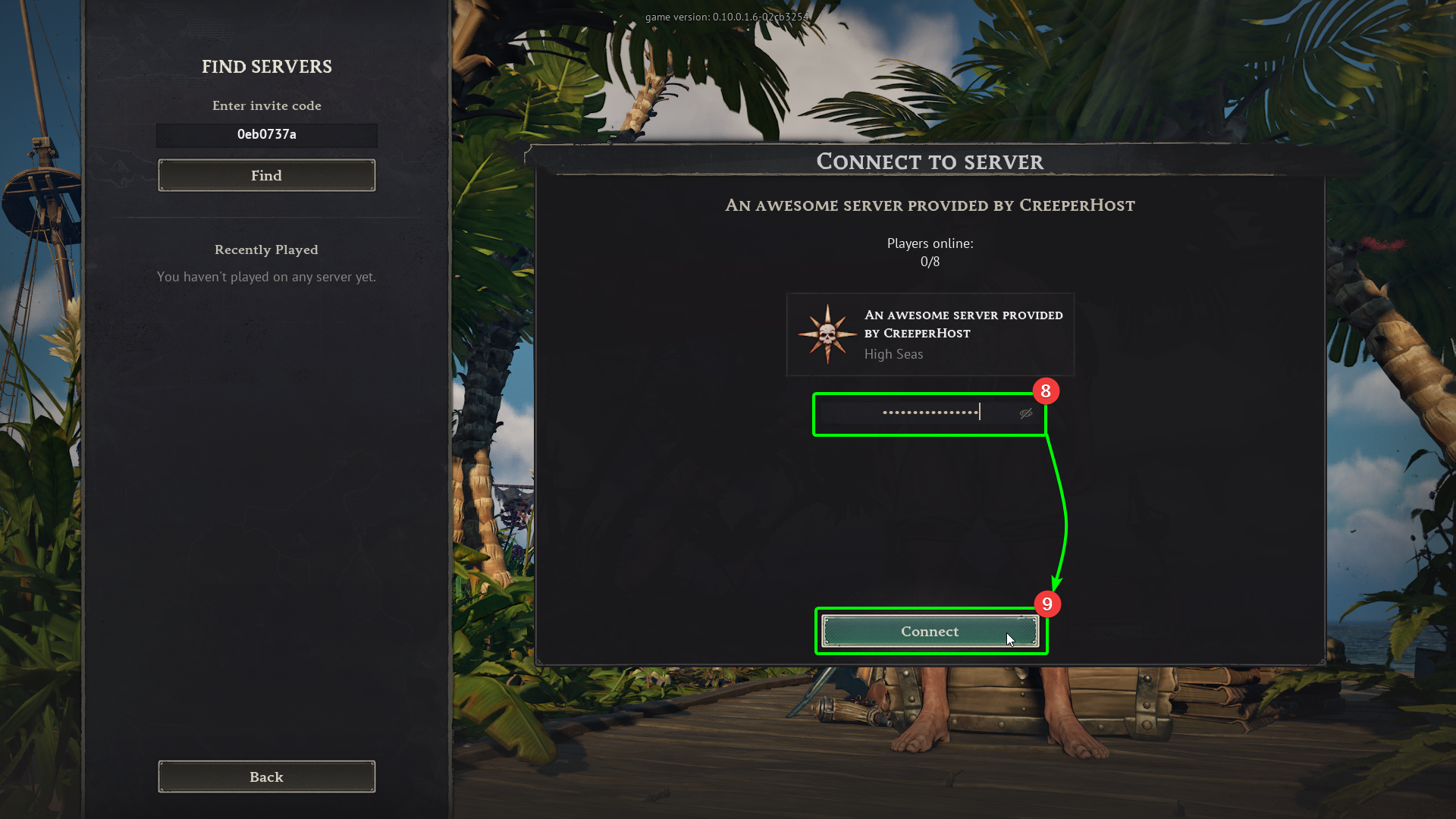
You should now start connecting to your server! Prepare to set sail mateys!