Changing your Windrose instance settings
info
Windrose is currently in development; more settings will be shown in the CreeperPanel as they become available.
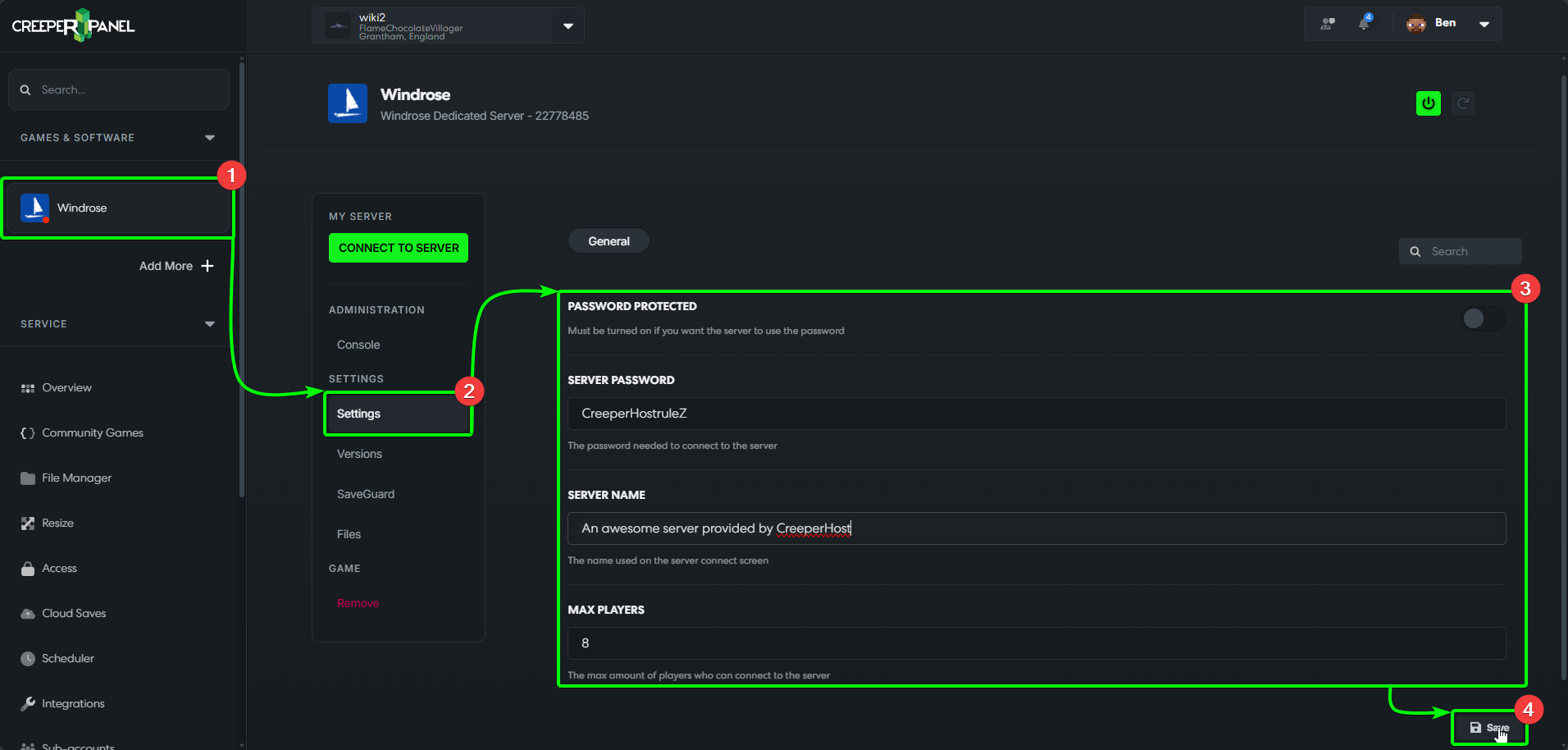
To begin changing your Windrose instance settings;
- Select your
Windroseinstance in the CreeperPanel's sidebar, then - Select
Settings, found underSettingsin the sub-menu. - You'll be presented with the available settings in the main window; more settings may be made available as the game development progresses.
- Remember to scroll to the bottom of the settings page, and click the
Saveicon before navigating away from the page. If you don't, any changes you make won't persist.
That's it for now - remember to check back frequently whilst Windrose is in development for more settings.