Granting Steam 64 Bit ID Owner Access
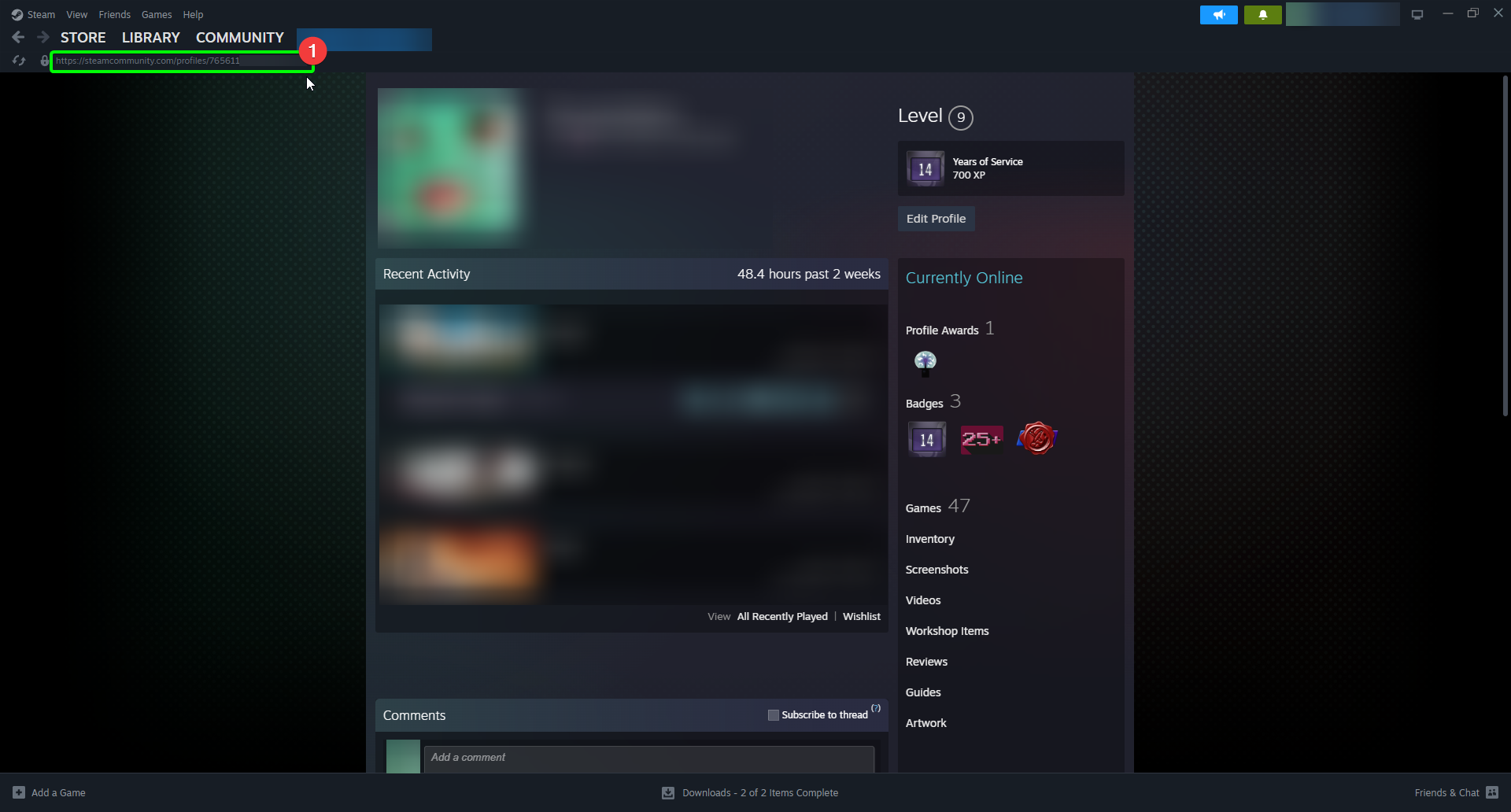
Before starting your Unturned server, you'll need to share your Steam 64 Bit ID with your Unturned instance. To get started, load up Steam on your client machine, then:
- On your profile page, click the URL at the top of your page to copy it to your clipboard.
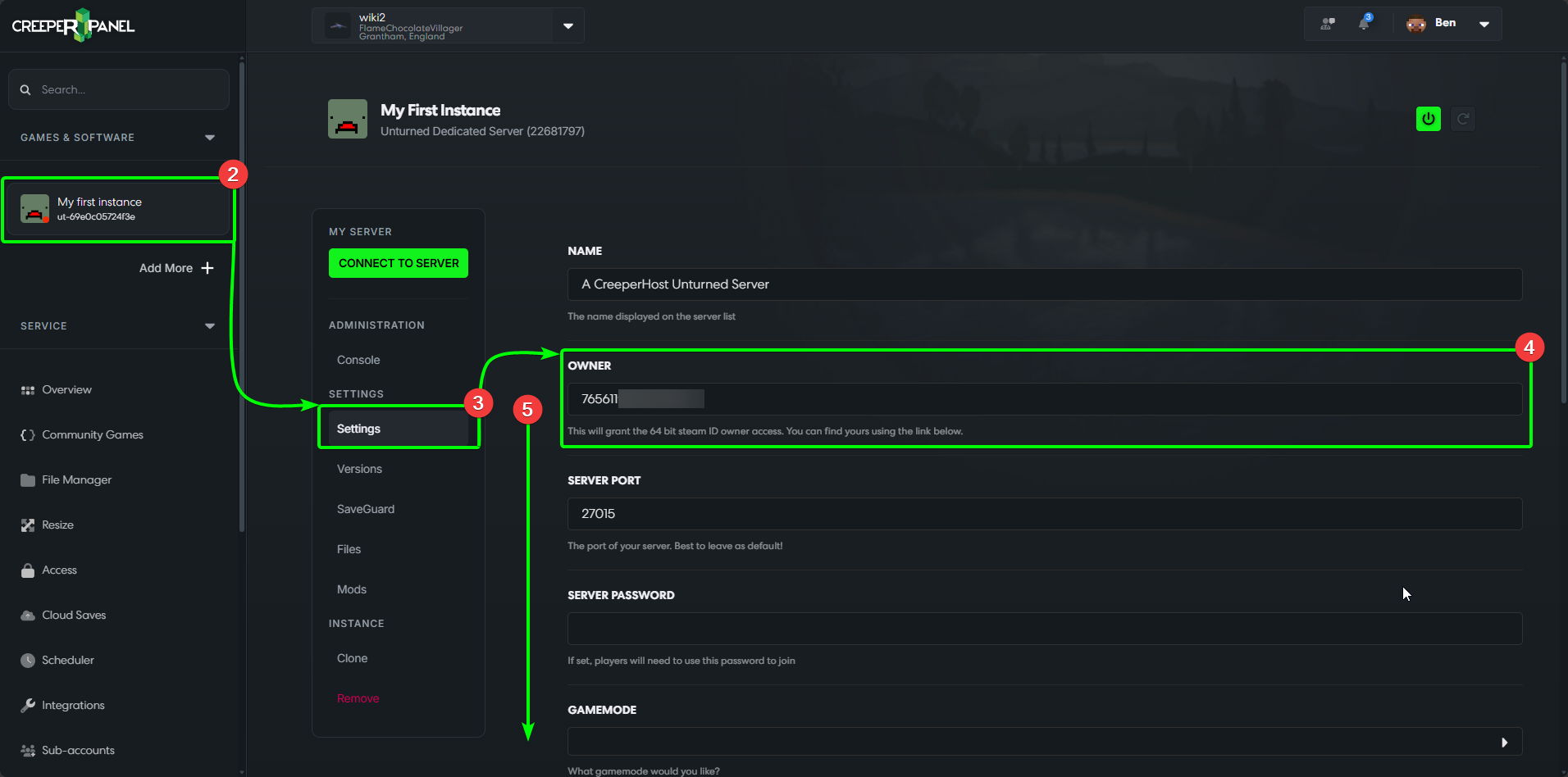
- Next, head to the CreeperPanel. Select your
Unturnedinstance, then - Select
Settings, found underSettingsin the instance's sub-menu. - Next, locate the
Ownerfield in the settings page. Paste your Steam URL into the field, and remove everything but the numbers at the end. It should look like the picture below. - Scroll down to the bottom of the page, where you will find the
Savebutton.
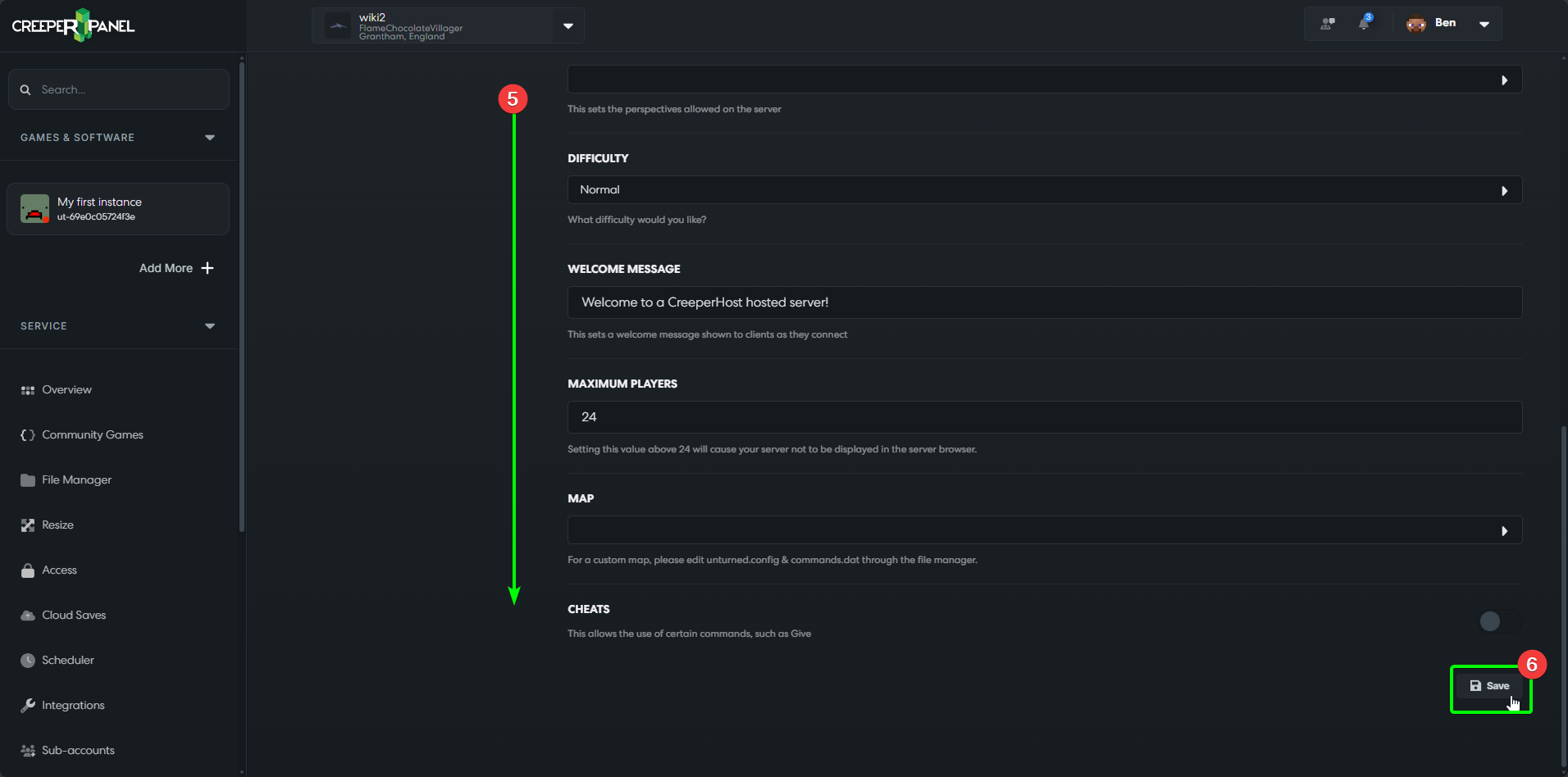
- Select the
Savebutton at the bottom of the page to make sure your Steam 64 Bit ID is saved.
That's it! Your server should now have been granted access, and you should be able to start your server!