Changing settings for your Unturned Instance
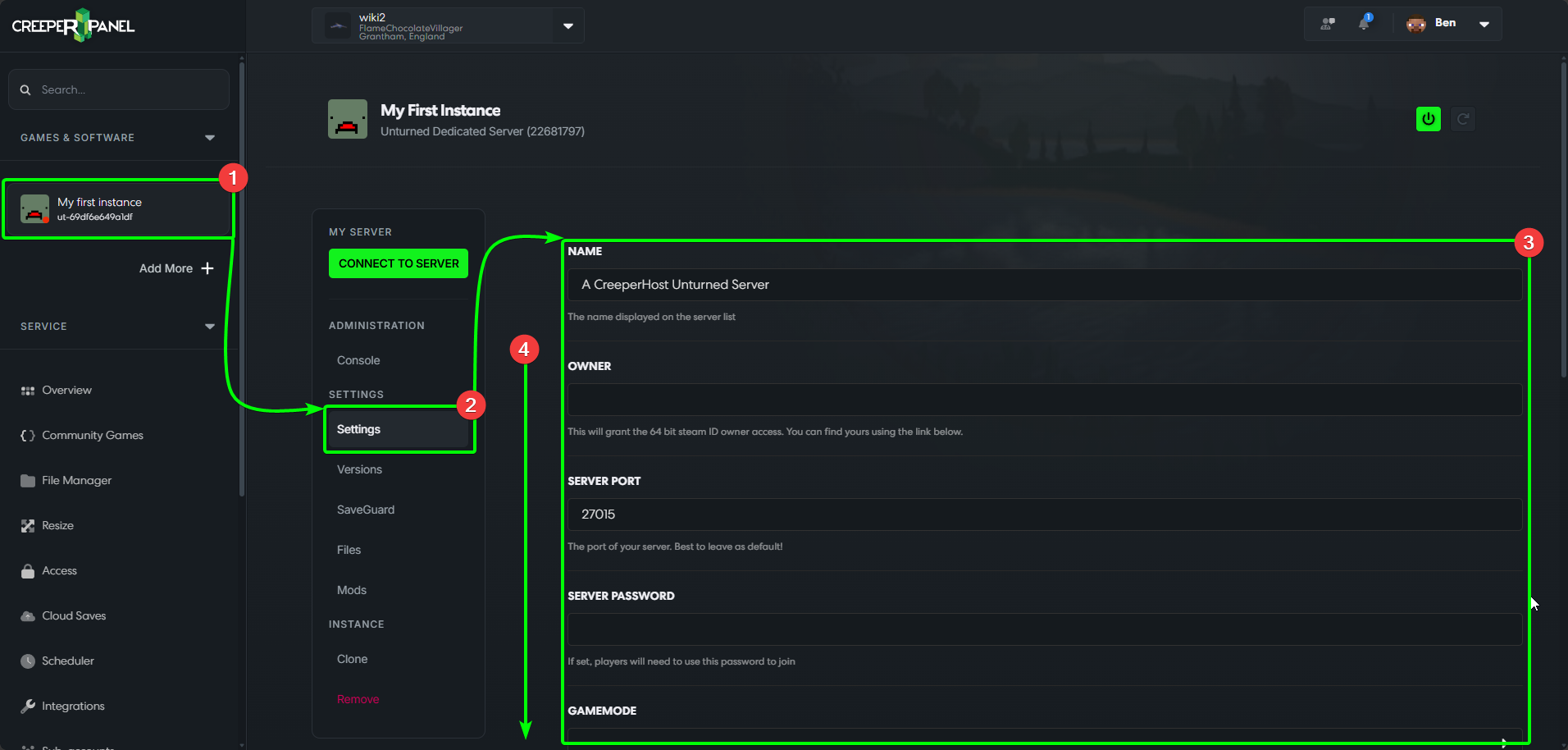
To begin customising your Unturned experience, log in to the CreeperPanel, then;
- Select your
Unturnedinstance from the Panel's sidebar, then - Select
Settings, found underSettingsin the instance's sub-menu. - The available settings will be visible in the main window; you'll find settings for your password, map and more.
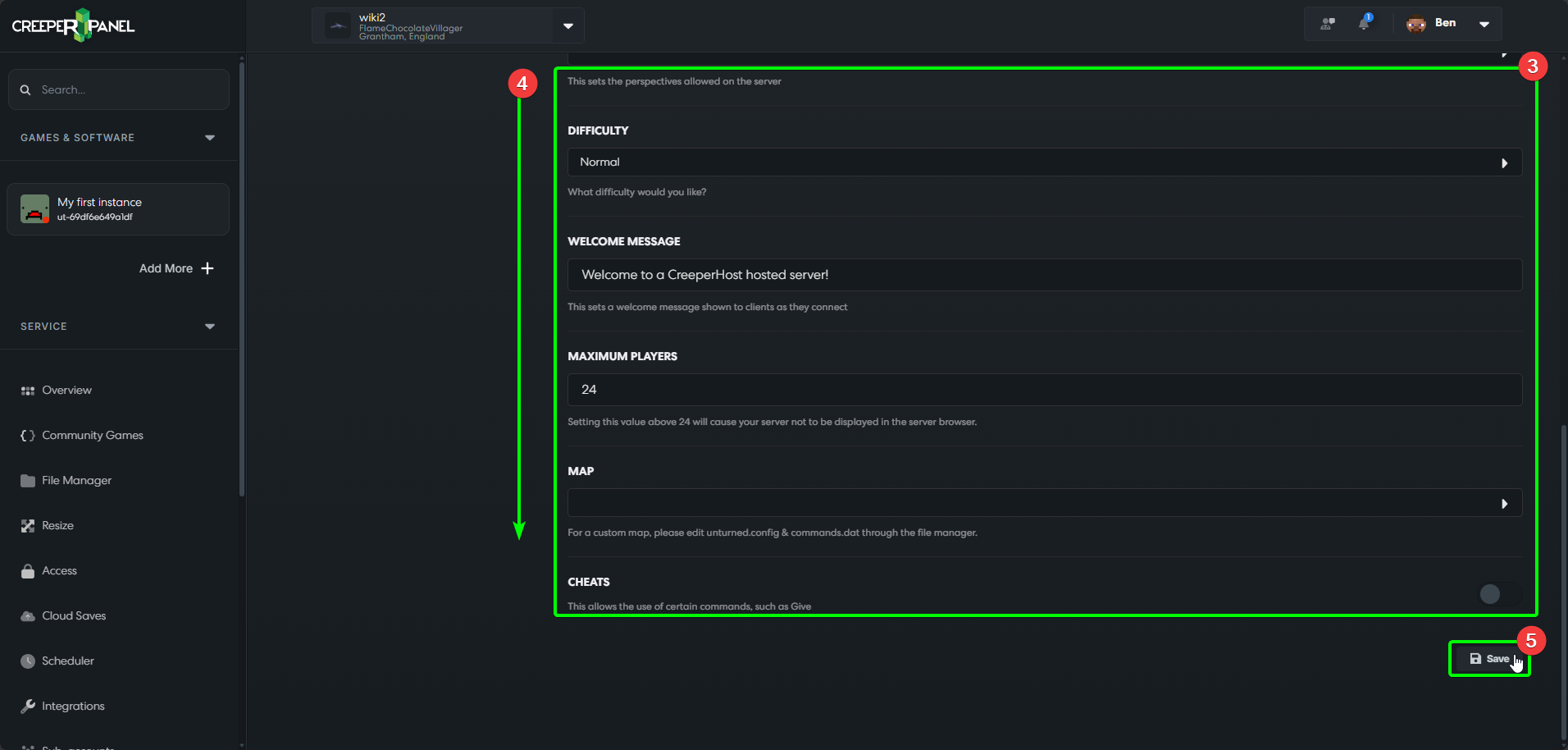
- You may need to scroll down to see all the settings.
- Before navigating away from the page, remember to scroll down and select the
Savebutton - if you don't, your changes won't persist!
That's it! Once you've customised your server, start it back up get connected!