Changing settings for your Valheim instance
Getting started with changing settings on your Valheim server
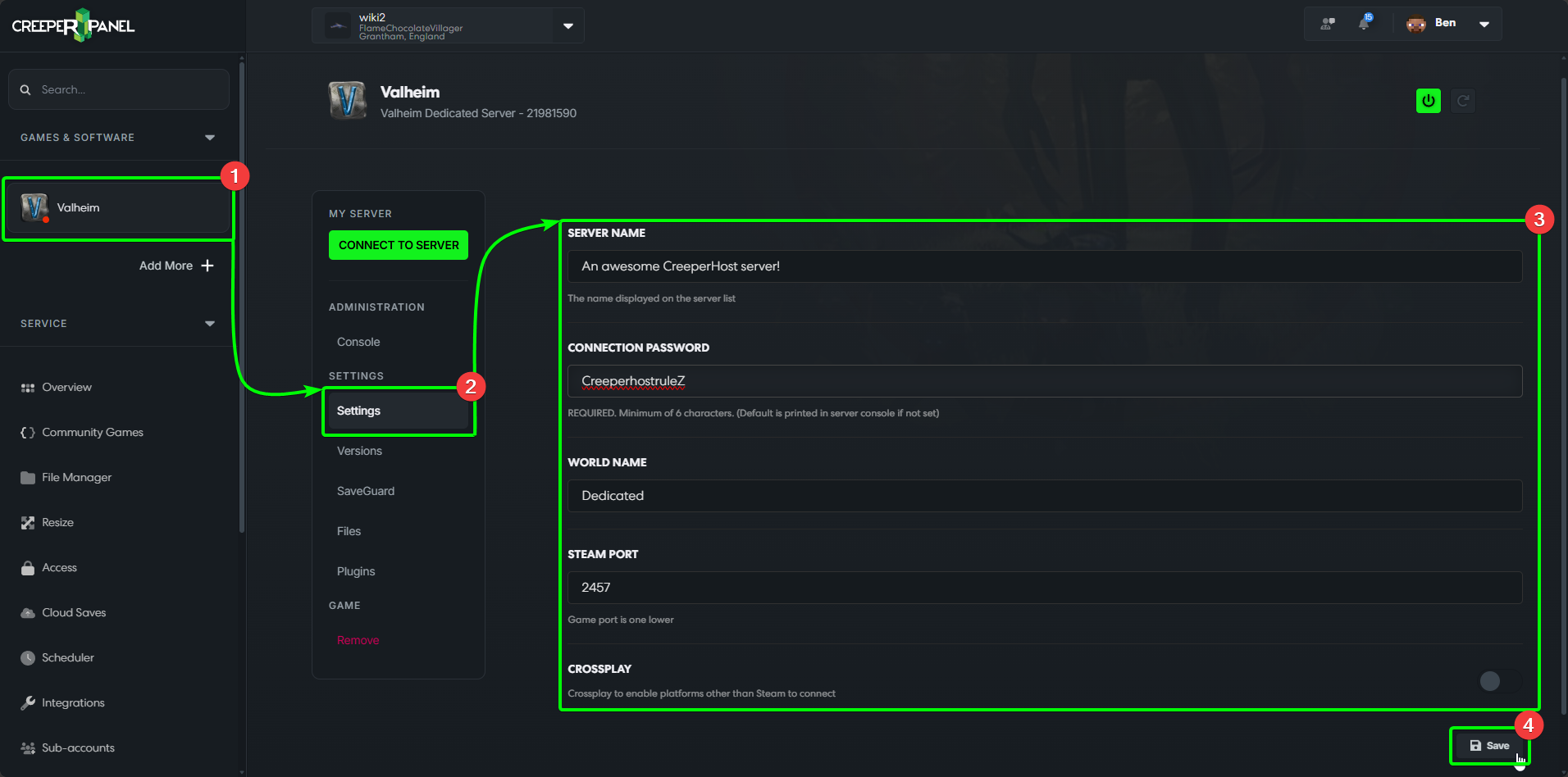
- Select
Valheimfrom theGames & Softwaretab in the side-bar. - Select
Settings, found underSettingsin the sub-menu. - You'll see the available settings in the main window, where you'll be able to set your server name and password, etc.
- At the bottom of the page, you'll find the
Savebutton - remember to save any changes before navigating away, else your changes won't persist.
That's it for now! Check back periodically whilst Valheim is in early access to see if more settings have been added!