Creating a Valheim Instance
To get started on creating your new Valheim instance:
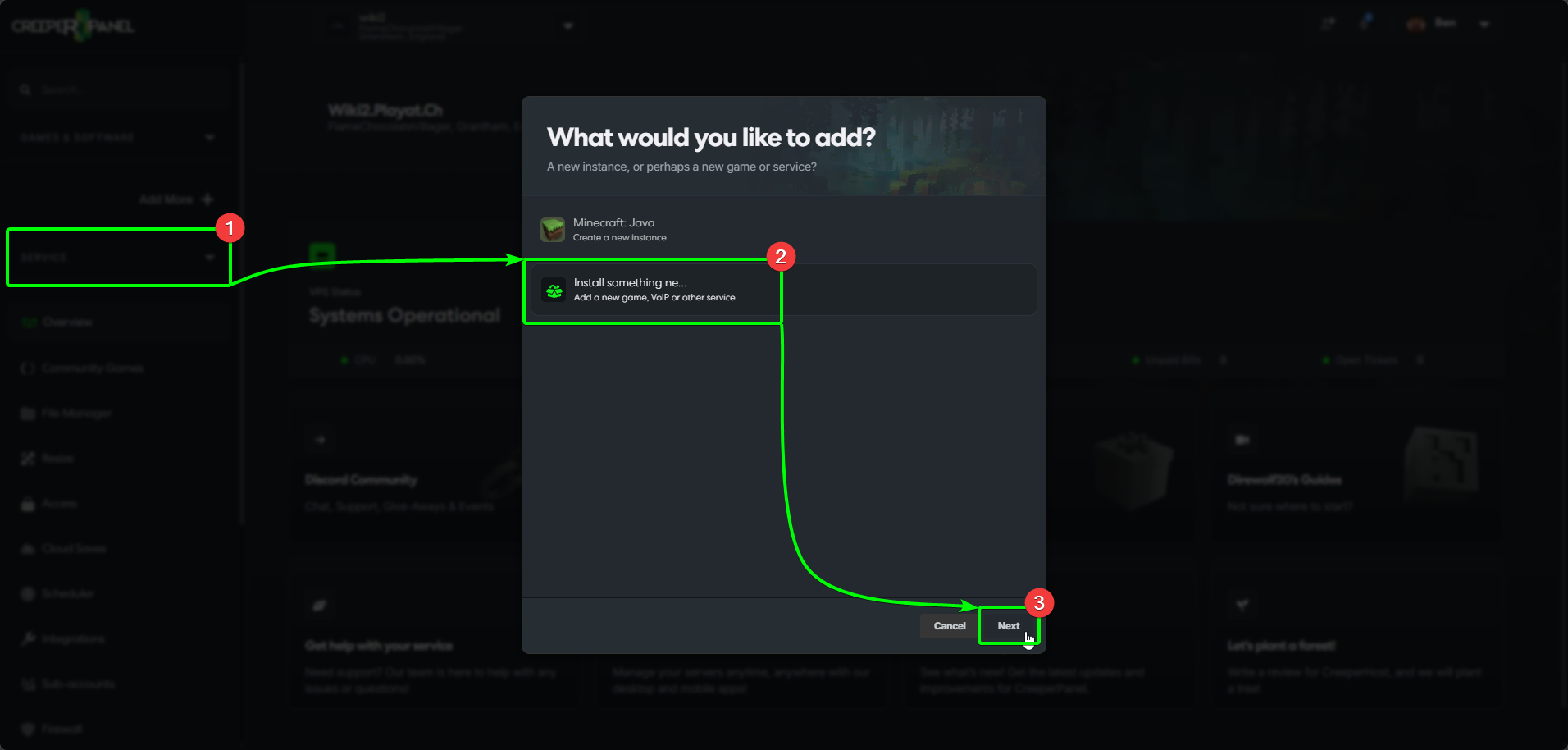
- Select
Add more +from the CreeperPanel's side-bar, then - Select
Install Something New, then - Select
Next.
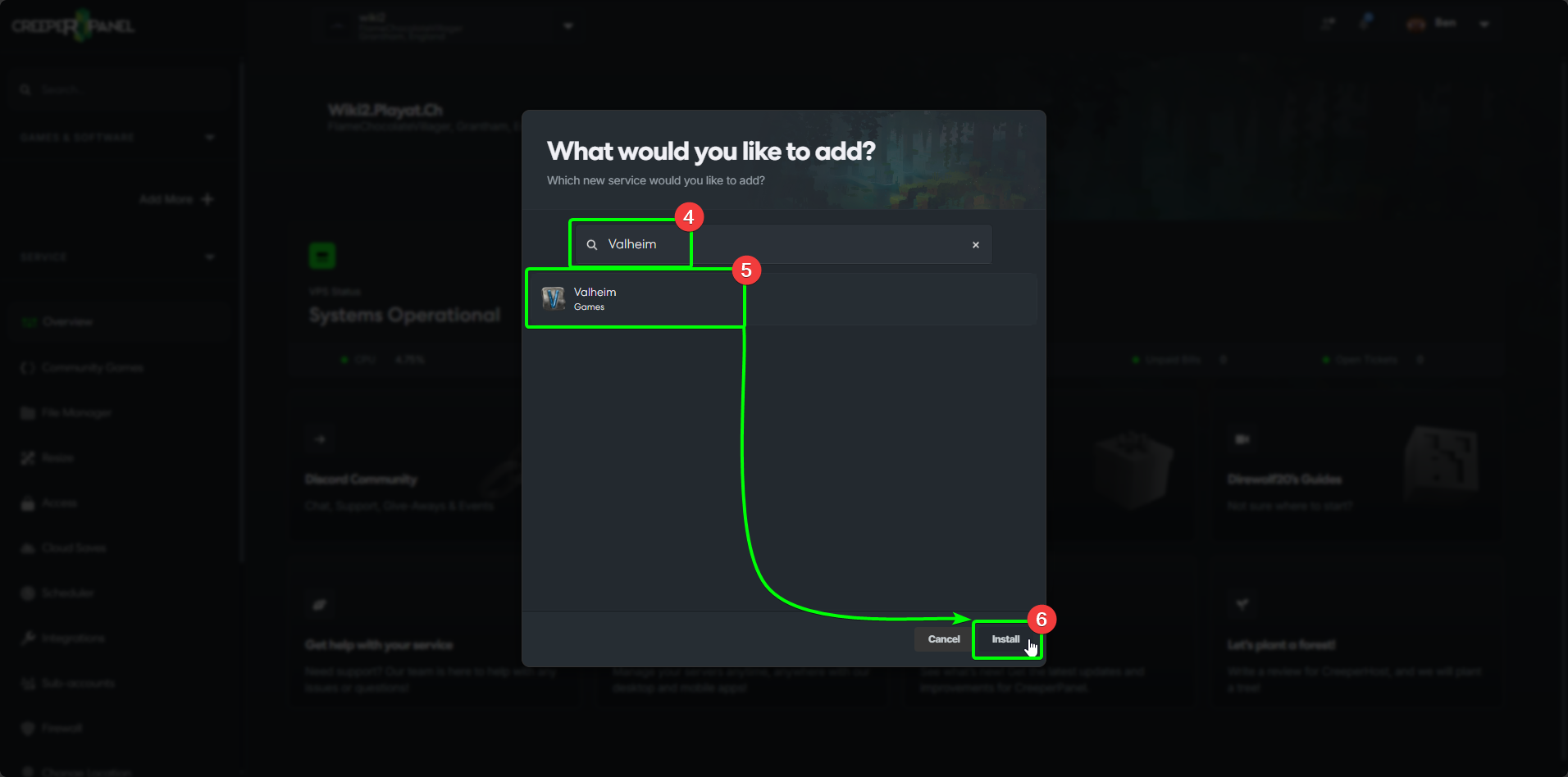
- In the search field, search for
Valheim. The results will auto-populate as you type. - Select
Valheimfrom the list, then - Select
Install.
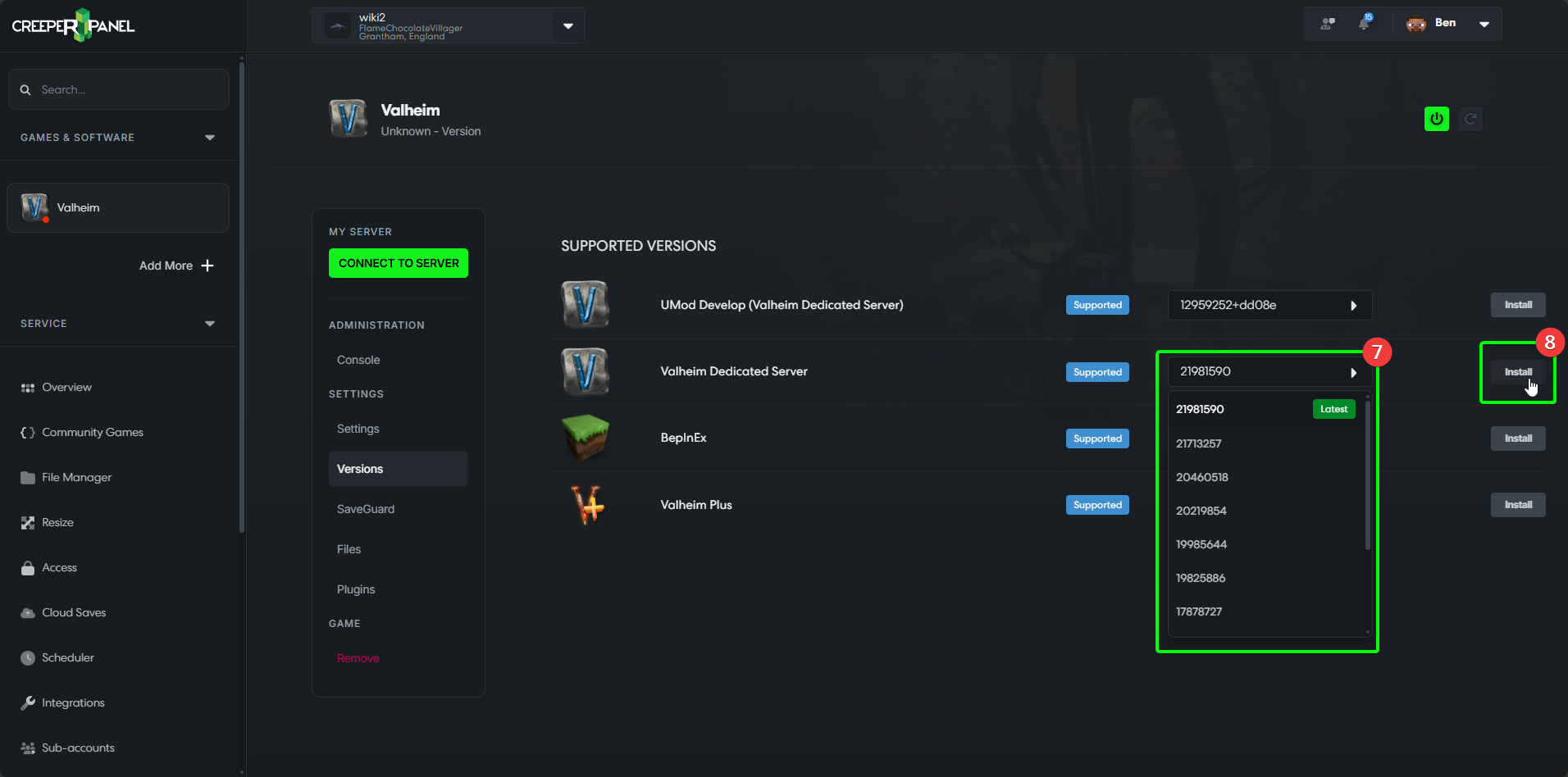
- Select the version you wish to use from the dropdown list(s), then
- Select
Install
- Finally, select
Yesin the pop-up to confirm your installation.
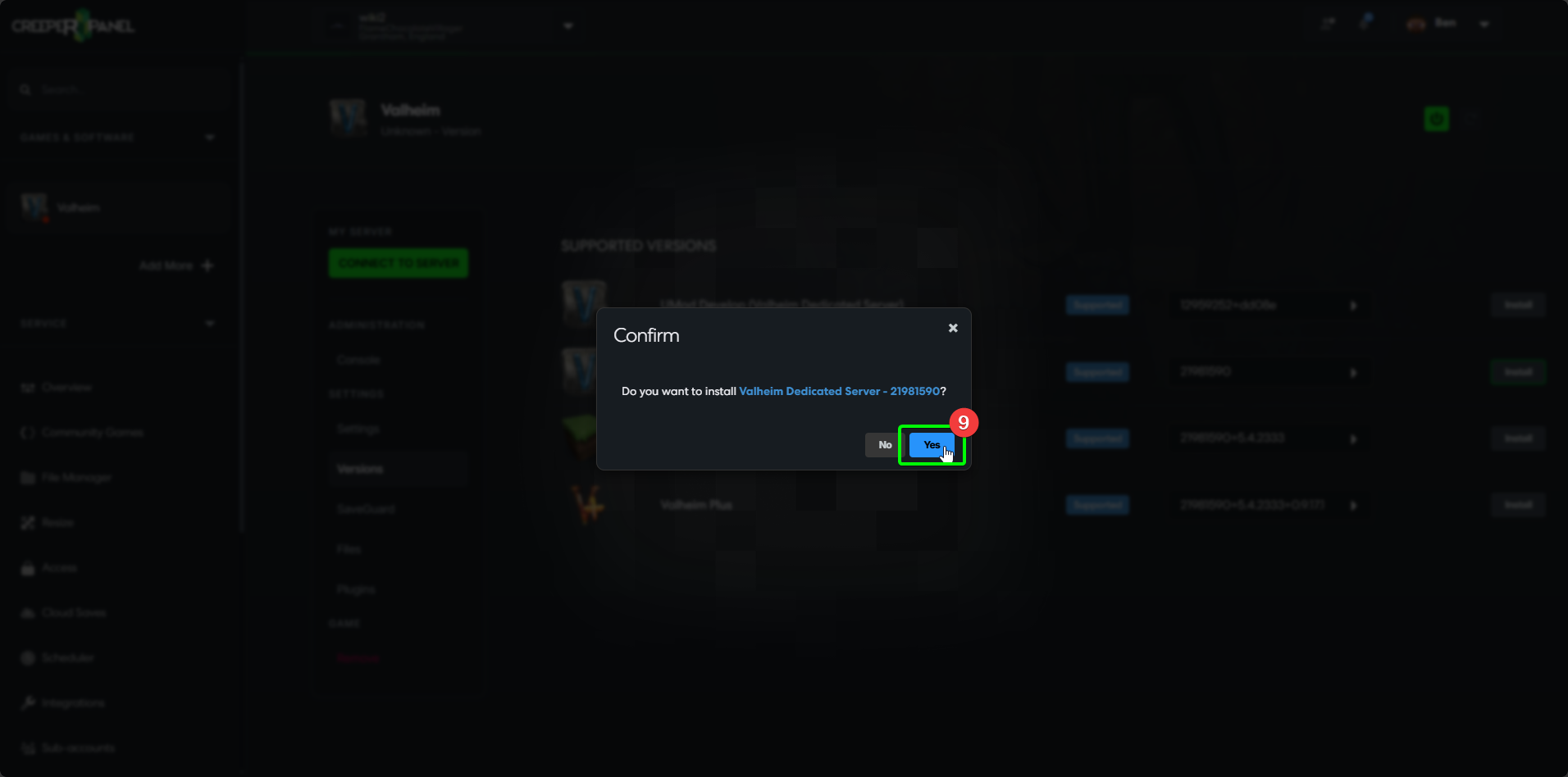
That's it! The Panel will inform you of the progress, and will display the main page when the installation is complete. You can explore the CreeperPanel whilst you wait for the installation to complete.