Installing StarRupture
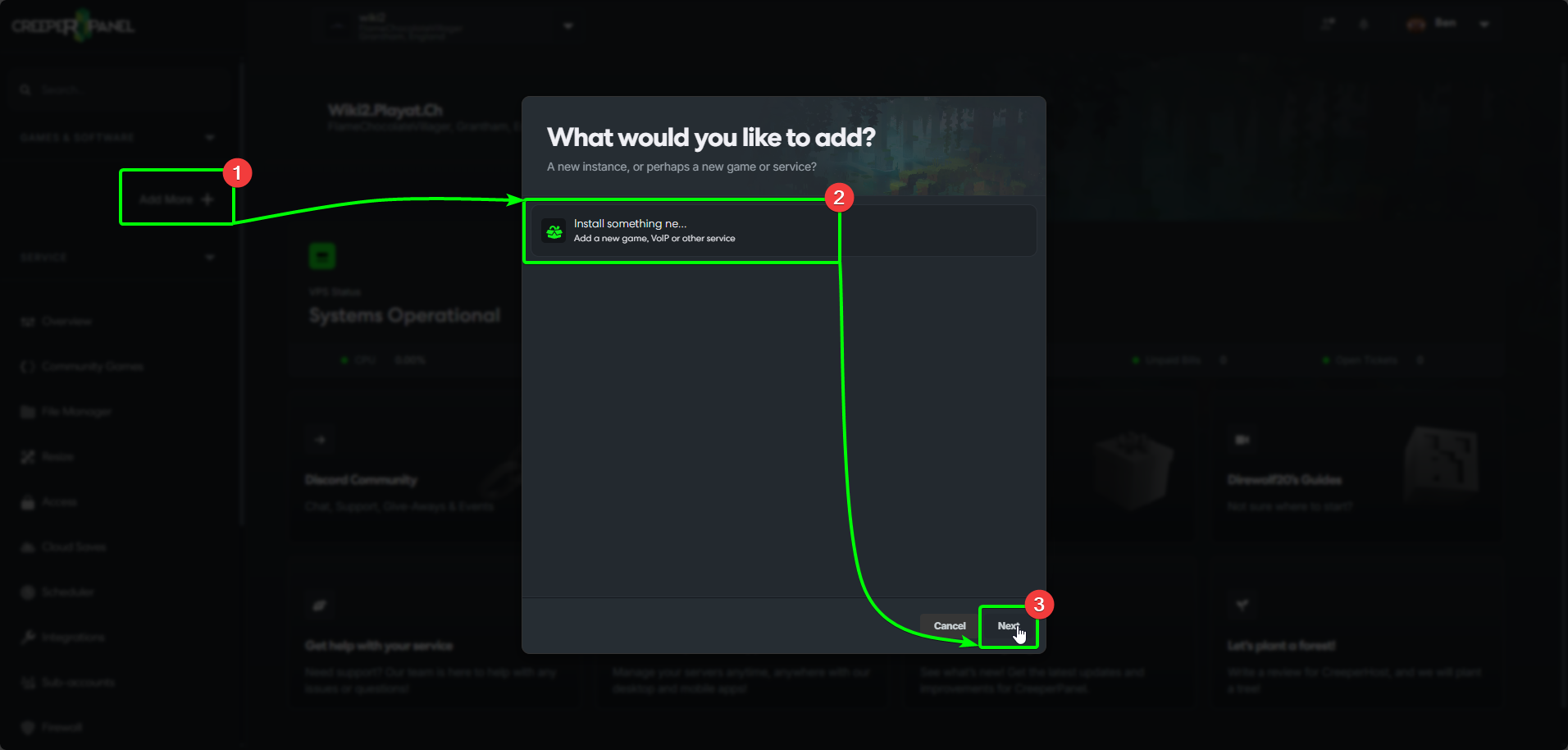
You can get started installing StarRupture the same way as any game server as CreeperHost. To begin:
- Select
Add More +from the side-bar, then; - Select
Install something newin the popup. - Now, click
Next.
- On the next page, search for StarRupture in the search bar. The results will auto-populate as you type.
- Select
StarRupture, then; - Select
Install, which will close the pop-up.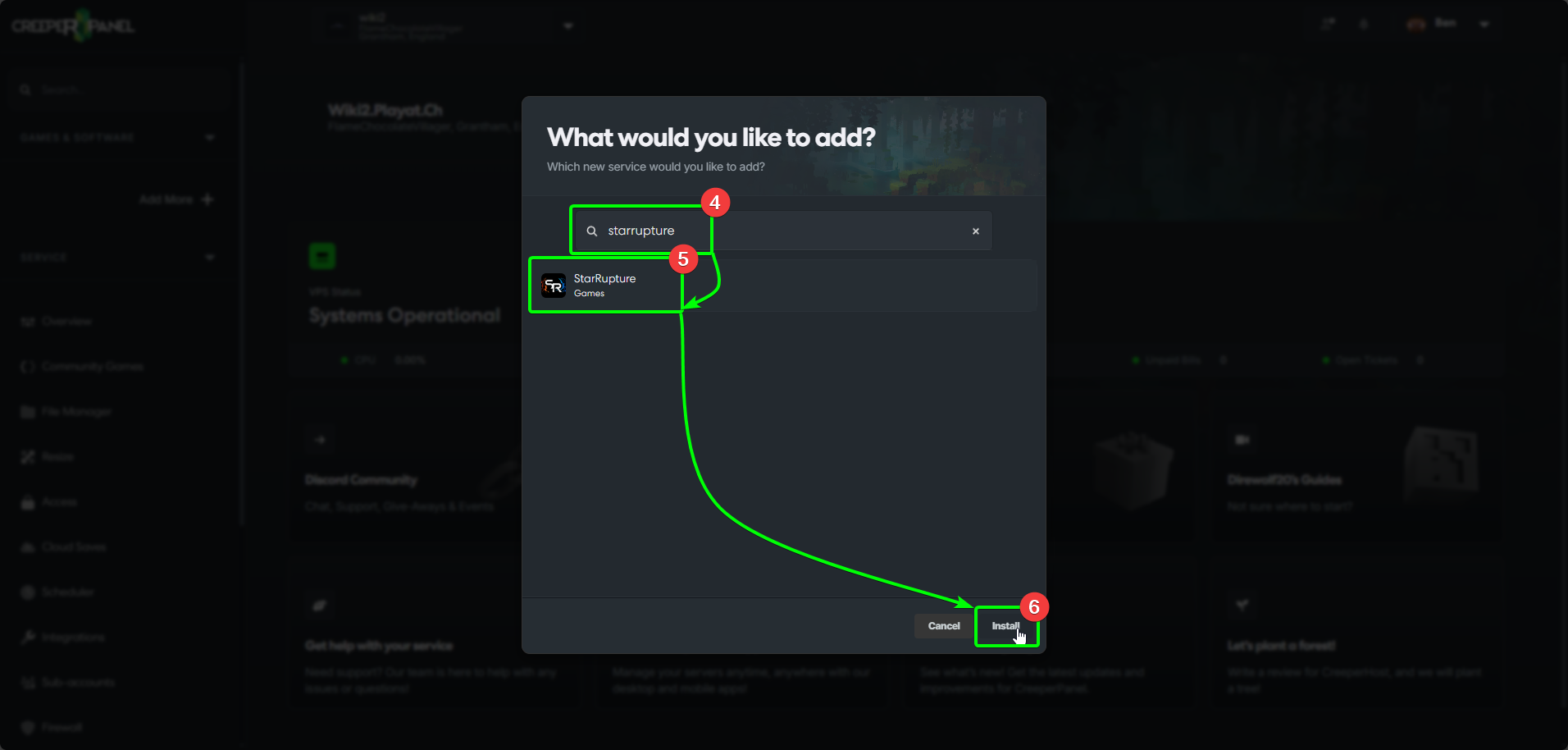
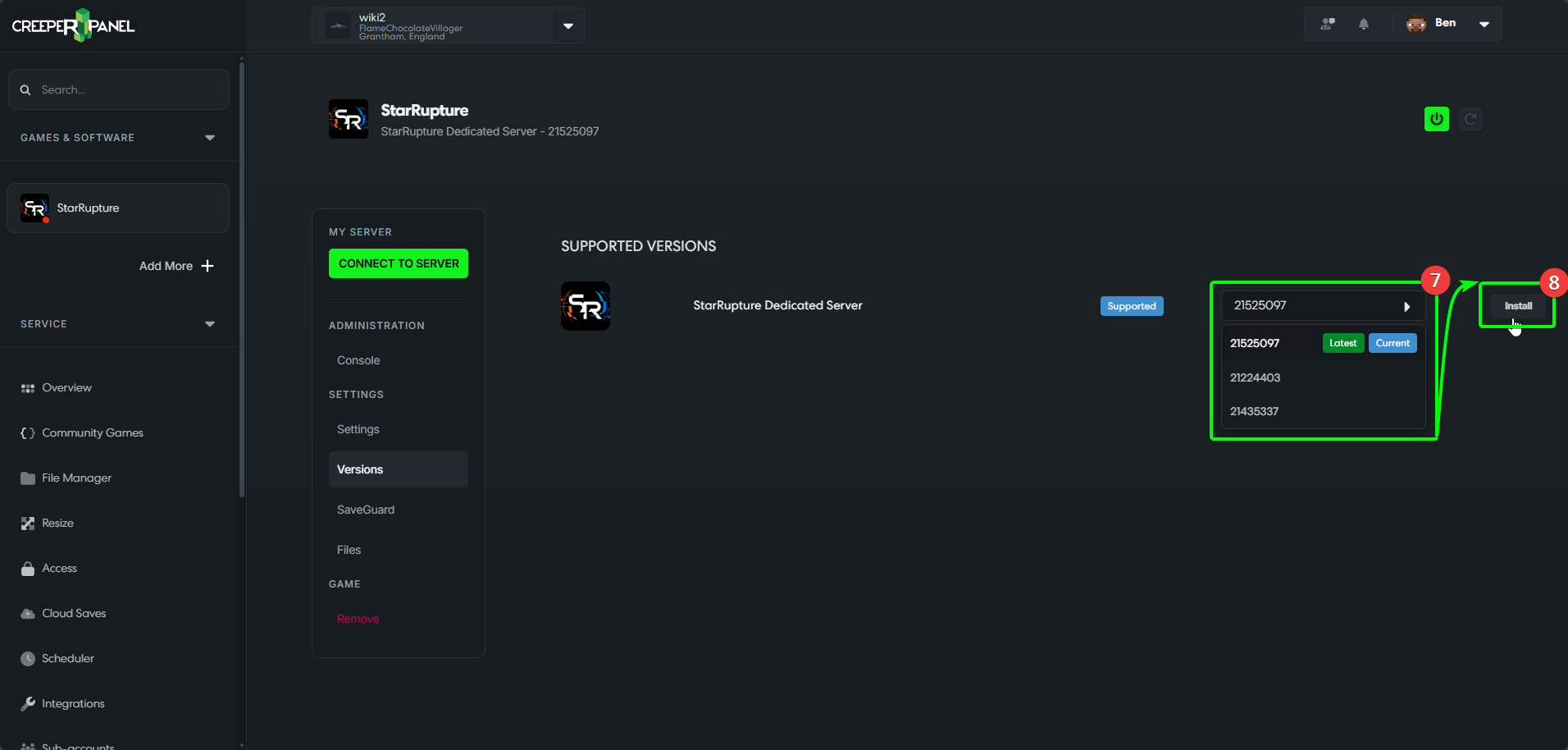
The Panel will now show the Versions page - we need to select the game version to install.
- Open the drop-down menu and select the version of StarRupture you would like to use, then;
- Select
Install.
- A pop-up will open, asking you to confirm you wish to install. Select
Yes. The Panel will close the pop-up, and begin the installation process - this may take a short while.
Once compeleted, the Panel will take you to the console page for StarRupture, and you can begin changing settings, or switching your service on and begin playing!