Adding Mods to StarRupture
Now you've installed StarRupture, it's time to start adding some mods. Whilst this guide is accurate, the installation location for your mods can vary. You should be able to find installation location instructions in the mod description (usually).
Before adding mods to StarRupture, make sure that you turn the instance OFF to avoid corruption/ data loss.
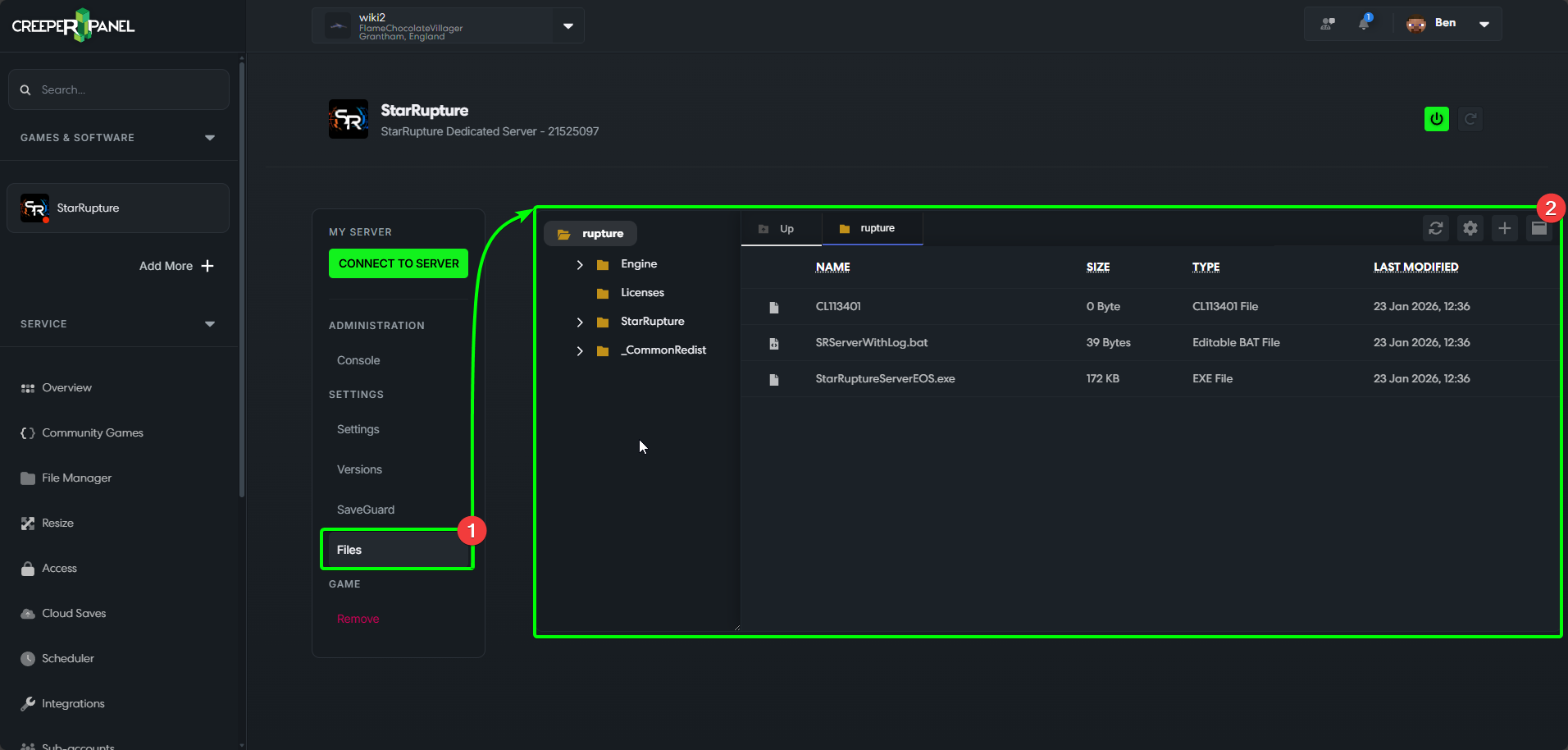
- Select your StarRupture instance from the side bar to the left of the CreeperPanel, and navigate to
Files, underSettingsin the sub-menu. - You should be taken to your root directory for your instance.
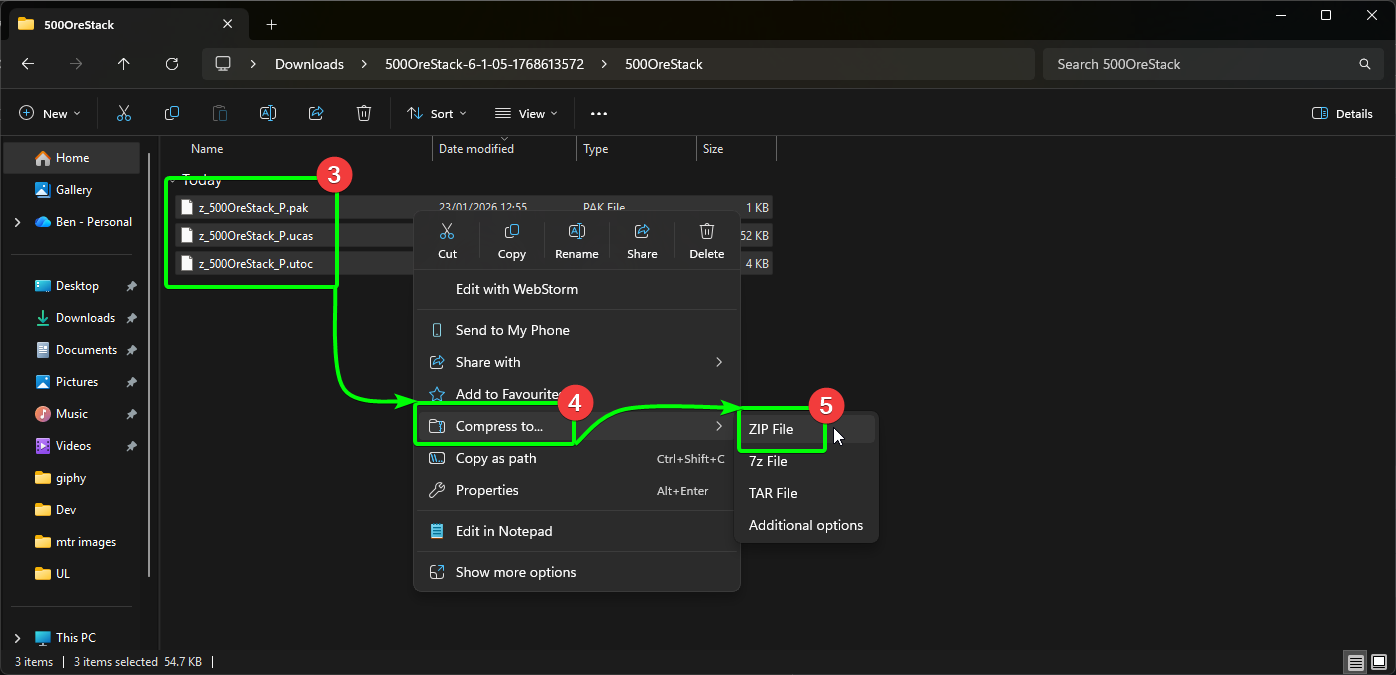
Before we go any further, we'll need to download and compress our mod files for upload to the Panel. Download your mod(s) to your client machine from your chosen modding site; remember to check for instructions, as they will let you know what needs to go where.
In this example, we will use Ore Stack 500. Once you've downloaded the mod;
- Select the necessary files you need to upload,
- Right click the files, and select
Compress to... - Choose
.ZIPto compress to a .ZIP file.
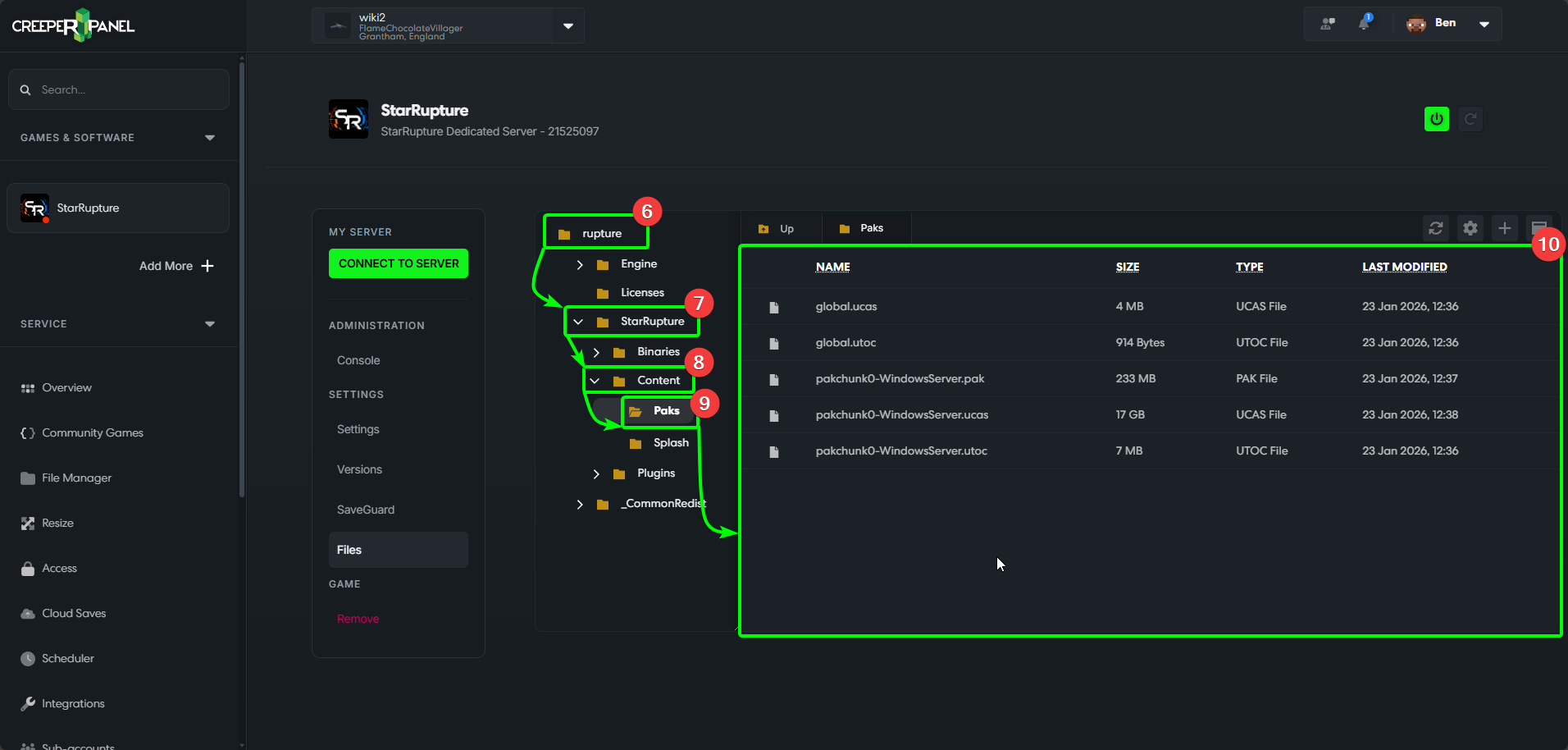
We now need to head to the correct directory our mods need to be uploaded to. Ore Stack 500 requests that the files be installed to the Paks directory. To get there;
- Start from the
rupturedirectory. Inside, you should find - The
StarRupturedirectory. From there, head to Content. Finally, look forPaks.- Your vanilla file structure should look like this.
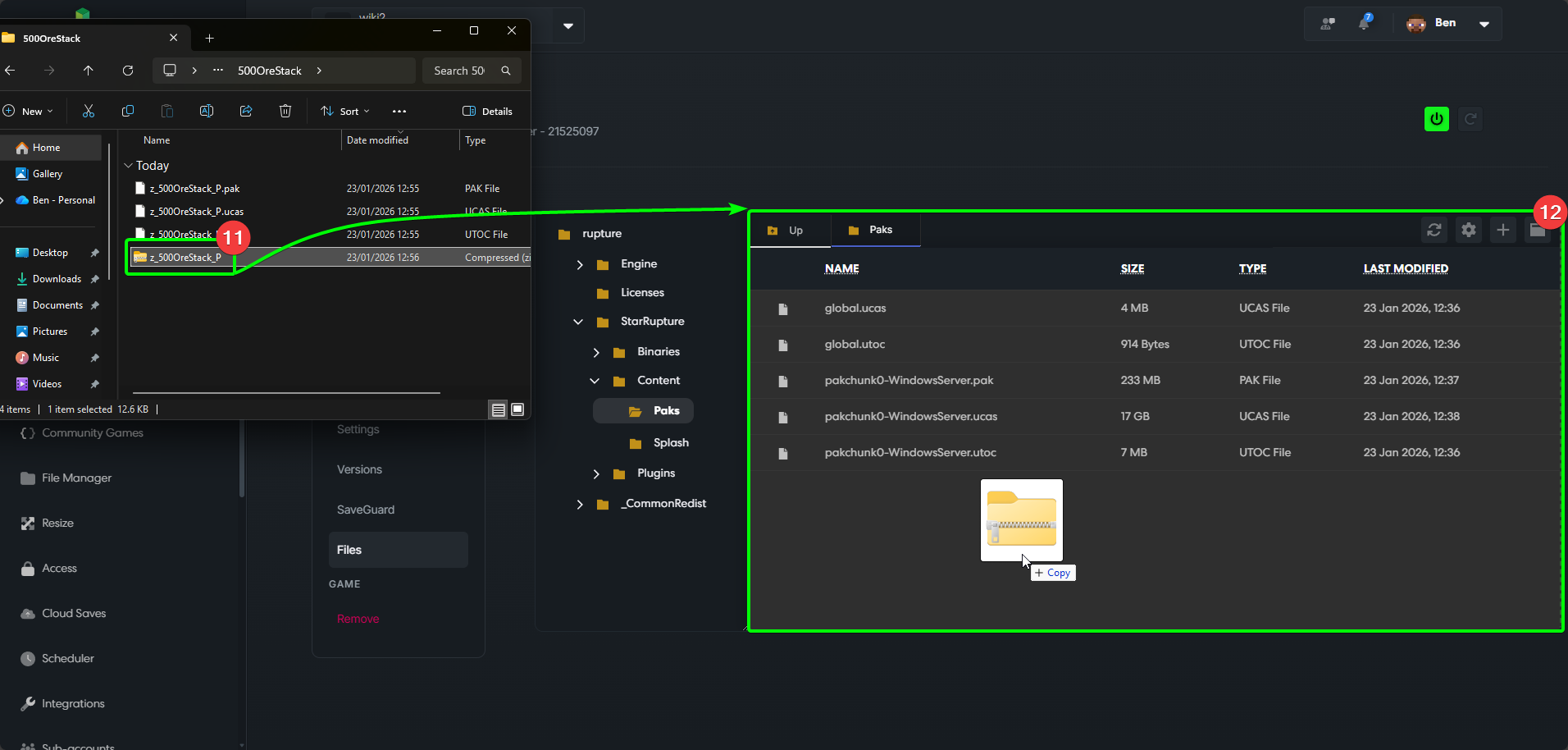
Now we're in the correct directory, we can start uploading our mods. Open the mods containing folder on your client machine, and open it alongside your CreeperPanel browser window.
- Select your .ZIP archive,
- And click-and-drag into the File Manager in the Panel. It will upload automatically.
Once the file has been uploaded, we need to extract the contents of the .ZIP.
- Right-click the .ZIP you've just uploaded, then
- Select
Extract.
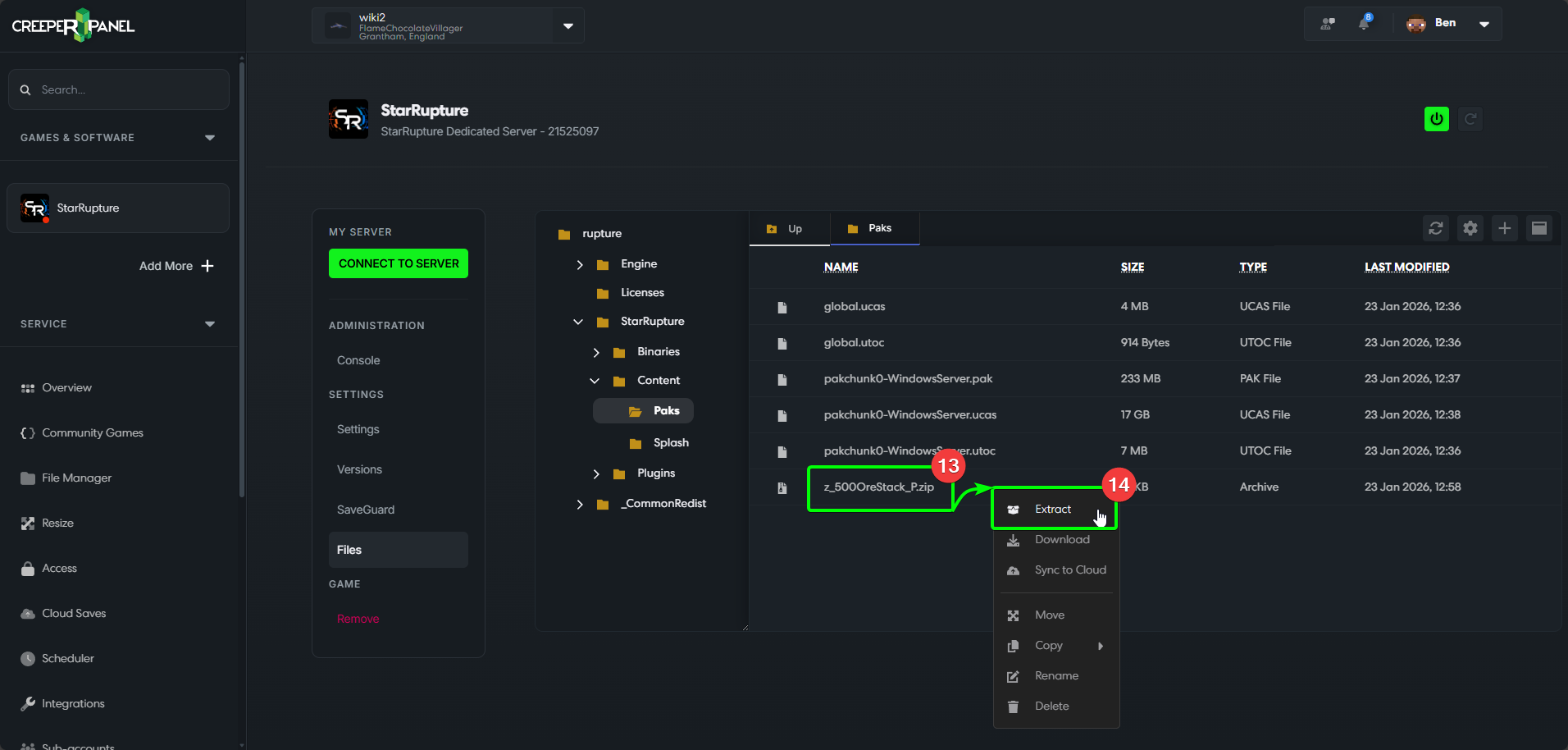
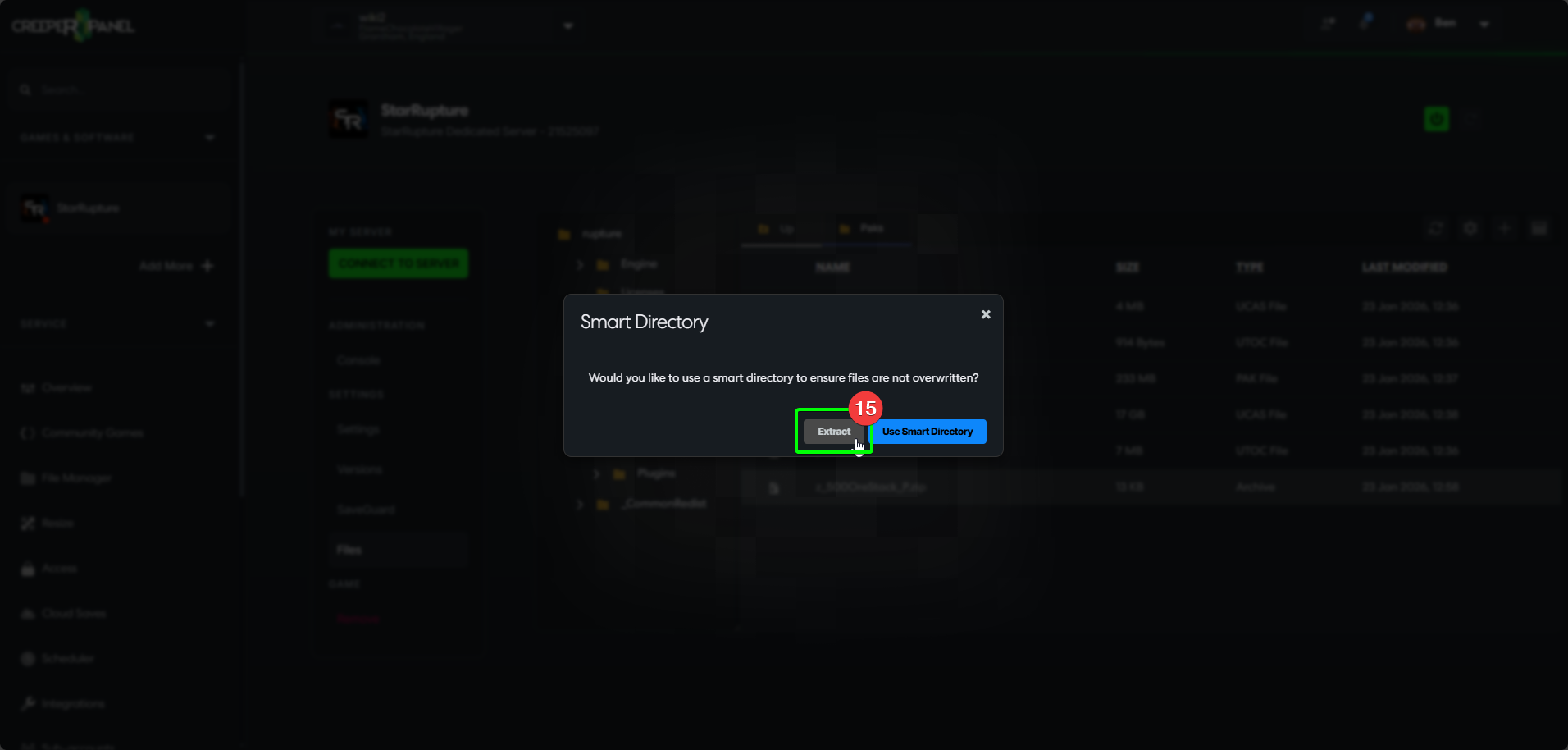
- The Panel will open a window asking you to choose to
Extract, orUse Smart Directory. You shoould be able to just useExtract. If you encounter issues, selectUse Smart Directory.
- You should now see the extracted files in the directory.
- Start your server to make sure it initializes correctly.