Connecting to your StarRapture Server
Before trying to initialise or connect to your server, make sure that your StarRapture instance is switched on.
If this is your first time loading your StarRapture server, you'll need to follow the initialisation steps below. If you have already set up your server, you can skip this step, and head to Connecting.

Initialising your StarRupture Server
Before you can connect to a newly-installed StarRupture server, you'll need to manage it through your client-side installation first. To begin:
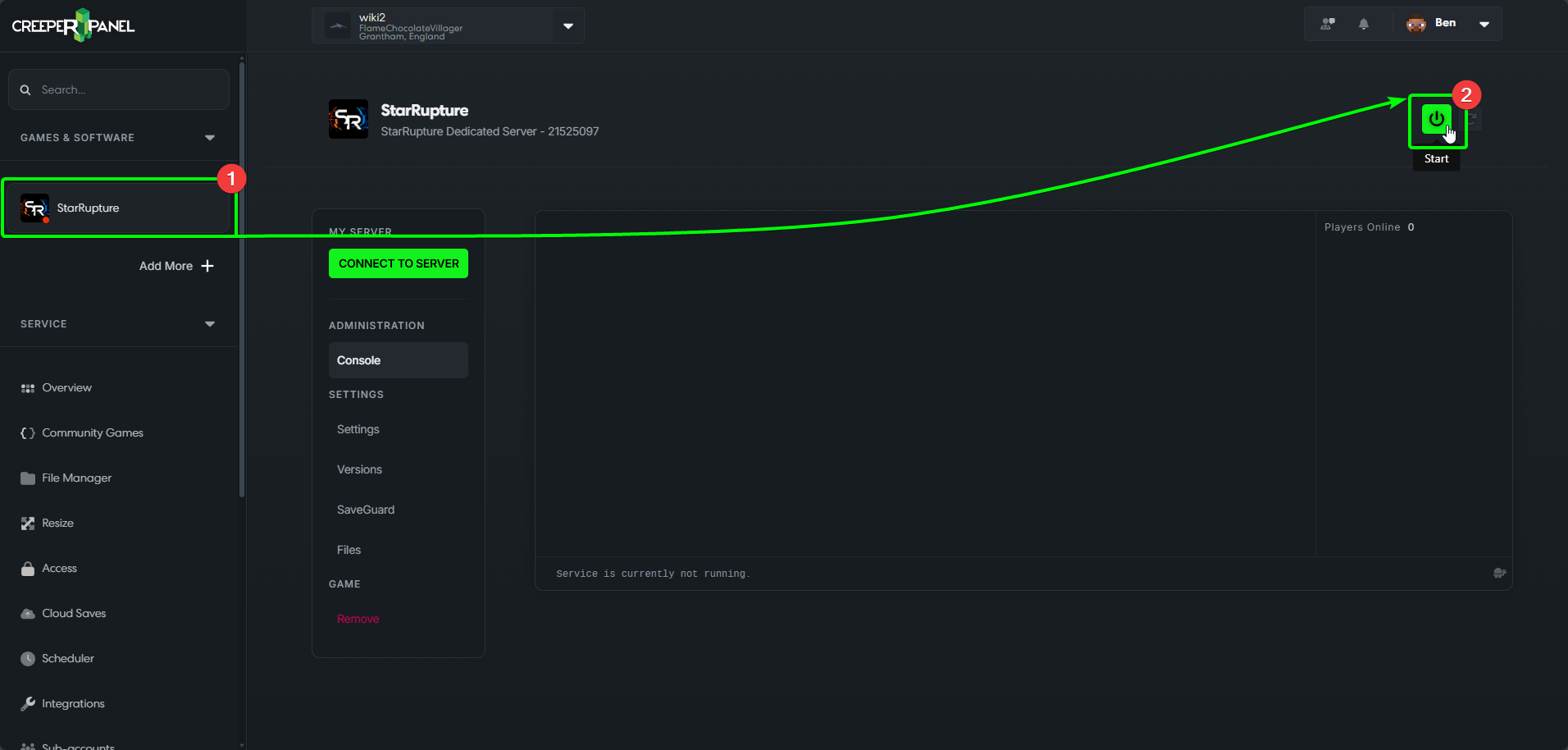
- Navigate to your StarRupture instance on the CreeperPanel
- If it isn't switched on already, switch your server on now.
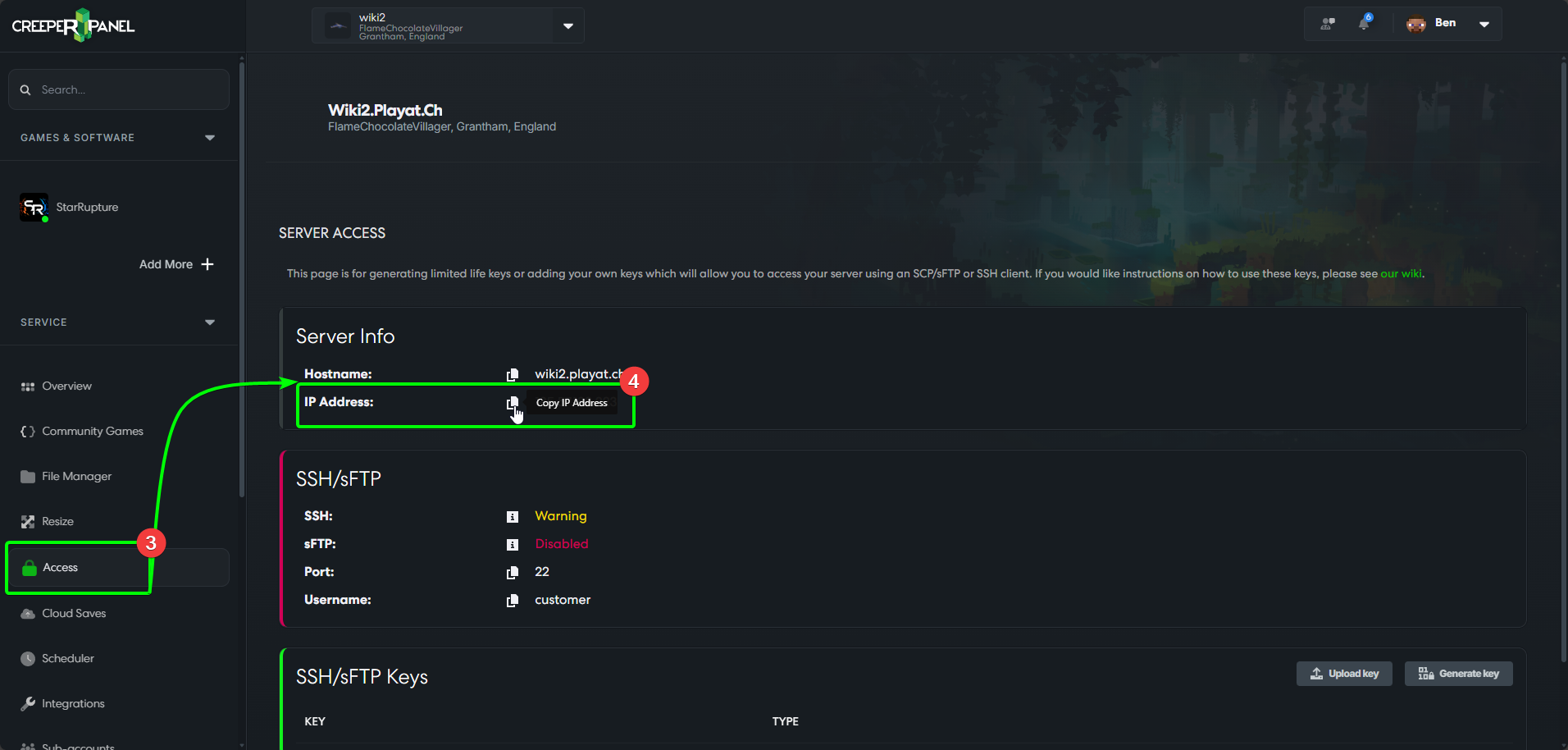
- Navigate to the
Accesstab, found underServicein the side-bar. - On the
Accesspage, you will see your IP. Select the adjacent clipboard symbol to copy the IP to your clipboard.
Now you've got your server's IP copied to the clipboard, load up StarRupture on your client machine. Then;
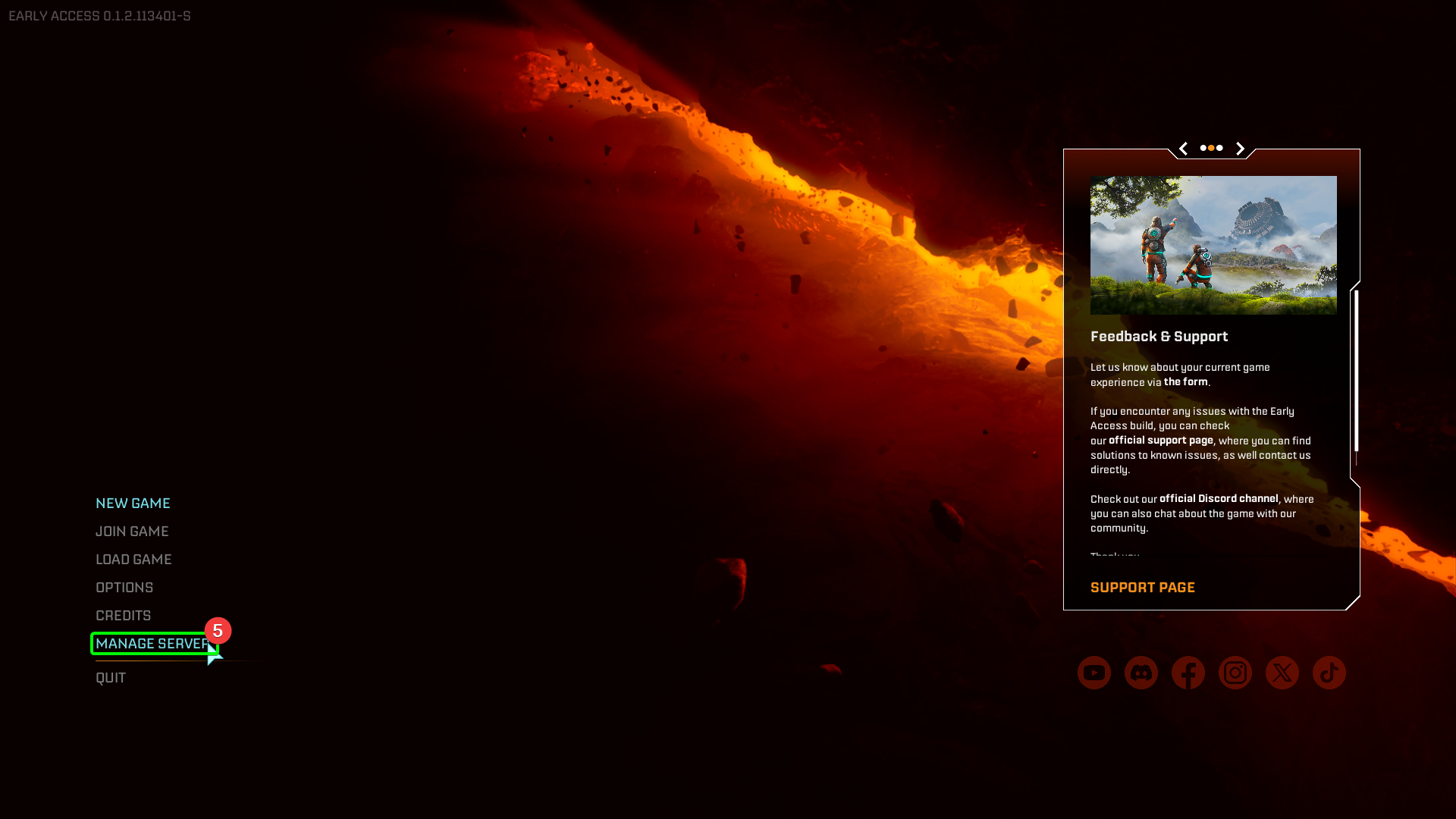
- Select
Manage Serveron the main screen
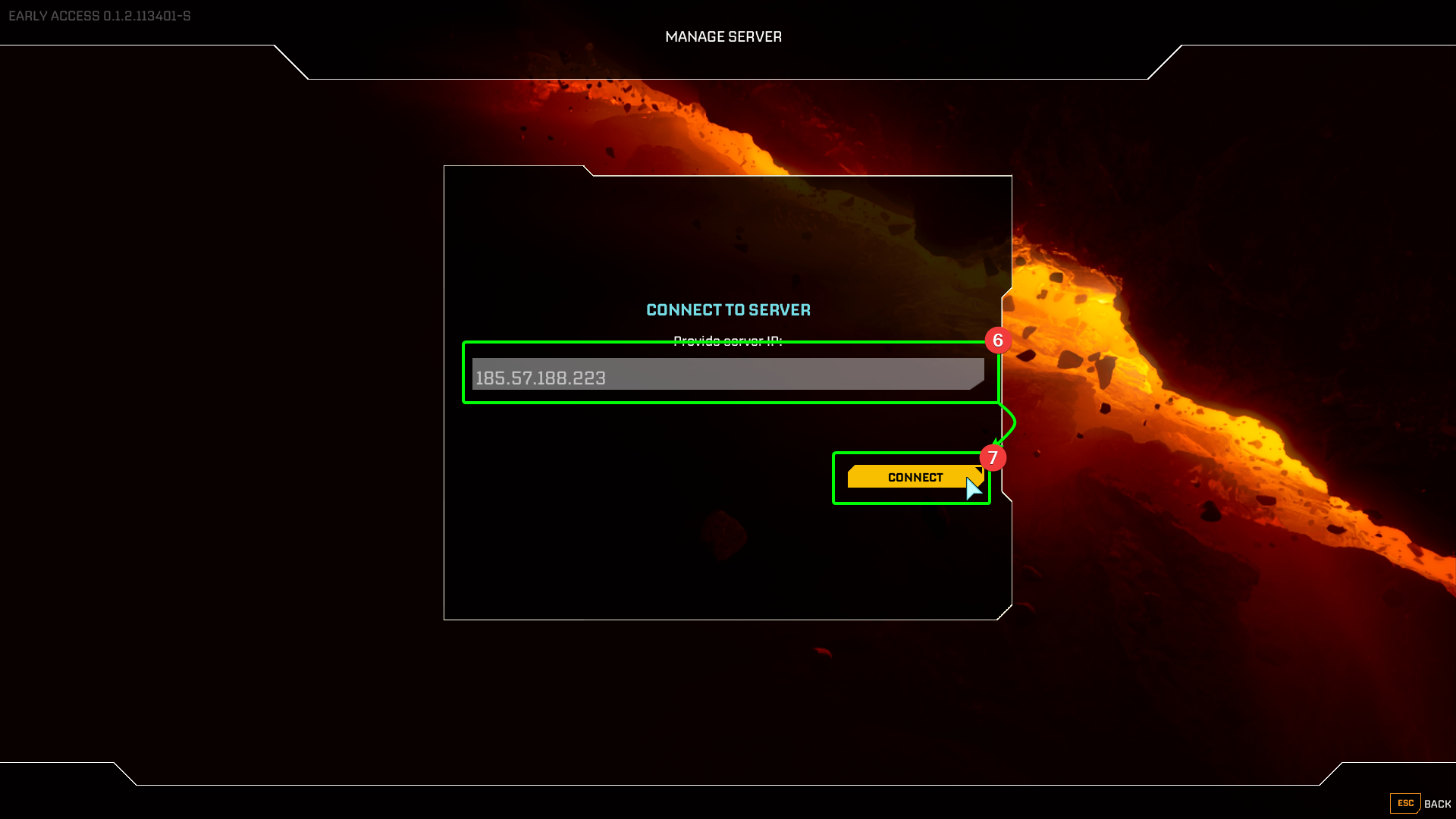
- StarRupture will open a window in-game -
Ctrl+Vyour copied IP address into theProvide Server IPfield. - Select
Connect.
- Next, you'll need to set a password. Enter your desired password into the
Set Passwordbox. - Select
Confirm.
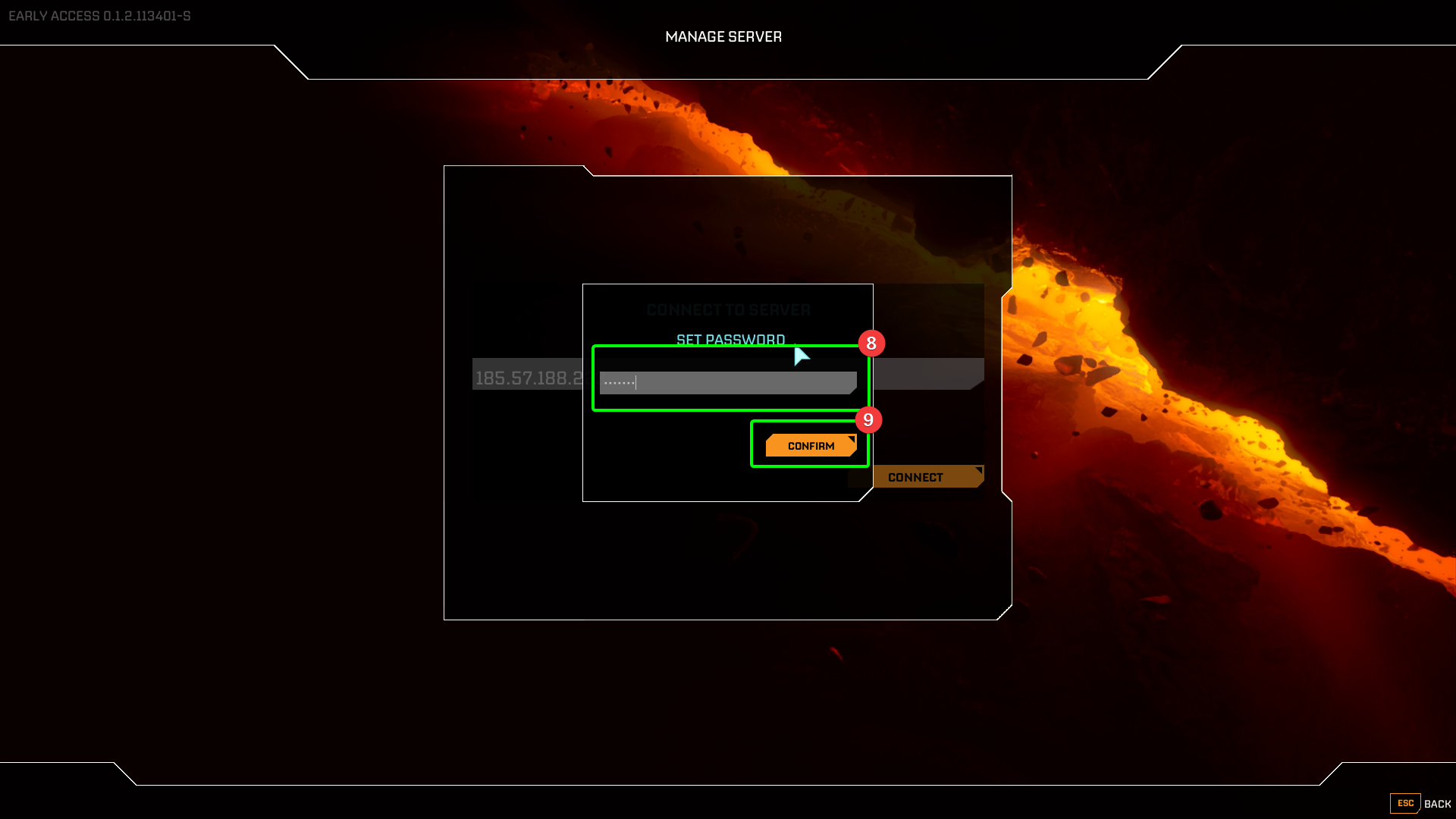
Now you've connected and set a password, you're in the server manager, and you can get your server initialised. You'll see Start Game is greyed out for now - we need to do a couple of things first.
- You can select
New GameorLoad Game- as this is the first time we'll need to selectNew Game. - Set your session name in the
Session Namefield. Start Gameshould now be yellow - select it.
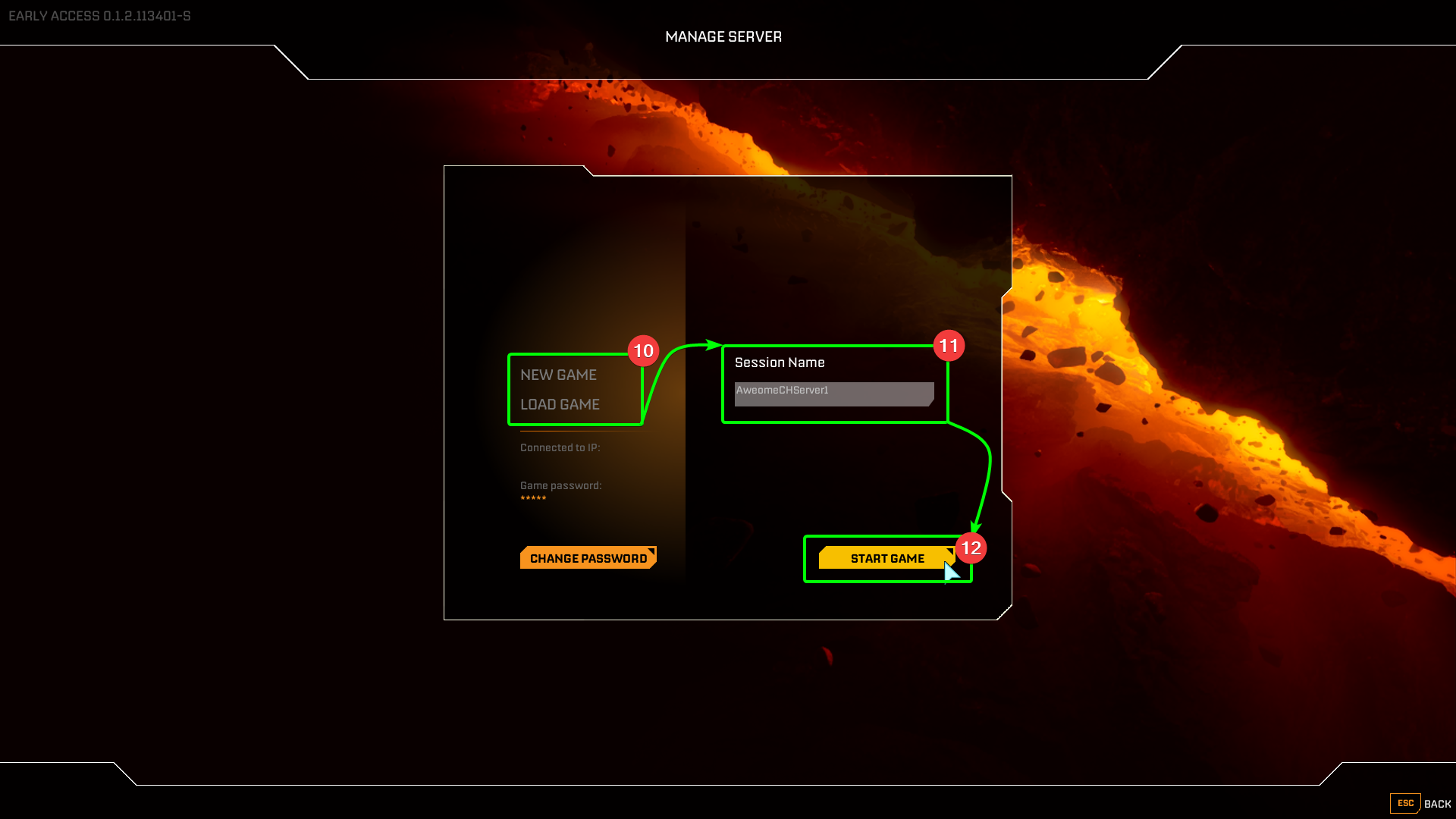
That should be it - StarRupture will confirm the session is online with a text box stating Session is running, and you can proceed to connect to your server!
Connecting to your server
Now we're ready to connect, head back to the main menu in StarRupture. Then;
- Select
Join Game.
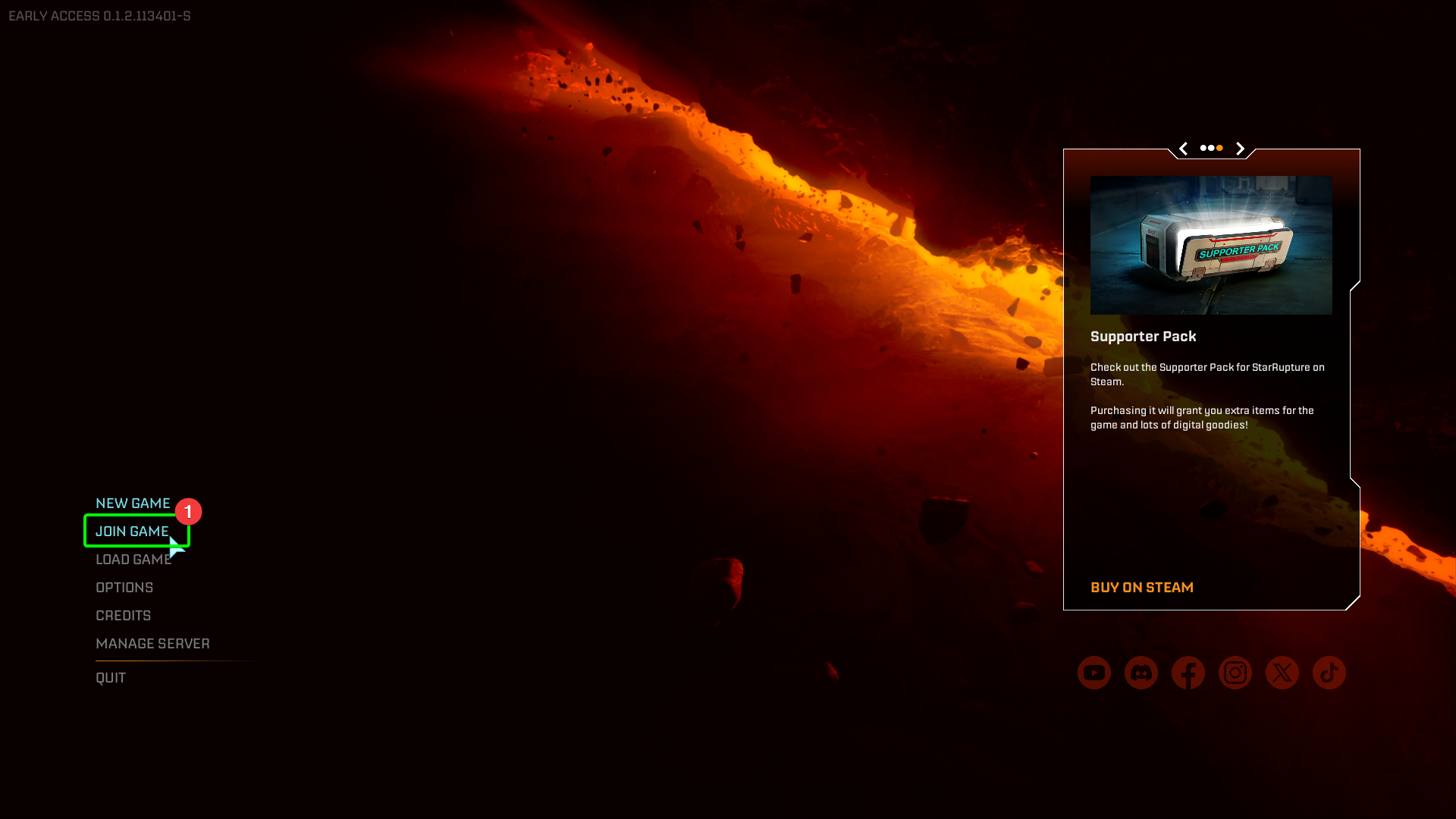
- In the next window, look for
Dedicated Serverin the bottom left, and select it.
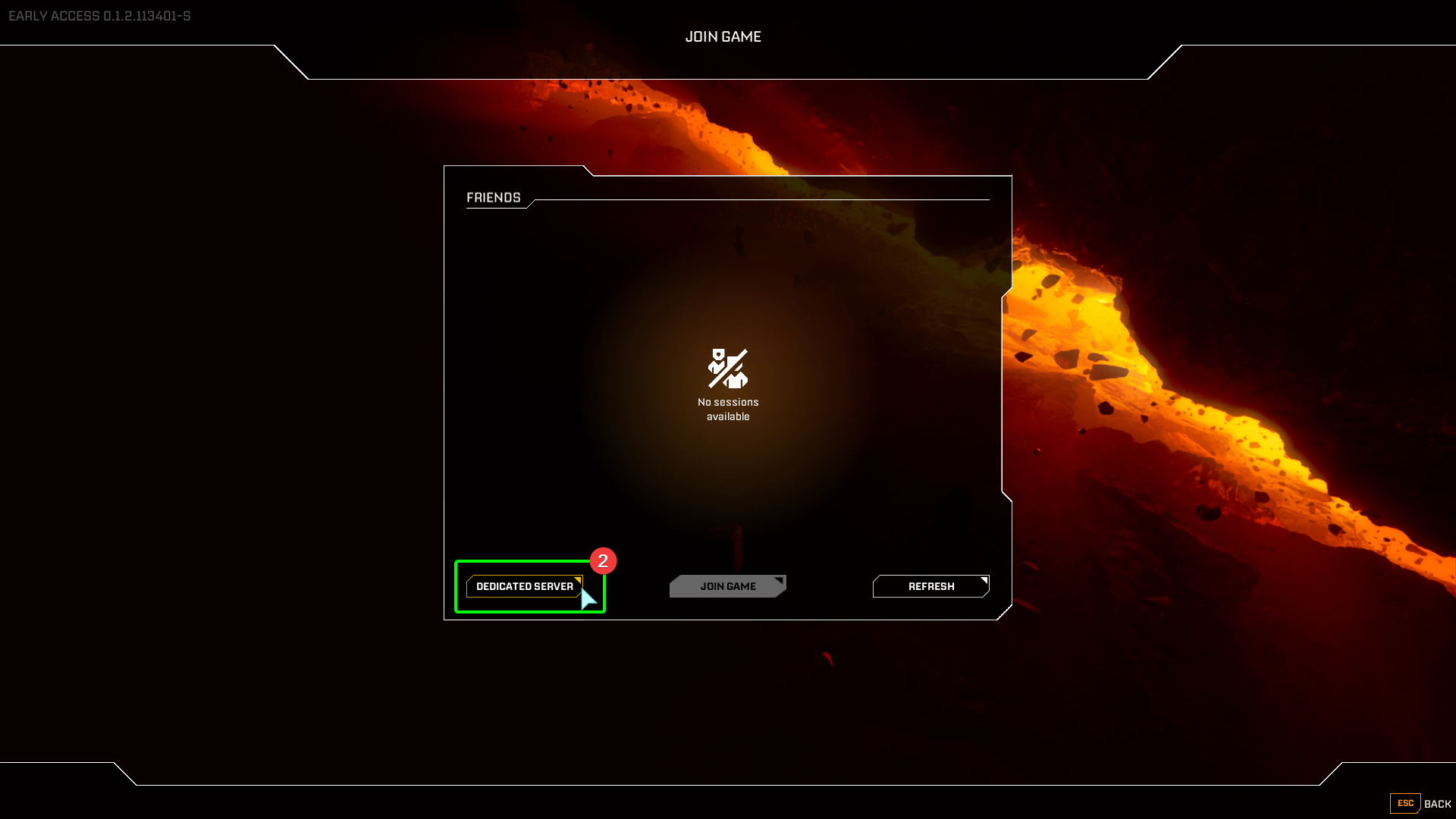
- You'll be asked to enter both your IP and server password. Enter them into the appropriate fields.
- Select
Confirm.
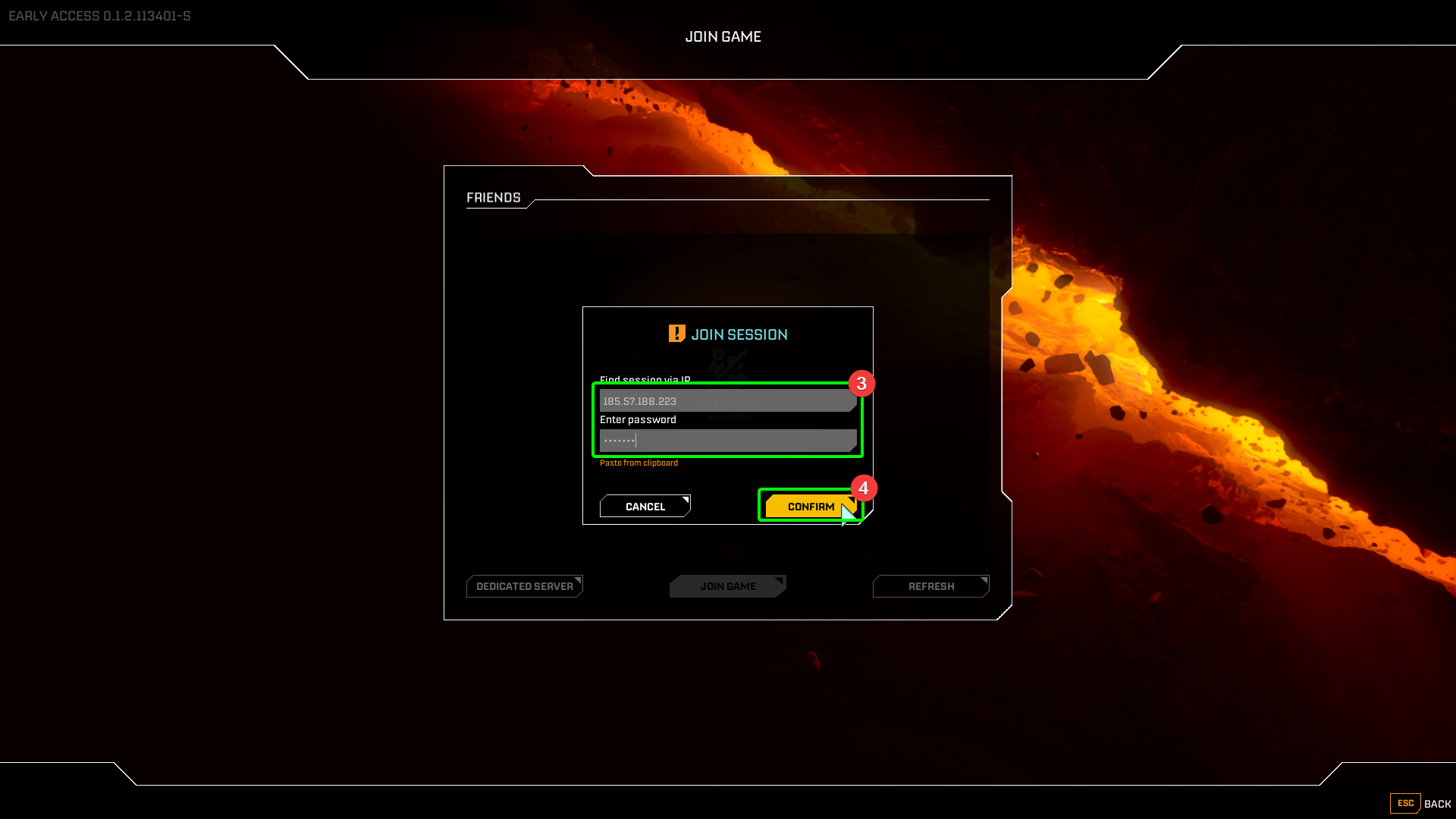
- On the final screen, you'll be asked to select your character role. Select your character.
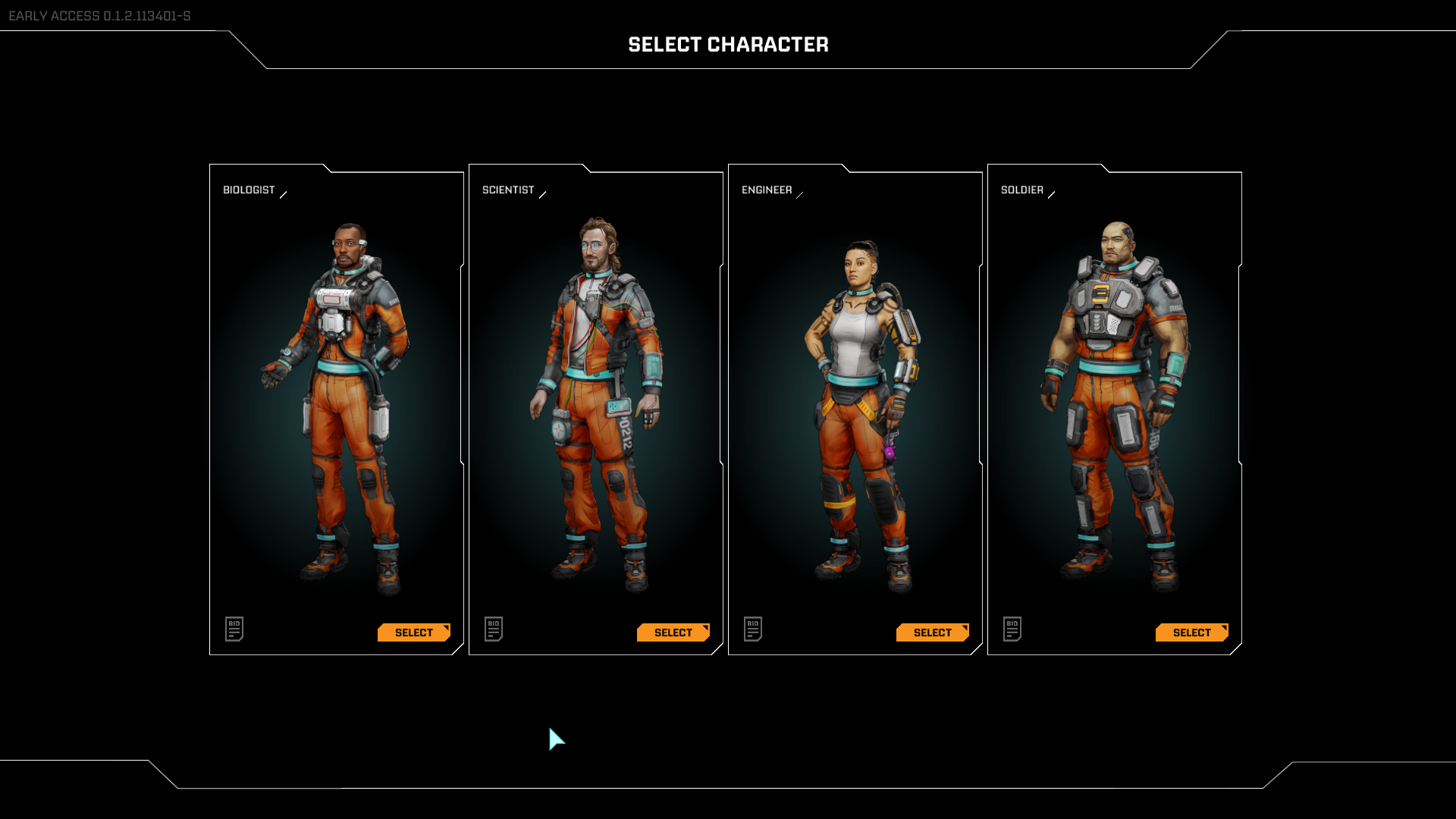
That's it! You've initialised and connected to your StarRupture server! You're free to roam the planet, and fight the endless hordes! Happy explorations!