Adding Mods to Project Zomboid
info
Before adding mods to your Project Zomboid instance, please ensure your instance is switched OFF to prevent any potential corruption or data loss.
Before opening Mods, open Settings, choose your Save Name and save the initial settings. If the mod manager asks you to initialise it, it takes you back to Settings for this step.
To add a Workshop mod:
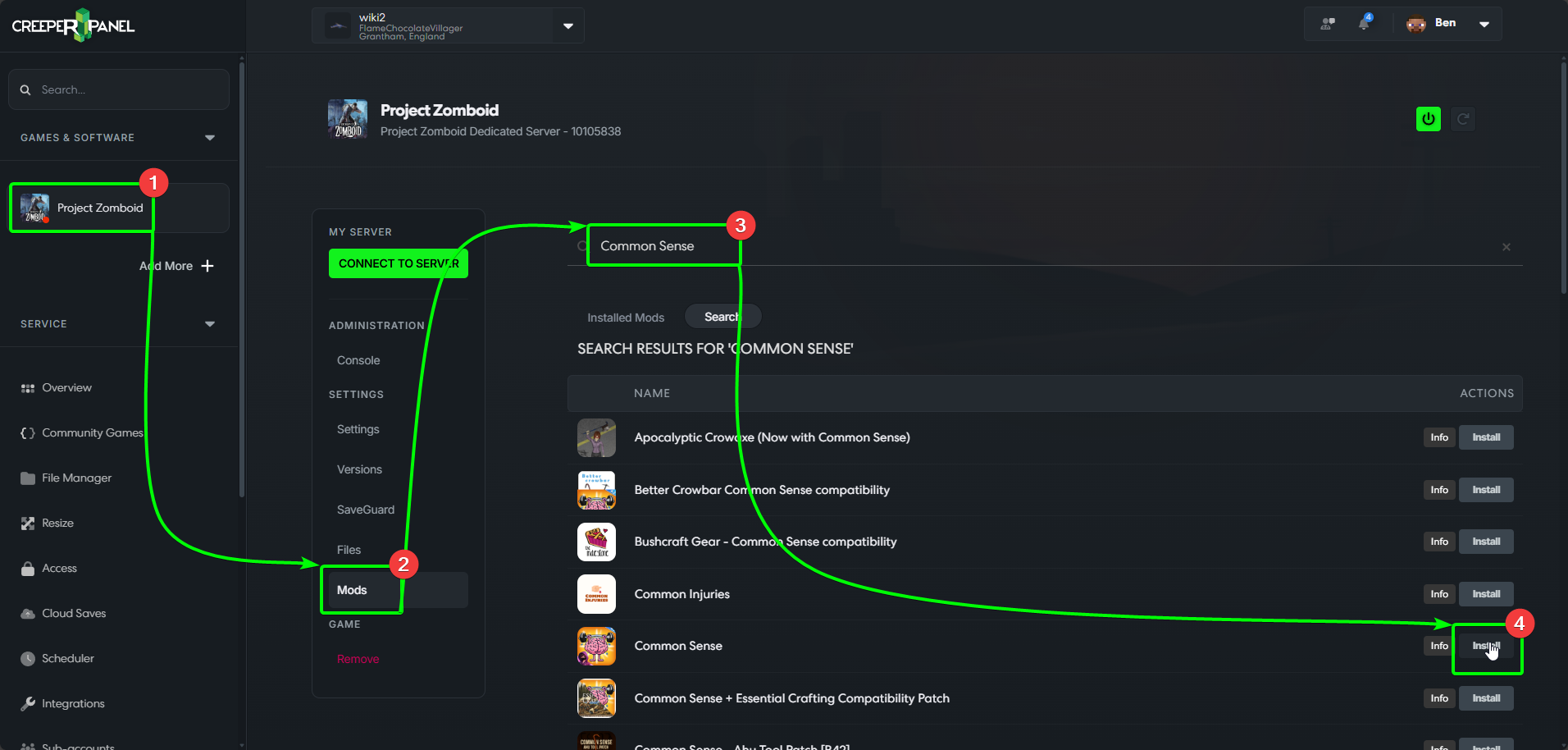
- Navigate to
Project Zomboidon the side-bar. - Next, select
Mods, found under theSettingstab of the sub-menu. - On the mod manager page, you'll see the search bar at the top. In this example, we're going to install the mod
Common Sense. Start typingCommon Senseinto the search bar - the results will auto-populate as you type. - When you see the mod you wish to install, select
Install. The Panel will automatically begin installing the selected mod.
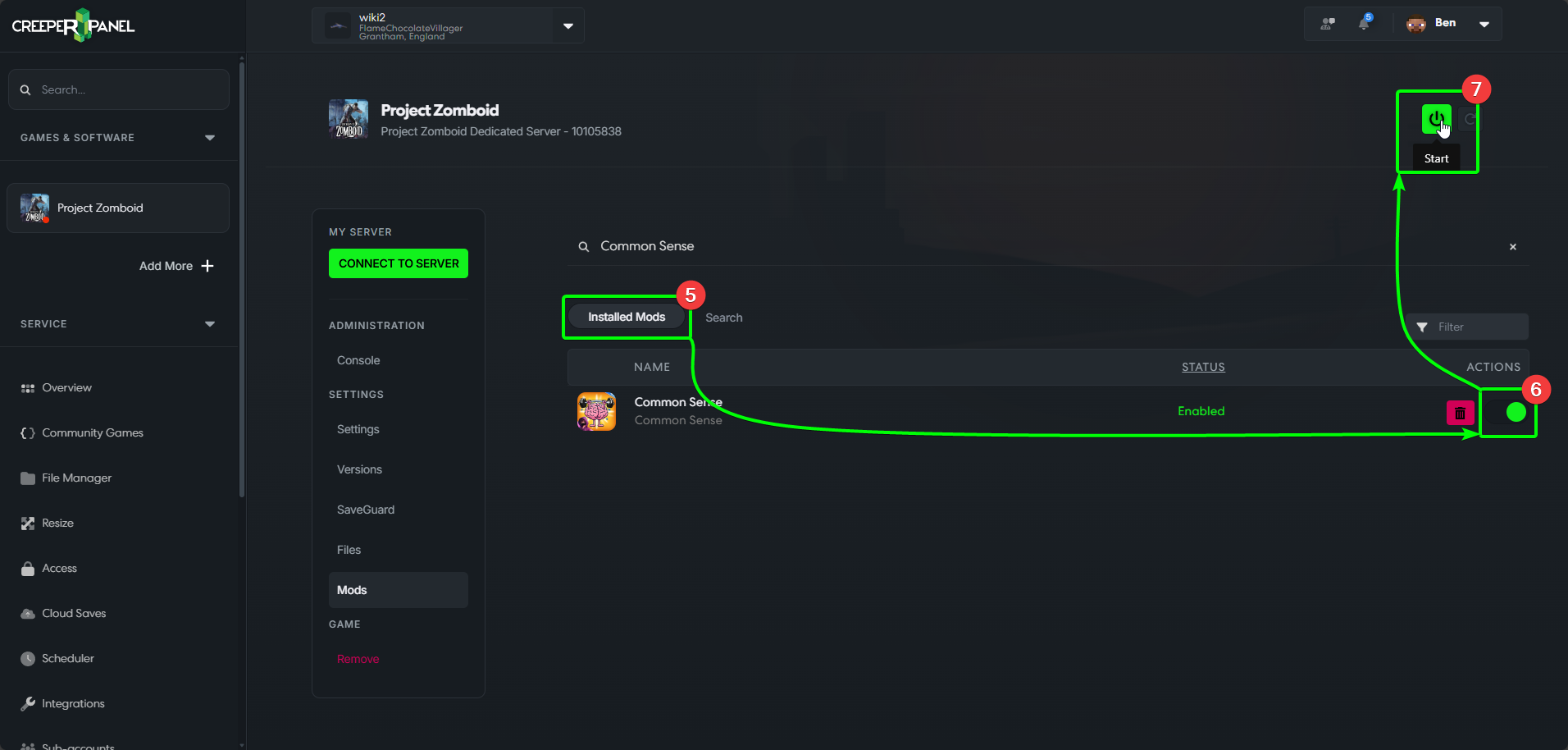
- The Panel should take you straight to the
Installedmods page. - You may need to toggle the mod on before using it.
- Now your mods are installed, you are free to switch your server on!