Connecting to your PixARK server
To start connecting to your PixARK server, load the game on your client machine, then;
-
Select
Multiplayerat the main menu, and then, -
Select
Join PixARK. -
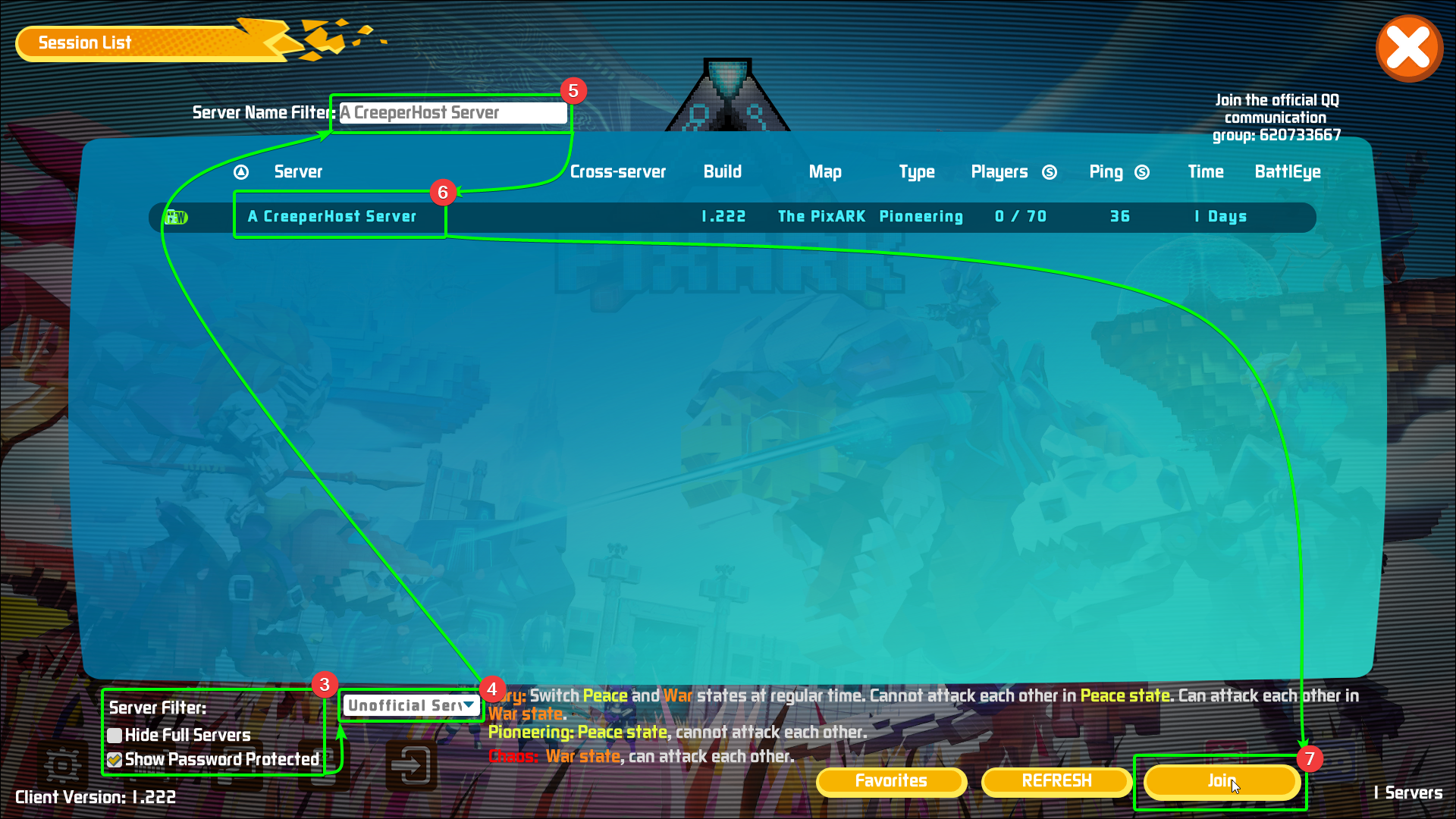
Select your server filters - if you have added a password to your server, you will need to include
Show Password Protectedas a filter. Otherwise, leave it unchecked. -
Make sure to select the
Unofficialserver list from the dropdown menu, otherwise you won't be able to see your server. -
Enter your server's name into the search bar - the results will autopopulate.
-
Select your server from the list.
-
Select
Joinin the bottom right corner.
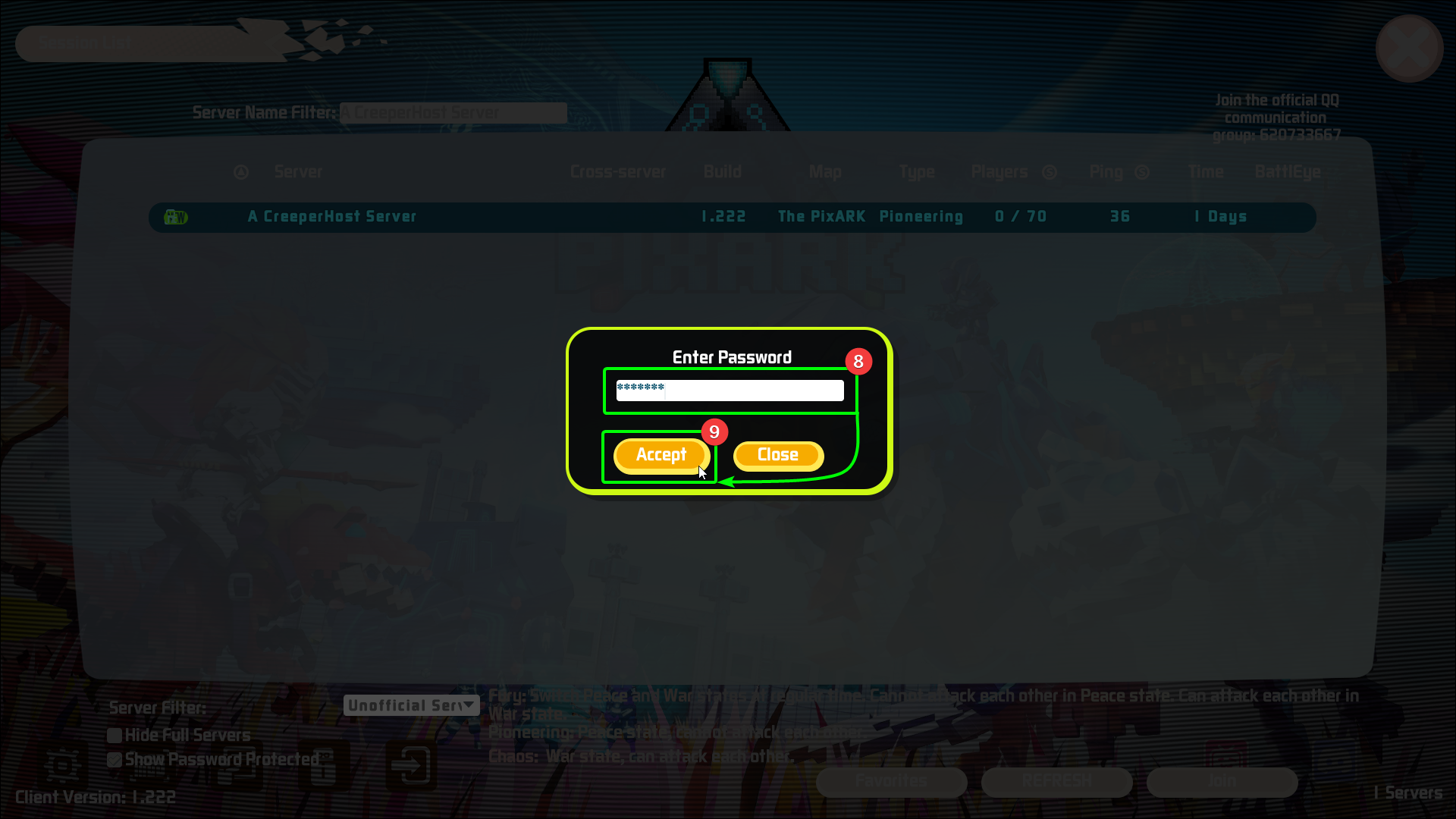
If you have password protected your server you will see a pop-up;
- Enter your password into the
Enter Passwordfield. - Select
Accept.
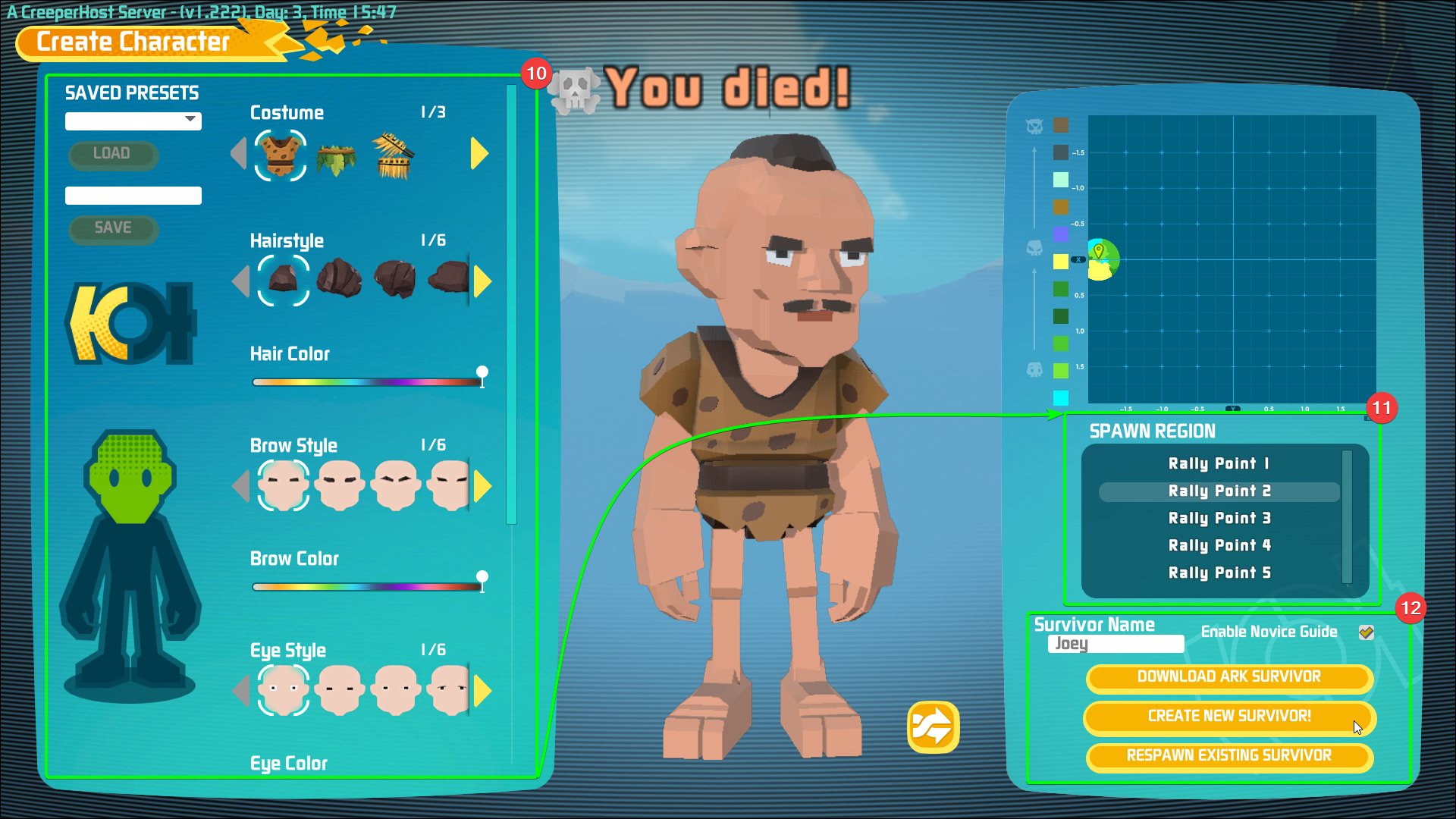
During the next section, you can also choose to respawn an existing survivor or download a survivor instead of continuing with a new creation.
All that's left to do is create a new character!
- Edit your character's features in the creation menu
- Select a spawn region from the list
- Confirm your survivor's name, and select
Create New Survivor- you'll begin spawning in game!
That's it! You've connected to your PixARK server, and are now free to tame all the Dinos you can find!