Creating your Nightingale Server
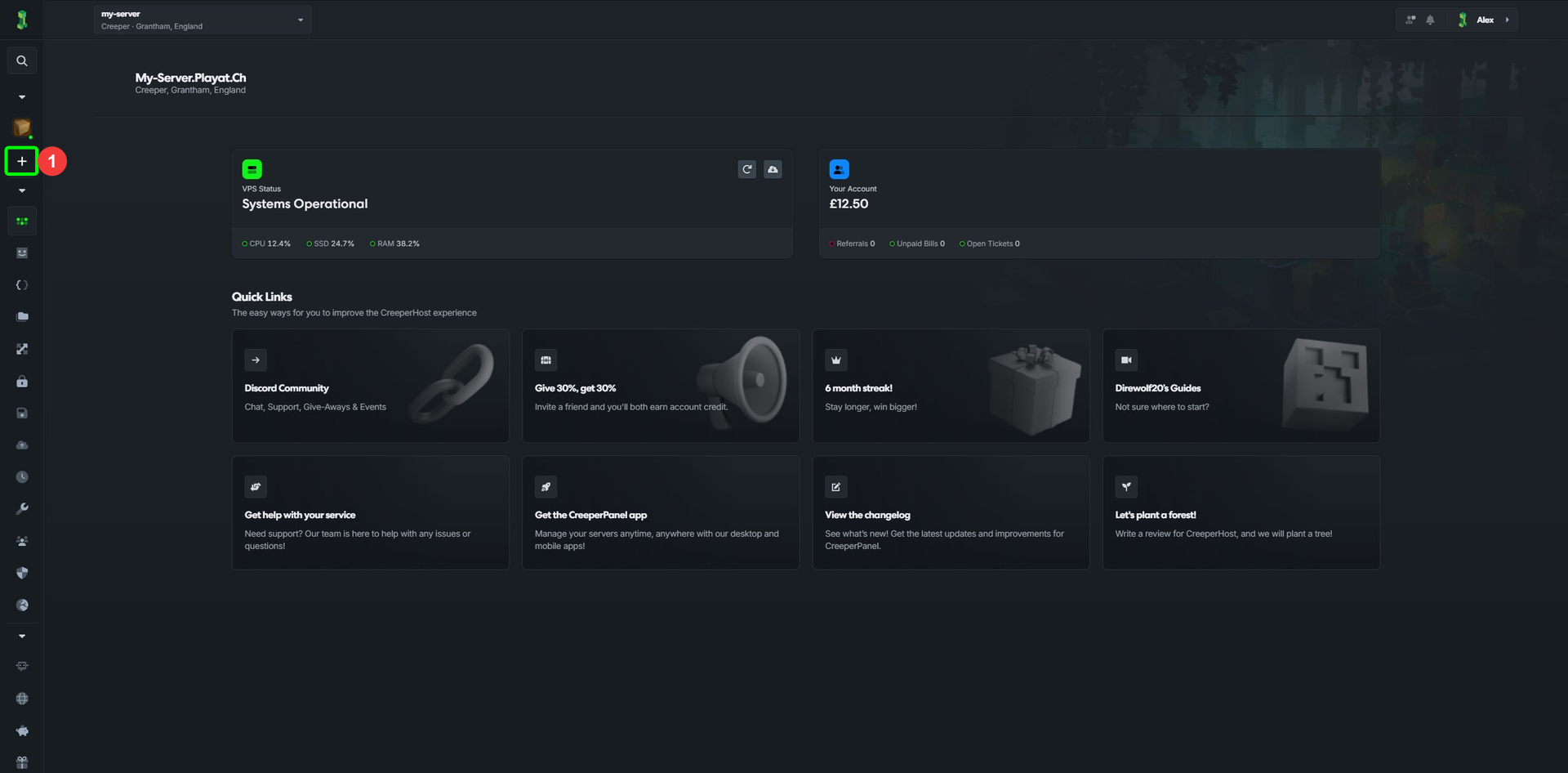
- On the CreeperPanel, select
Add More, under theGames & Softwaretab in the side-bar.
In compact navigation, use the + button.
-
In the pop-up, select
Install Something New -
Select
Nextto be taken to the next page.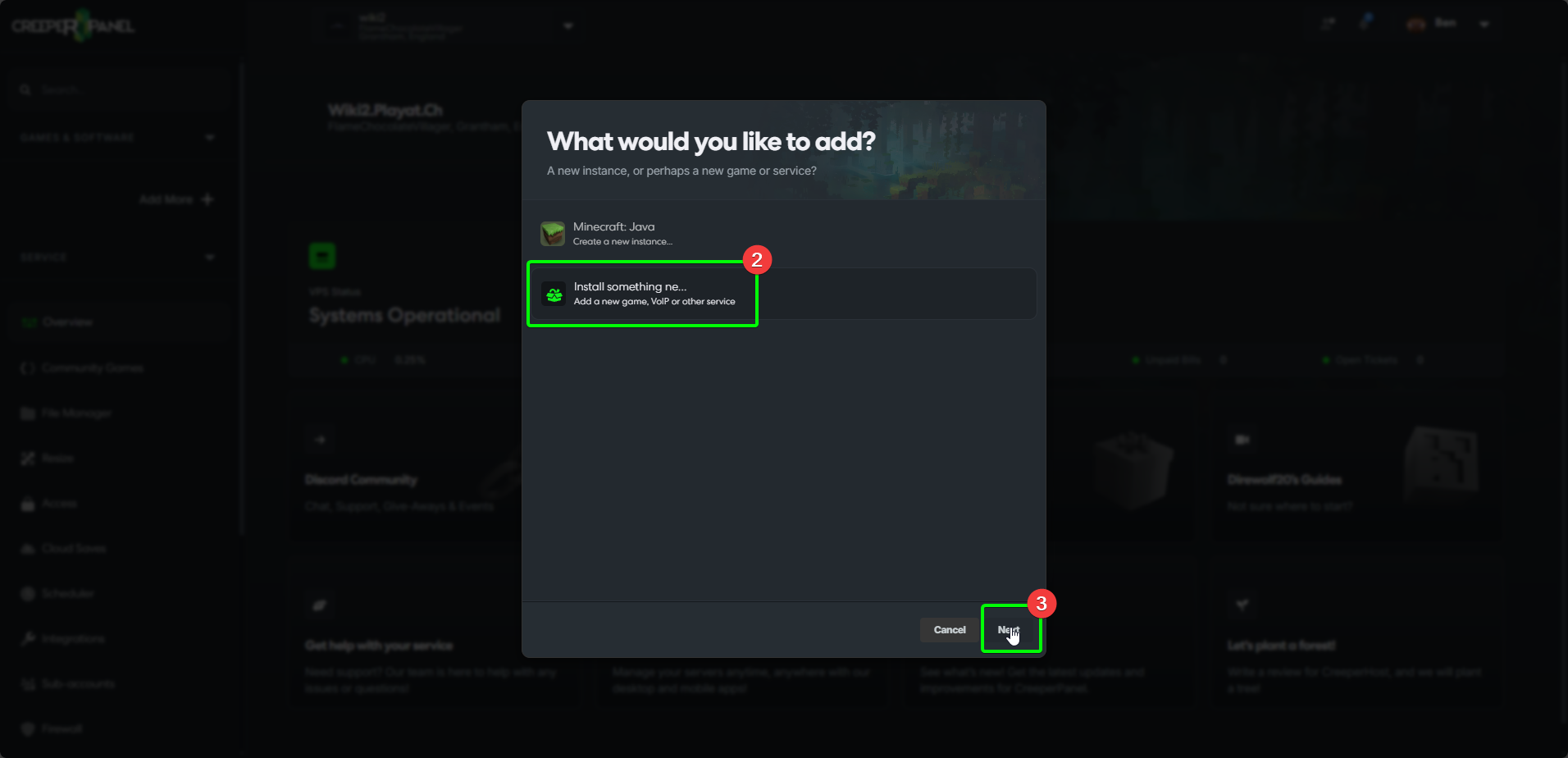
-
In the new page, select the search box, and search for
Nightingale- the Panel will auto-fill as you type. -
Select Nightingale from the list of available games.
-
Select
Install.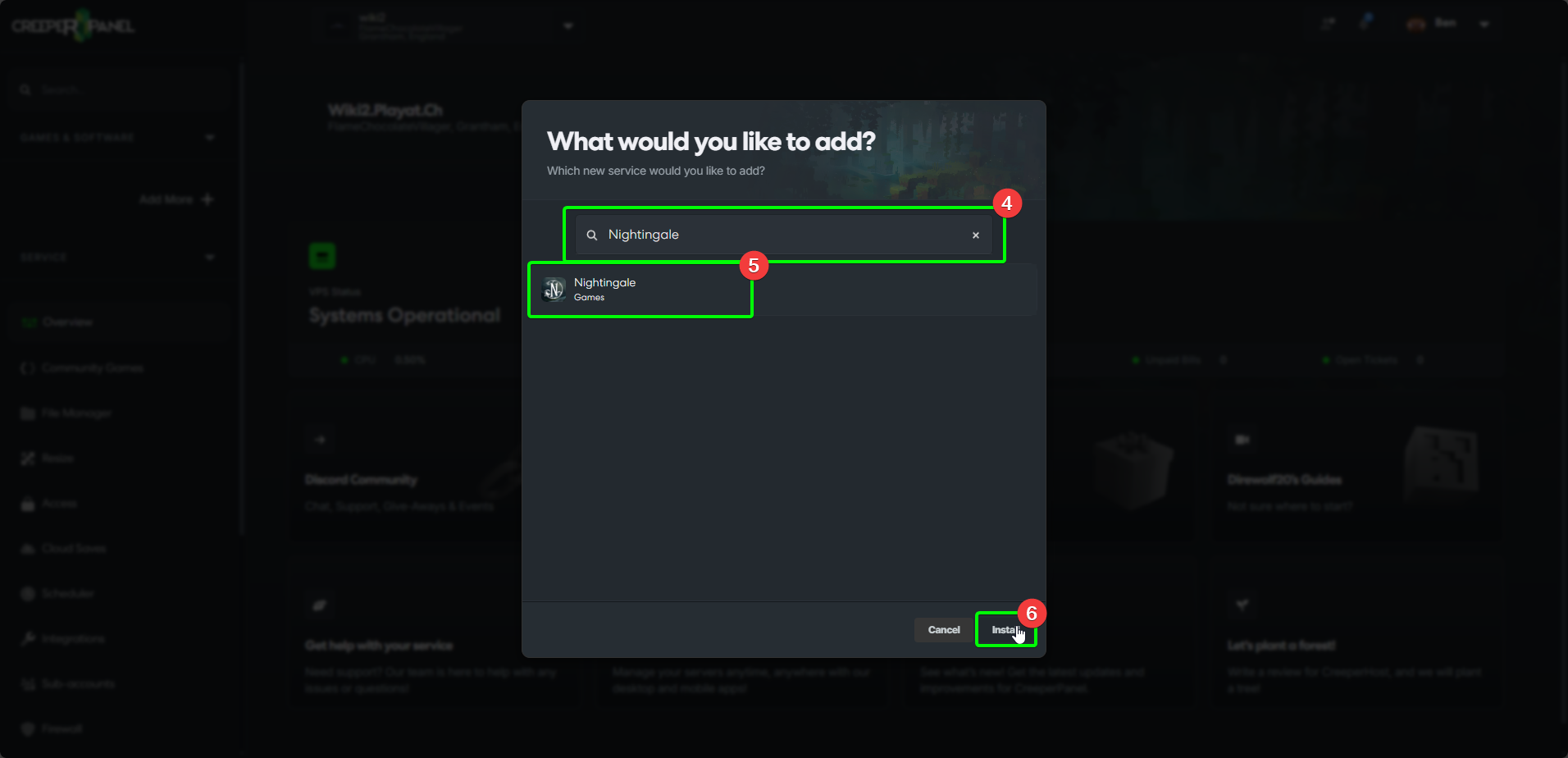
-
You will need to select a version of Nightingale to install from the dropdown list - select which version you wish to use.
-
Select
Installto begin your installation.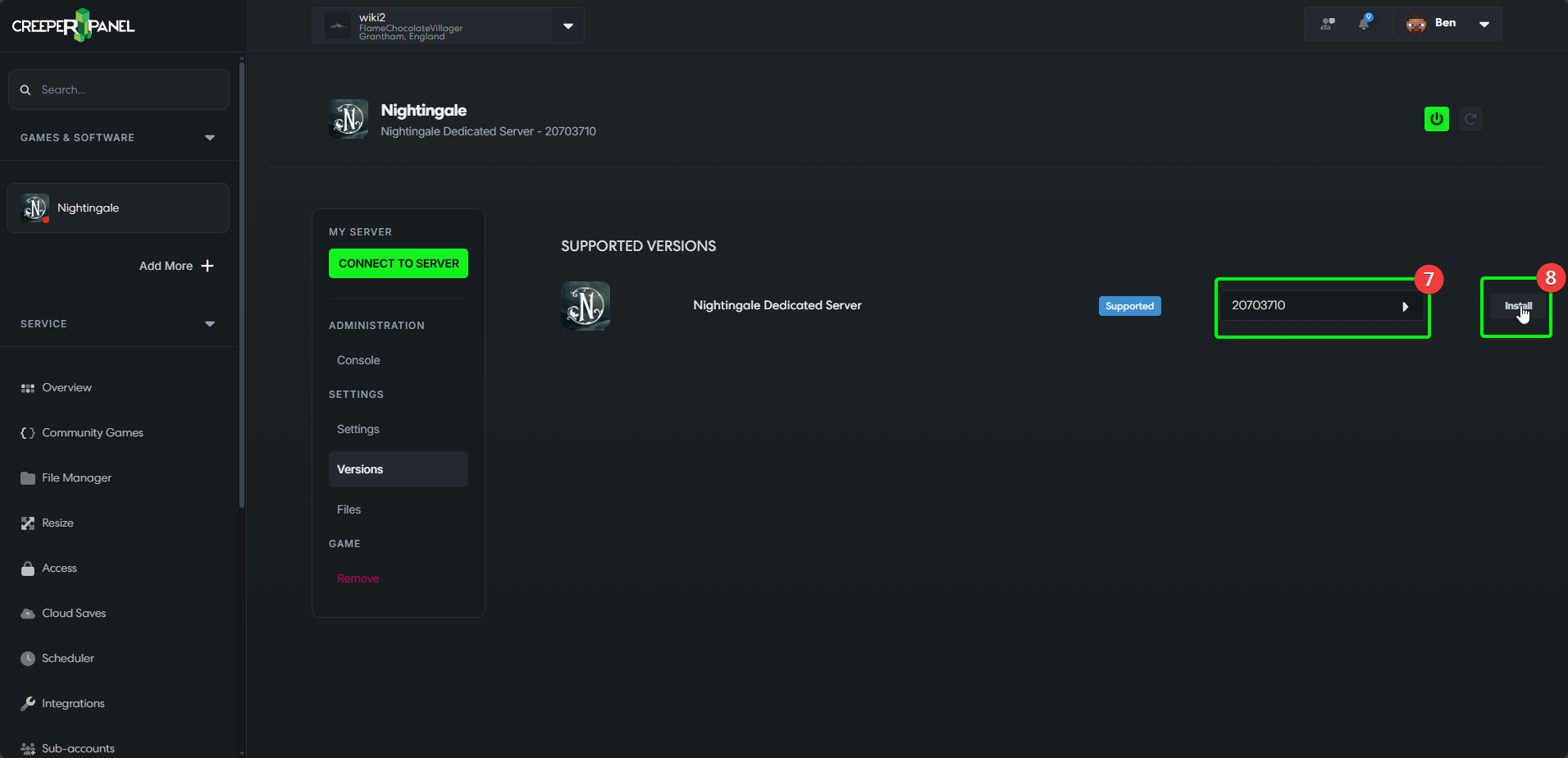
-
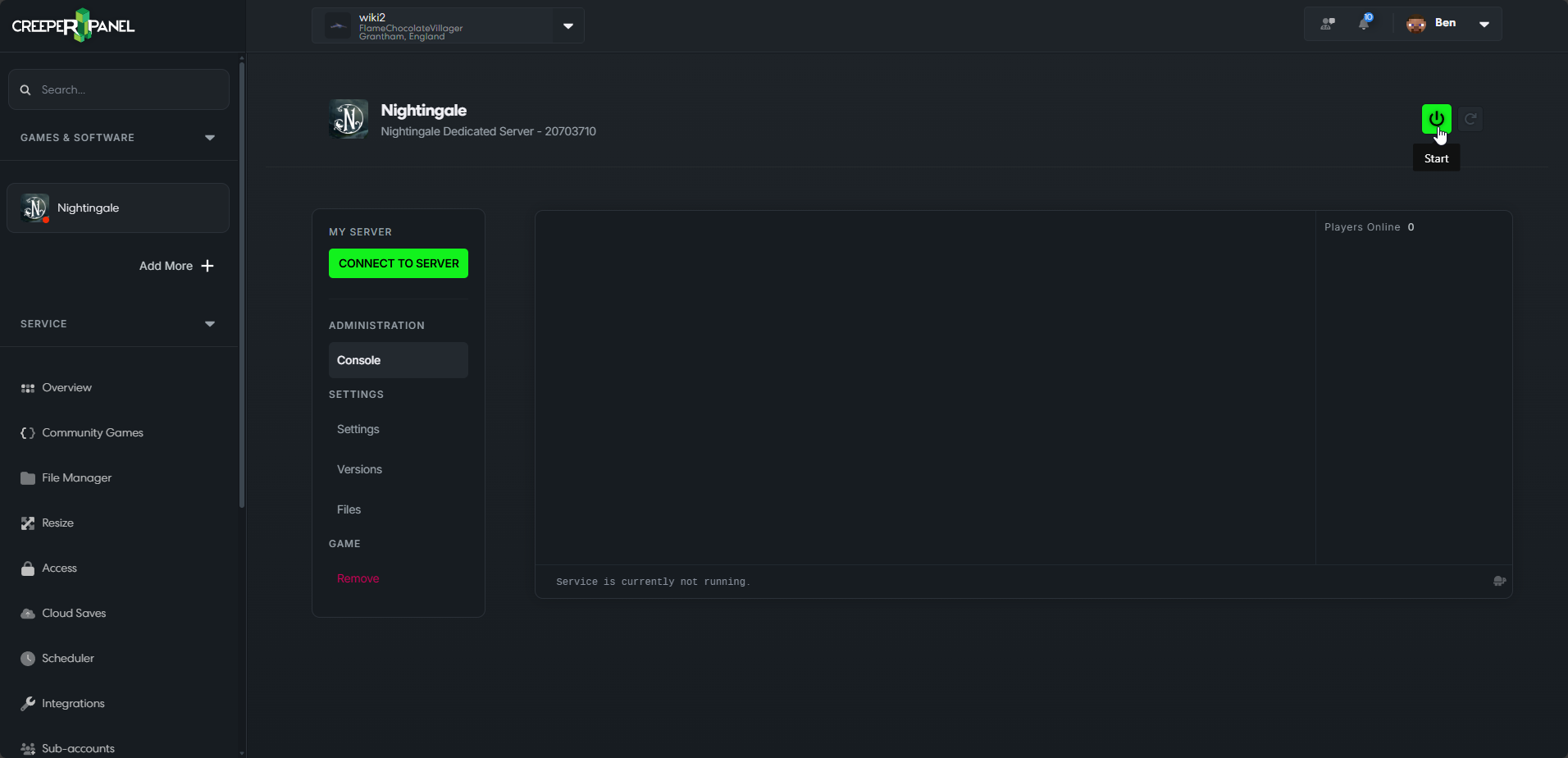
That's it! You'll be taken to the Console page when the installation is complete - you should see something like this:
tip
Don't forget to start your server after installing, or you won't be able to connect!