Modifying your HumanitZ Settings
info
Before making any changes to your game's settings, make sure that your HumanitZ instance is switched OFF.
To find your settings, head to the CreeperPanel. From there:
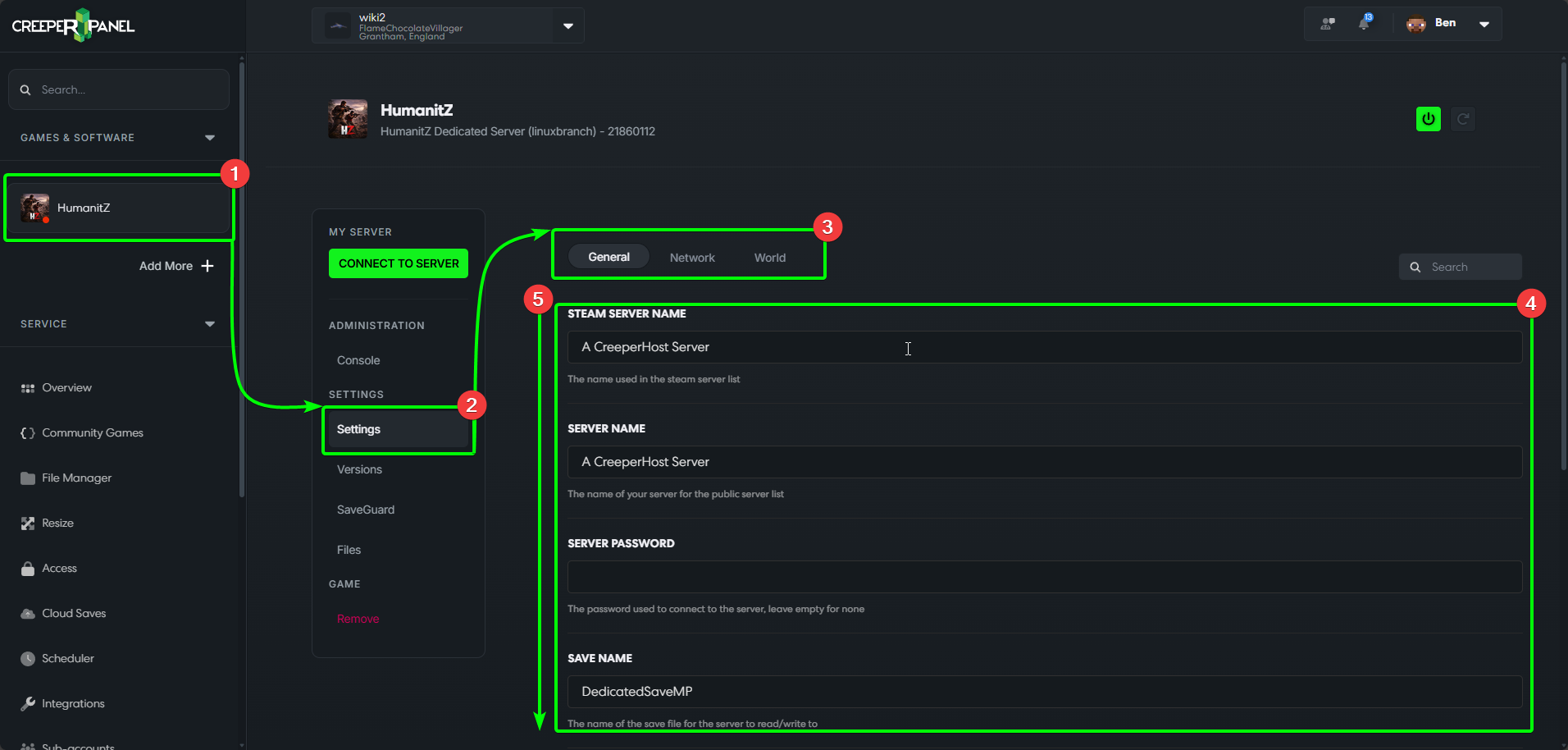
- Select your
HumanitZinstance from the side-bar. - Select
Settings, found underSettingsin the sub-menu. Now we're on the settings page for HumanitZ. - Here you can select which settings menu you wish to open - by default, the Panel will open the
Generaltab. - All available settings on the current tab are visible under the settings options.
- You may need to scroll down to view all available settings in a menu.
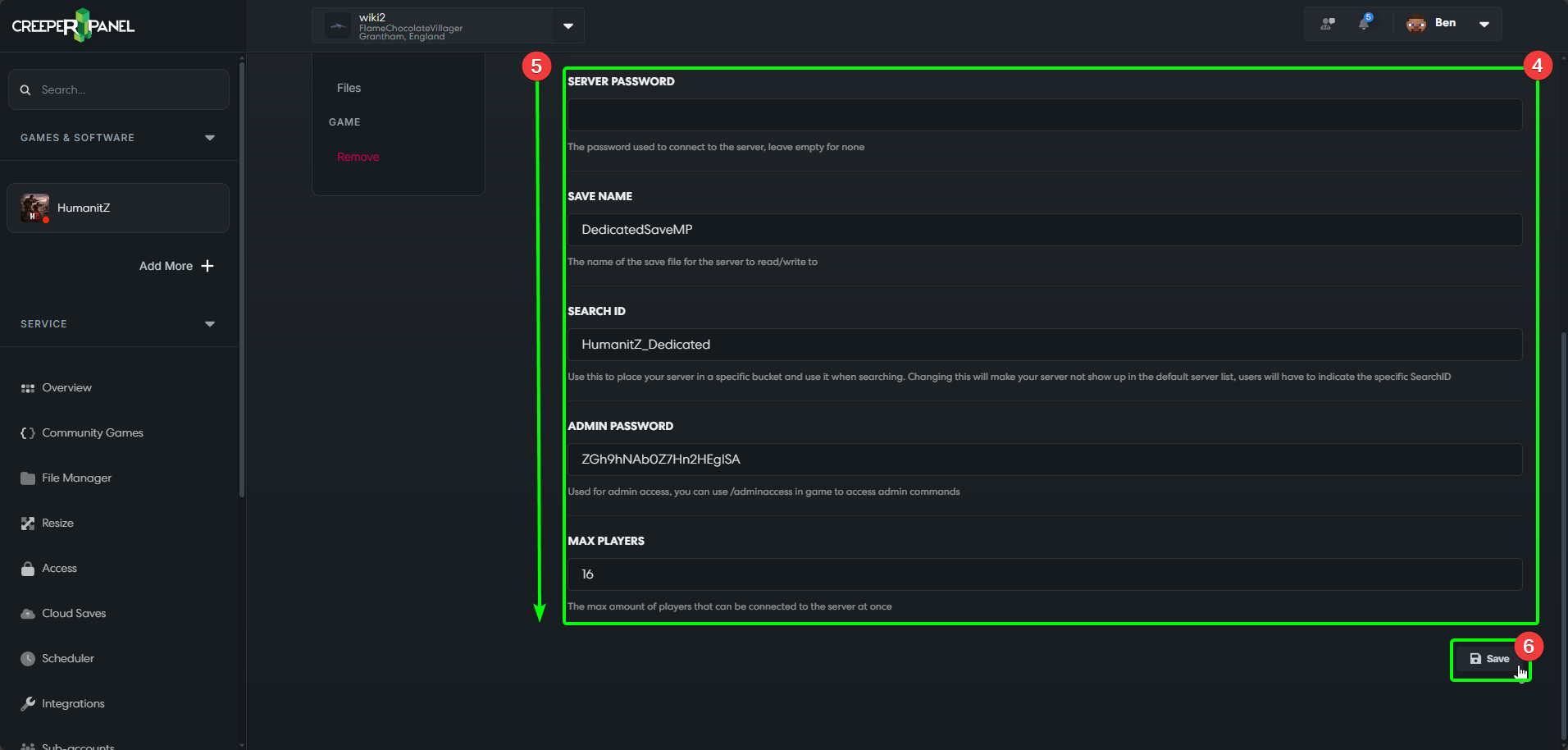
- At the bottom of each settings page, you will find a
Savebutton - you MUST save any changes you make to your settings before leaving theSettingsmenu.
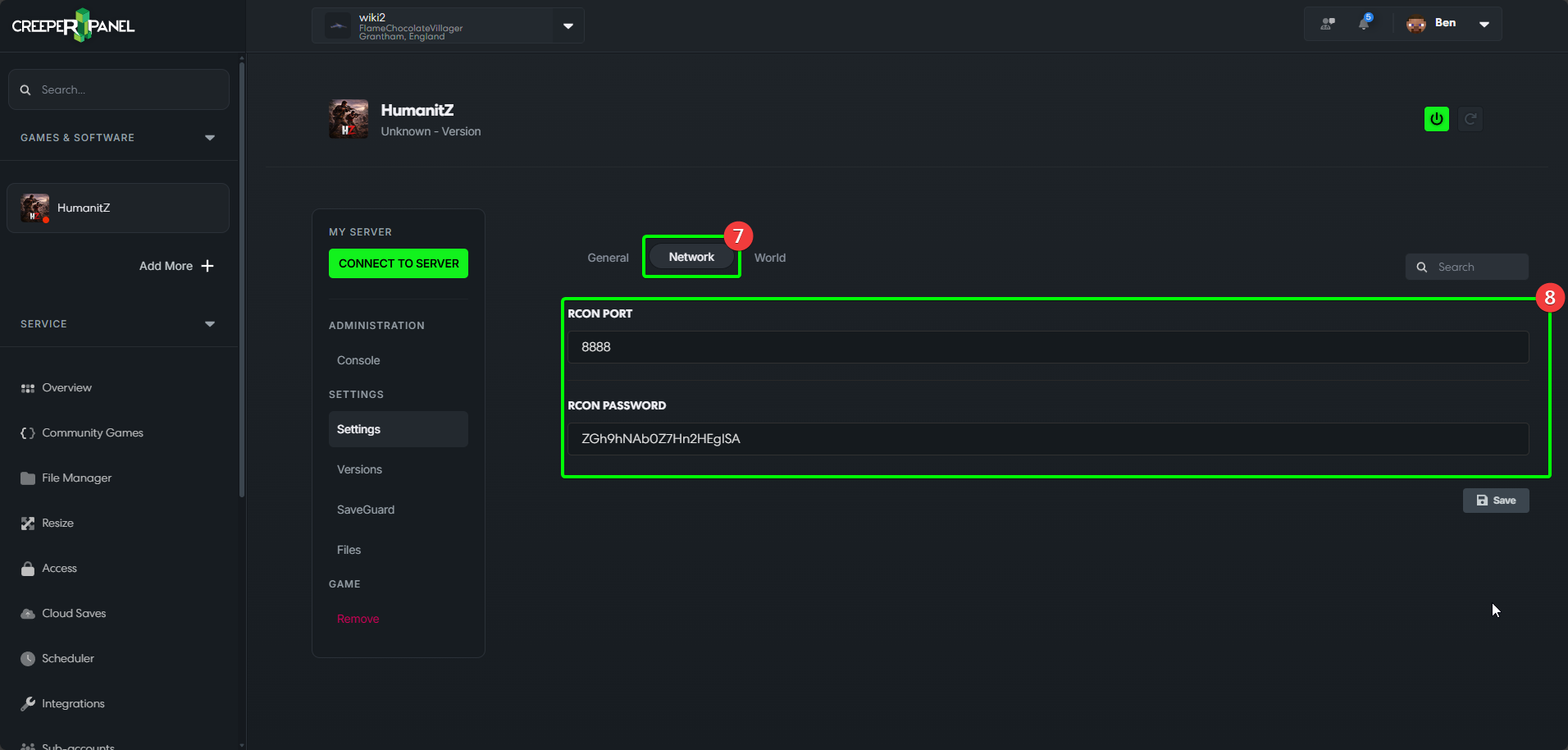
- Switching to the
Networktab currently allows you to change your RCON settings. - Here you can change your
RCON Port, and set anRCON Password.
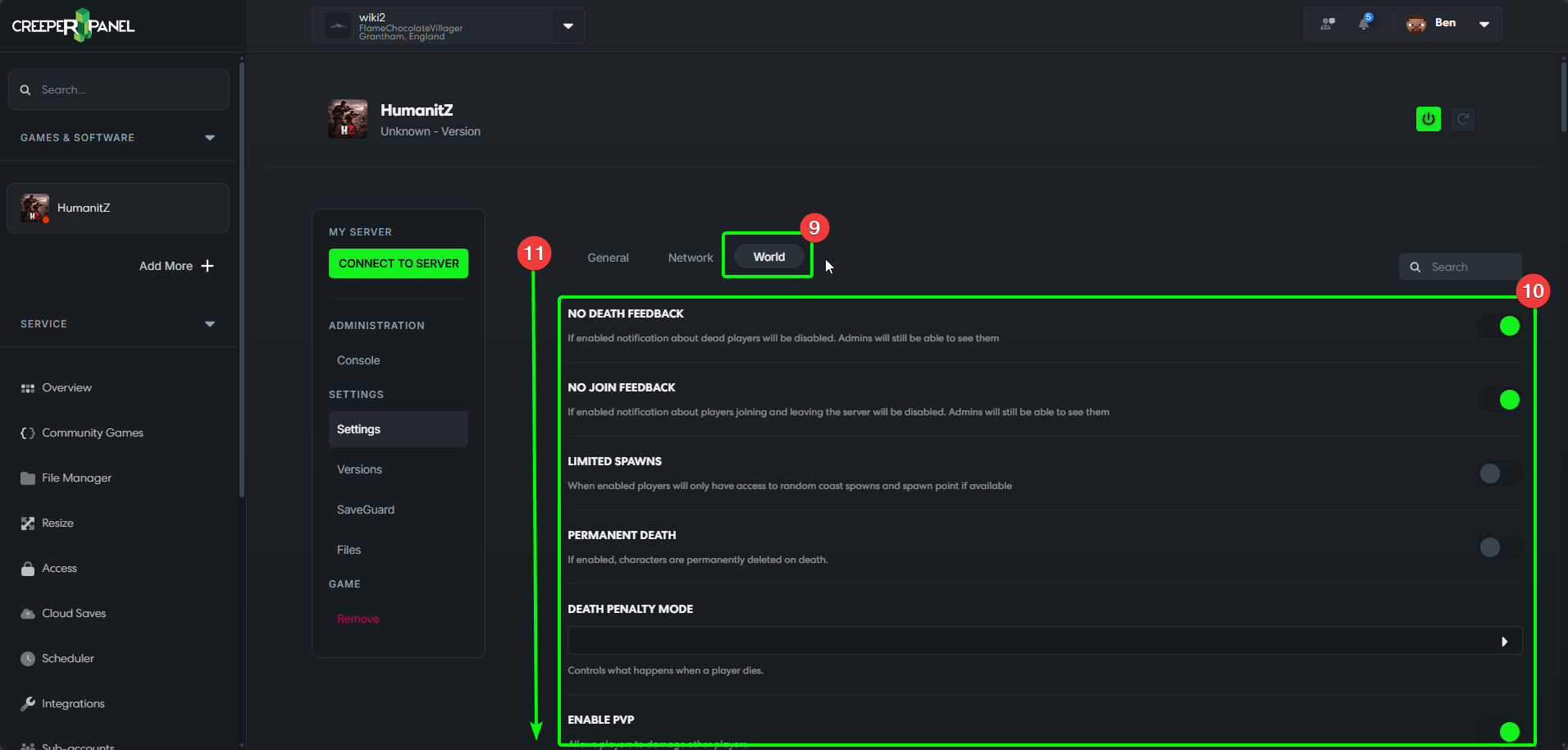
- Selecting the
Worldtab will allow you to change all settings pertinent to actual gameplay. - This menu is where you will find settings for
Permanent Death,Loot Respawn Timer, and many more! - Remember to scroll down to see all the available options (remember to save your changes too!)!
That's it for now for HumanitZ settings! Remember to check back periodically, as new settings are being added to the Panel wherever possible!