Adding Mods to HumanitZ
Before adding or removing mods, make sure your HumanitZ instance is switched OFF to prevent data loss or corruption.
Before We Begin
This guide only covers installing mods on the CreeperPanel, not obtaining mods - before you begin, make sure to download the mods you wish to install, and have them easily locatable in preparation for uploading to the CreeperPanel.
Some mods may need to be installed in one location, and some mods may need to be installed in another, and so on. Usually, the mod author will write the intended installation path in the mod description - make sure you place the mod where it states so it will function correctly. For this example, we will be using the mod Common Sense, and will follow the instructions from the mod author to install it. Your instructions may differ slightly.
Uploading and Installing Mods
Now you've downloaded your mods, it's time to add them to your server. To start:
- Select
HumanitZin the CreeperPanel's side-bar. - Now, navigate to
Files, found underSettingson the sub-menu. - You'll start in the
humanitzdirectory; follow the mod author's instructions for where to send the mod. In this case, we need to followhumanitz>HumanitZServer>Content>Paks. - You should now see the content of the
Paksdirectory.
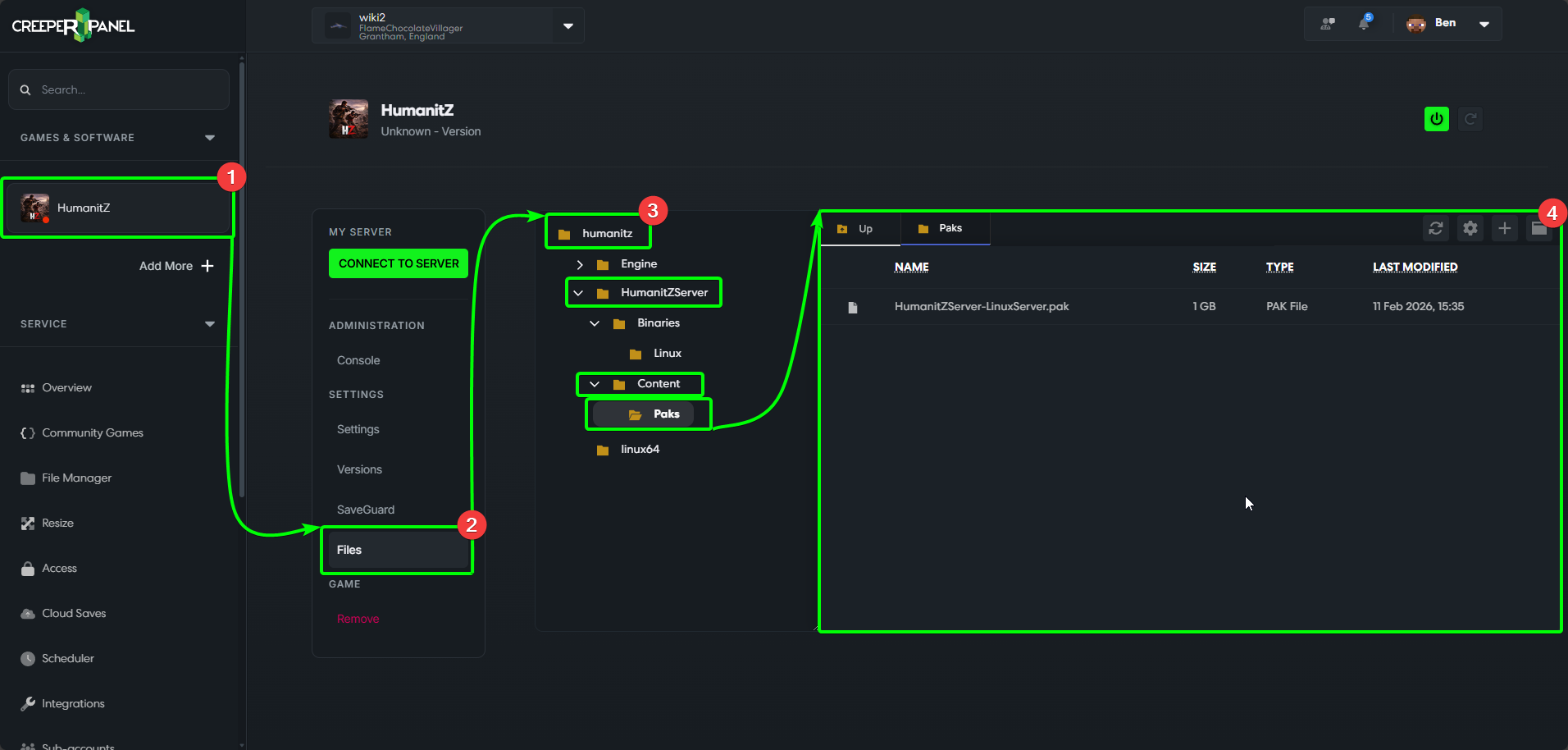
When uploading files to your server via the CreeperPanel, make sure they are compressed to .ZIP format. The Panel won't accept any other file type for an upload.
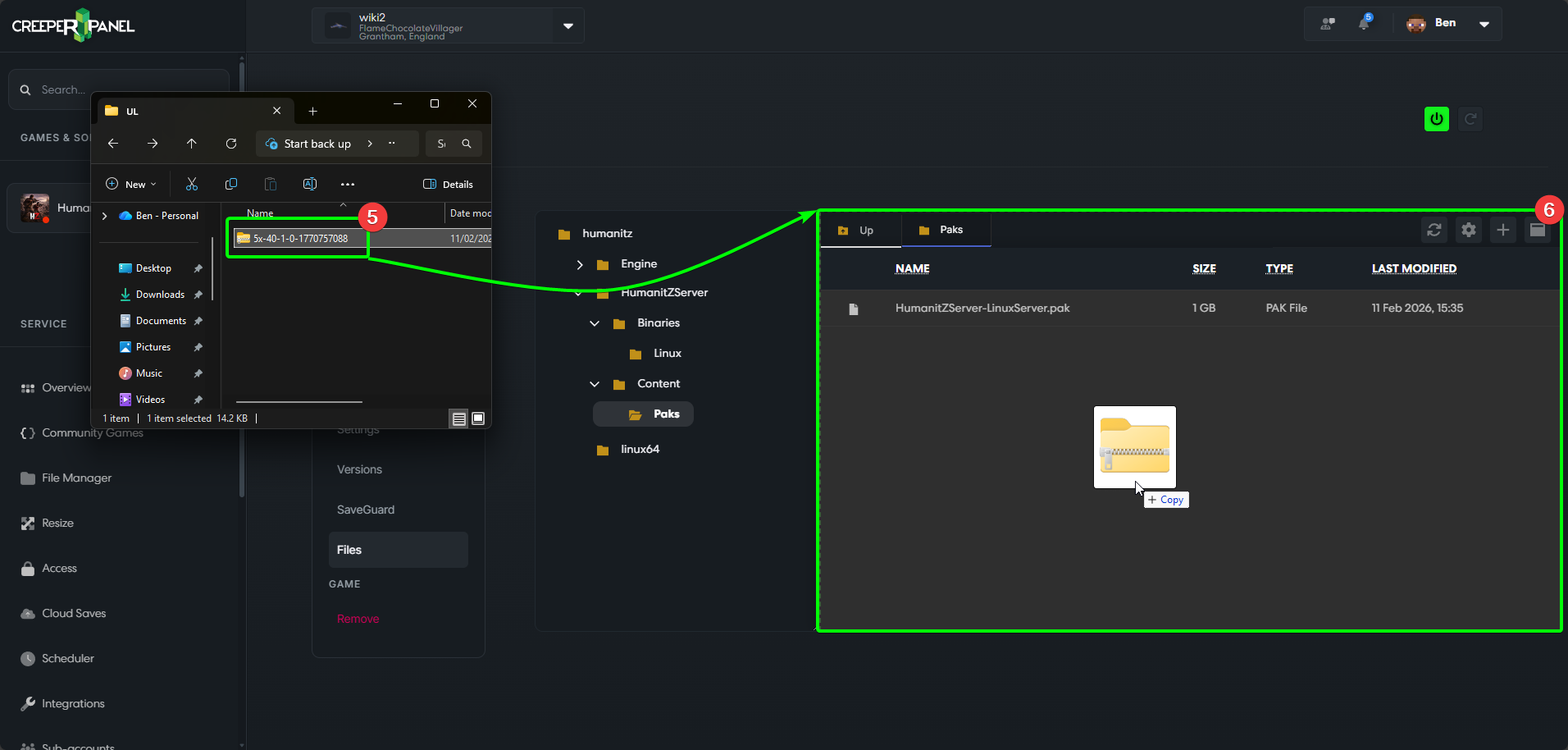
The Panel is ready for your mods to be uploaded, so head to the containing directory for your zipped mods.
- Select the mod(s) to upload, then
- Drag and drop them into the File Manager window. You will see the file(s) appear when they have uploaded
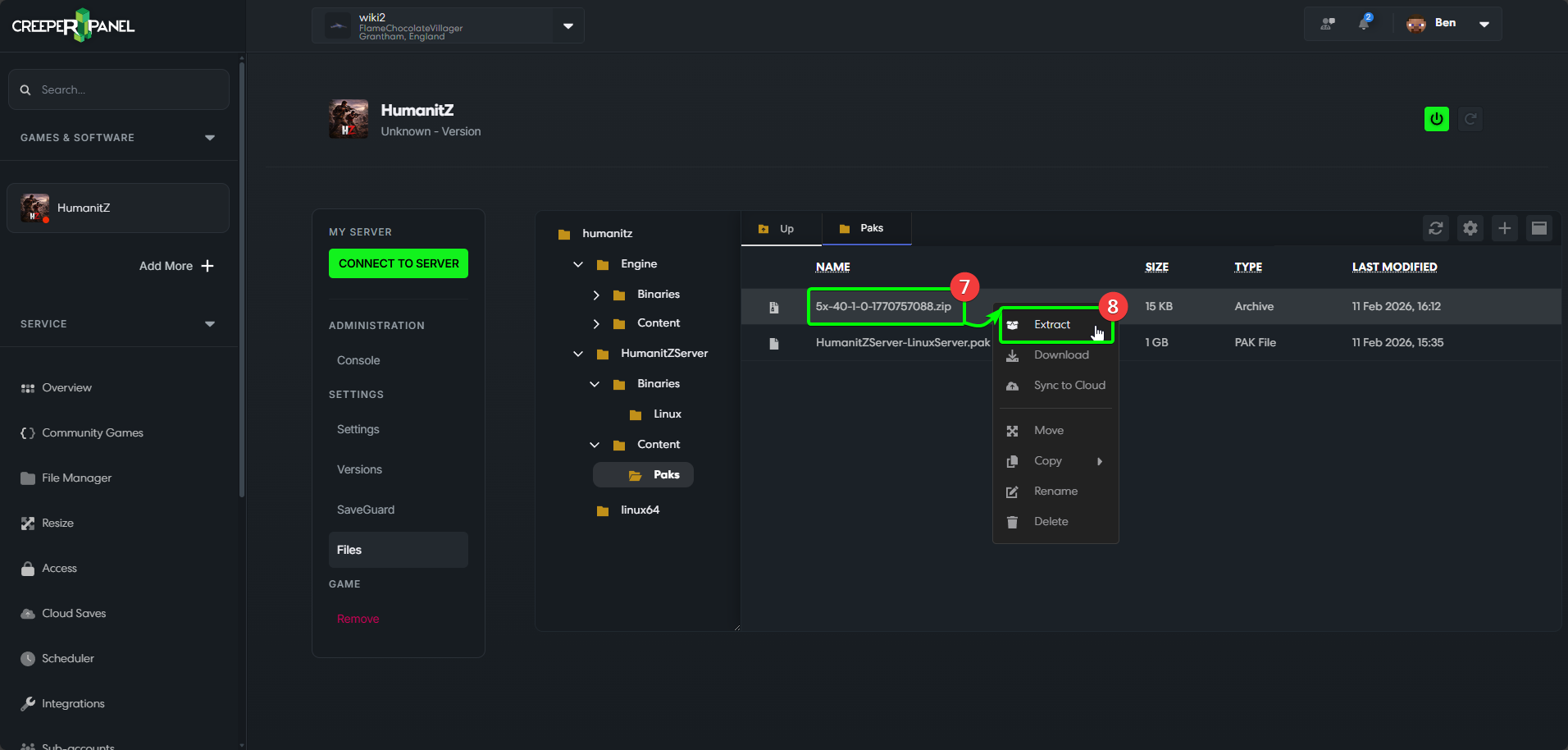
- Right-click the newly uploaded file, and in the menu
- Select
Extract.
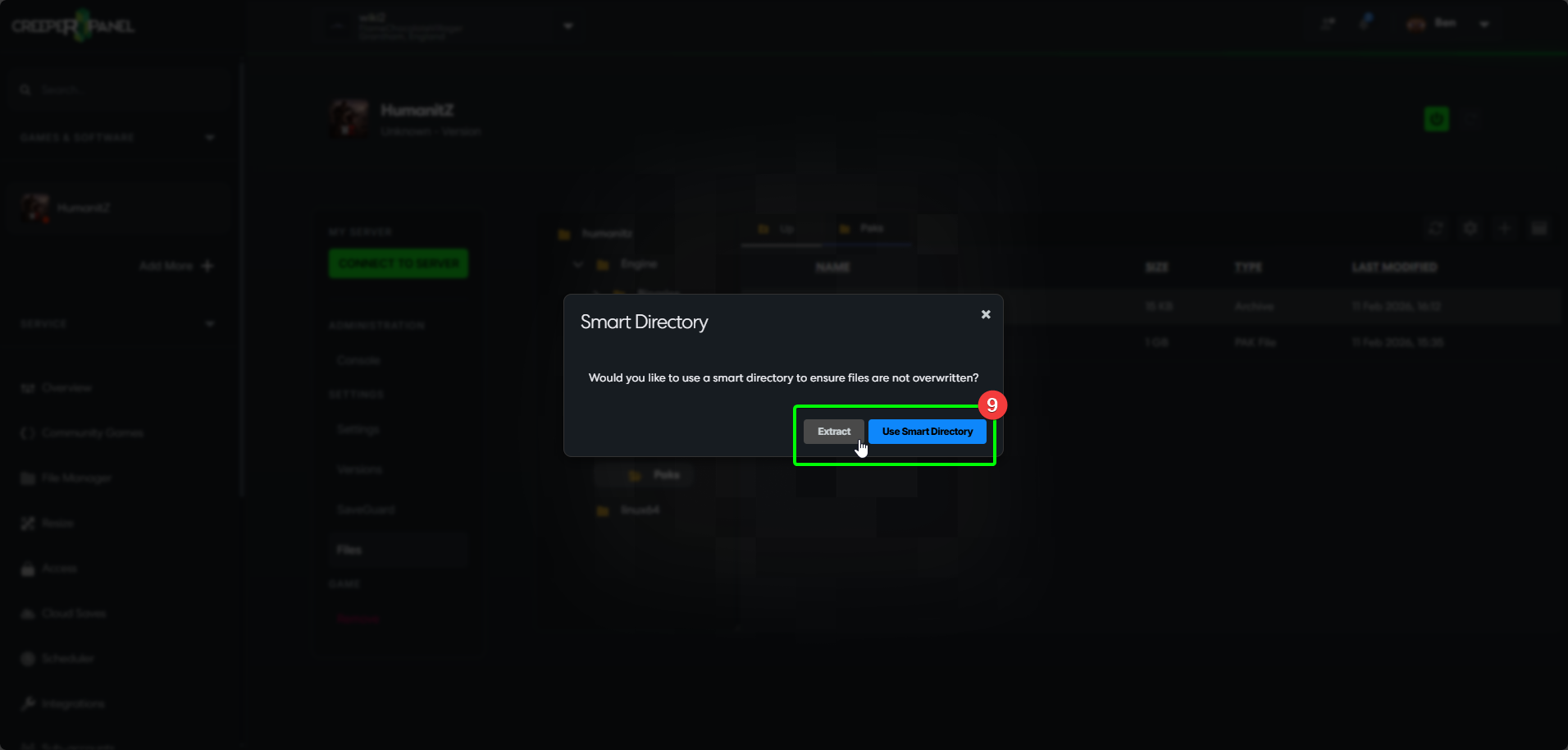
- Select
Extract, orUse Smart Directoryif there are existing files that could be overwritten.
- You should now see the extracted file or Smart Directory in your destination folder. You shouldn't need the
.ZIParchive, so it can be deleted. - Right-click the
.ZIParchive, then - Select
Delete.
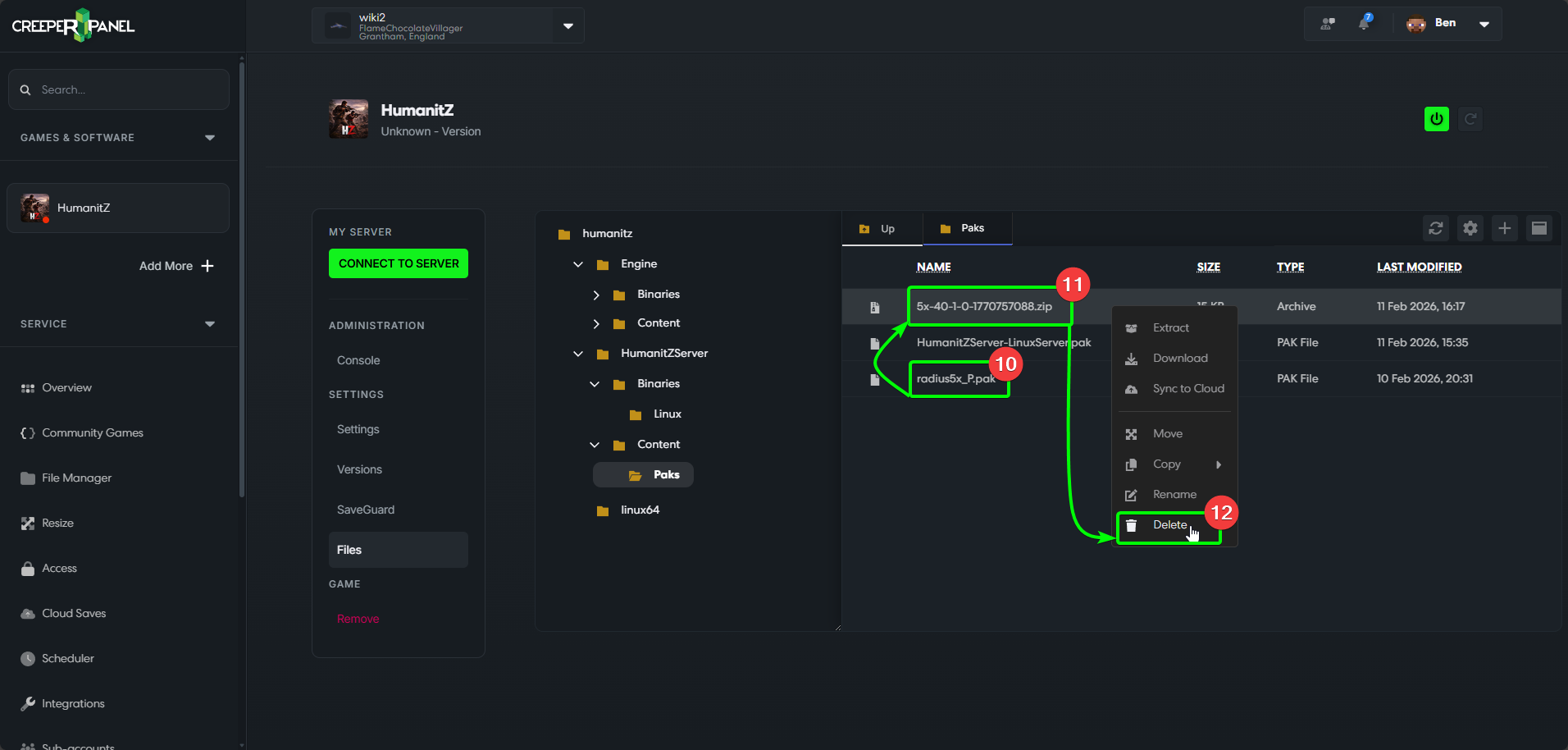
That's it! Your mods have been uploaded, and you should be free to start your server. Remember to follow the author's installation instructions for each mod!