Connecting to your HumanitZ server
info
Before attempting to connect to your server, first ensure your instance is switched ON.
Now you've got HumanitZ set up, it's time to dive in and face the horde! To get connected, we'll need your server's IP address, so:
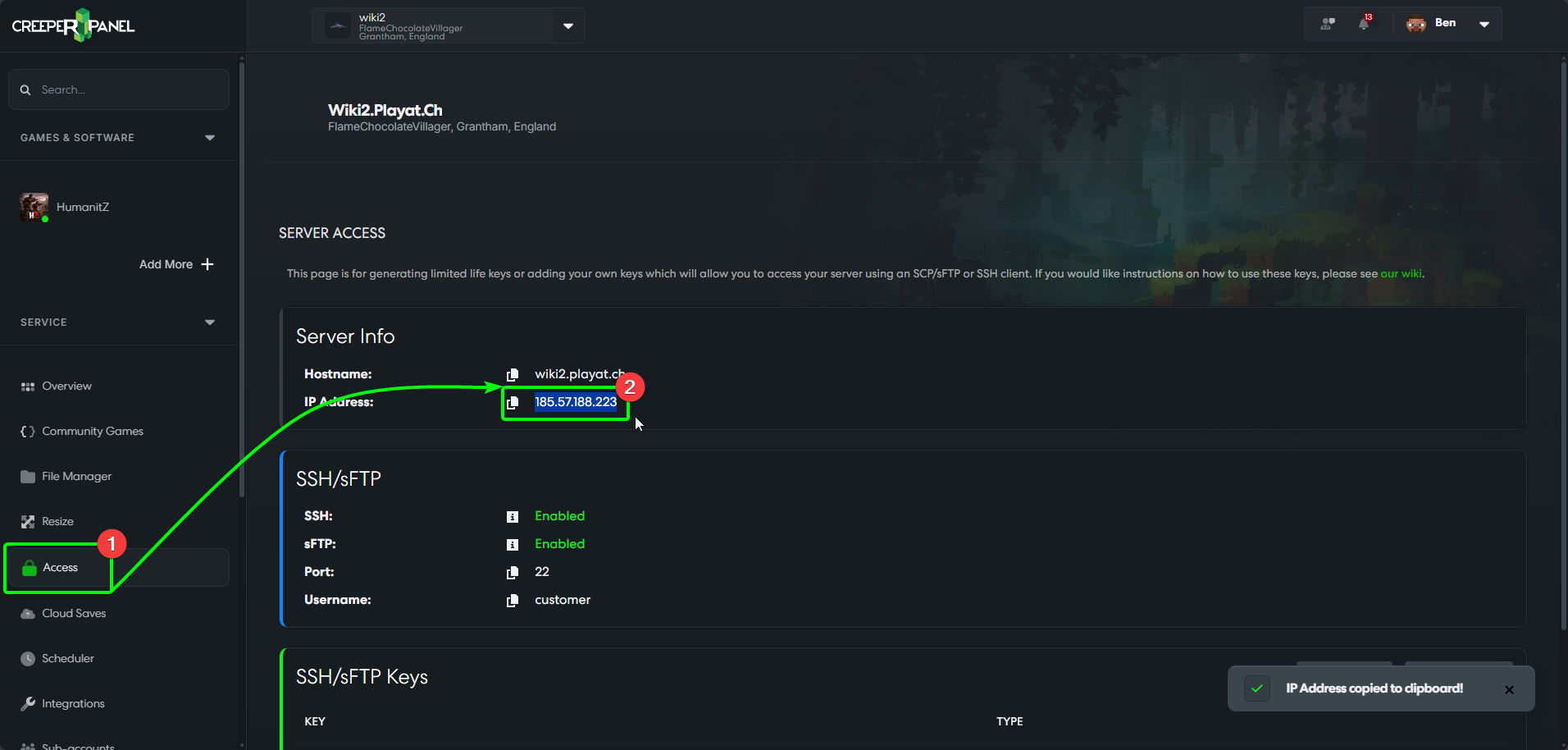
- On the CreeperPanel, select
Accessunder theServicetab - this will take you to your server's Access page. - Under
Server Info, you'll see theIP Addressfield. You can either manually copy the address, or click the copy icon to the left of the IP.
If you haven't already, open HumanitZ. Once the game has loaded to the main menu:
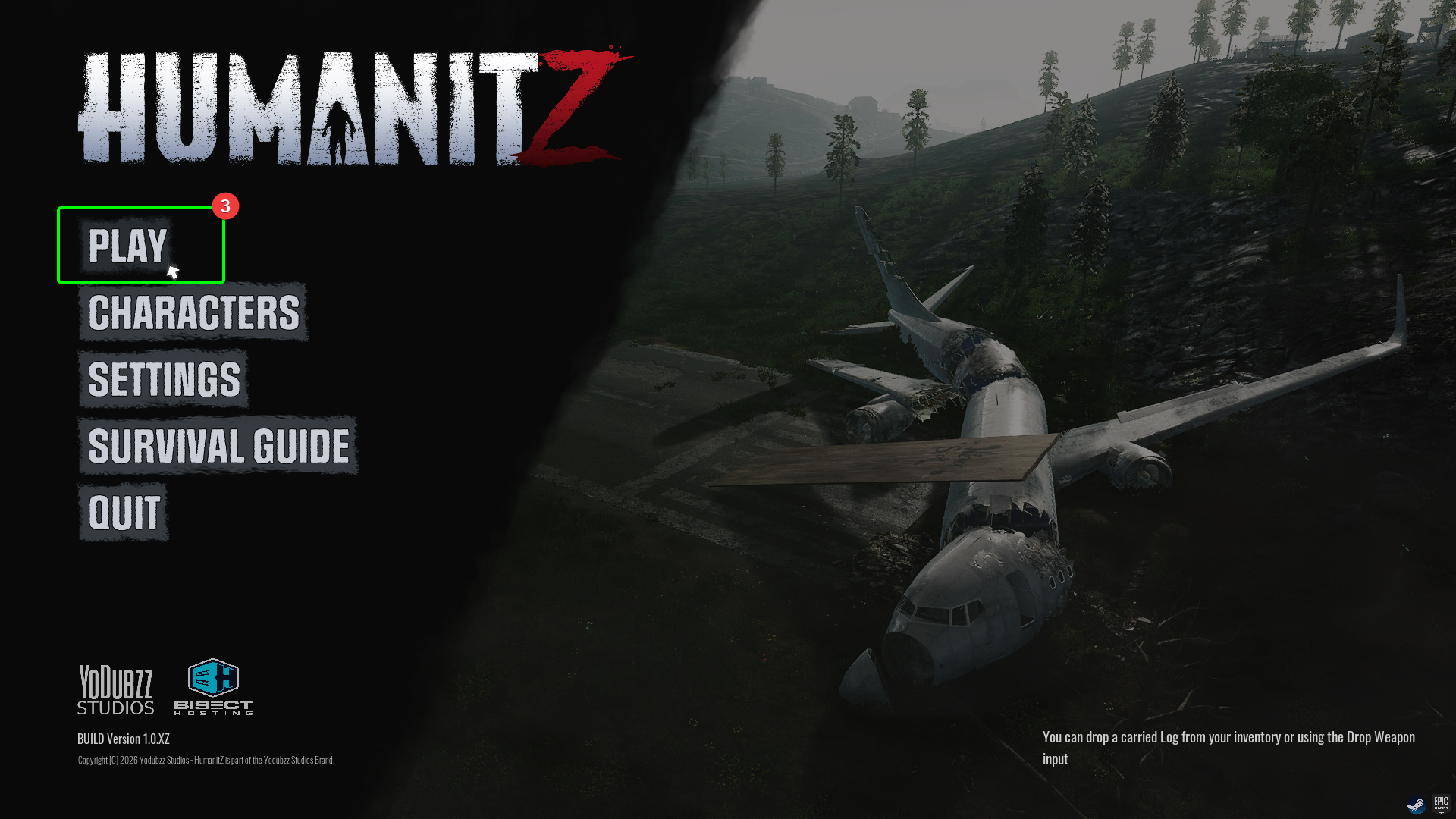
- Select
Play.
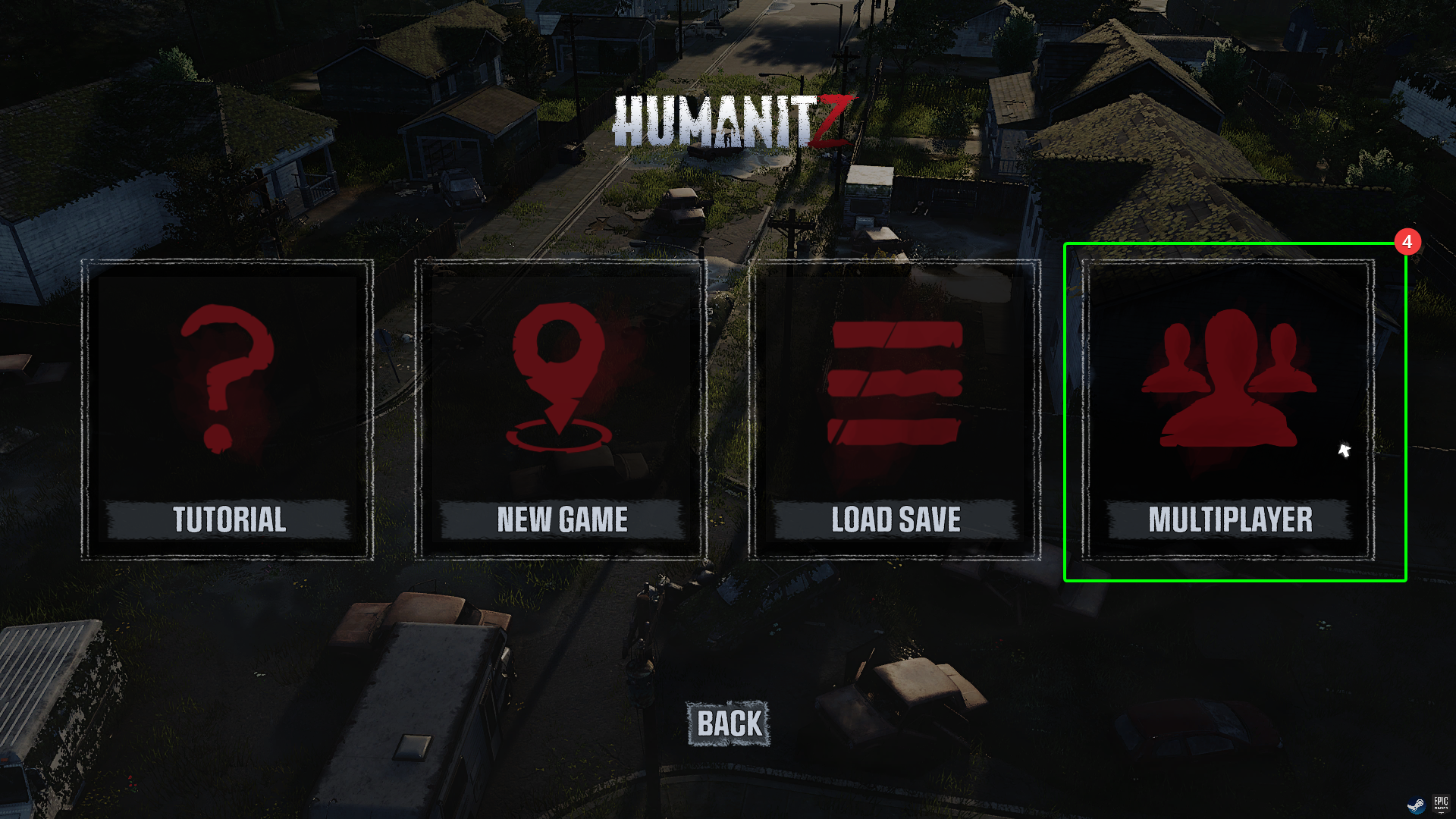
- On the next screen, select
Multiplayer
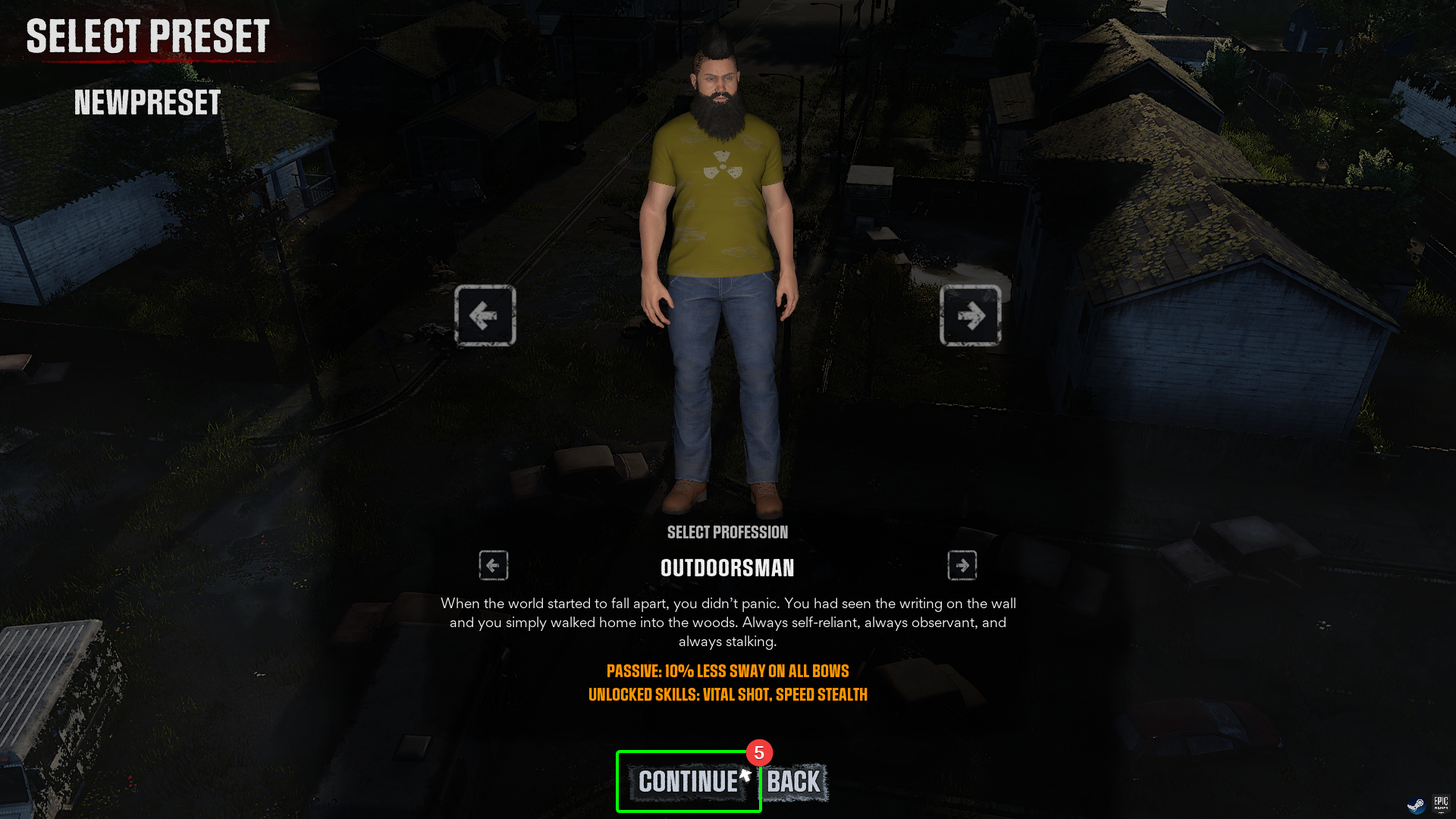
- Choose the character you wish to play with, and select
Continue. If you have yet to make a character, you will do so before this screen. Select your character's profession and affliction.
- On the next screen, select
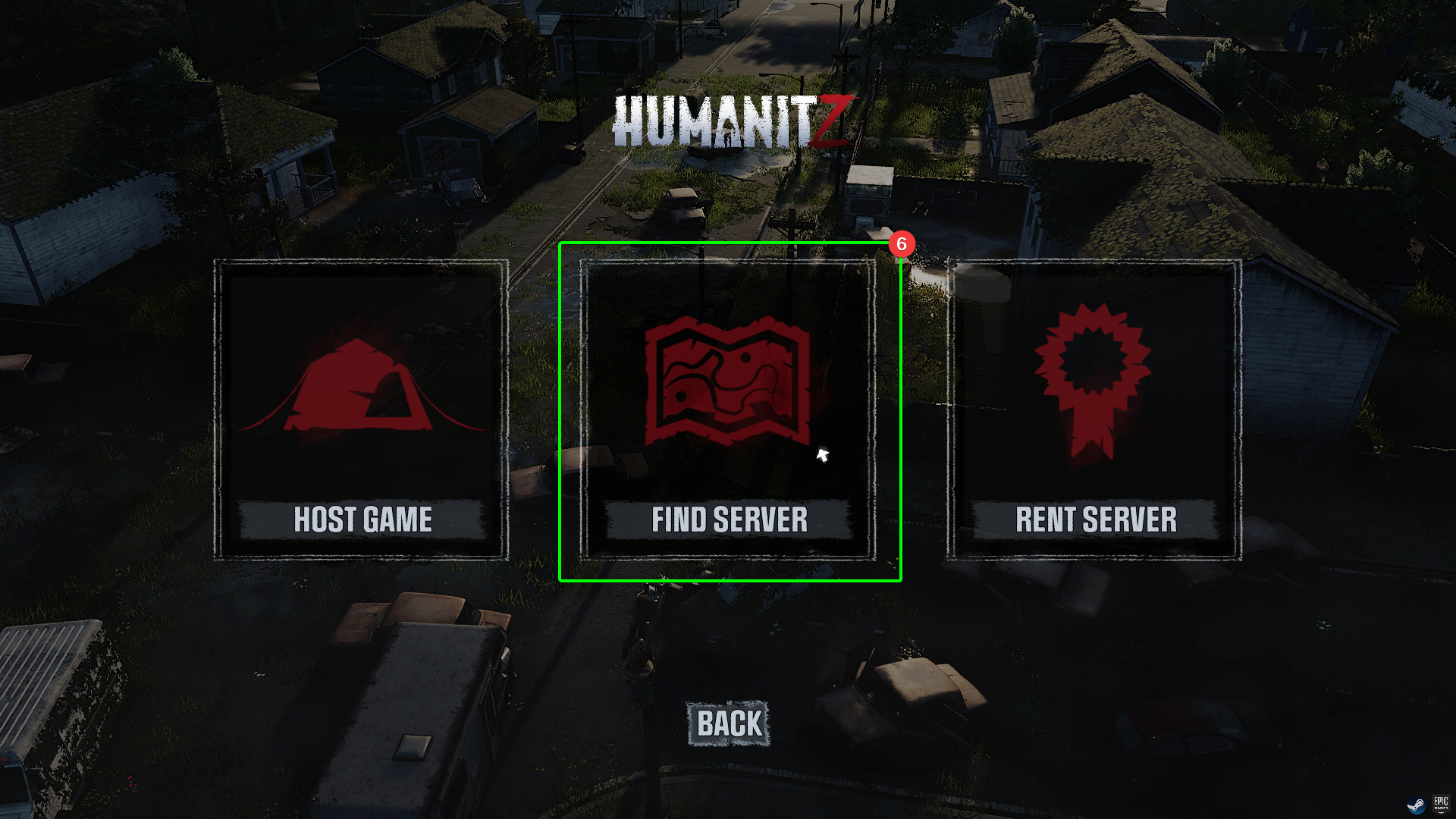
Find Server.
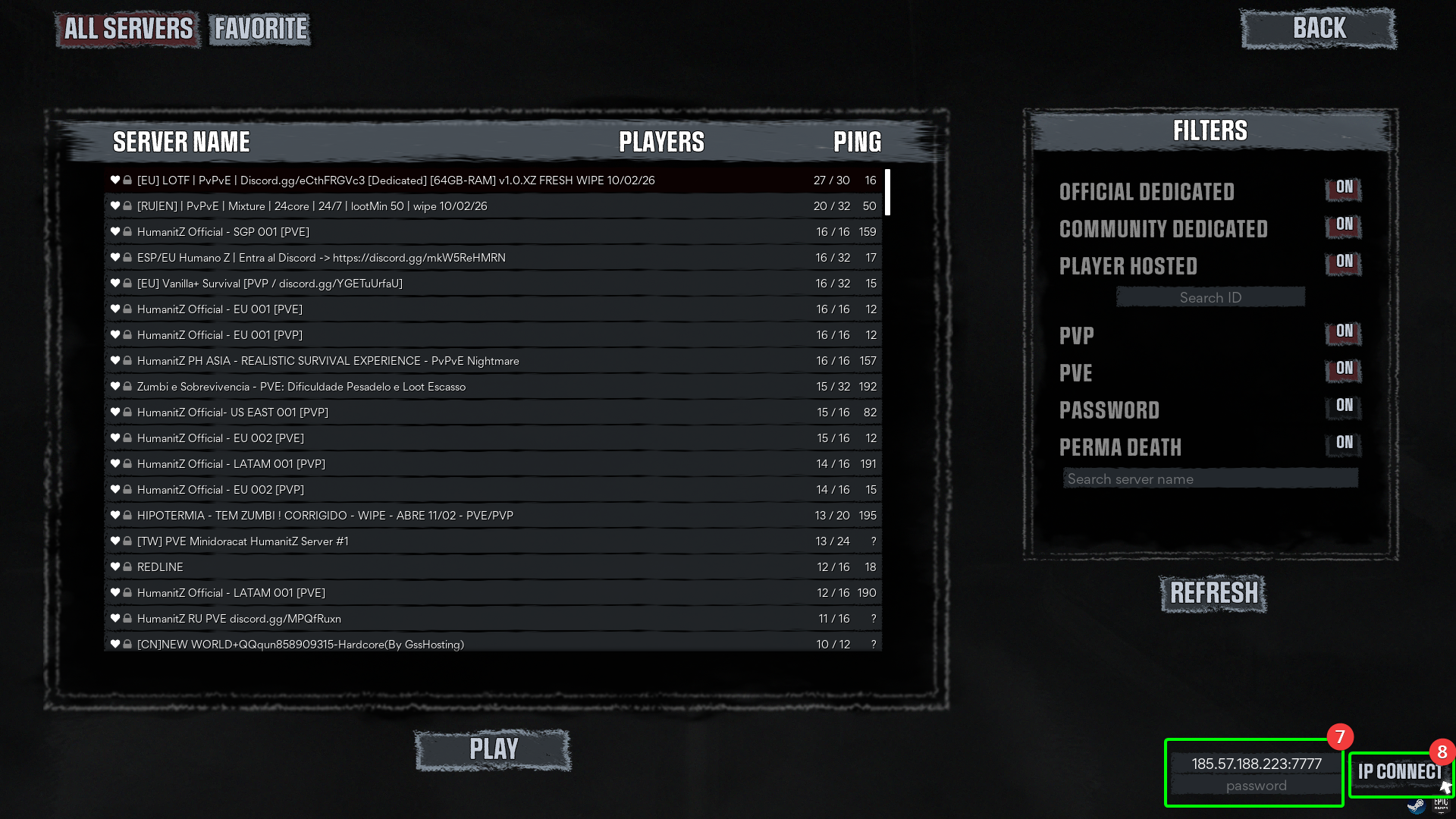
- In the bottom right, you will see a field to enter your IP and server password. Paste the IP address in the correct field, and add the port number (the default is
7777). Your field should look something like123.456.7.89:7777. Enter your password if you have set one. - Click the
IP Connectbutton - you should load into your server!
That's it! Now you can get stuck in to surviving your post-apocalyptic adventure! Enjoy!