Installing HumanitZ on your CreeperHost Server
Installing HumanitZ on the CreeperPanel is far less of a bother than throwing hands with a couple of Zeke! To get started:
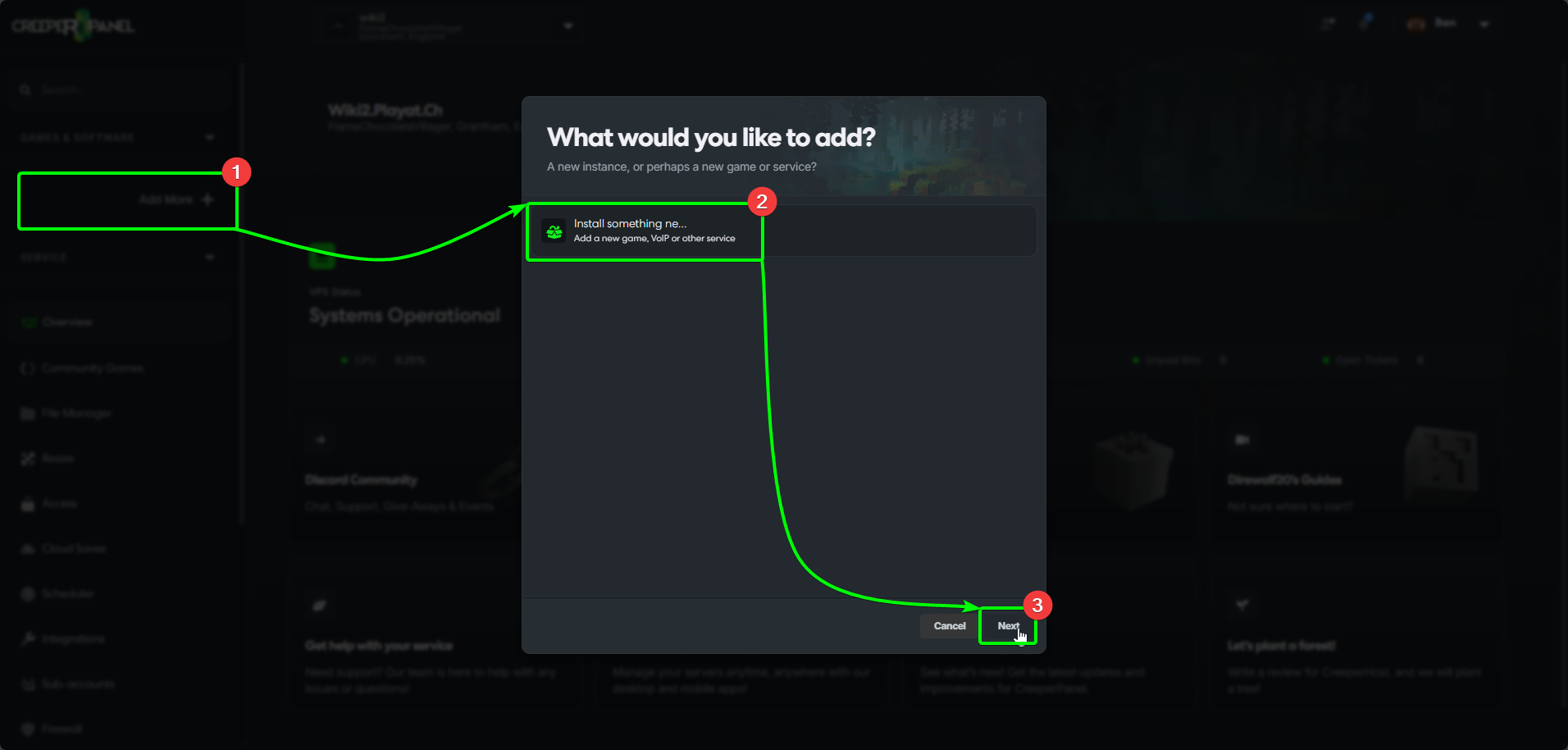
- Select
Add more +in the CreeperPanel's sidebar. - Select
Install something new, then, - Click
Next.
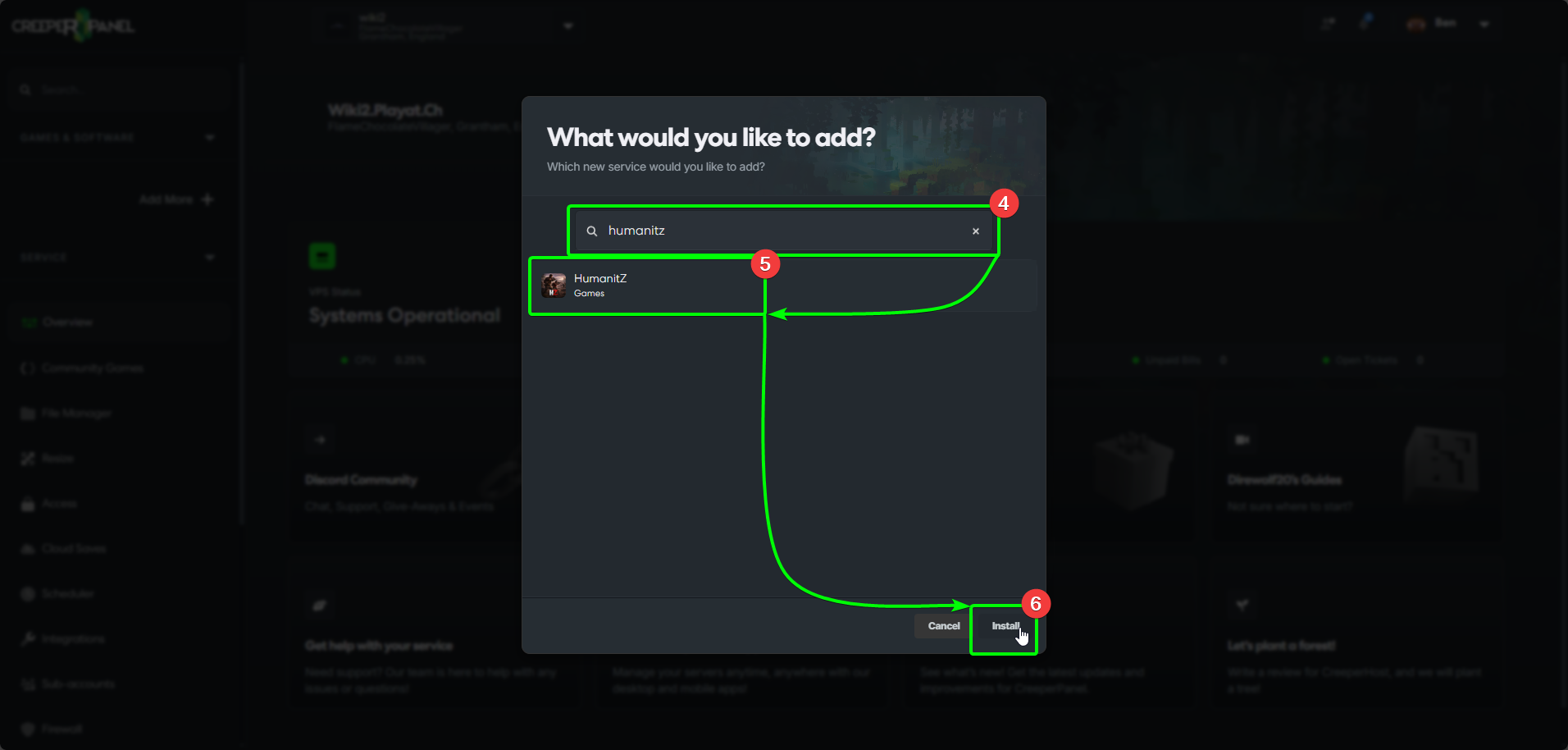
- Search for
HumanitZin the search box. The Panel will filter your search as you type. - Select
HumanitZfrom the list, then - Select
Install.
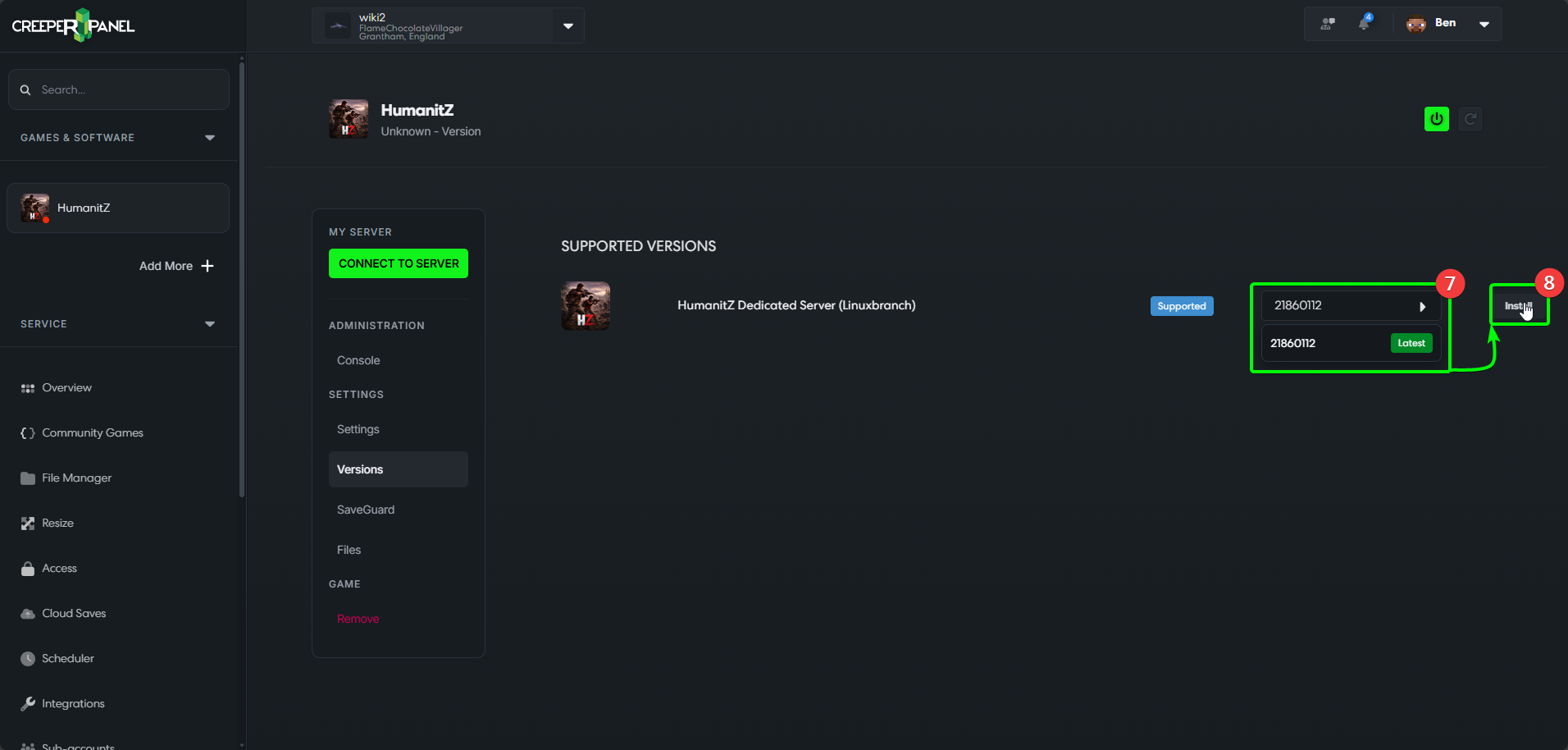
- Open the
Versionsdrop-down list, and select the version you wish to install. - Select
Install.
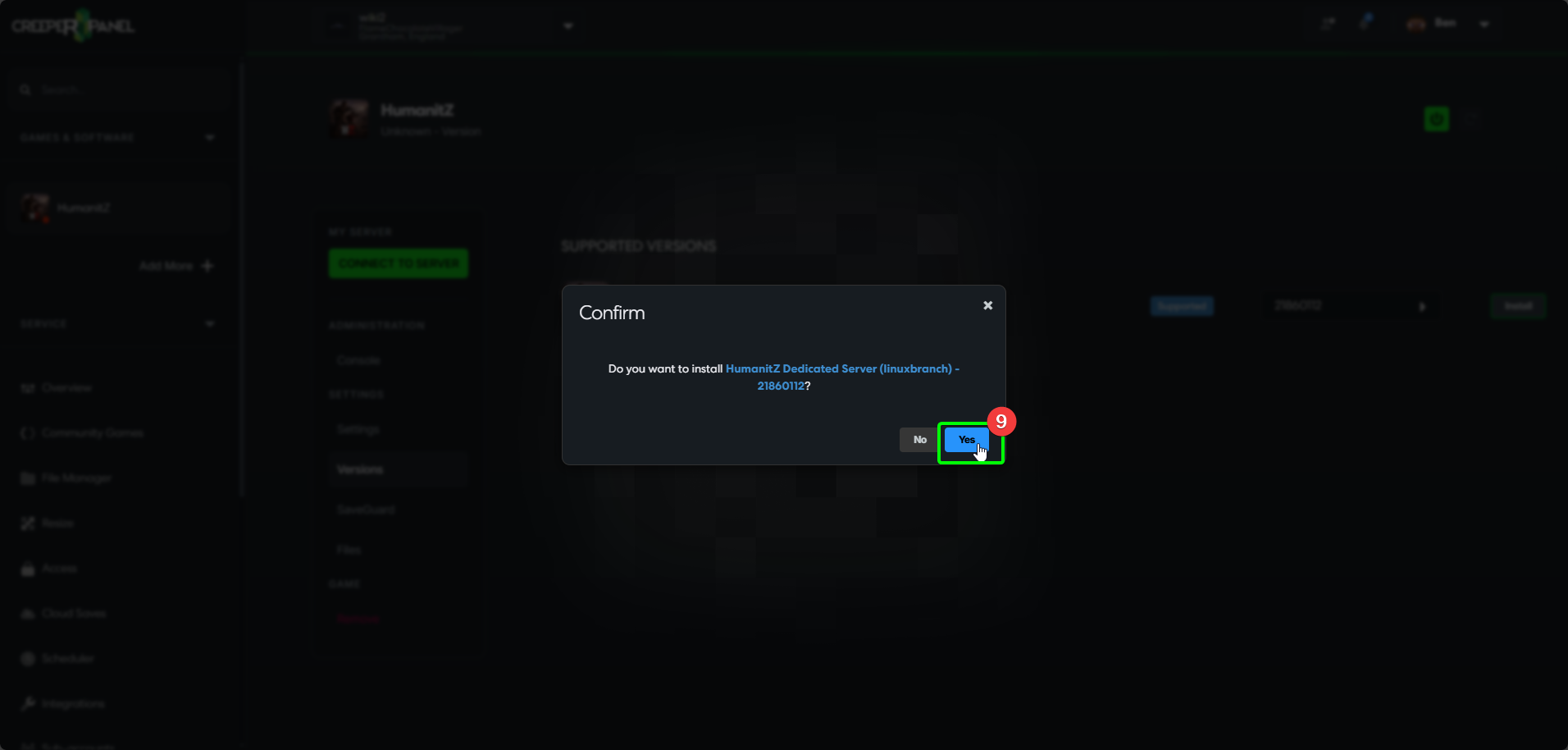
- Finally, select
Installin the confirmation box. The Panel will install the version you have selected. You are free to continue using the Panel whilst the installation takes place.
All done! Once the Panel has wrapped up installing HumanitZ, you can start configuring your settings, adding mods, or get stuck right in!