Changing settings for your Factorio instance
To get started changing the settings for your Factorio instance:
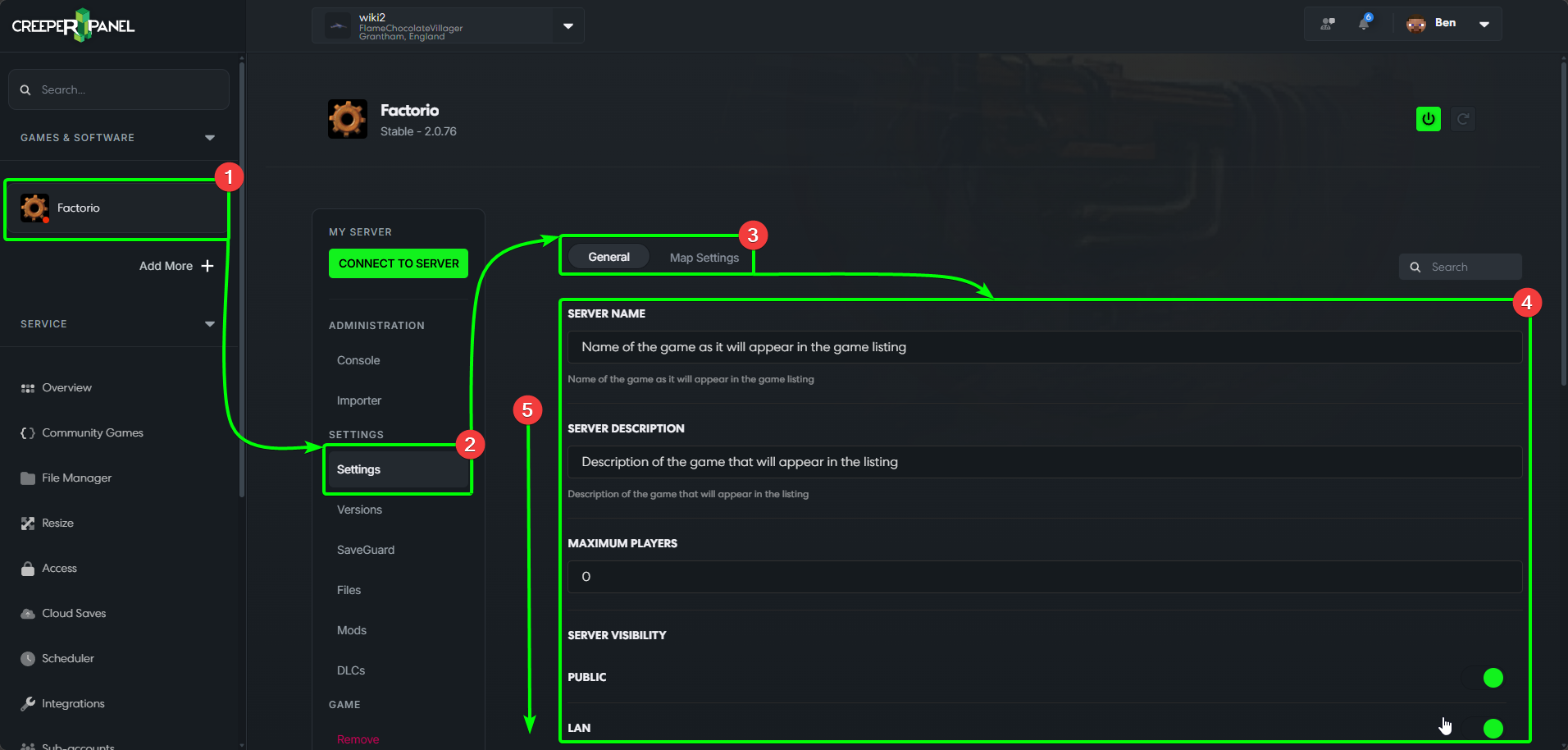
- Select your Factorio instance in the CreeperPanel's side-bar.
- Select
Settings, found underSettingsin the sub-menu. - You'll load into the
Generaltab by default. - You'll see the available settings in the main window, such as server name and port settings.
- You may need to scroll down to see all available settings.
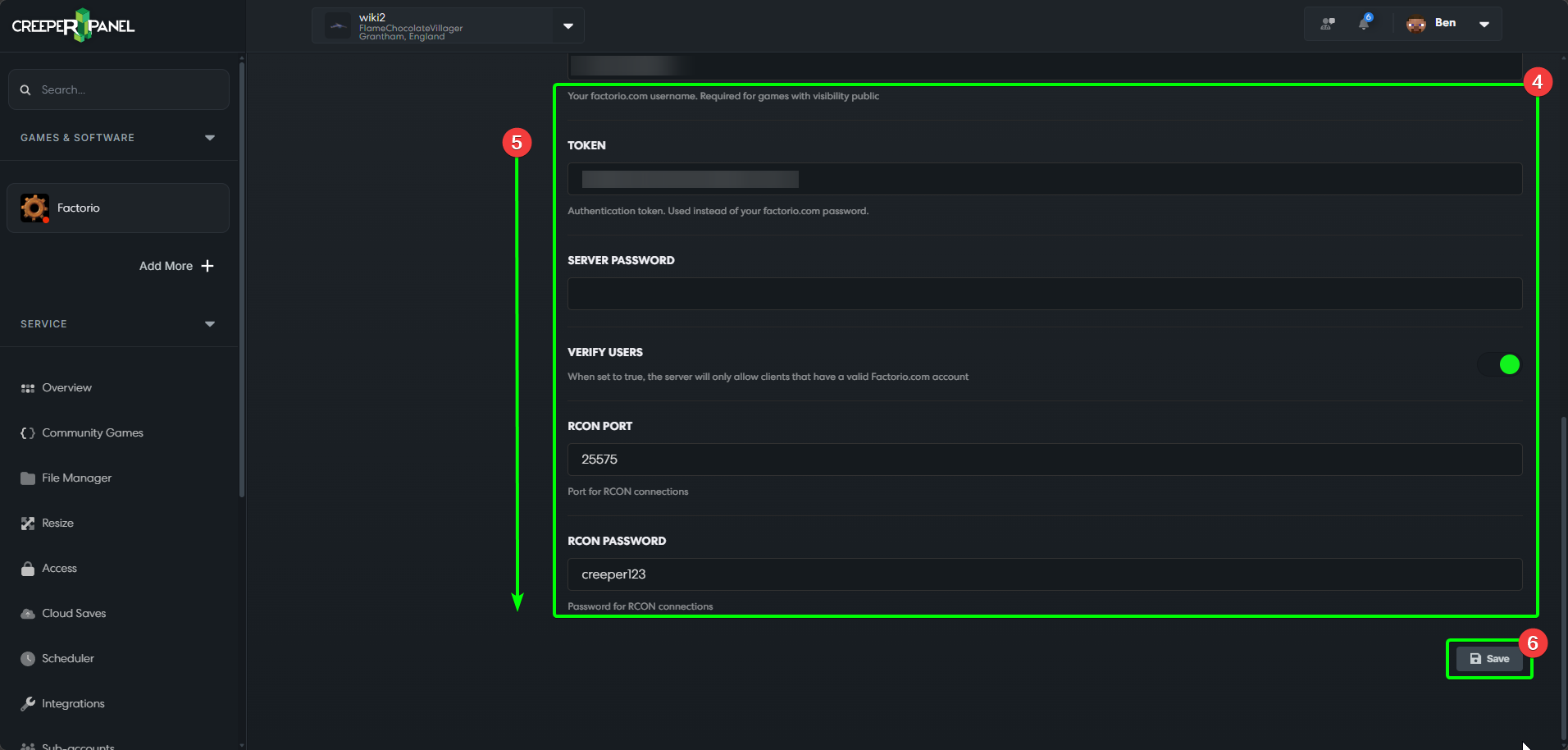
- You'll find the
Savebutton at the bottom of the tab - remember to save any changes before navigating away from the tab.
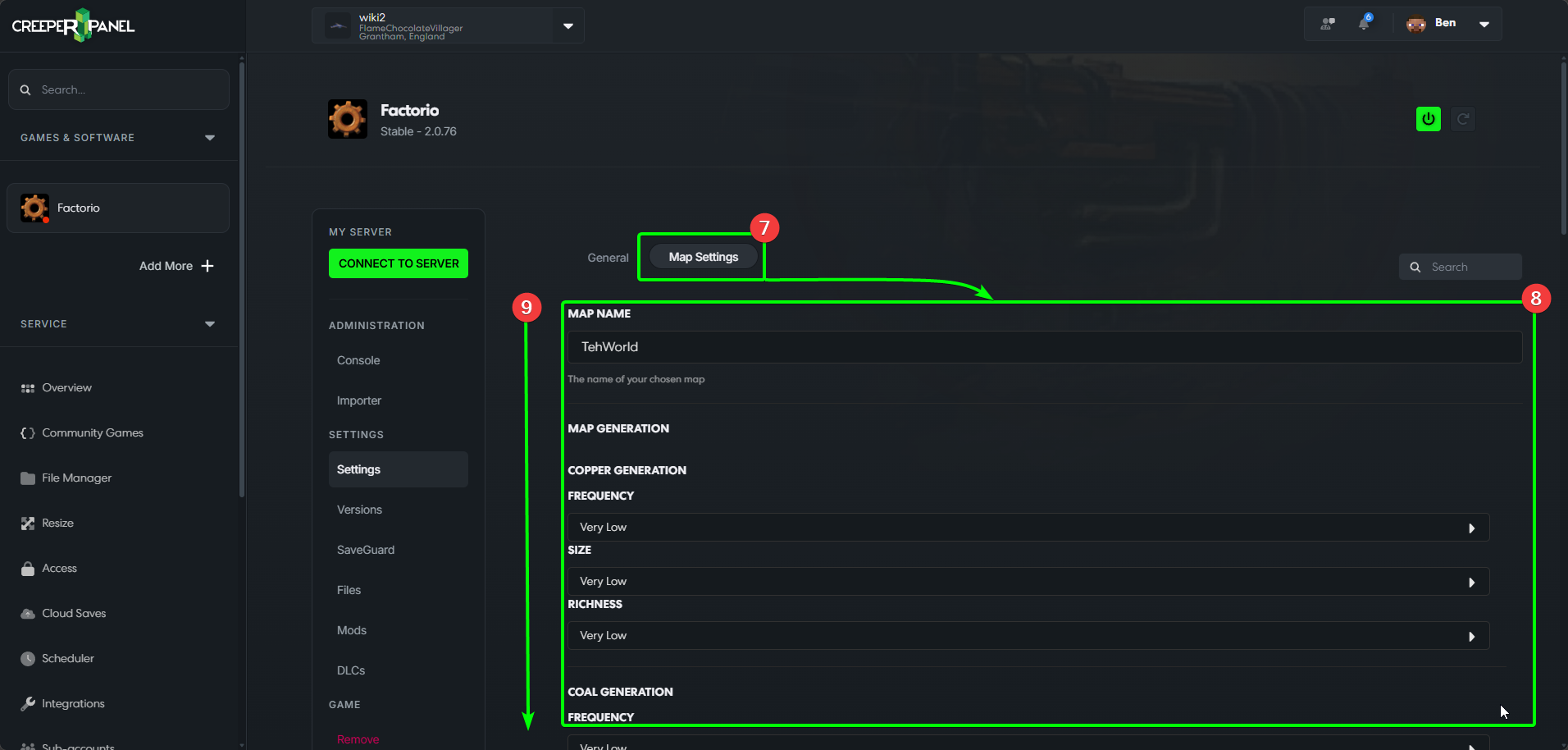
- Selecting
Map Settingswill take you to the Map settings tab. - You'll see available settings in the main window, such as resource and hostile base generation settings.
- Scroll down if you don't see all the options immediately.
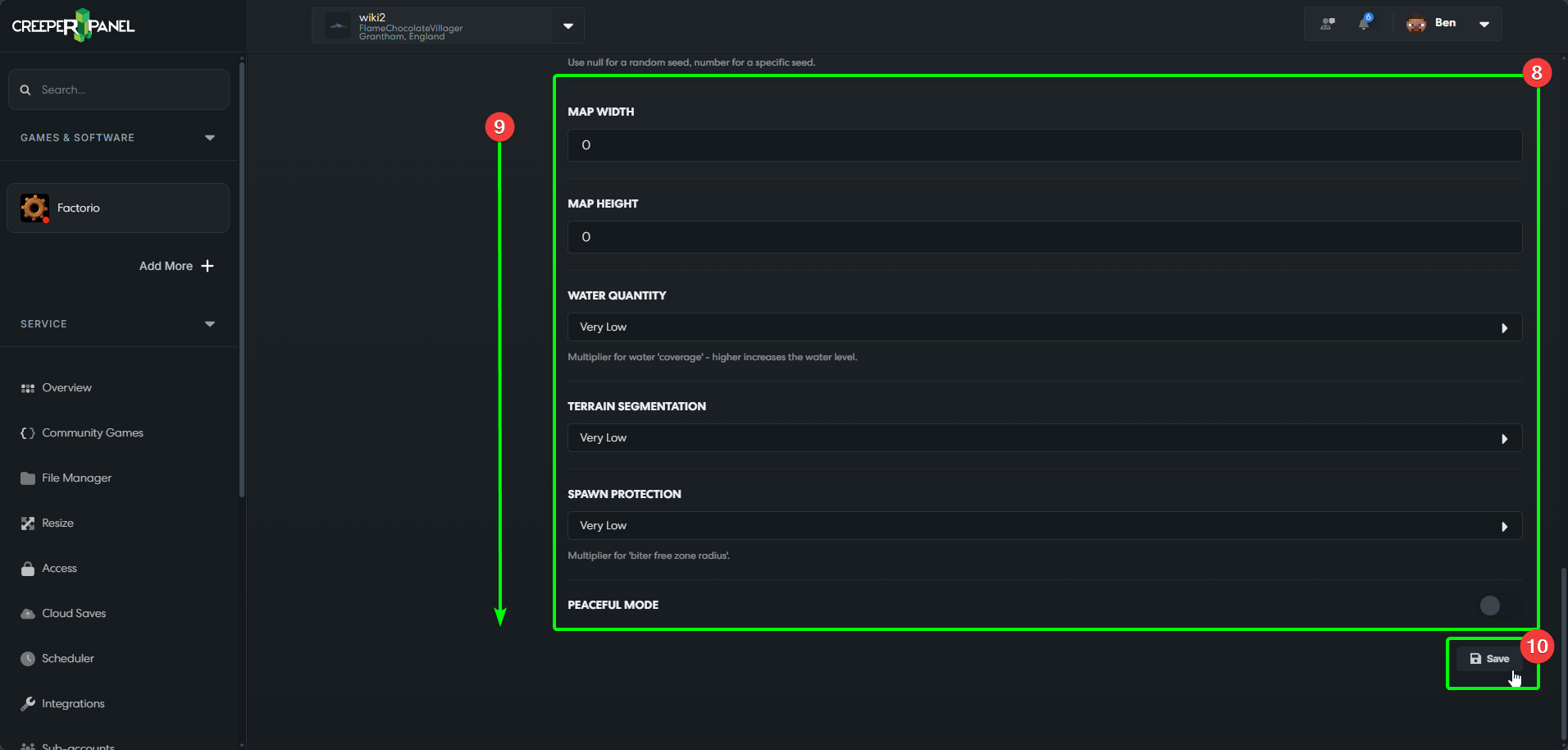
- Remember to save any changes before navigating away from the tab!
That's all there is to know for your available server settings! Time to start your server and get building your factory!