Making your server public (Adding token)
To make a Factorio server public, you will need to set a username and an authentication token. This will allow your server to be displayed in the public server list in game. The guide below explains getting an authentication token, and setting your server up to use the token.
Getting your authentication token
There are 2 ways of getting an authentication token, you can either log in to https://factorio.com/, or go to %appdata%\Factorio\player-data.json. We will go over both methods in this guide.
Using Factorio.com
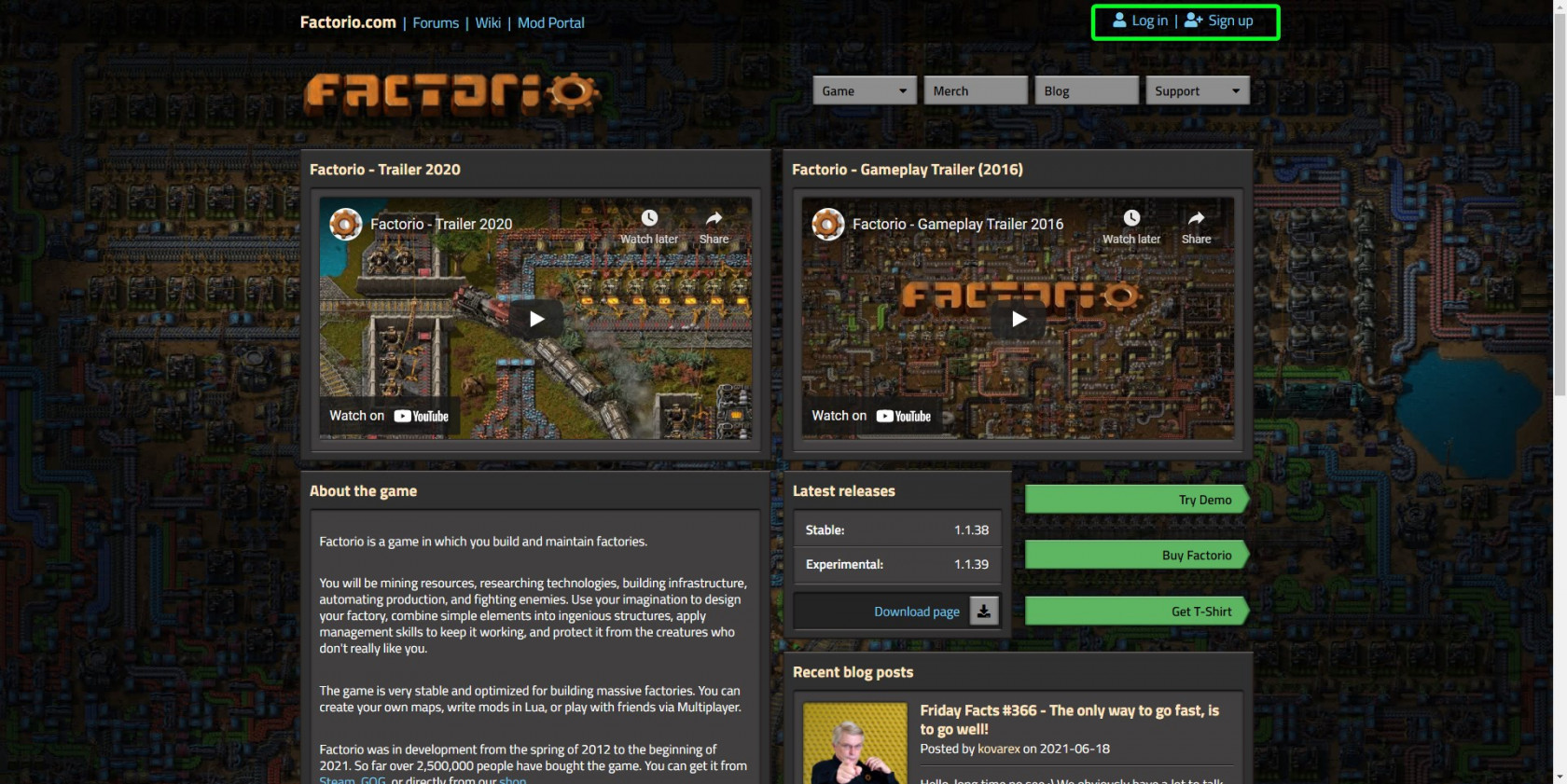
- Go to https://factorio.com and click on
LoginorSign Upin the top right. If you have an account, log in. If not, selectSign Up, and follow the account creation process.
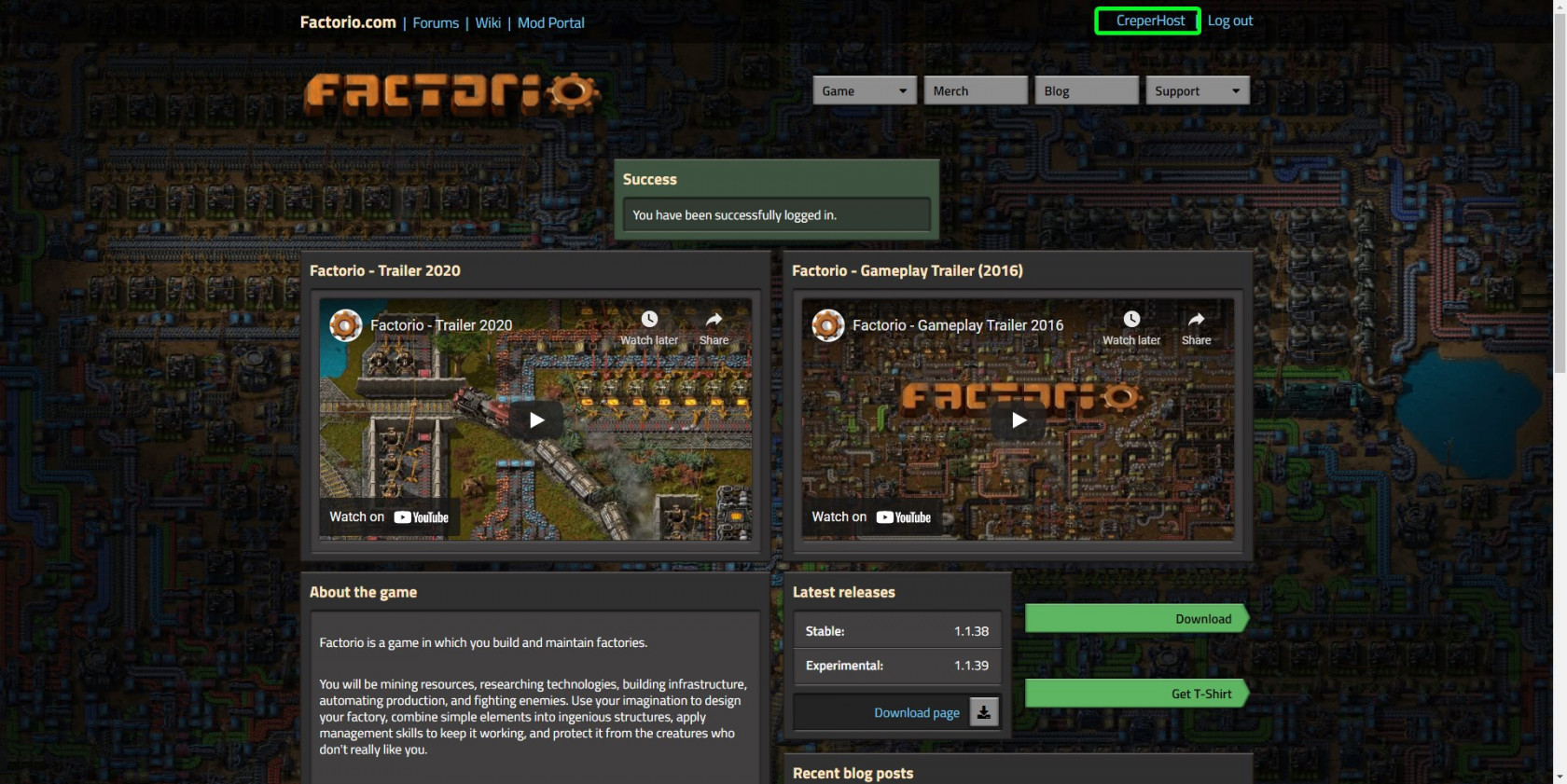
- In the top right of the page after logging in, you will see your username. If you click on it, it will take you to your profile.
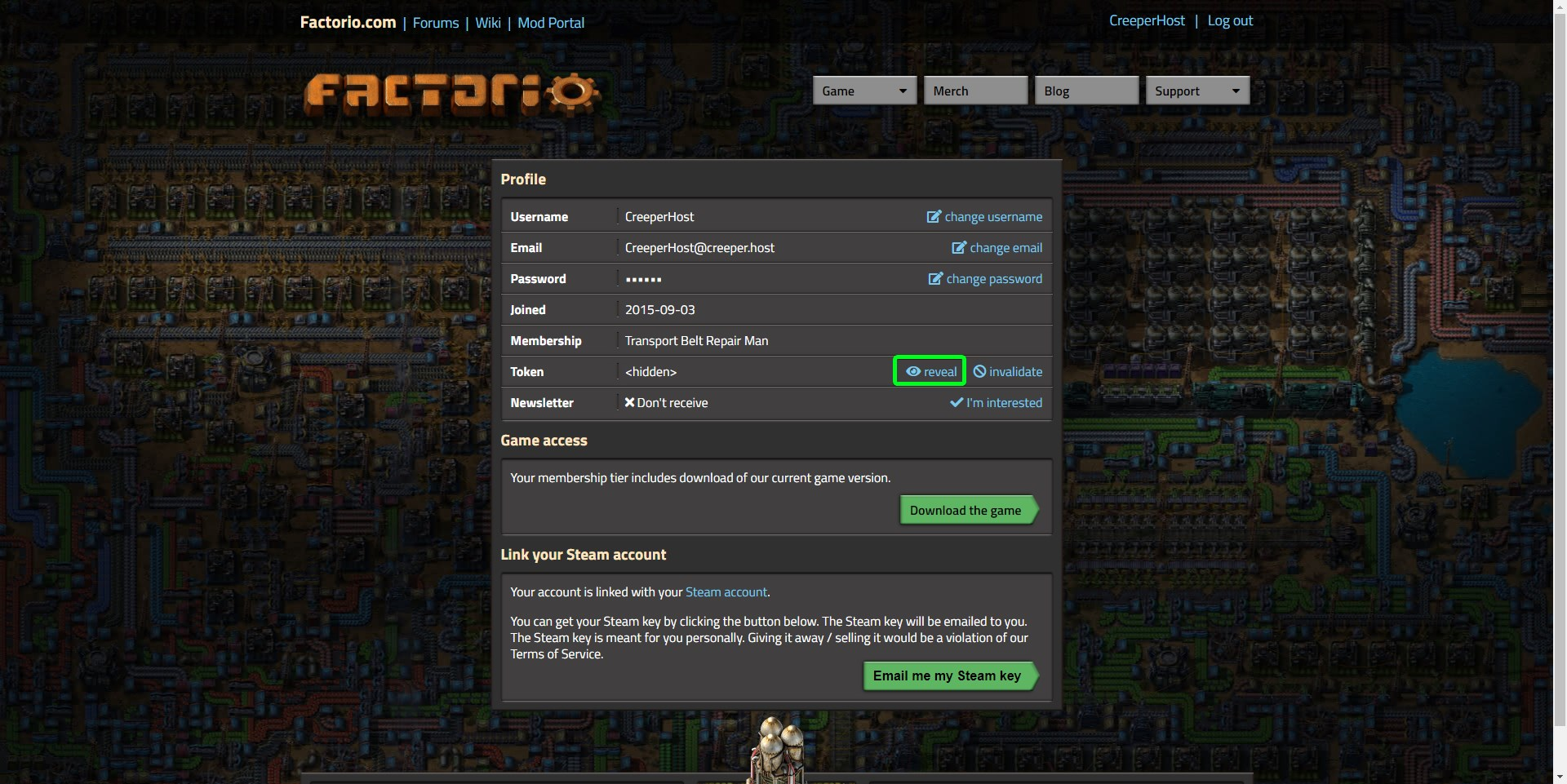
- You will now see your account details, and a token that's displayed as
<hidden>. click onRevealto the right of<hidden>.
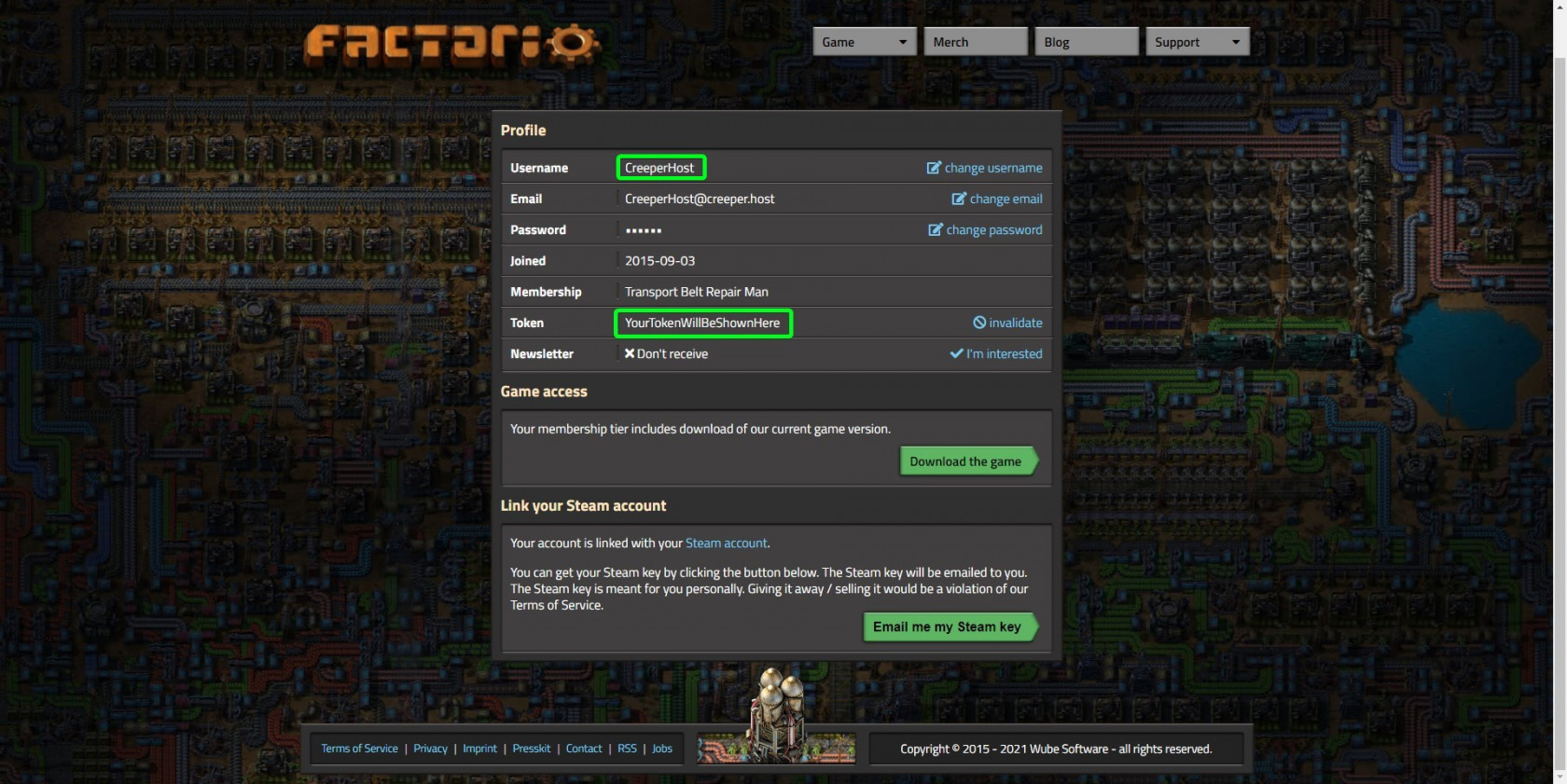
- Now your token will be displayed to you; copy the token then paste it somewhere safe. Next, copy your username and paste it somewhere safe, as we will need these again.
You can now skip to the "Setting your username and token" section of the guide.
Using the player-data.json
-
On your computer go to
%appdata%\Factorio. -
Locate the
player-data.json, and open it with Notepad (or similar). -
Find
service-token, then copy and paste it to somewhere safe. We will need this later. -
Find
service-username, and copy and paste it somewhere safe. We will need this later too.
You can now move on to the "Setting your username and token" section.
Setting your username and token
-
Login to https://creeperpanel.com/, then click on your
Factorioserver. -
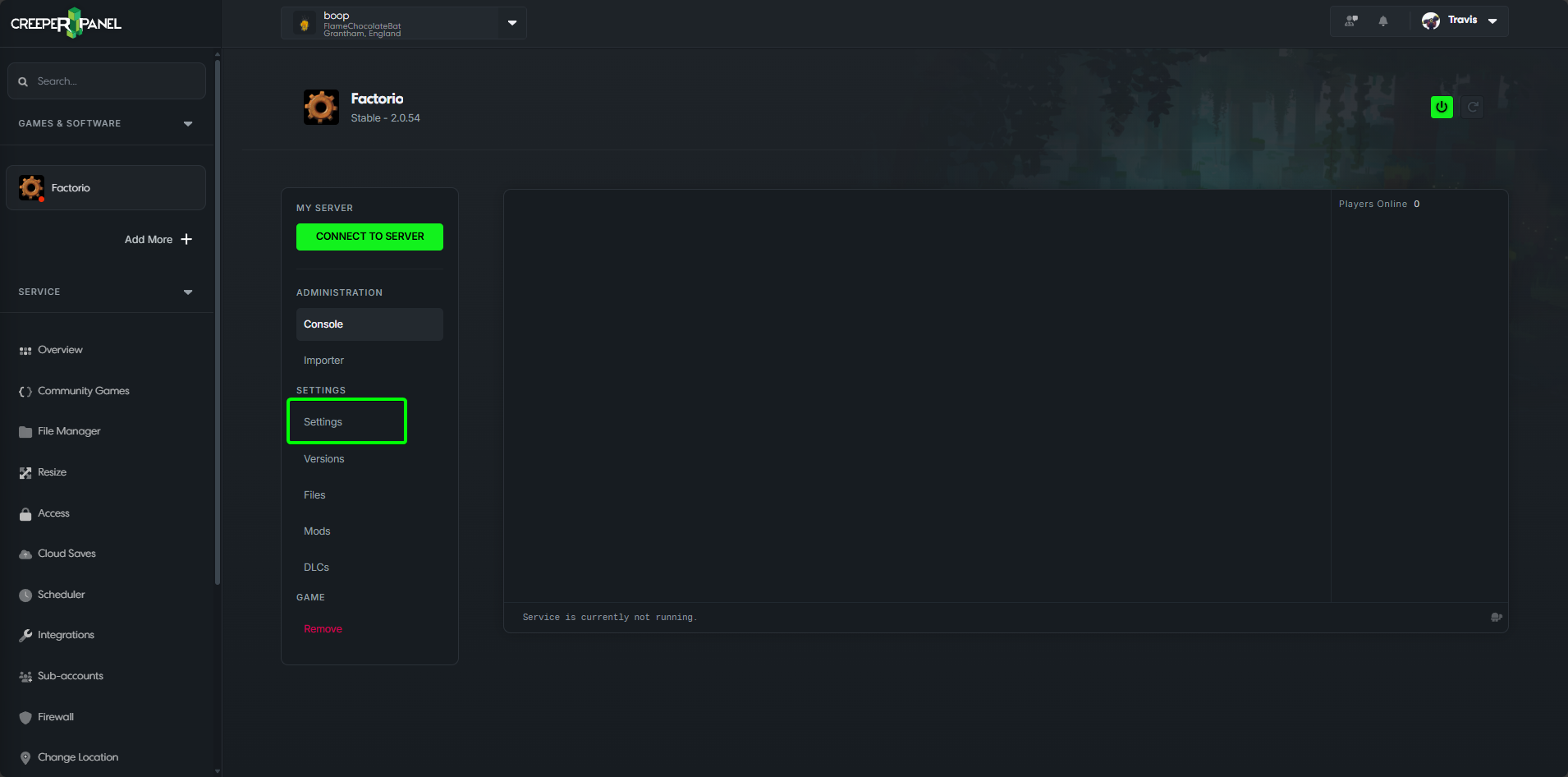
Click on
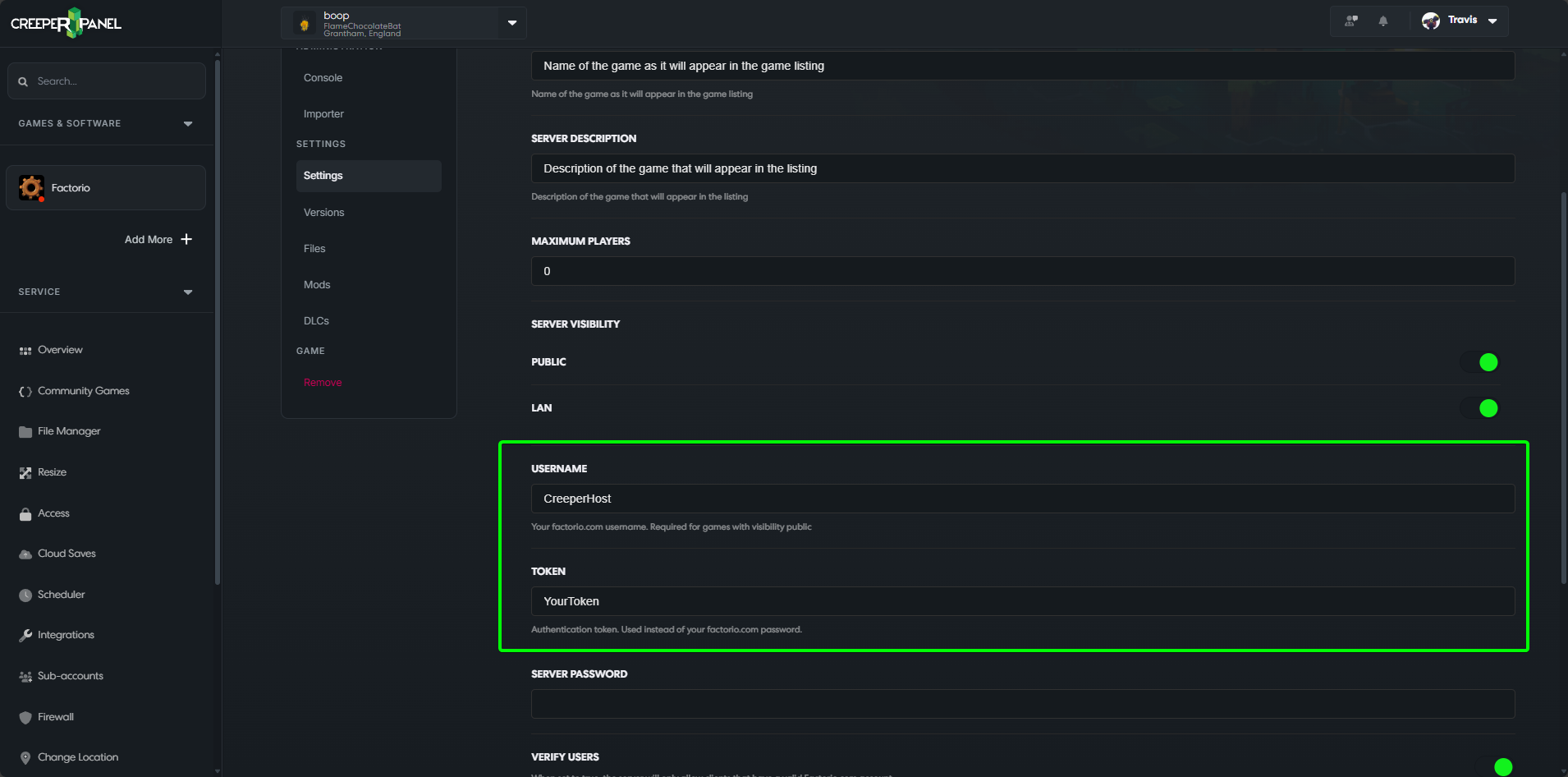
Settingsand scroll down until you seeUsernameandToken.
- In the
Usernamebox, enter the username you copied from the previous step. In theTokenbox, enter the token you copied from the previous step.
- Click
Save, and restart your server.