Modifying settings for your Terraria instance
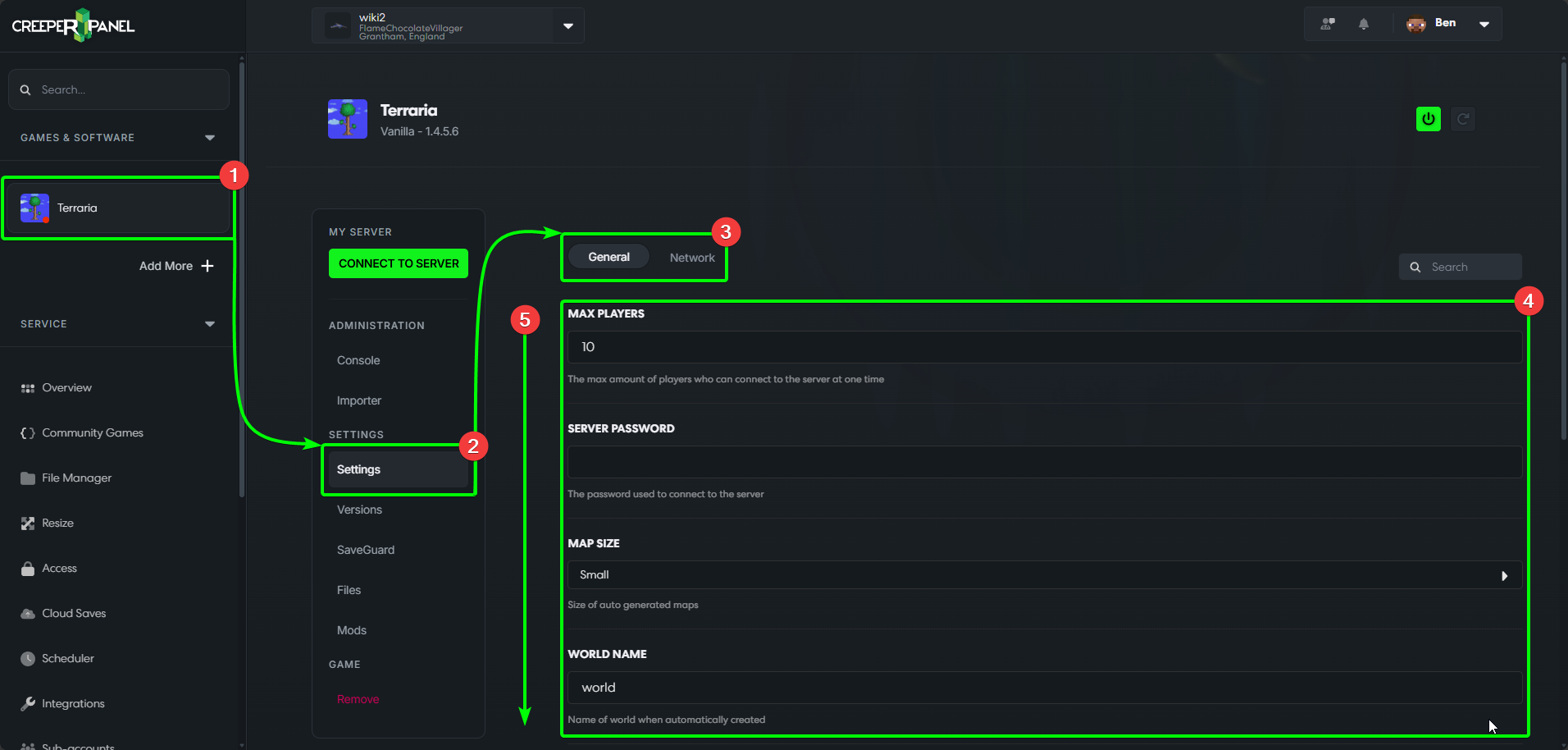
To get started customising your Terraria experience, first:
- Select your Terraria instance in the CreeperPanel's side-bar, then
- Select
Settings, found underSettingsin the sub-menu. - You'll be taken to the
Generaltab by default - this section contains general server and map settings. - The available settings will be shown in the main window.
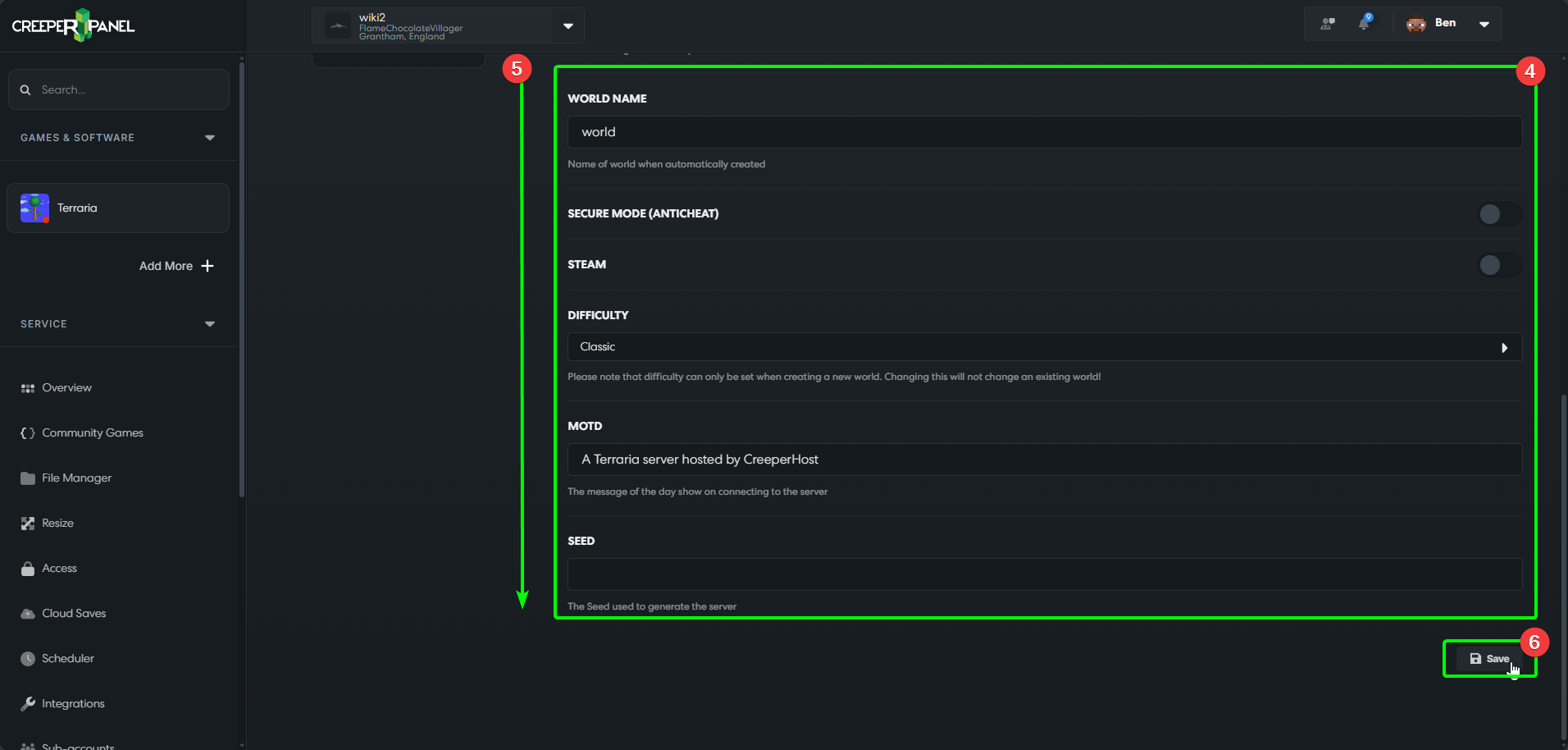
- You may need to scroll down to see all available settings.
- Before navigating away from the tab, remember to save your changes using the
Savebutton - if you don't save before leaving, your changes won't persist.
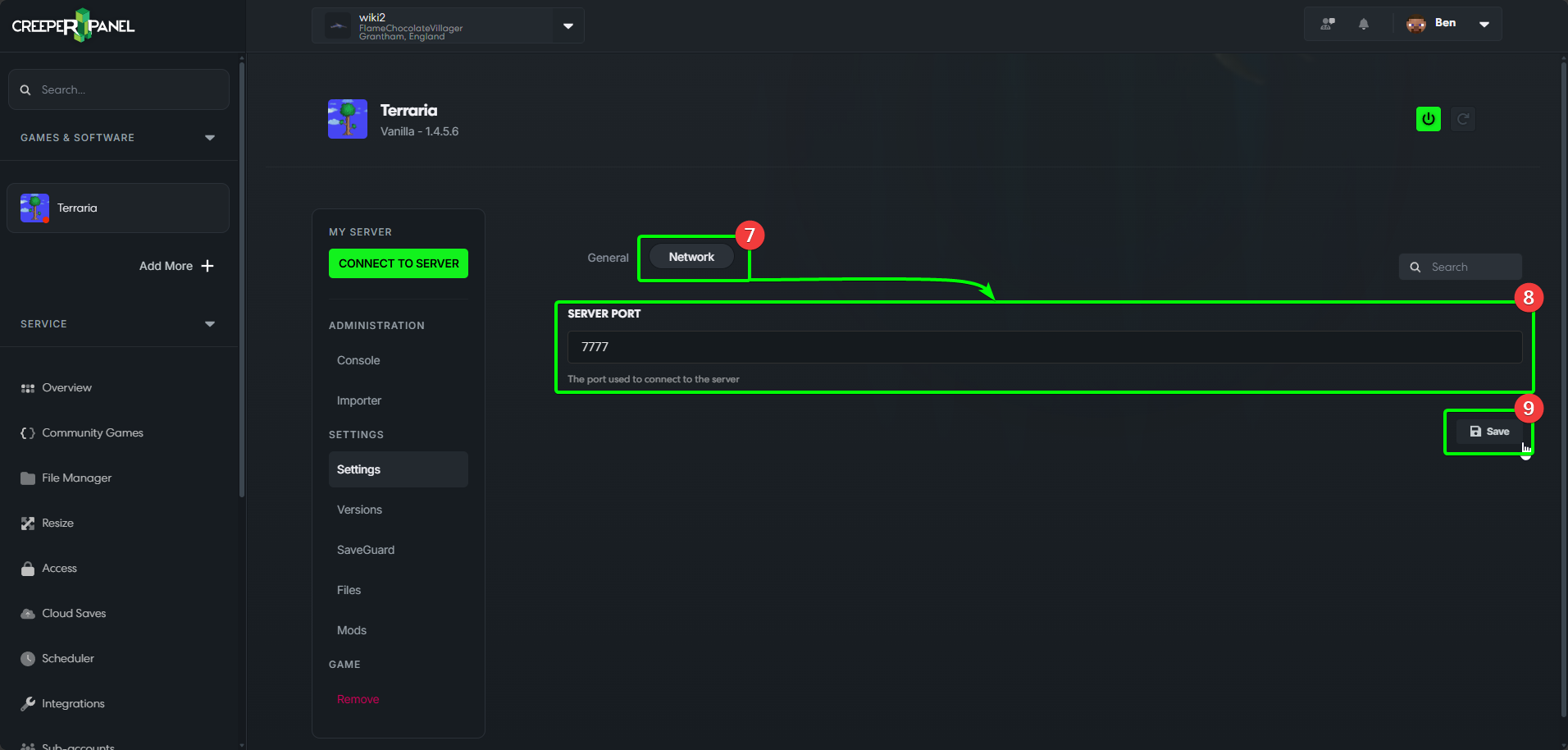
- Selecting the
Networktab to view the network settings. - Here you can change your port number to something other than the default.
- Don't forget to save your changes!
To bring an existing save to the server, follow Importing a Terraria world. For tModLoader, see Managing Terraria mods.