Changing your Starbound instance Settings
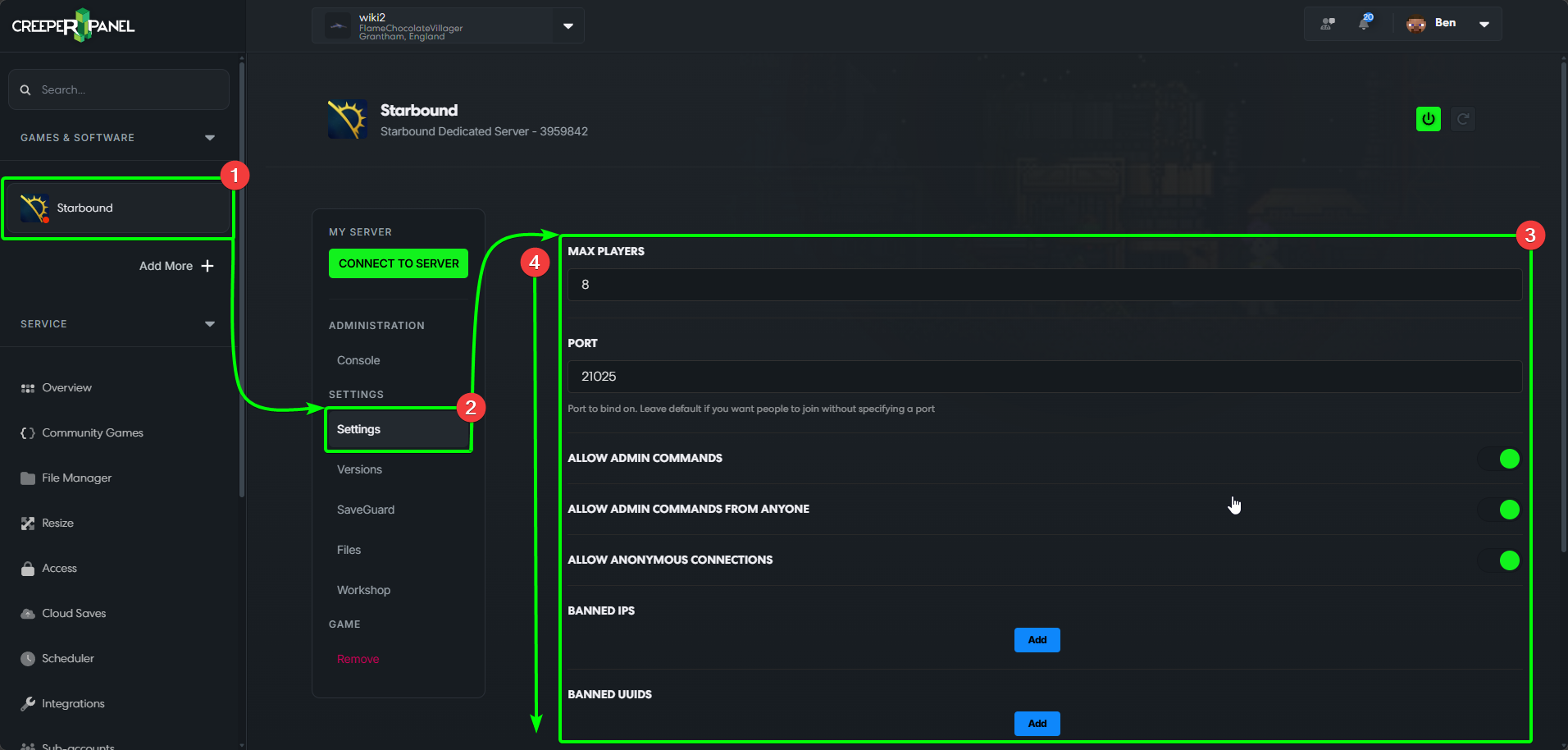
To change your Starbound instance settings,
- Select
Starboundfrom the CreeperPanel's sidebar, then, - Select
Settingsin the instance's sub-menu. - You'll see the settings in the main window.
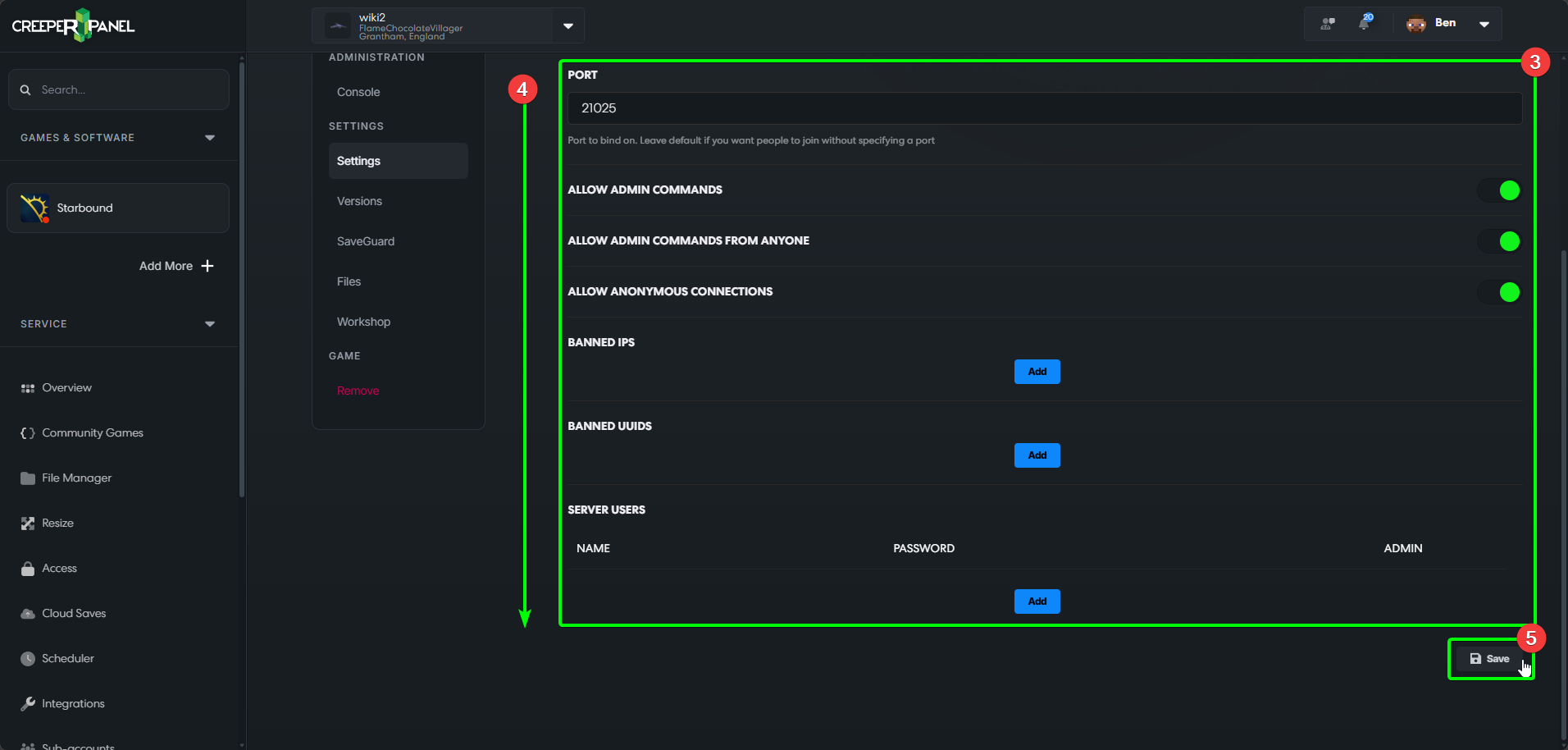
- You may have to scroll down to see all available settings.
- Remember to save your settings by selecting the
Saveicon, else your changes won't persist.
Remember to check back for any new settings that may arrive on the Panel!