Changing your Soulmask instance Settings
To change your Soulmask instance's settings, first:
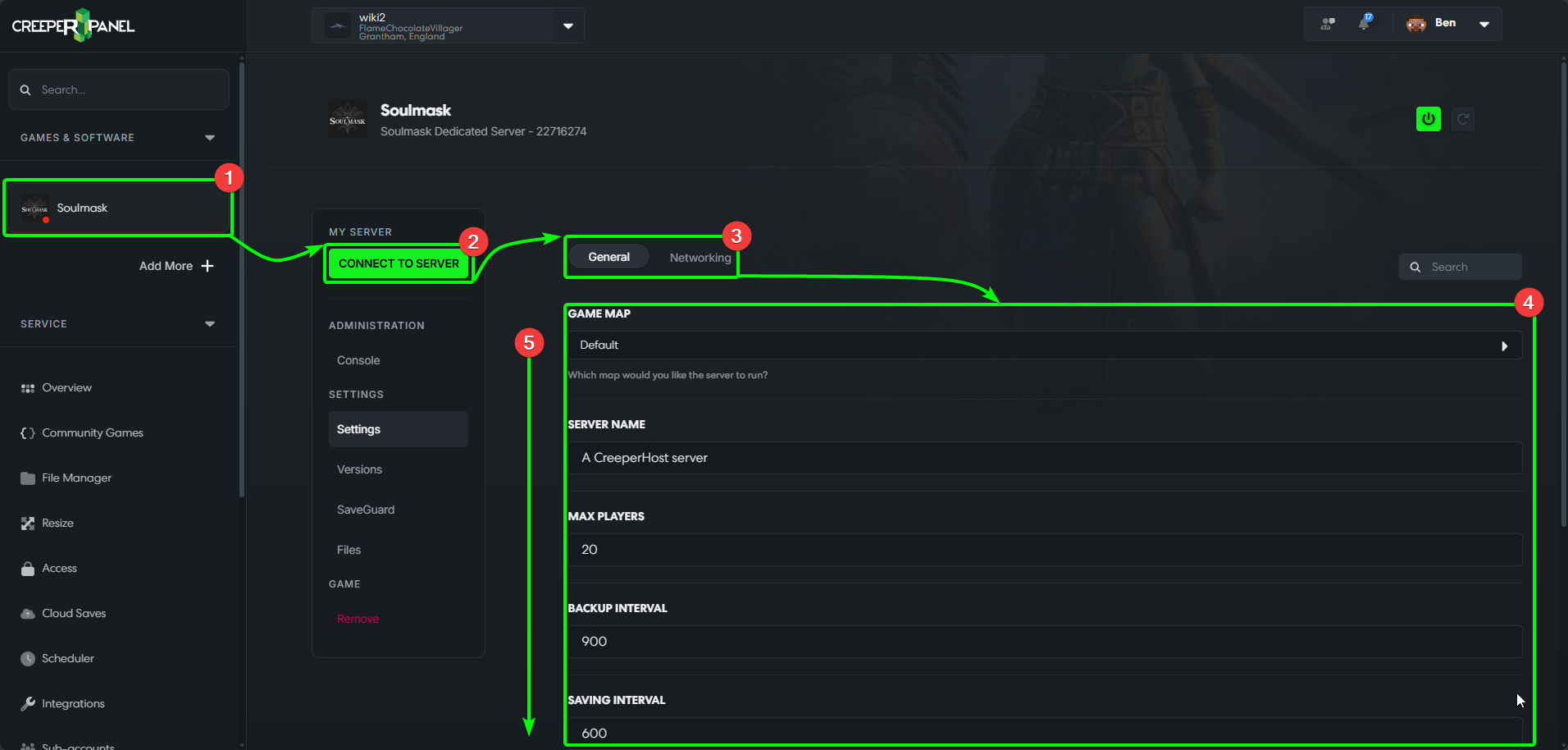
- Navigate to your Soulmask instance on the CreeperPanel
- Select
Settings, found underSettings. - You'll be taken straight to the
Generaltab. - You'll see the available settings in the main window - they cover things such as player count and passwords.
- You may need to scroll down to see all the available settings.
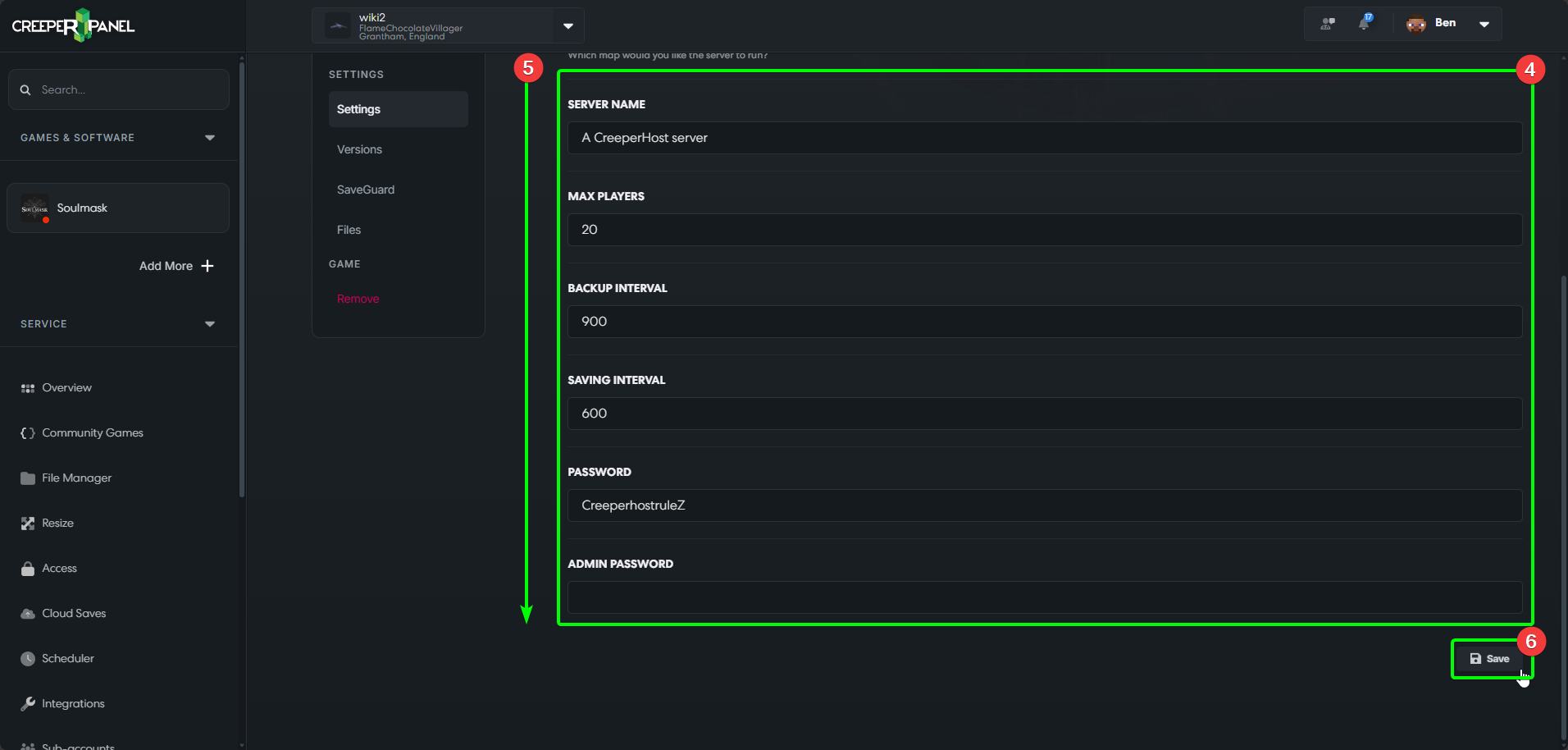
- Before navigating away from the tab, remember to save your settings by selecting the
Saveicon at the bottom. If you don't, your changes won't persist after leaving.
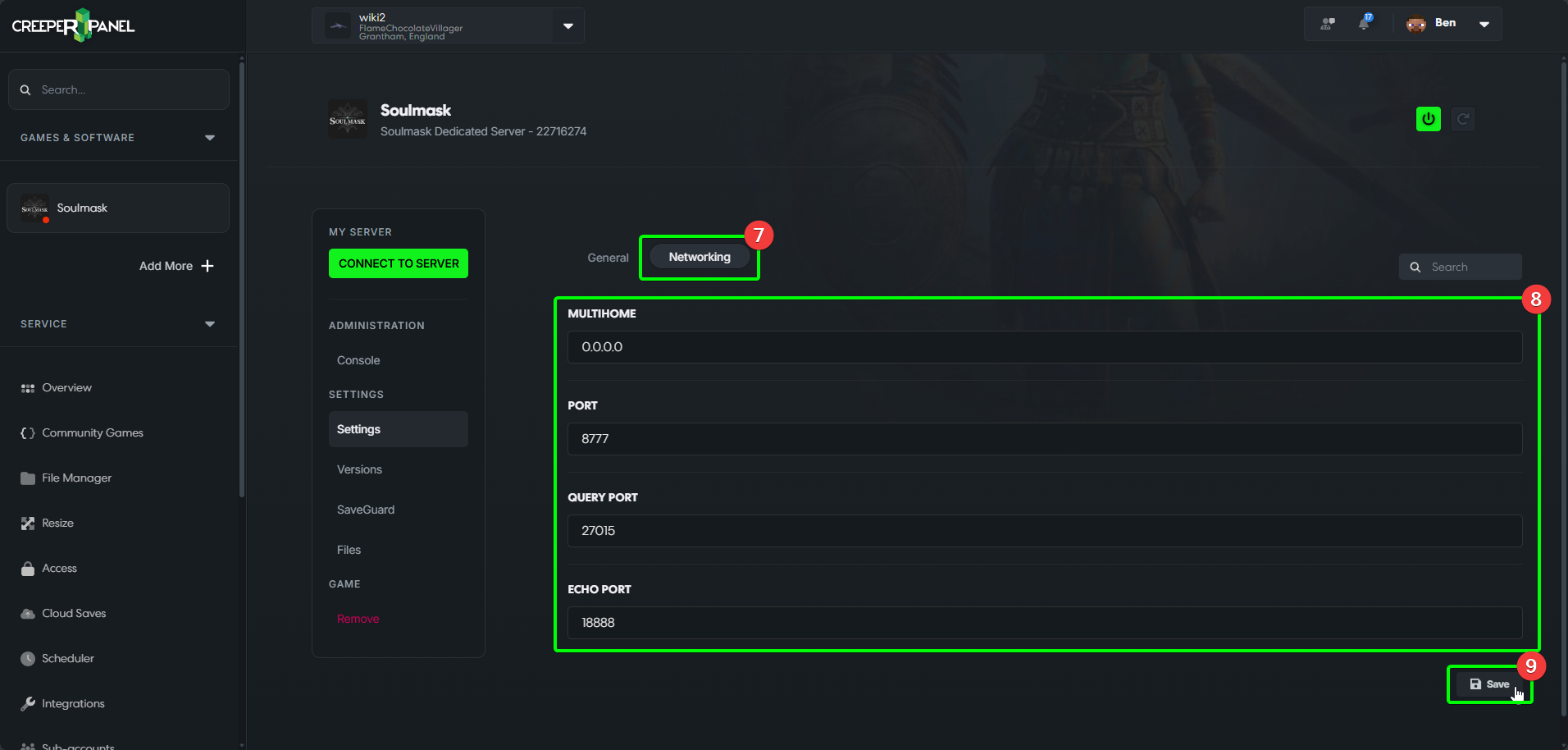
- Selecting the
Networktab will show you the available network settings. - These include port and Multihome settings.
- Remember to save your changes before navigating away!