Connecting to your Soulmask server
Connecting to your Soulmask server is best done by direct connection. First, you'll need to find your connection information on the Panel. To get started:
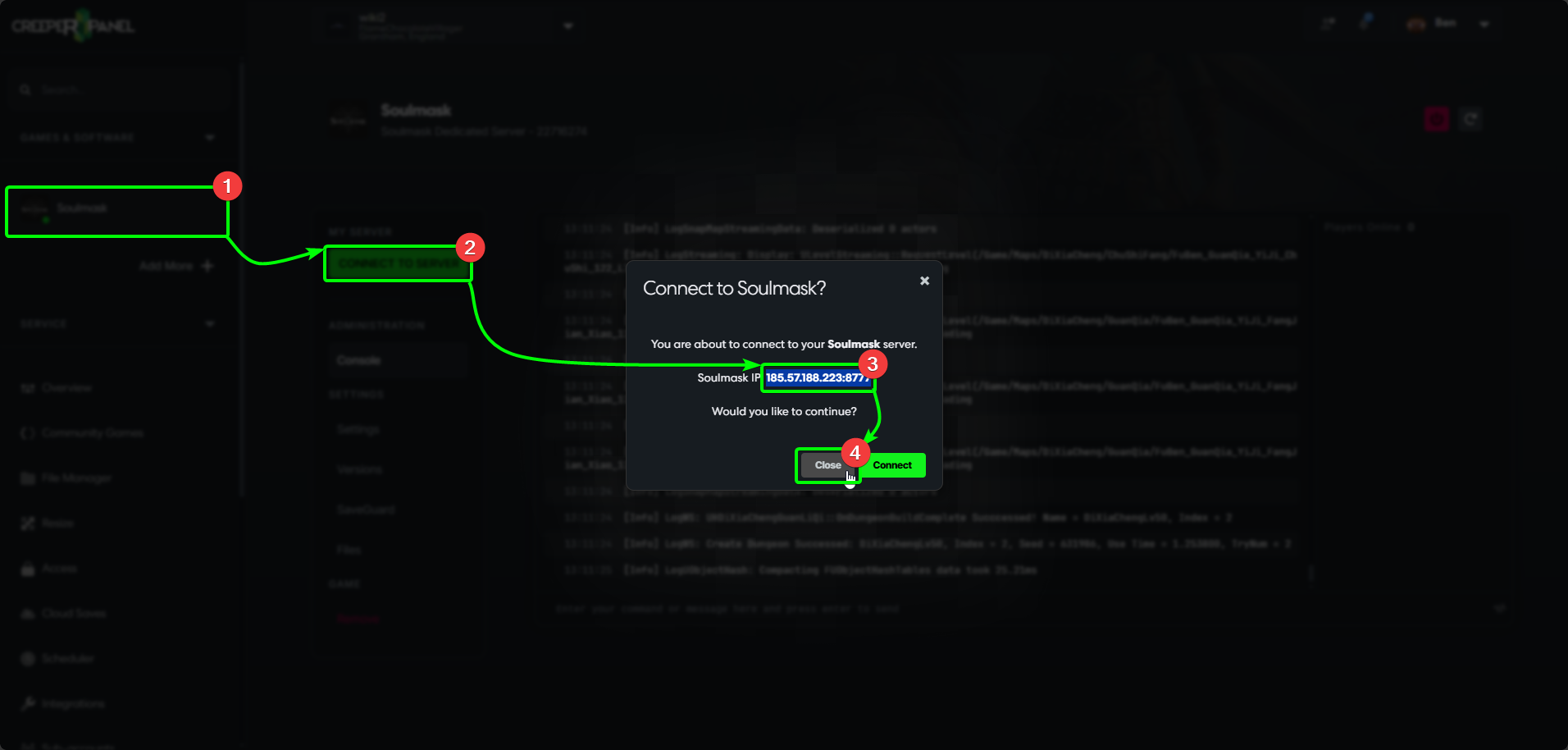
- Select your Soulmask instance on the CreeperPanel's side-bar, then
- Click the green
Connec to Serverbutton. - Take note of your IP and port number; we'll need these in a minute.
- Close the popup when you have the connection information.
Switch over to your client-side installation of Soulmask;
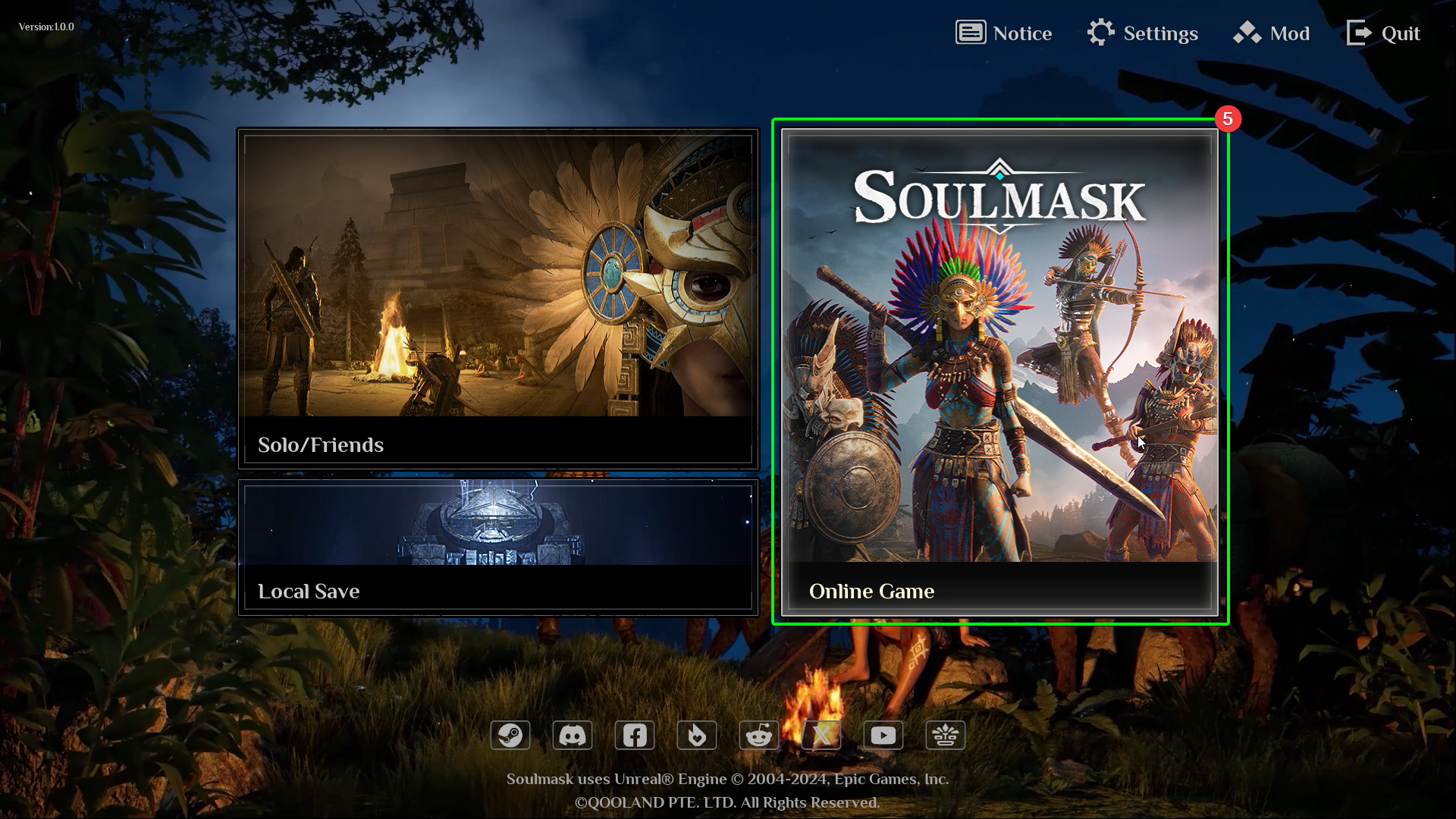
- At the main menu, select
Online Game
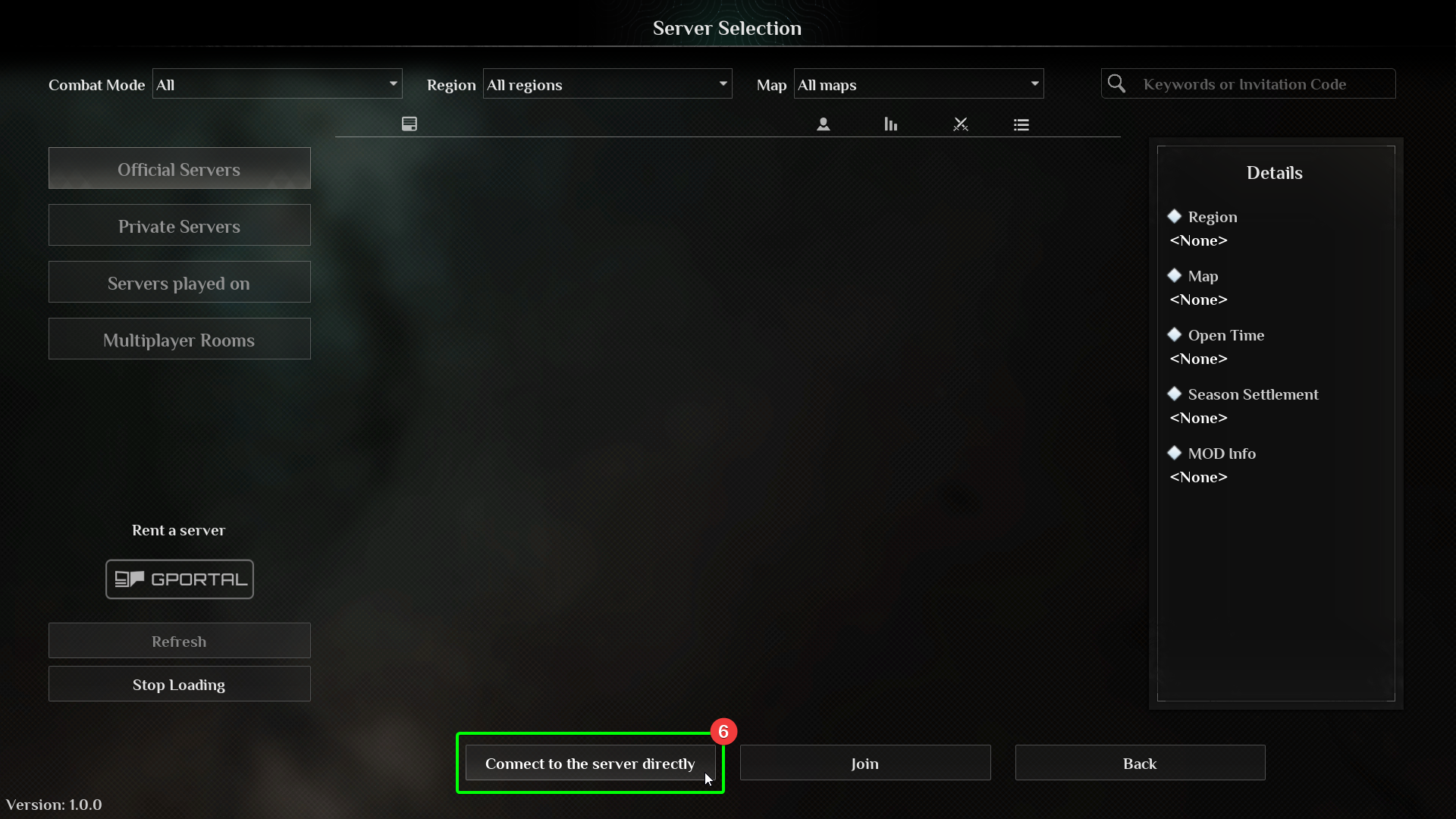
- In the server browser, select
Connect to the server directlyat the bottom.
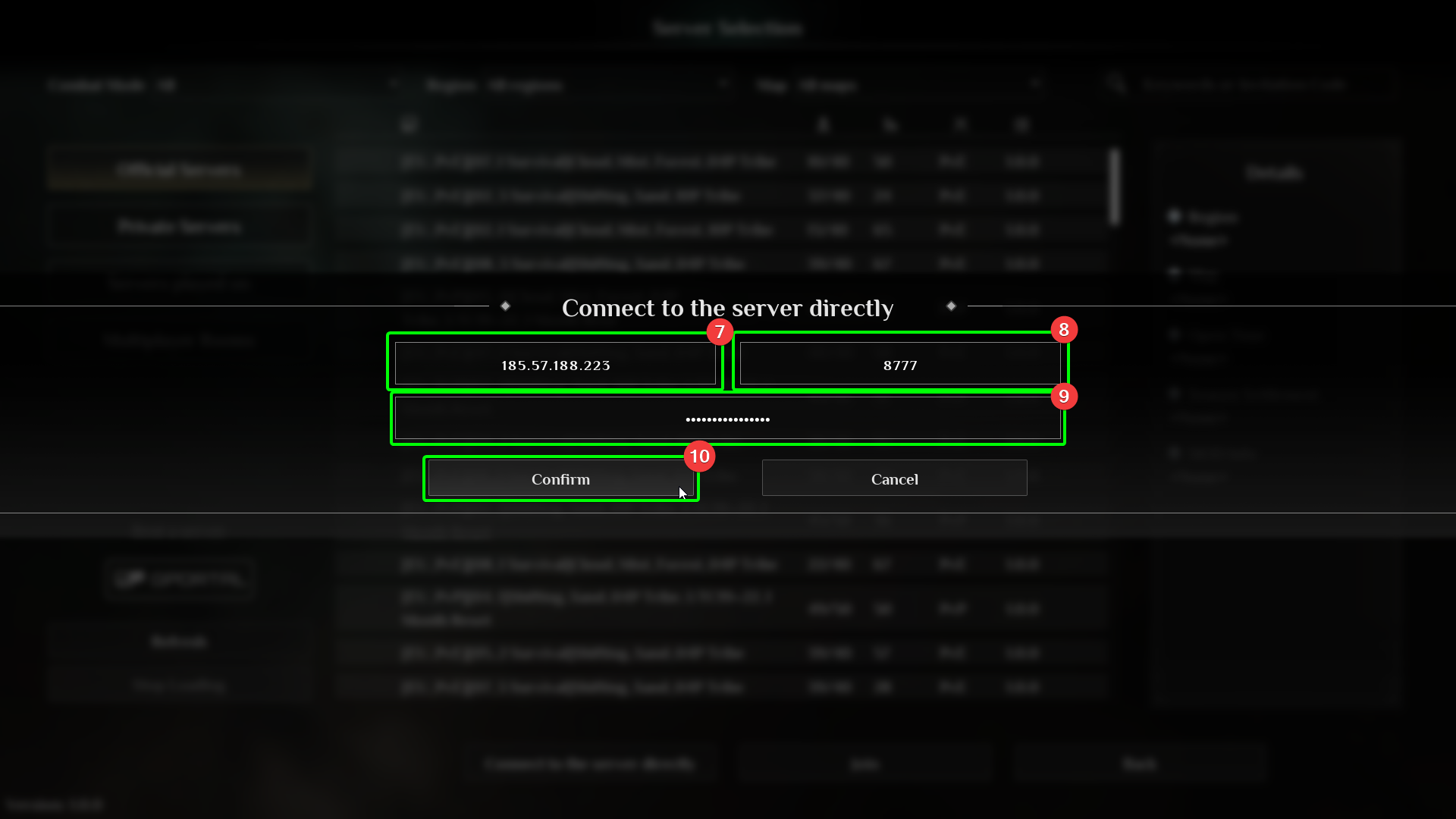
- In the connection box, enter your IP in the
IPfield - Enter your port number in the
Portfield - this is8777by default. - If you have set a server password, you will need to enter it in the
Passwordfield. - Select
Confirm
You should start loading into your server - get ready to grow your tribe and unlock the secrets of your mysterious mask!