How to install Schedule 1 Dedicated Server via S1DedicatedServer
CreeperPanel
- Open the CreeperPanel and select the
Add Moreoption of the left side of the screen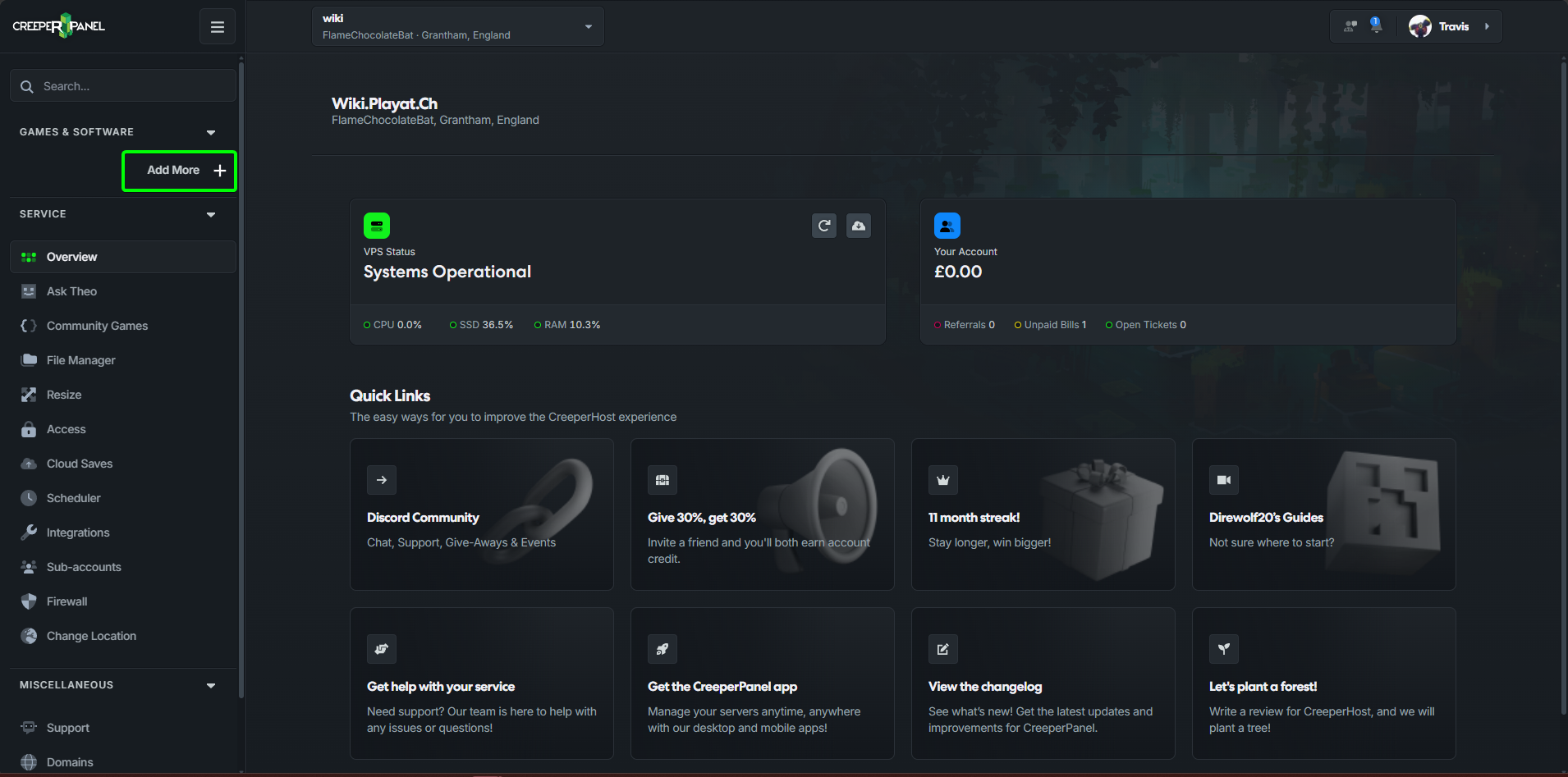
- Click on
Add a new game, VoIP or other service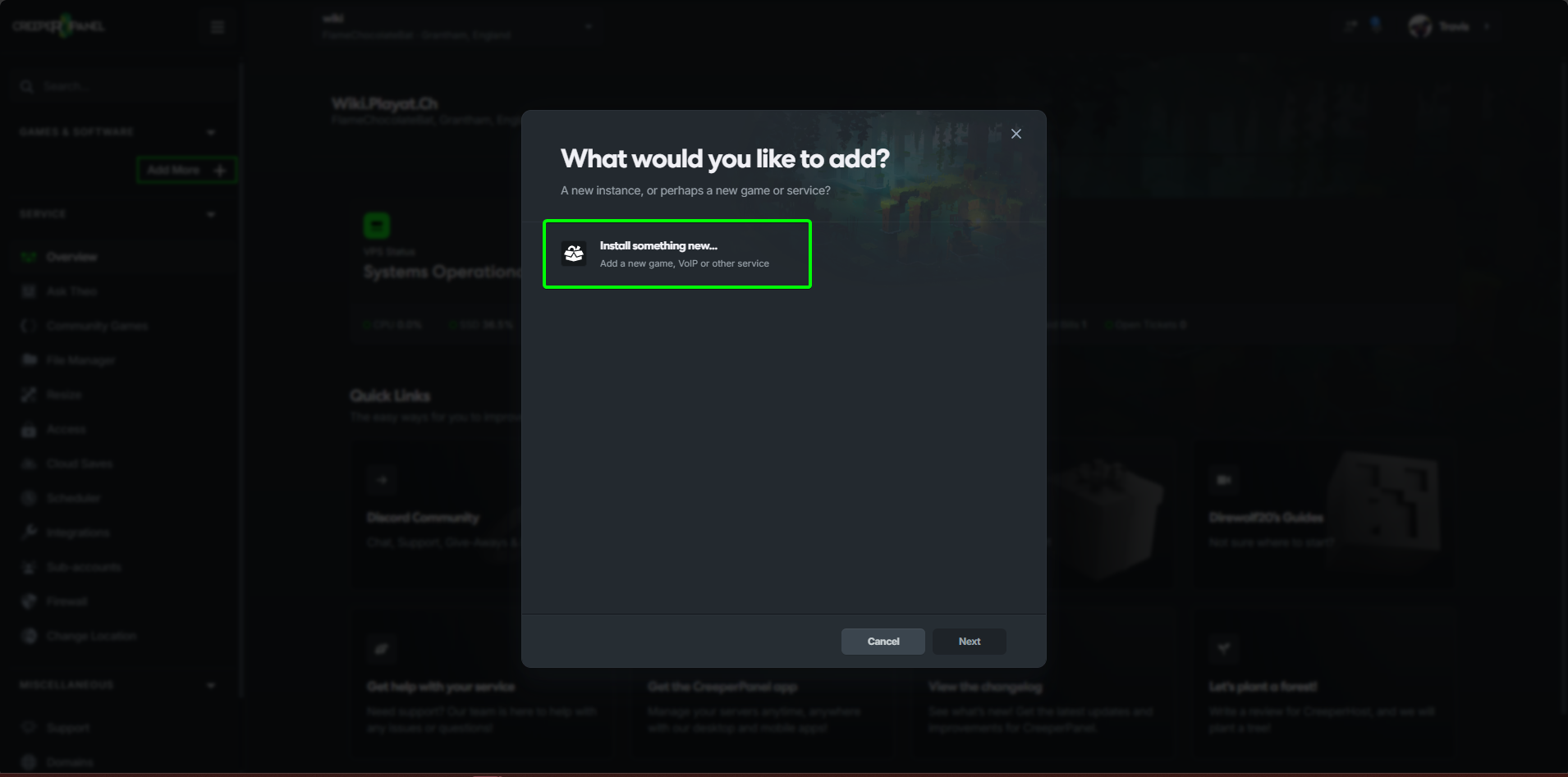
- Search for
Schedule 1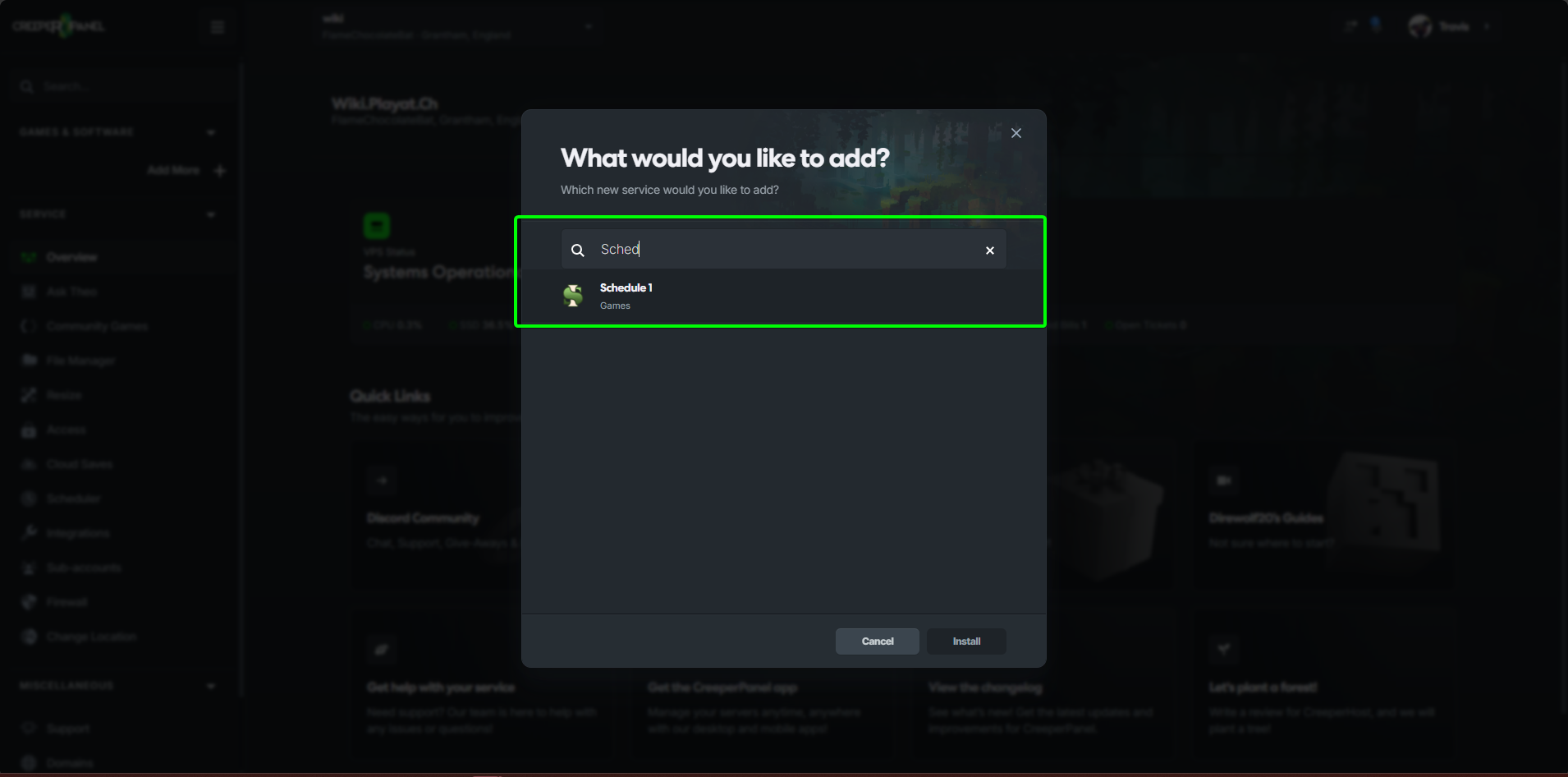
- Select
Schedule 1and click onInstall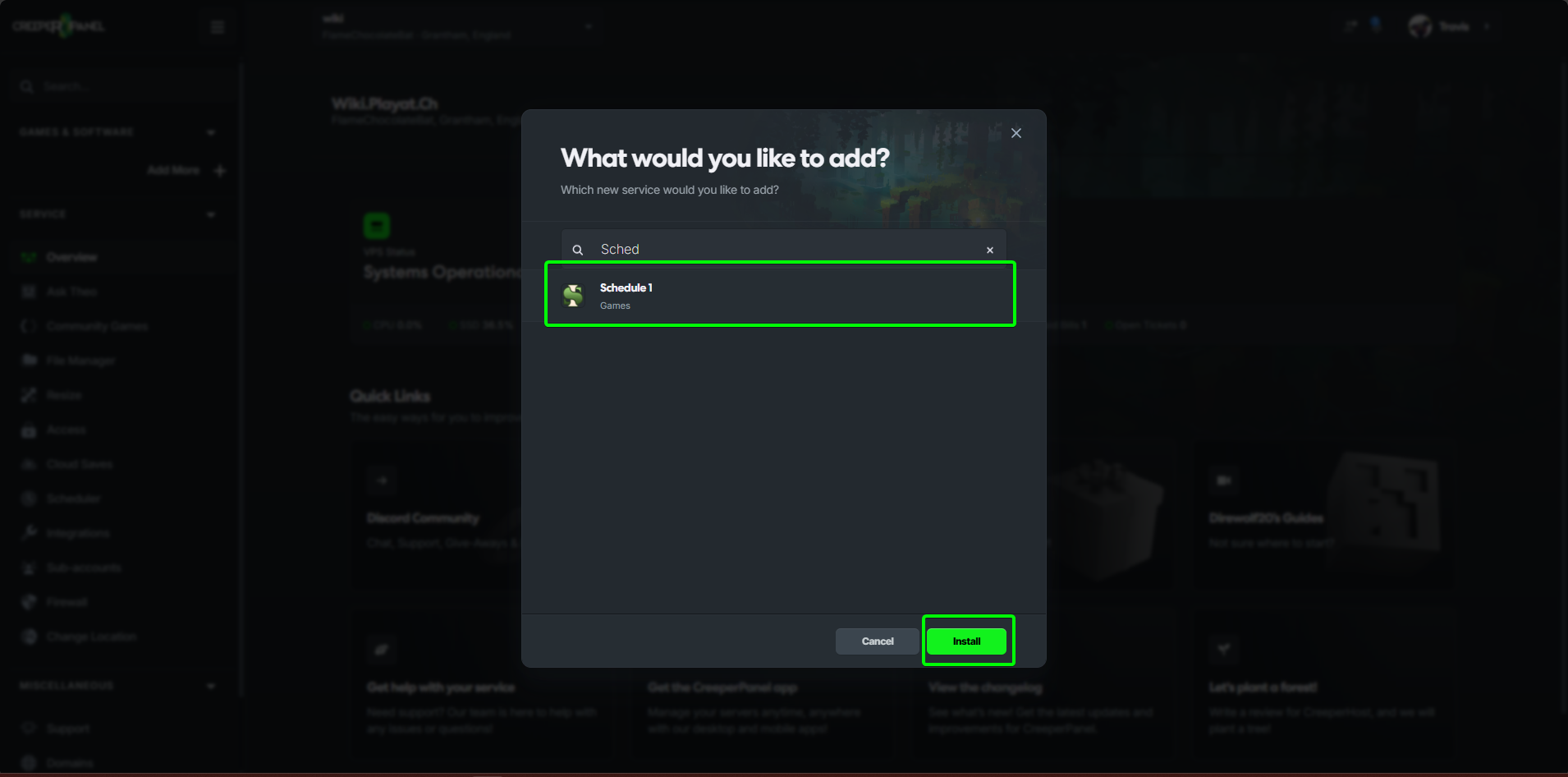
- Select the version of
Schedule 1you wish to install.
note
This will default to the latest version of the game.
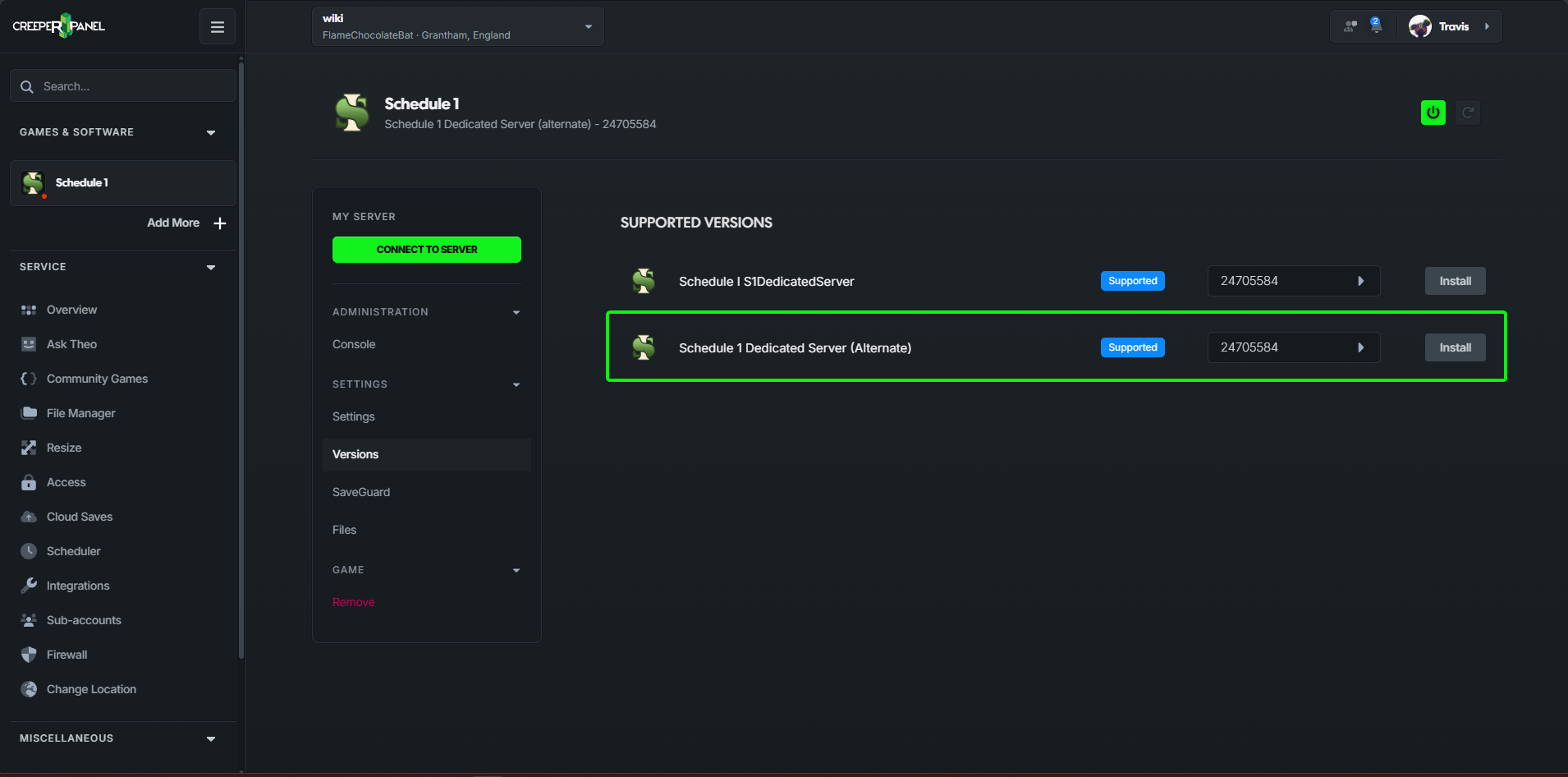 That's it, we took care of all the hard parts and your server is now ready to start.
Windows
- Install the base game via Steam, you can use the Steam client for this or SteamCMD.
- Copy all the files from the game to another folder, this will act as the files for your dedicated server.
- Download and install MelonLoader into both your steam install and your copied installation.
- Download S1DedicatedServer and copy the files from the zip into your dedicated server version of the game, these just go into the root directory of the server files.
That's it, to start the server simply run the start_server.bat that was added during the installation of the S1DedicatedServer.
Linux
note
Schedule 1 does not support Linux so you will need to run the game under Wine
- Download the game files for Schedule 1, you can do this via the Steam Client via SteamCMD.
- Download and install MelonLoader
- Download S1DedicatedServer and copy the files from the zip into the root of the game files.
- Run the start_server.bat via wine.
wine start_server.bat
Docker
Docker images are available at ghcr.io/ifbars/s1dedicatedservers
- Pull the image with:
docker pull ghcr.io/ifbars/s1dedicatedservers:latest
- Run the image with:
note
Your Steam login details are needed to download the game files
docker run --name s1ds \
  -p 38465:38465/udp \
  -p 38465:38465/tcp \
  -p 27016:27016/udp \
  -e STEAM_USER=your_steam_login \
  -e STEAM_PASS=your_steam_password \
  -e S1DS_RUNTIME=mono \
  -v s1ds-game:/home/steam/game \
  ghcr.io/ifbars/s1dedicatedservers:latest
or
docker run --name s1ds \
  -p 38465:38465/udp \
  -p 38465:38465/tcp \
  -p 27016:27016/udp \
  -e STEAM_USER=your_steam_login \
  -e STEAM_PASS=your_steam_password \
  -e S1DS_RUNTIME=il2cpp \
  -v s1ds-game:/home/steam/game \
  ghcr.io/ifbars/s1dedicatedservers:latest
That's it, your server is now up and running.