Installing S1DedicatedServer
note
You will need to have MelonLoader installed. Install Melon Loader
- Download the latest version of S1DedicatedServer, if you are using the
alternatebranch of Schedule 1, you will need to download the mono version - Open Steam, search
Schedule 1, right-click and hover the mouse overManage>Browse Local Files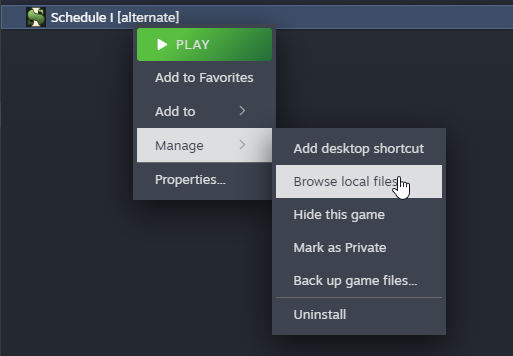
- Open up the S1DedicatedServer zip you downloaded and drag all the files into the game folder.
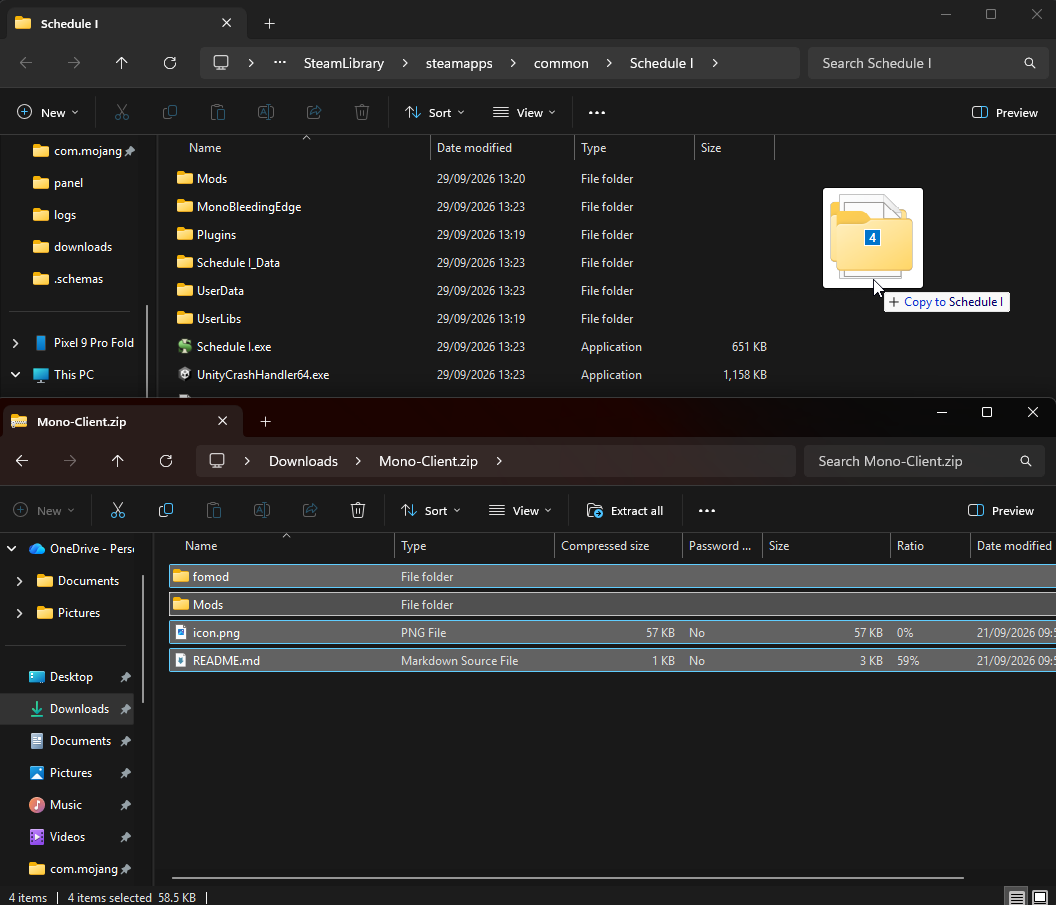 That's it, the mod is now installed, and you should now be able to connect to a dedicated server.