Updating Satisfactory mods
Stop your server and back up your save before updating mods.
-
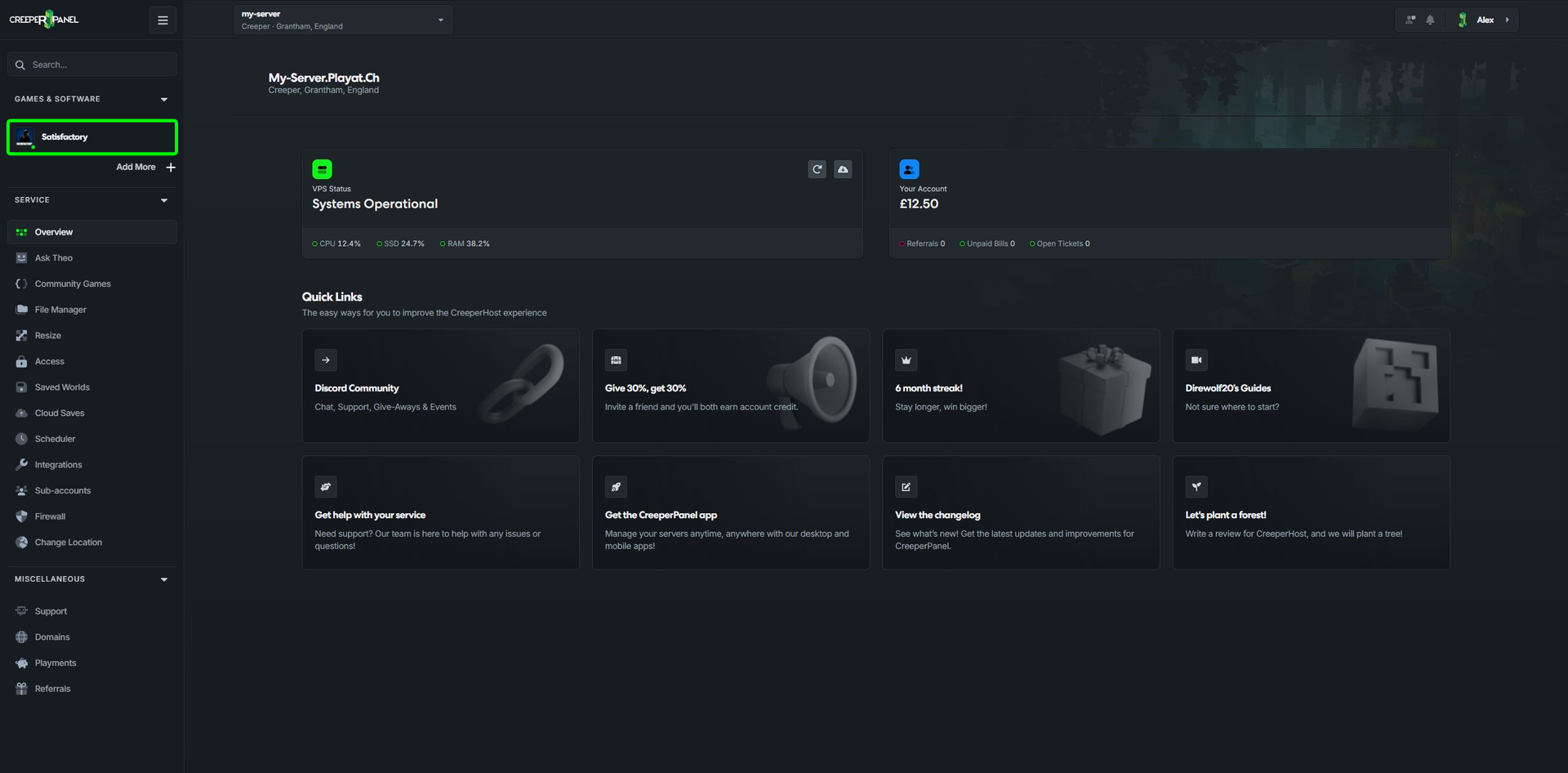
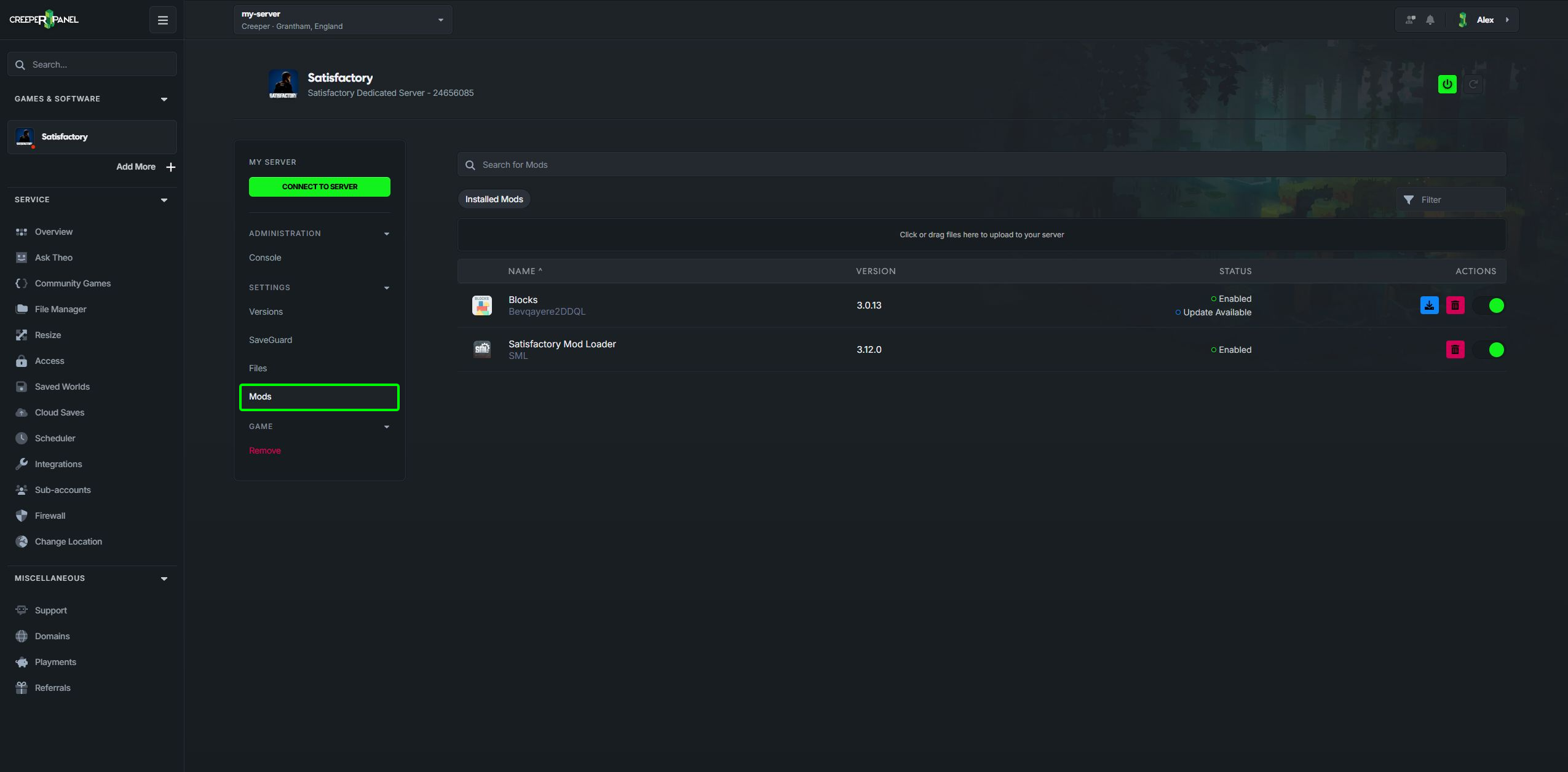
Select Satisfactory under Games & Software, then open Mods.
-
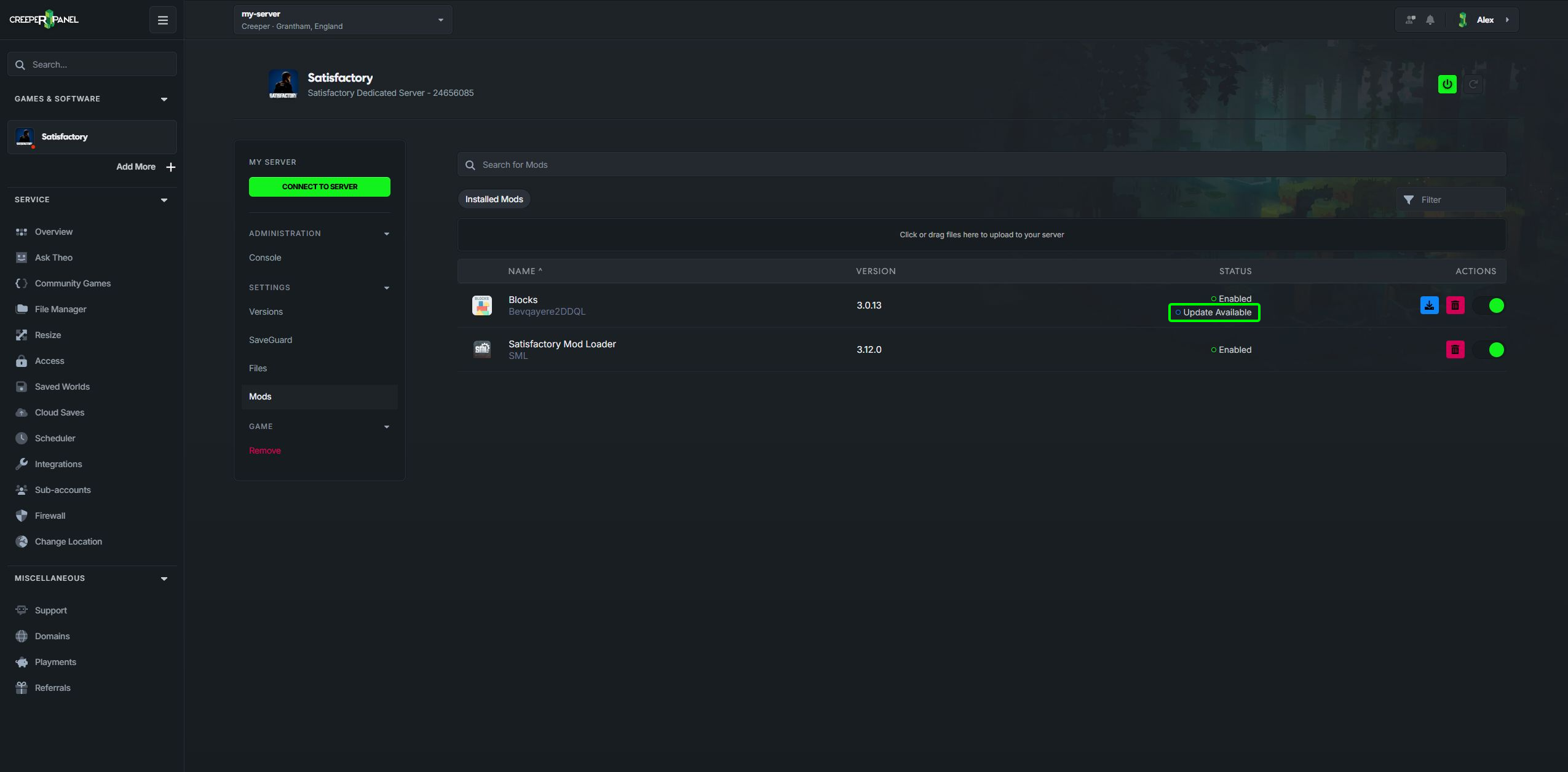
Look for Update available beside an installed mod.
-
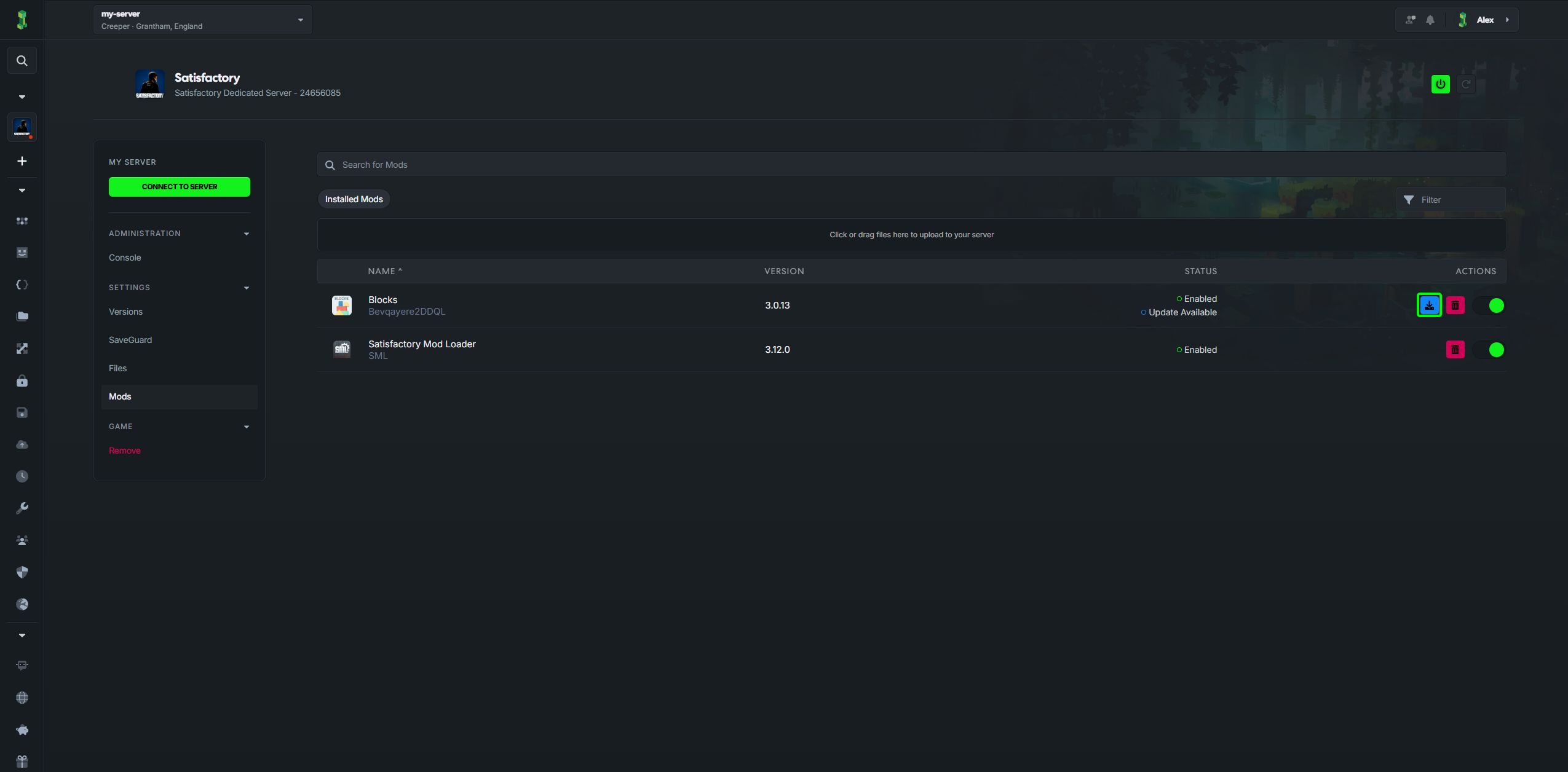
Select its download button under Actions and wait for the update to finish.
-
Start your server when your updates are complete. Make sure your players update their copies of any mods that need to match.
After a Satisfactory game update, check each mod's compatibility before starting your save. An available mod update does not guarantee that every mod in your collection will work together.