Adding mods to your Satisfactory server
Stop your server before changing its mods. Keep a backup of your save so you can return to it if a mod causes trouble.
-
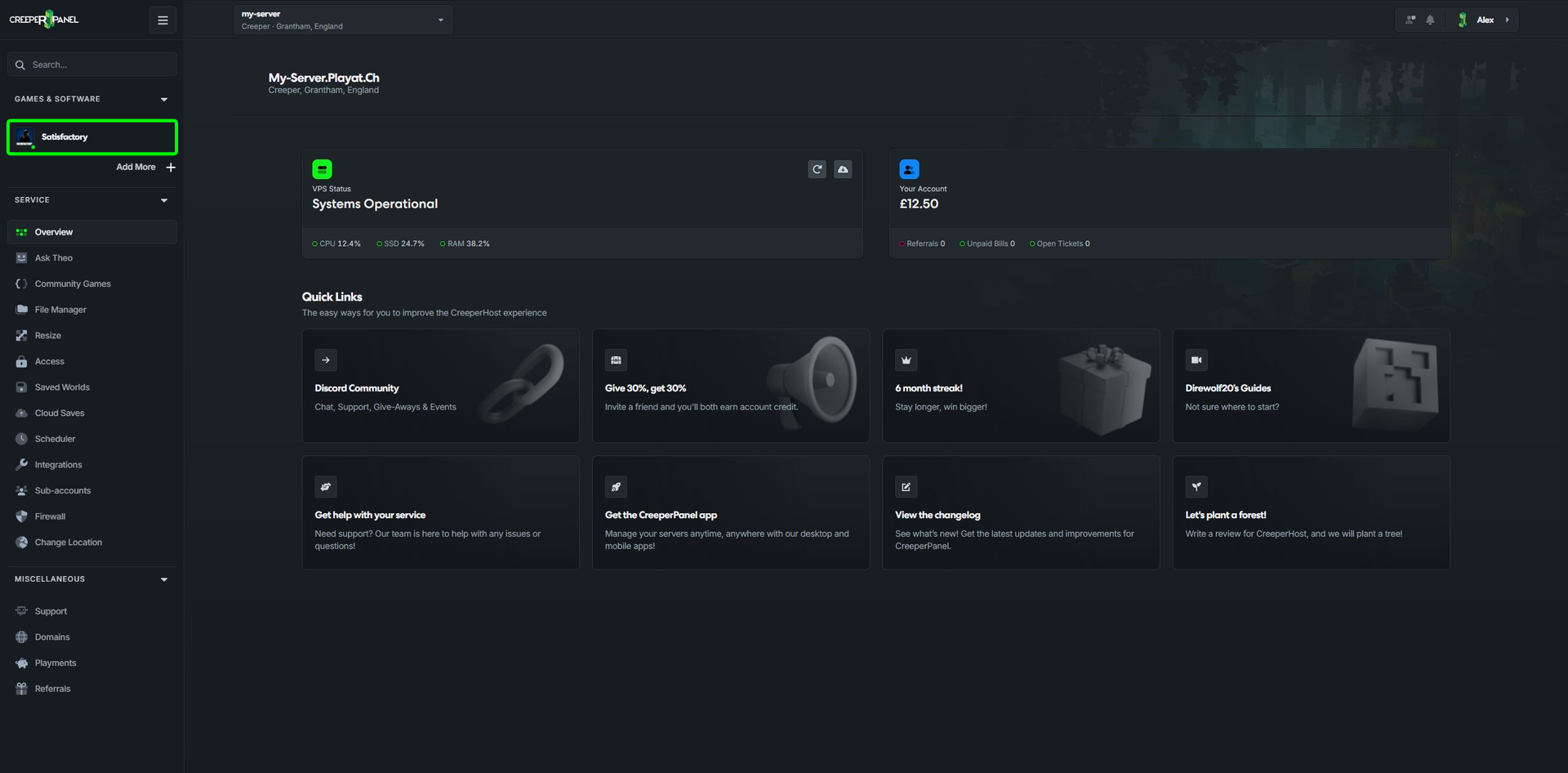
Select Satisfactory under Games & Software.
-
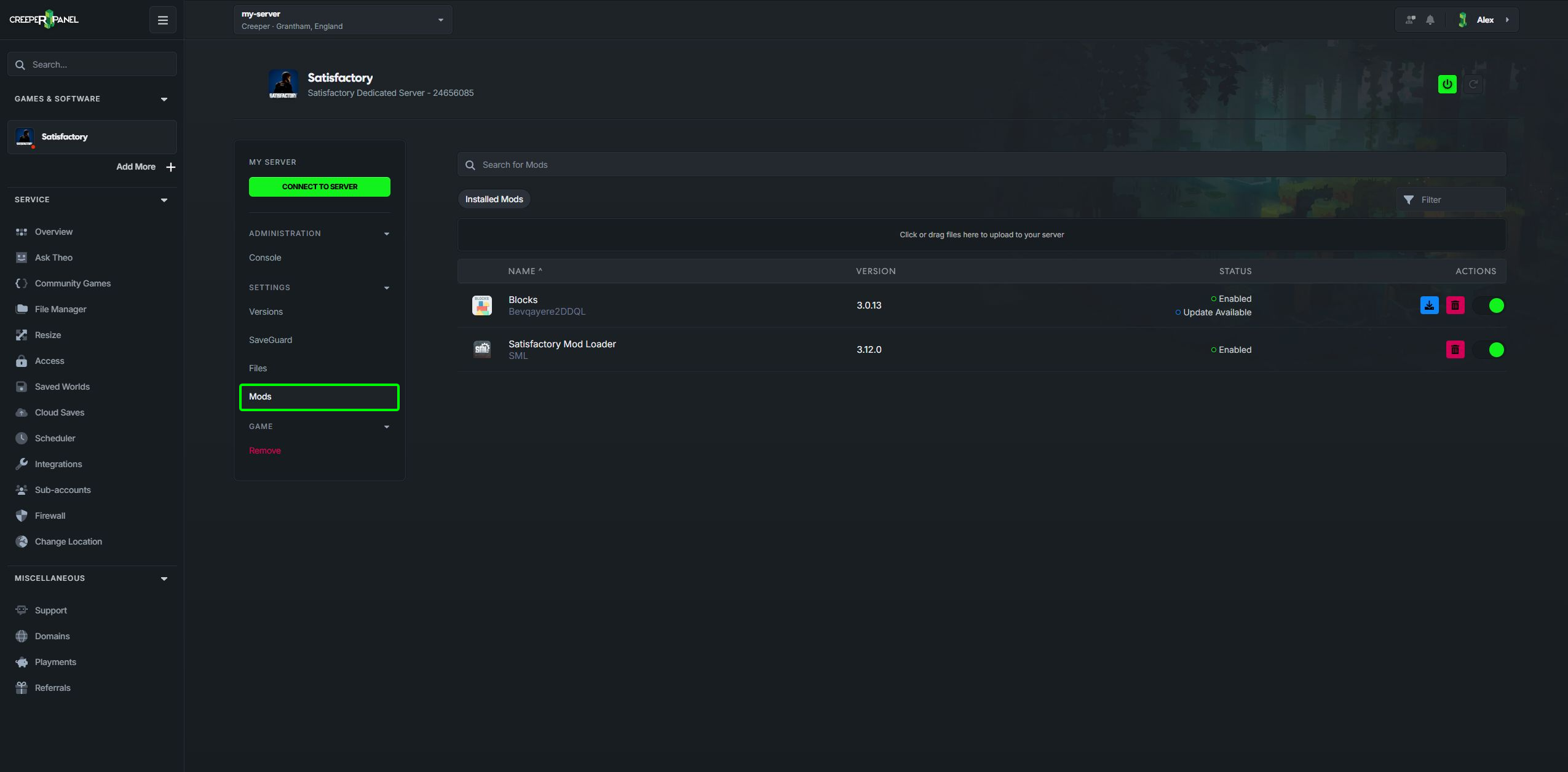
Open Mods.
-
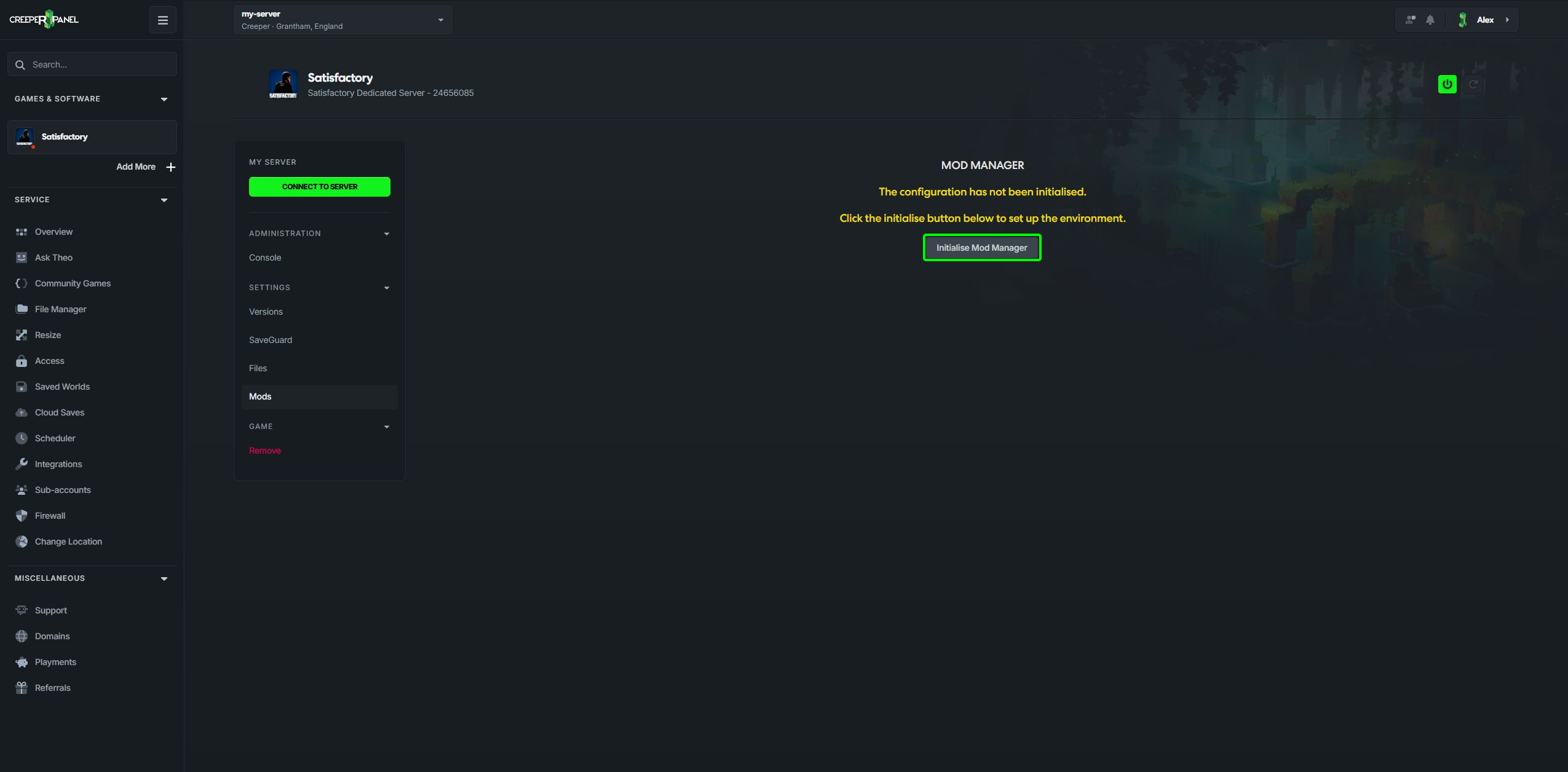
If this is your first visit, select Initialise mod manager. This prepares the mods folder and installs Satisfactory Mod Loader for you.
-
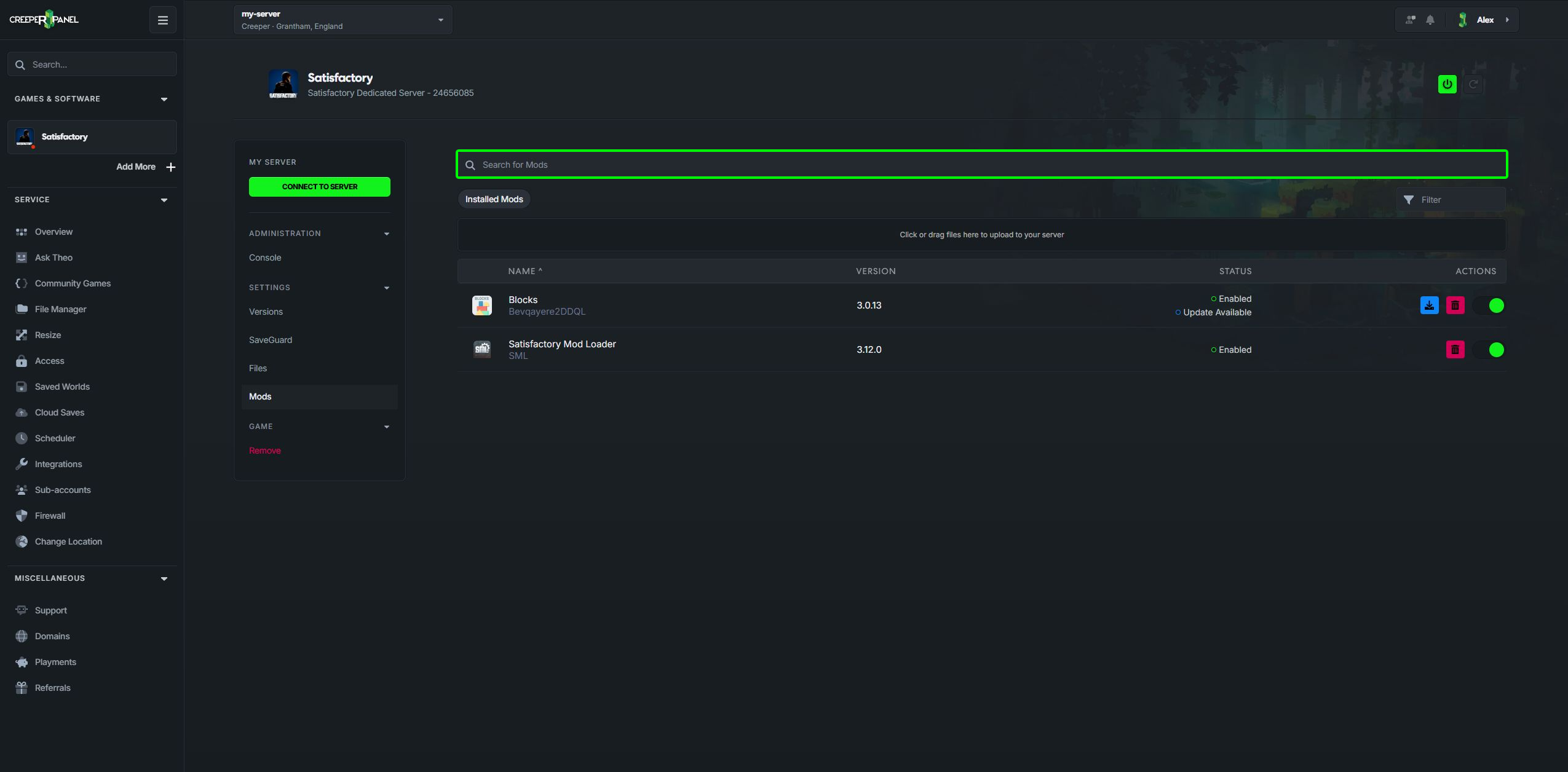
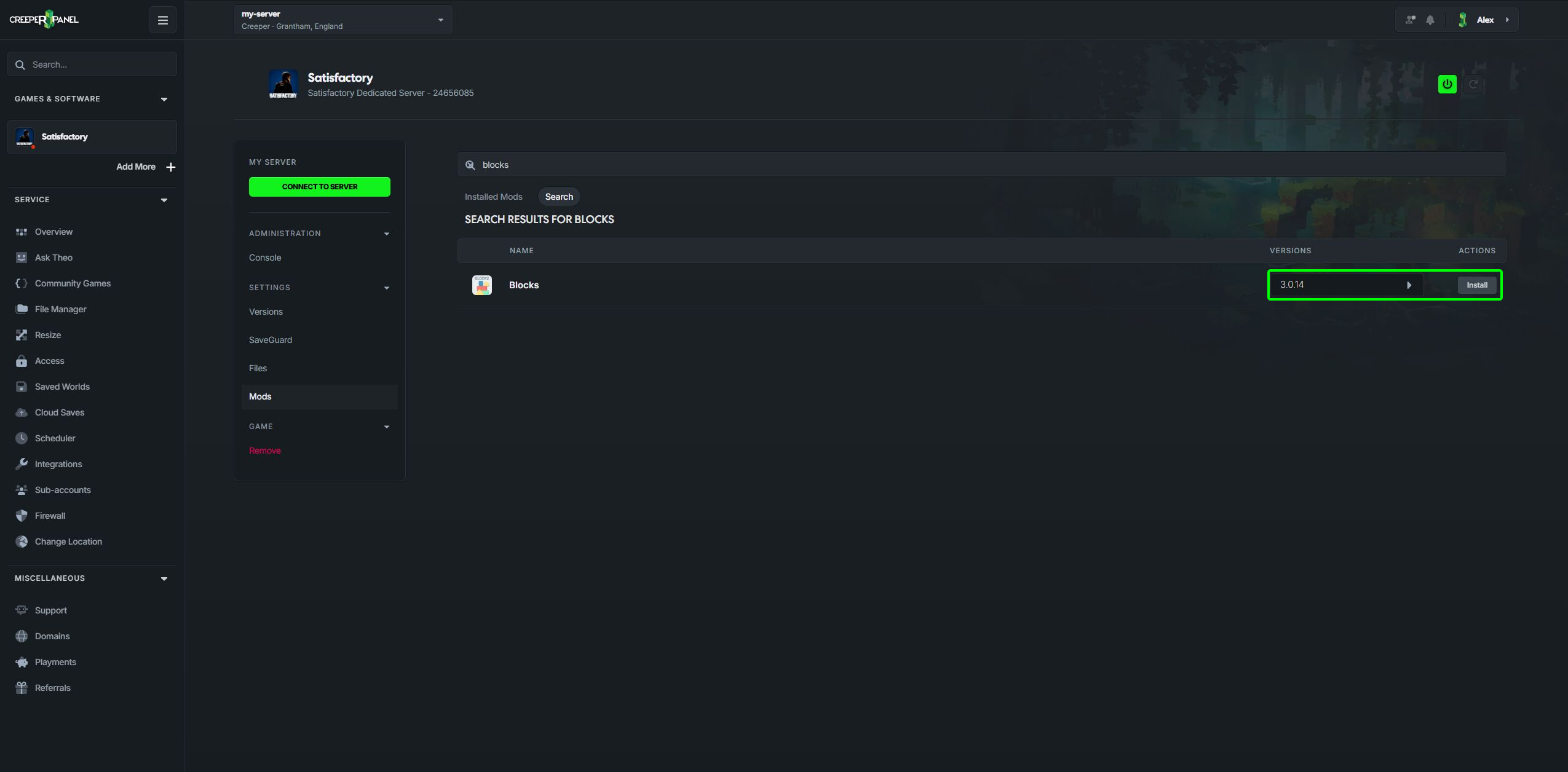
Use Search for mods to find a mod from FICSIT.app. The Panel looks for versions with dedicated-server support.
-
Choose a version and select Install.
-
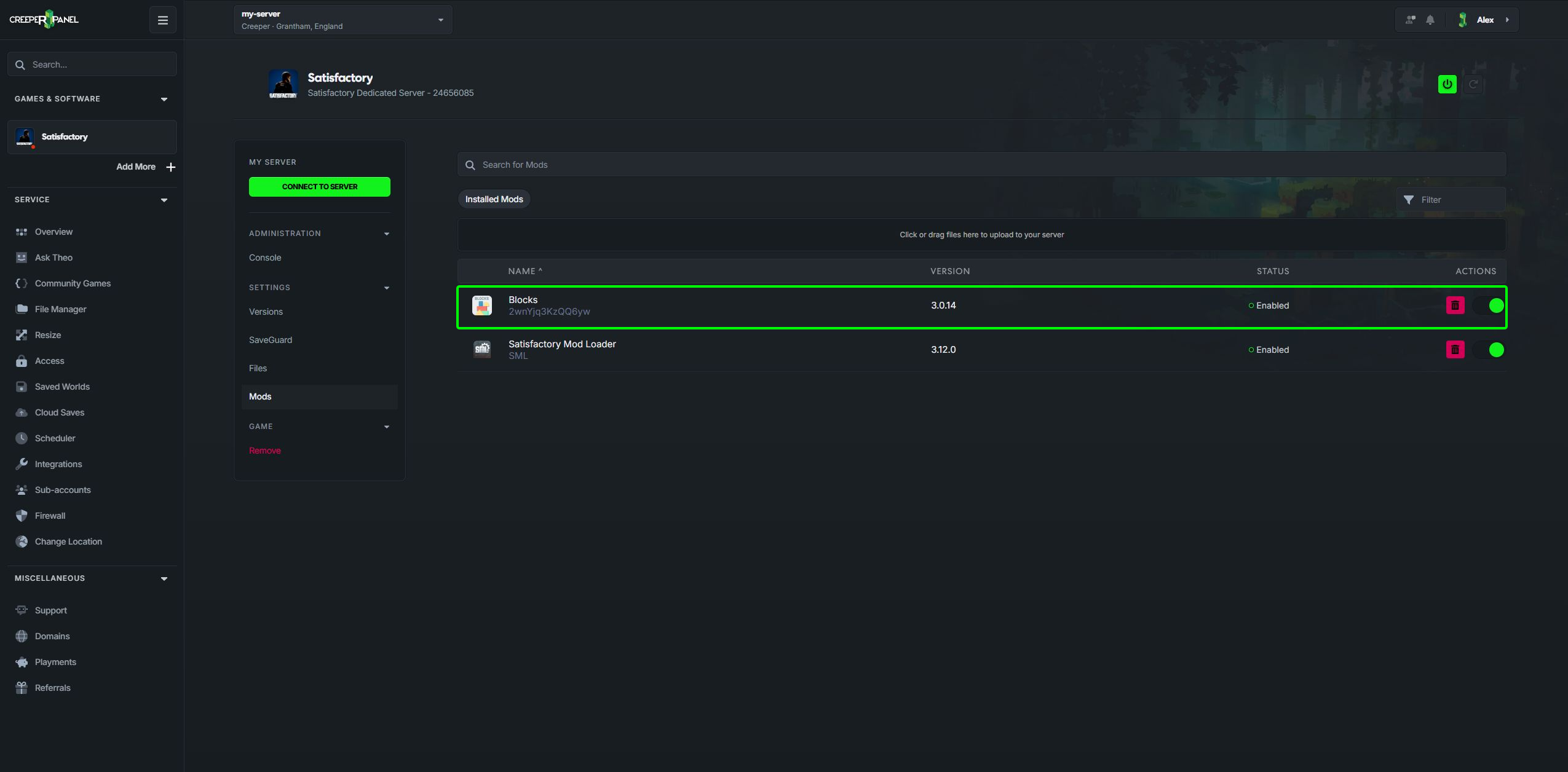
Check that it appears under Installed mods and is enabled, then start your server.
Your players may need the same mods on their computers. Check the mod's instructions before joining.
Uploading mods yourself
If a mod's instructions call for a manual installation, use Files to open satisfactory/FactoryGame/Mods. Each mod, including Satisfactory Mod Loader, belongs in its own folder.
Use the mod's Linux server download and follow its installation instructions. You can find Satisfactory Mod Loader on its official releases page. Check compatibility with your server's game version before replacing files.
If you already have a collection in Satisfactory Mod Manager, you can import its profile instead.