Changing settings for your RuneScape: Dragonwilds instance
warning
Before altering any settings, ensure your instance is switched OFF.
It is recommended to configure your settings before launch ing your RuneScape: Dragonwilds instance for the first time. If you configure the settings after the initial launch, they won't properly take effect.
Currently, settings cannot be altered via the CreeperPanel, and need to be changed manually. To get started, we'll need an ID from RuneScape: Dragonwilds, so;
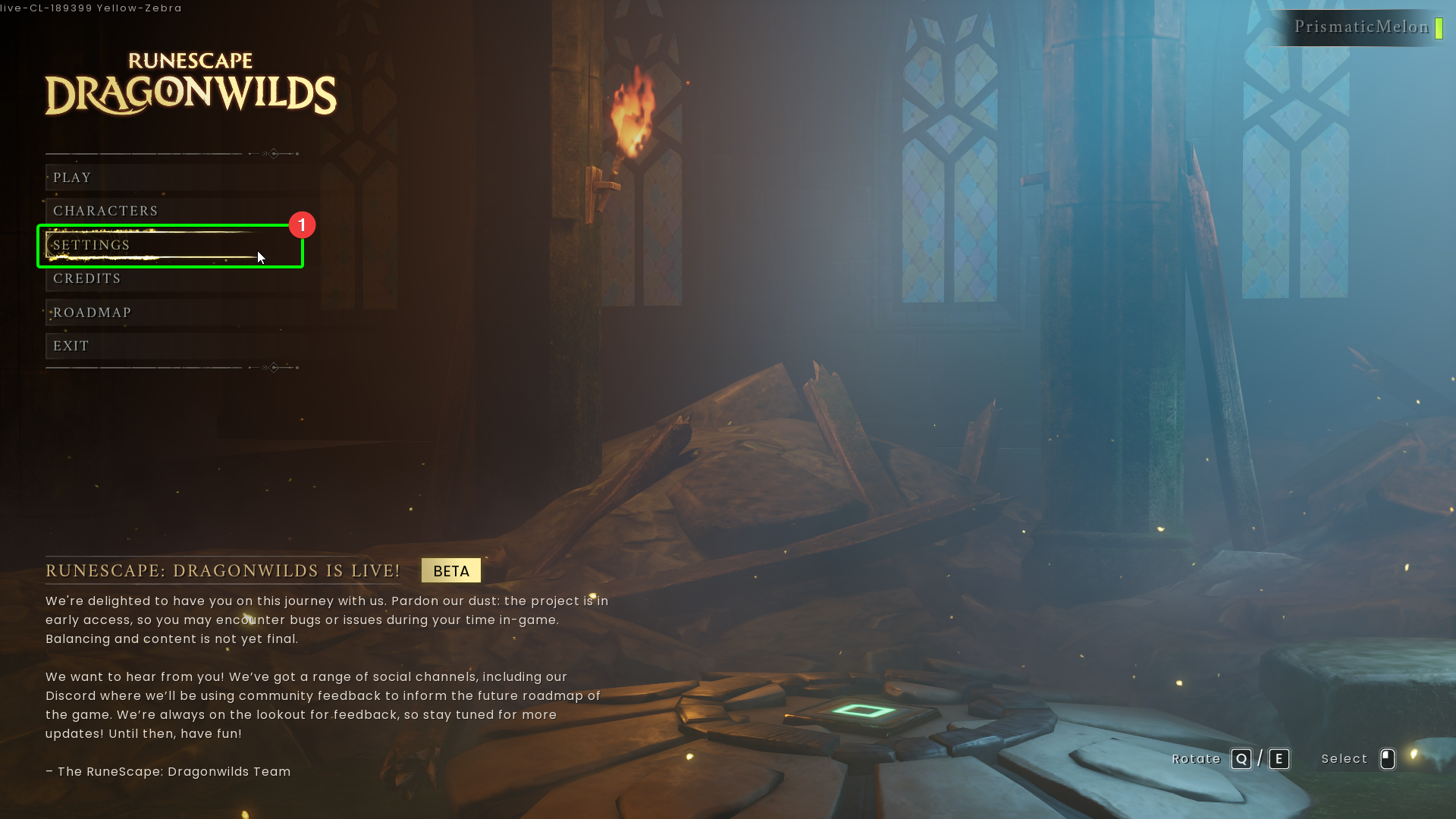
- Open
RuneScape: Dragonwilds, and selectSettingsat the main menu.
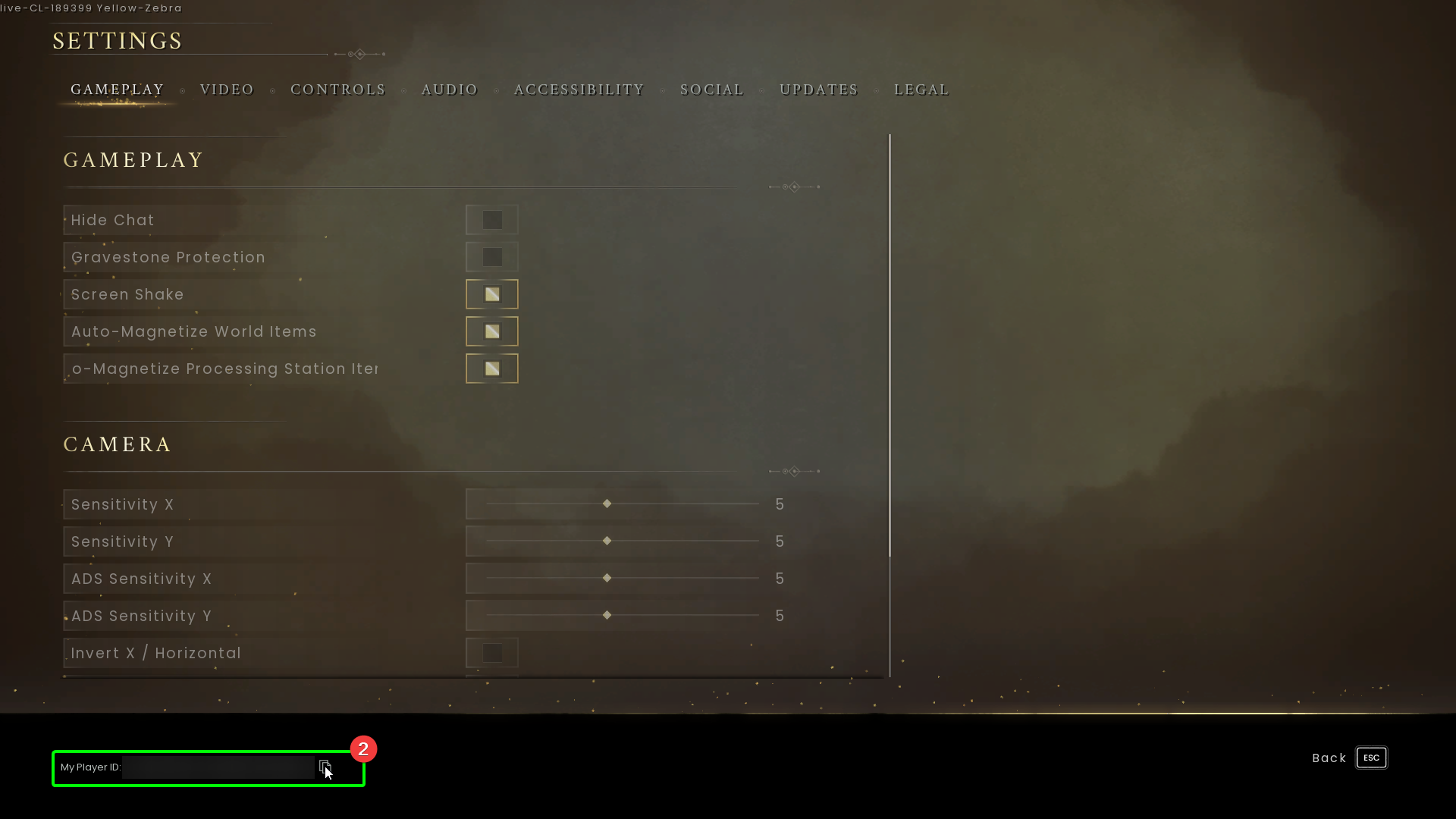
- On the settings page, you'll see
My Player IDin the bottom left - select the clipboard icon to copy it to your clipboard. Keep hold of it for now!
Now we're going to edit the server config. To locate it;
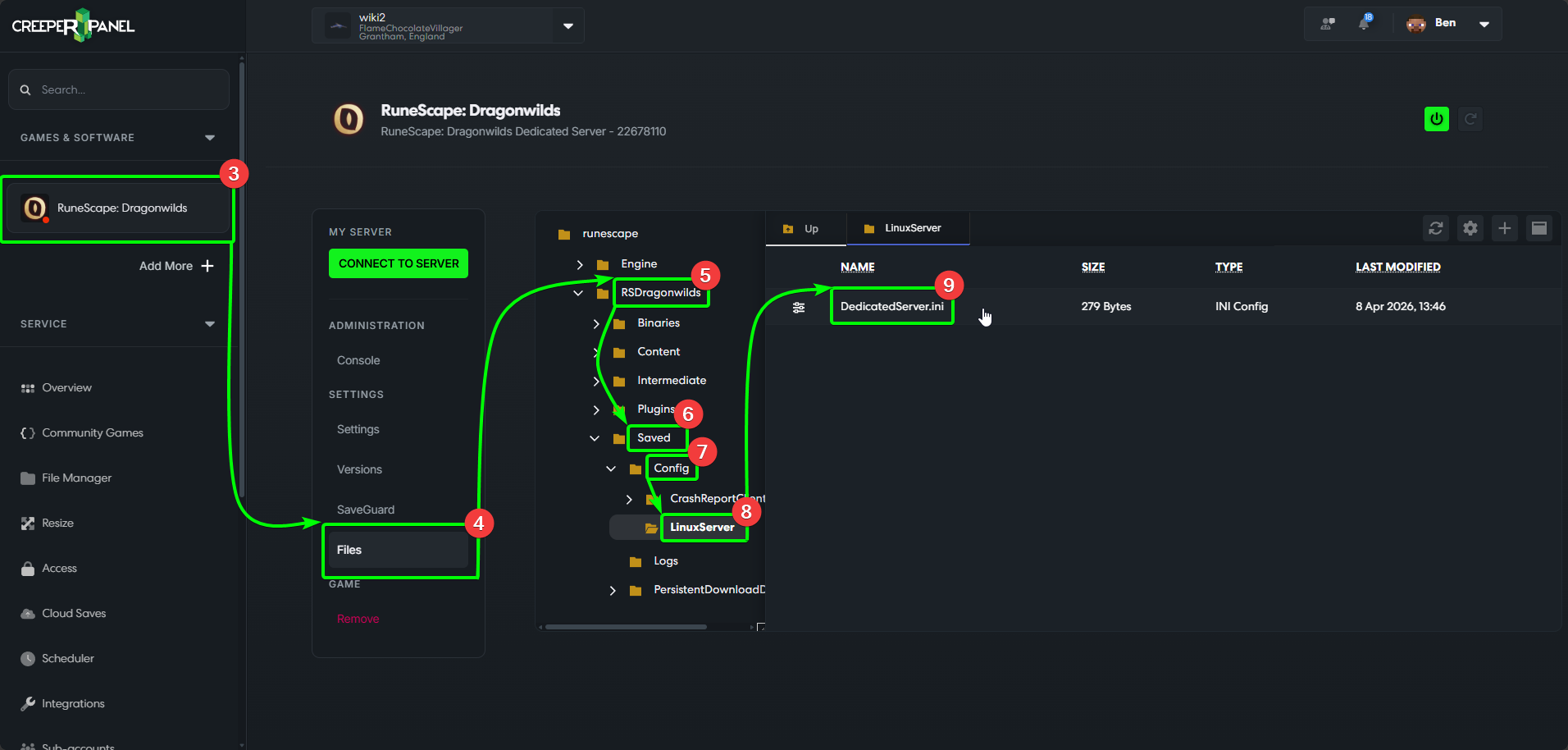
- Select your
RuneScape: Dragonwildsinstance on the CreeperPanel, then, - Select
Files, found underSettingsin the instance's sub-menu to open the File browser. - Expand the
RSDragonwildsdirectory, then - Expand
Saved, then - Expand
Config, then - Select the
LinuxServerdirectory. - Inside, you'll see a file named
DedicatedServer.ini- double-click to open it.
info
When filling out the DefaultWorldName field, ensure the world name is under 16 characters; this includes spaces and special characters (such as *,!, or ?). Failure to do so may mean your server doesn't show up in a search.
- Enter your preferred server details. You'll need to enter your
My Player IDcopied from the in-game Settings menu after theOwnerIDfield - the server won't launch correctly without it. - Click the
Savebutton icon to save your changes.