Connecting to your RuneScape: Dragonwilds Instance
Now your server is configured and online, it's time to connect! To begin:
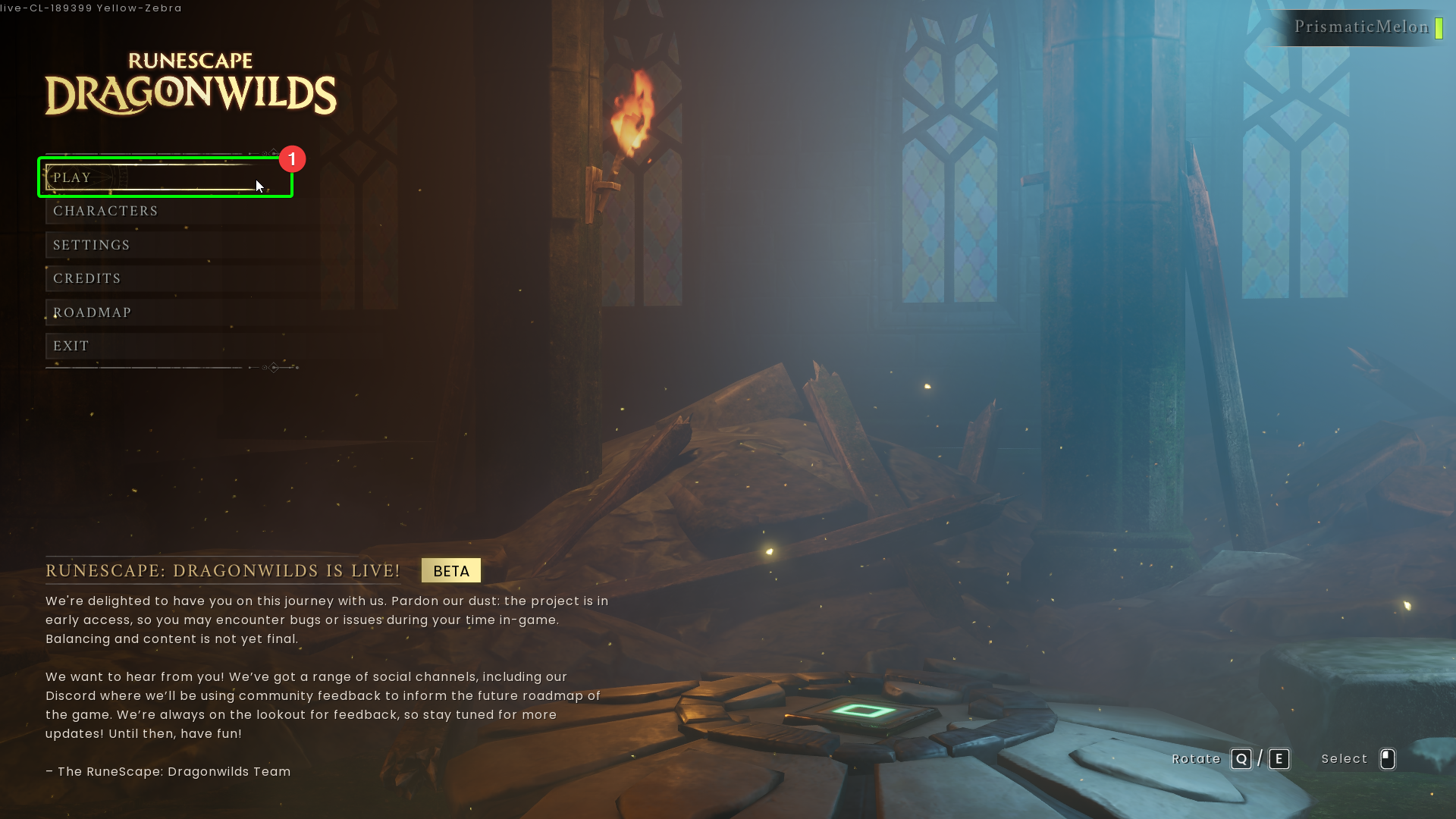
- Open your client installation of RuneScape: Dragonwilds, and select
Playfrom the main menu.
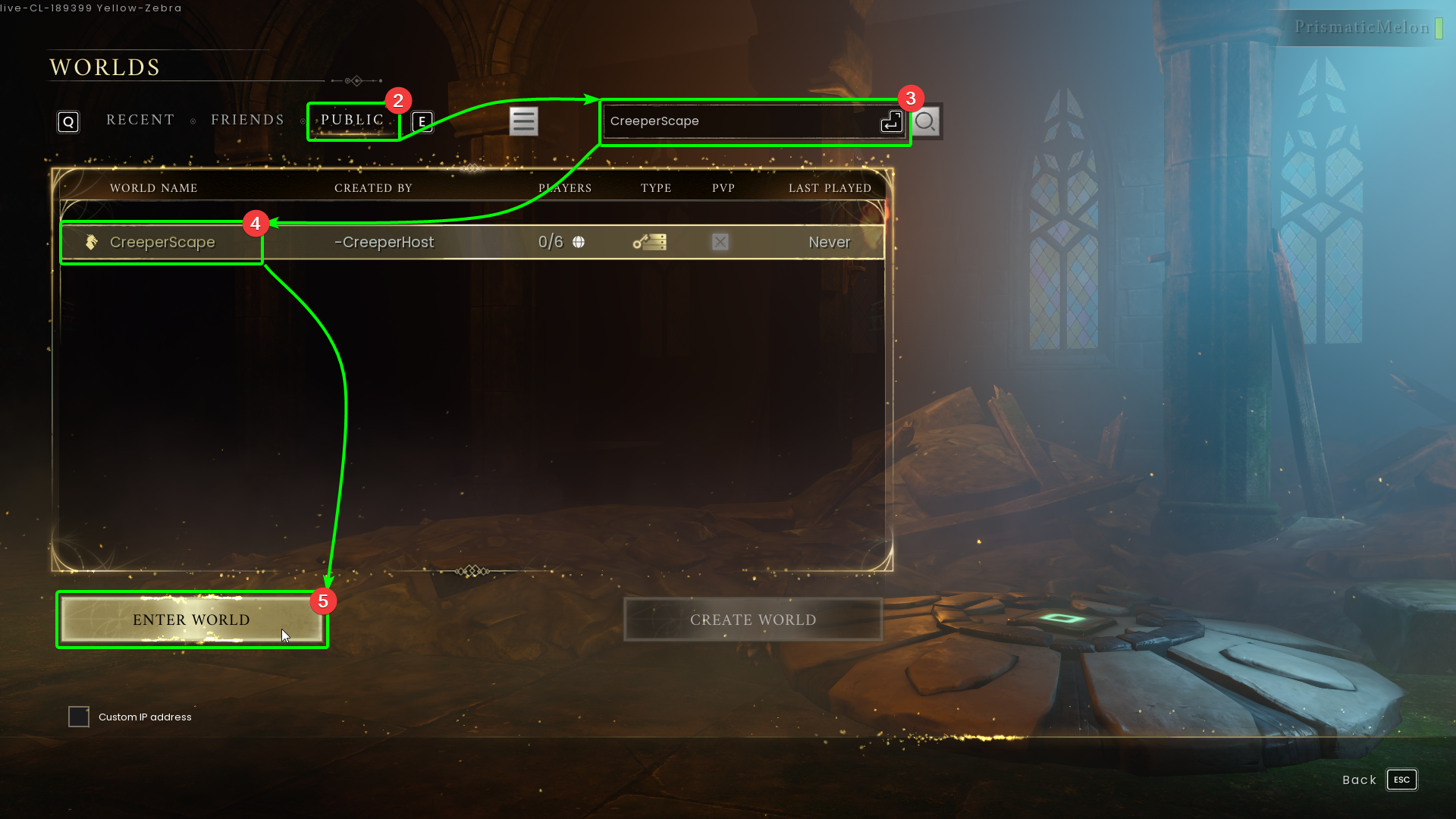
- Select the
Publictab at the top of the server browser, then, - Search for your server by name in the search bar at the top; hit enter when done.
- Select your server from the list, then
- Select
Enter Worldat the bottom.
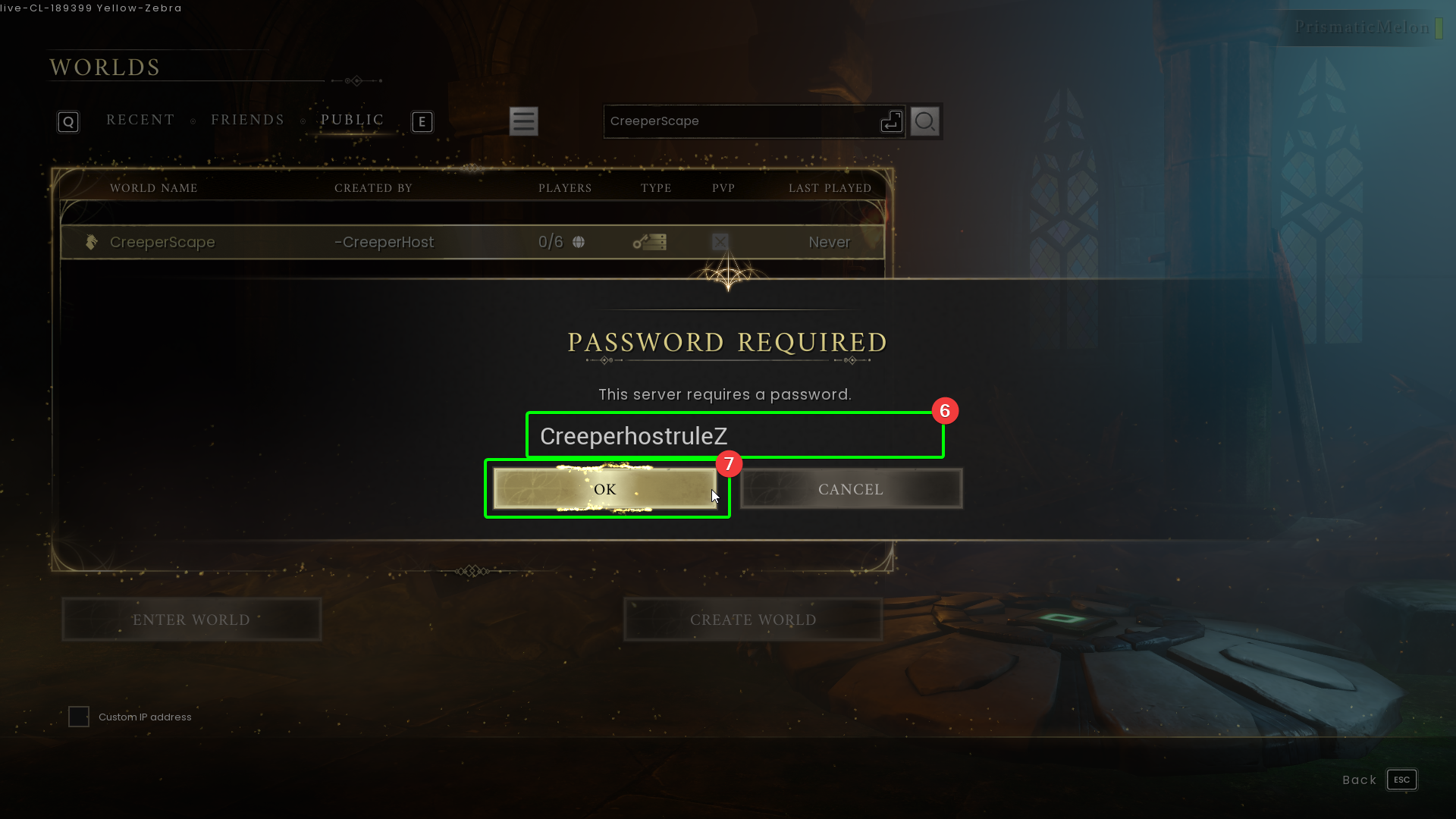
- If you have set a server password, you will need to enter it in the password field.
- Select
OK.
You should now connect to your server; time to explore the continent of Ashenfall!