Creating a RuneScape: Dragonwilds instance
You'll find creating a RuneScape: Dragonwilds instance easy using the CreeperPanel. To get started;
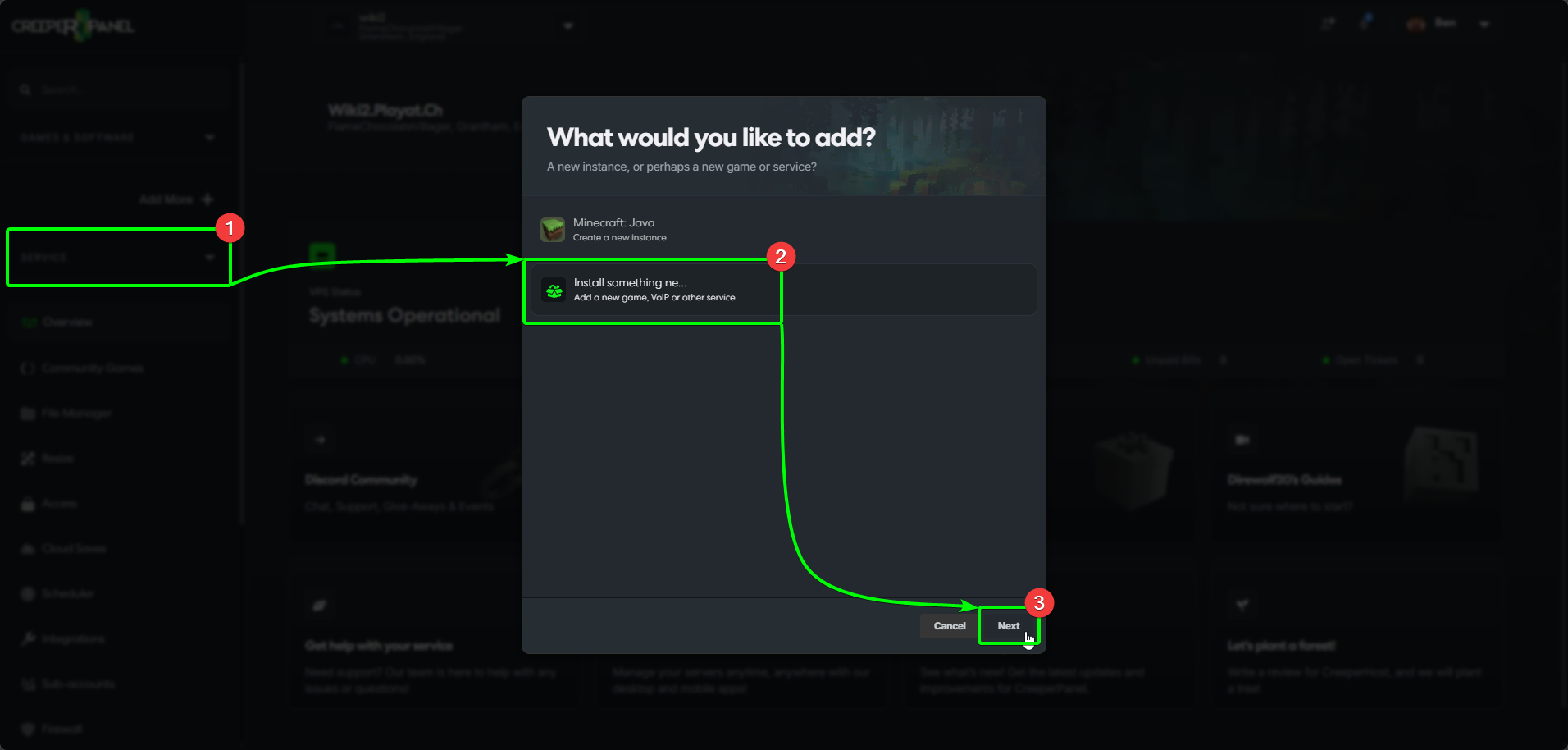
- Select
Add More +from the CreeperPanel's side-bar. - Select
Install something newfrom the menu, then, - Select
Next.
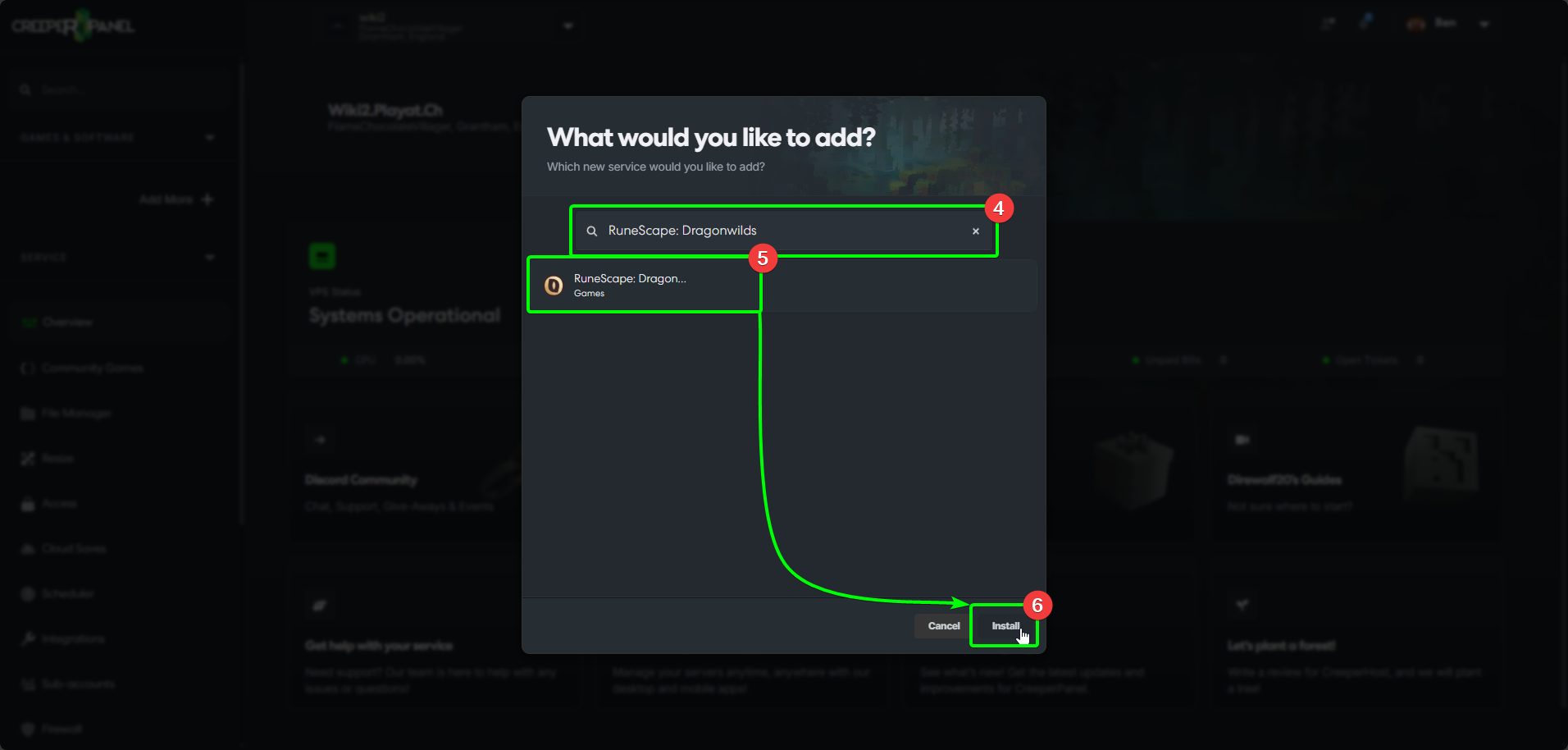
- In the search box, enter
RuneScape: Dragonwilds- the results will auto-populate as you type. - Select
RuneScape: Dragonwildsfrom the list, and then, - Select
Install.
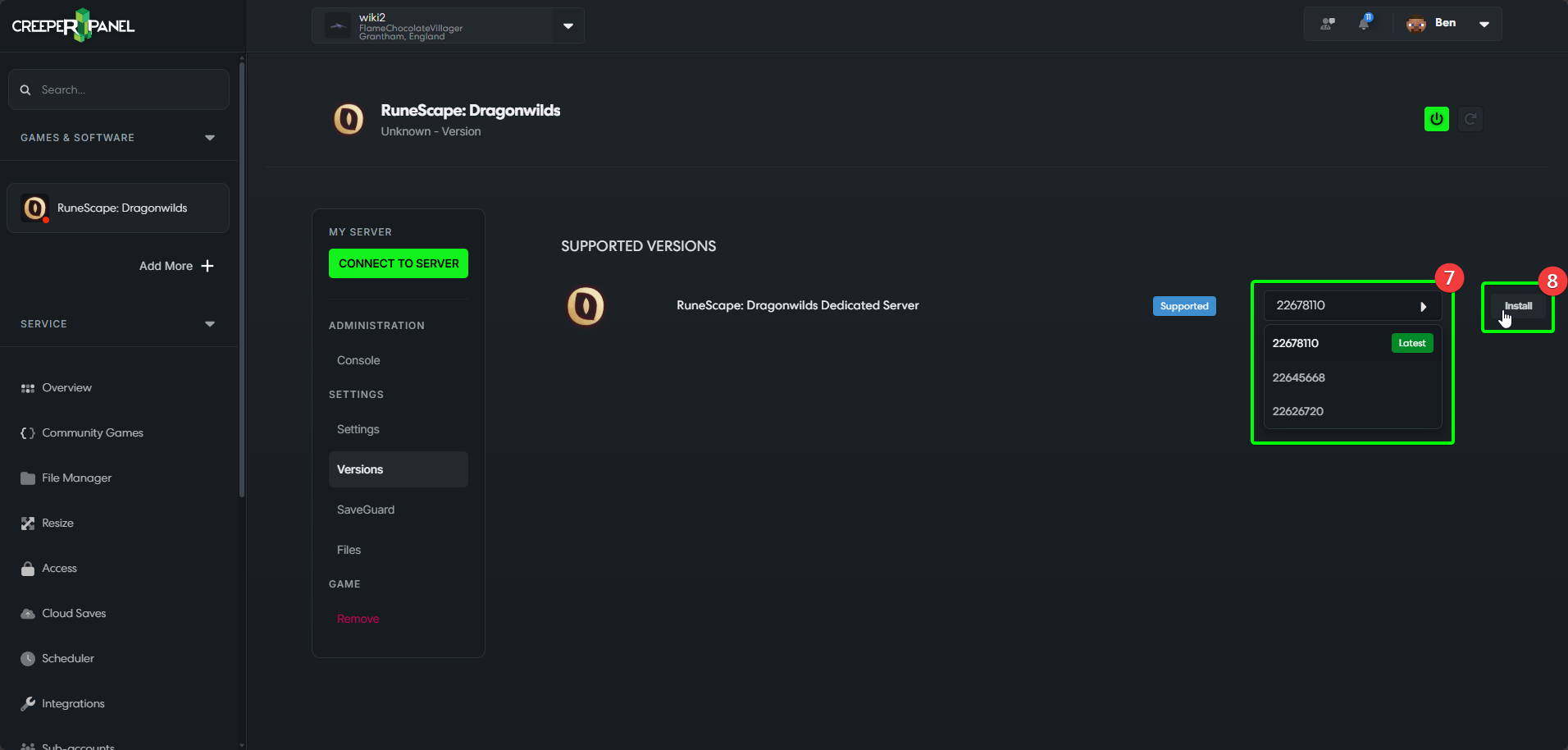
- Select the version you wish to use from the drop-down list, then
- Select
Install.
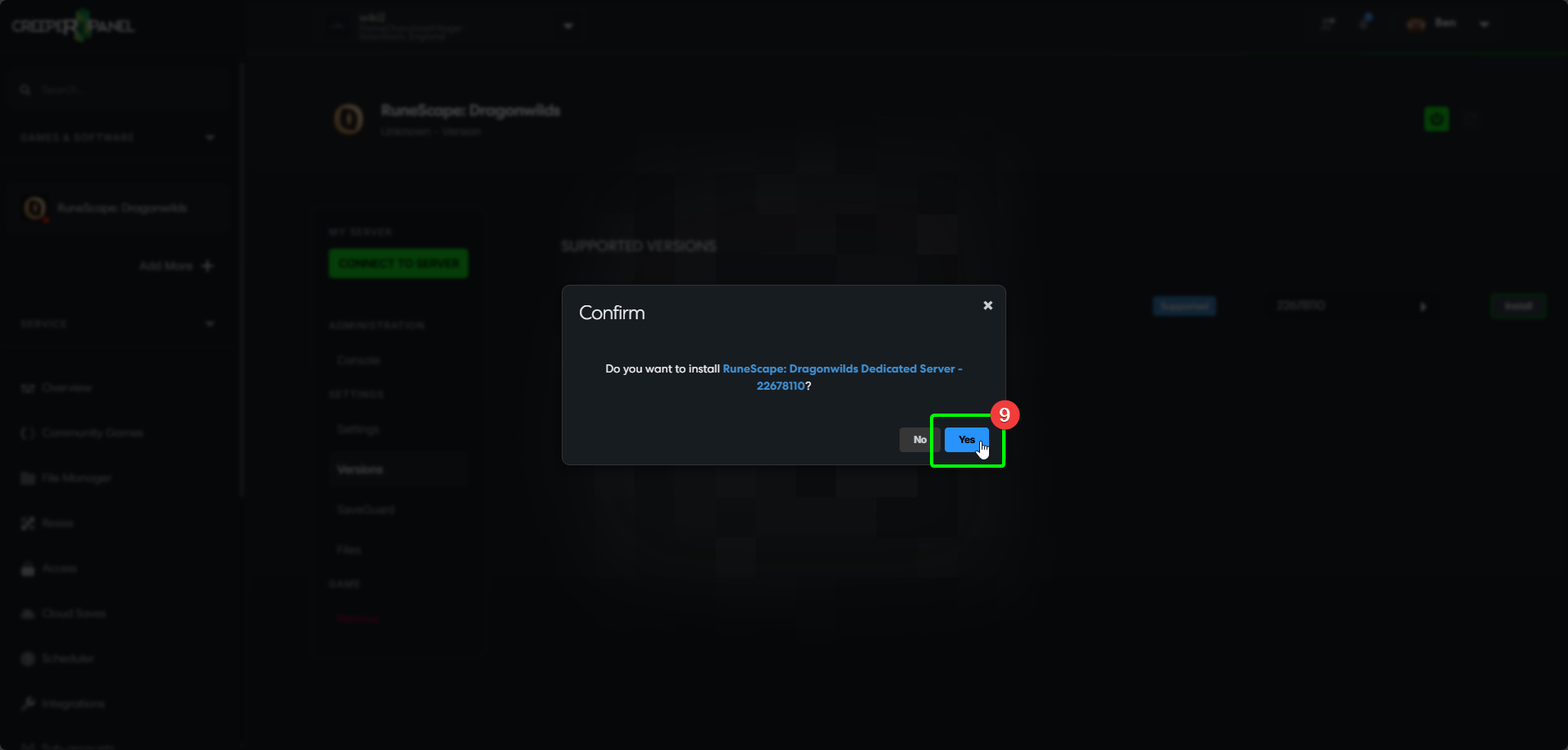
- Select
Yesin the pop-up to confirm the installation.
warning
It's recommended you customise your settings before starting your server for the first time. For a guide on changing settings via the Panel, head to our Settings Guide for RuneScape: Dragonwilds.
That's it! The Panel will keep you informed of the status of the installation process. Feel free to familiarise yourself with the Panel whilst you wait for the installation to finish.