Changing the Settings for your Rising World instance
To get started changing your Rising World instance settings:
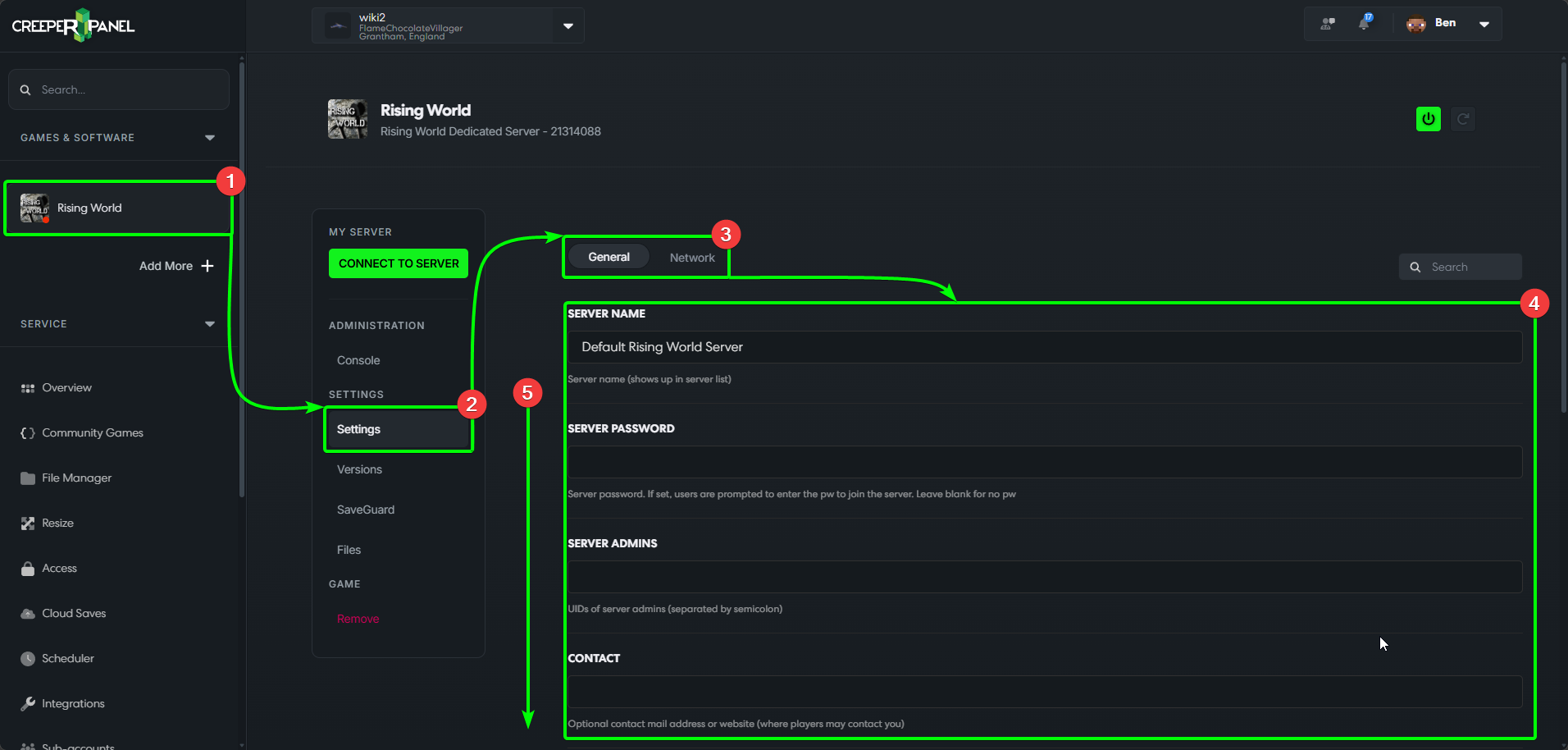
- Select
Rising Worldin the CreeperPanel's side-bar. - Select
Settings, found underSettingson the sub-menu. - You'll see the available settings categories at the top.
- Available settings are visible in the main window.
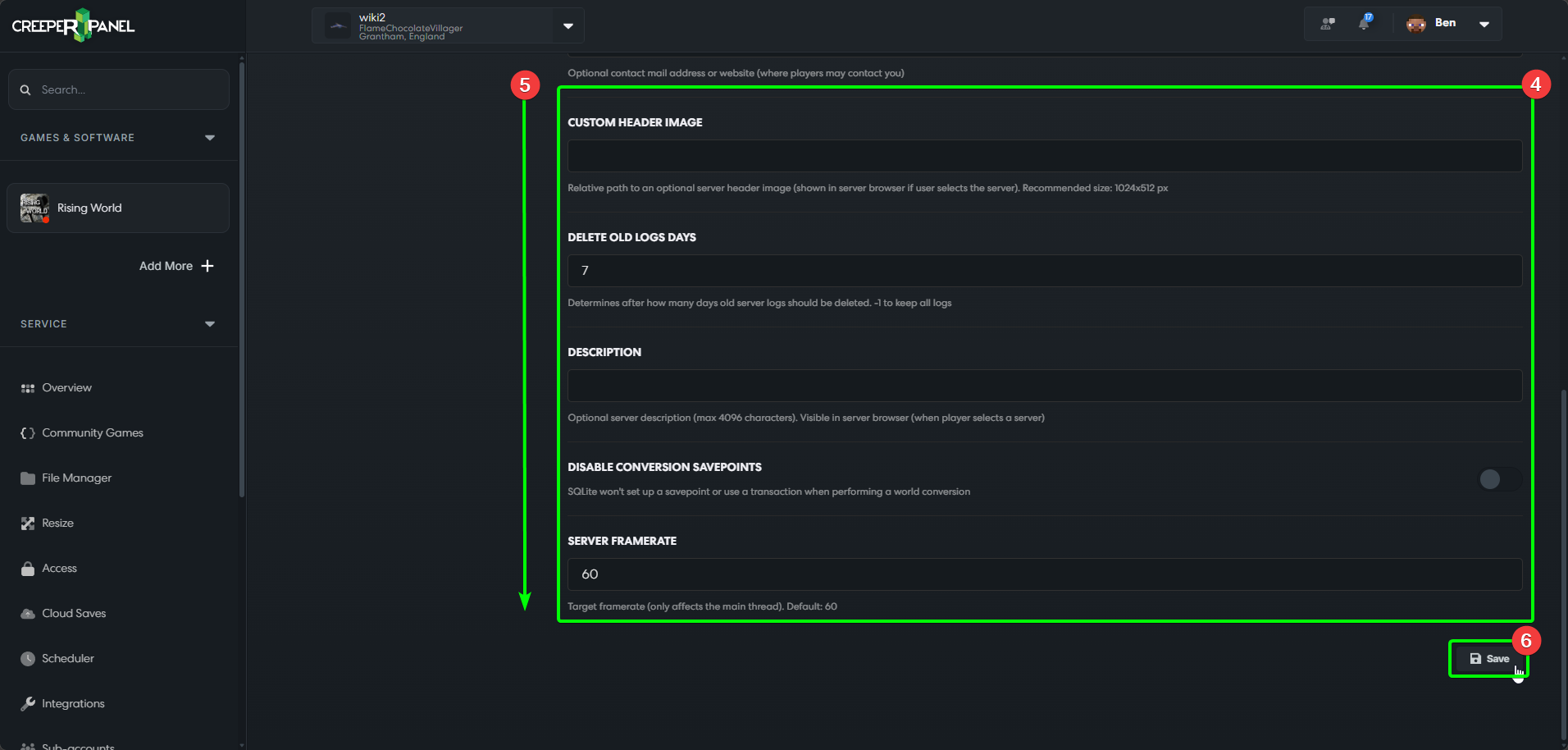
- You may need to scroll down to see all available settings.
- At the bottom of the page, you will find the
Savebutton icon. Make sure to save any changes before navigating away from the current tab to ensure they persist.
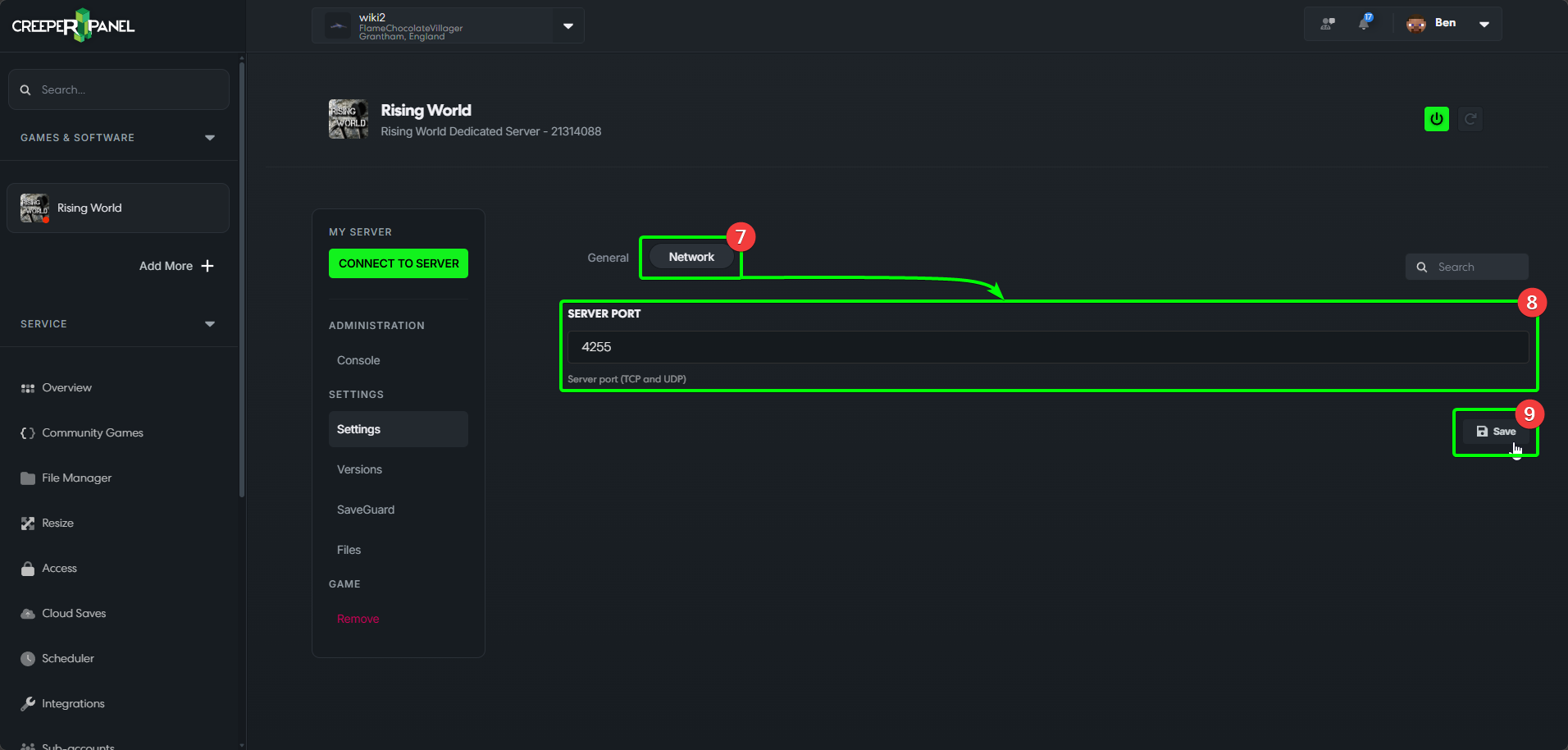
- Selecting the
Networktab will show you the available network settings. - You'll see the available settings in the main window.
- Remember to save your changes before navigating away!
That's it for now! Remember to check back after any updates in case new settings have been made available.