Workshop Resources
If you are experiencing missing textures, models, or sounds whilst using Workshop content, you may need to create a file named Workshop.lua in Garry's Mod's server directory. To begin, log in to the CreeperPanel, then:
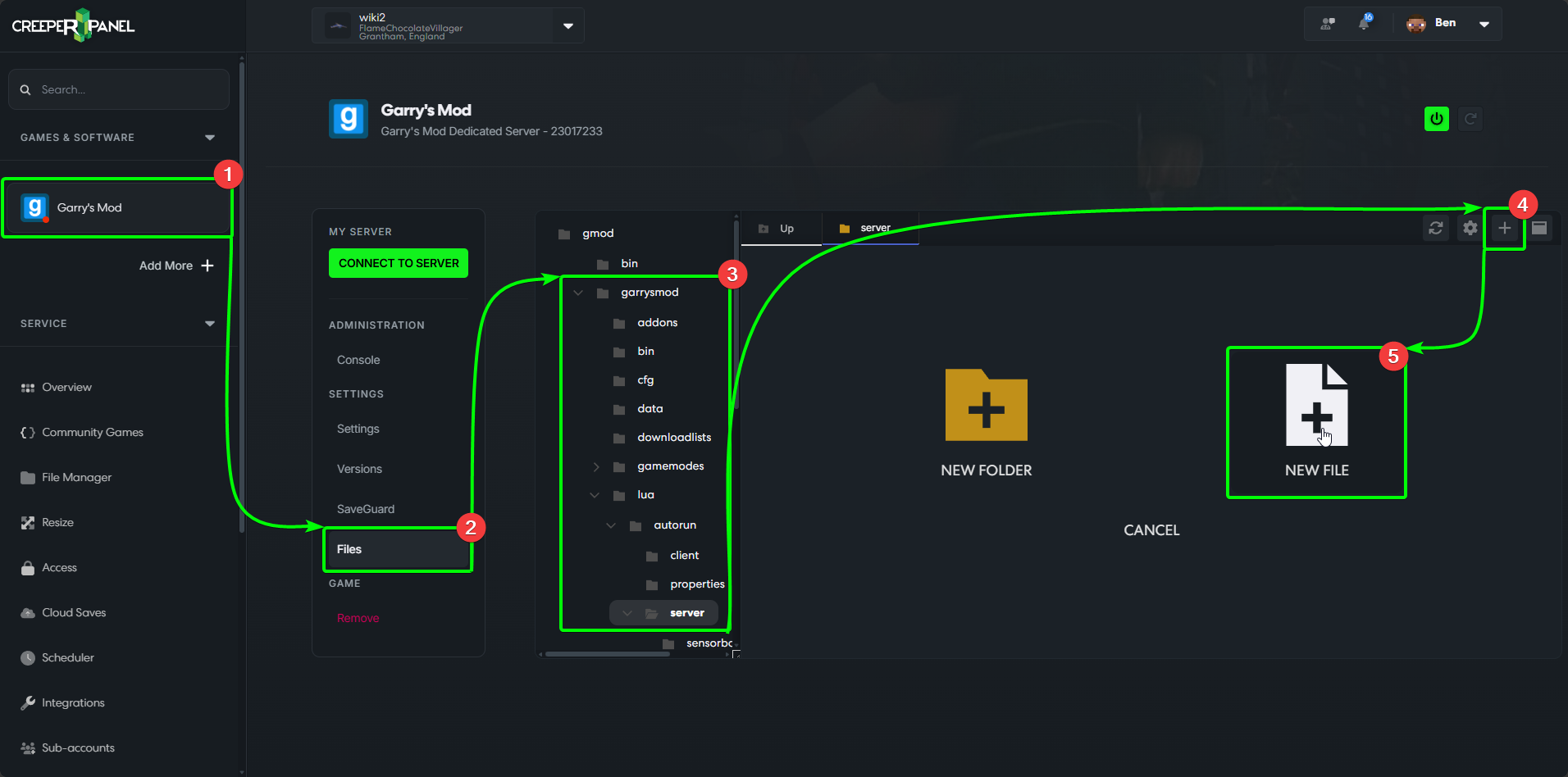
- Select your
Garry's Modinstance in the sidebar, underGames & Software. - Select
Filesin the instance's submenu. - Navigate through the following directories:
garrysmod>lua>autorun>server. - Once in the
serverdirectory, select the+button in the top right of the File Manager. - Select
NEW FILE.
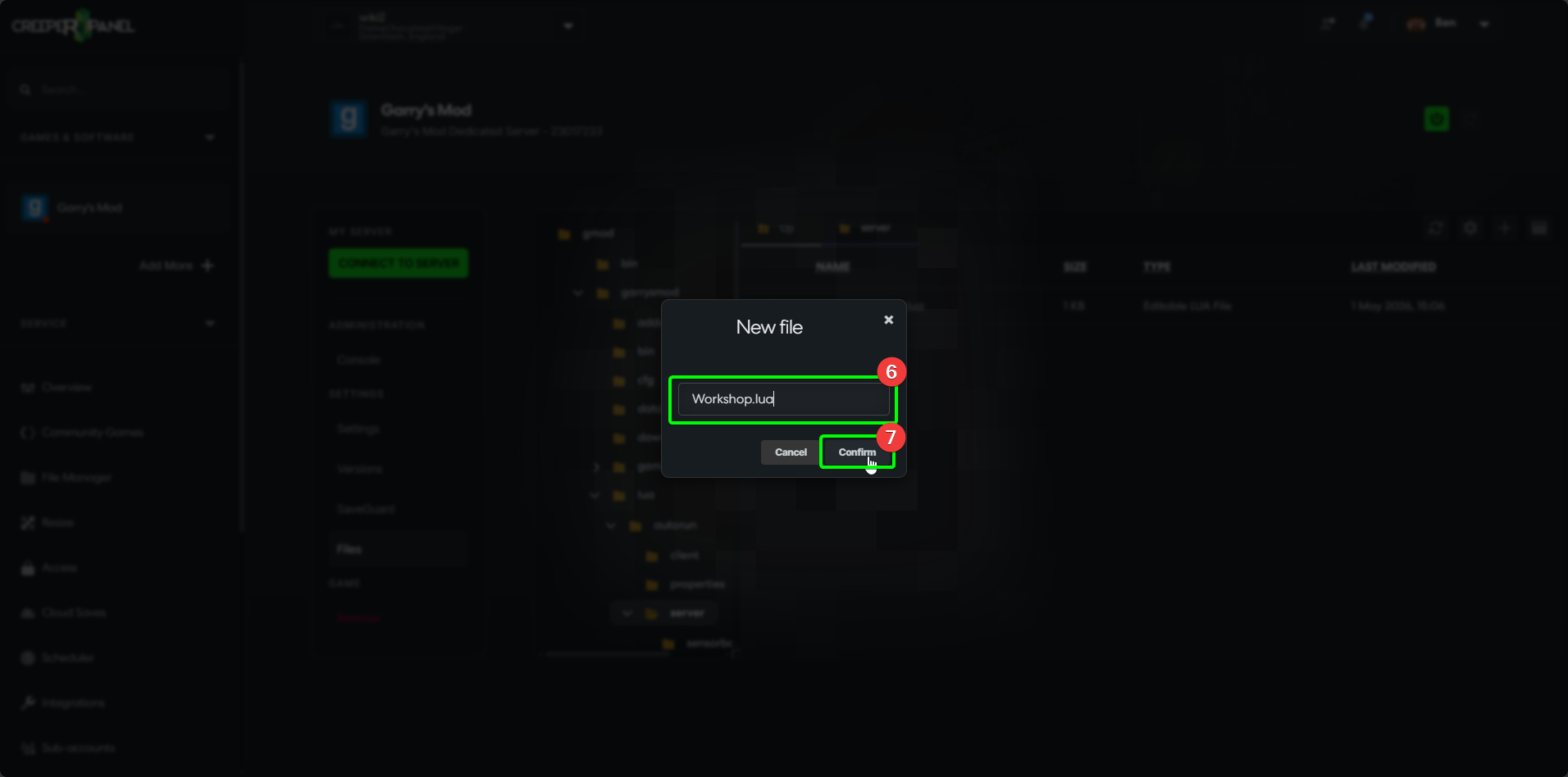
- The Panel will open a popup, prompting you to name your new file. Enter
Workshop.luain the text field. - Select
Confirmto create the file.
info
If you are using a Workshop collection, you can use a website such as https://www.yourdevtools.com/gmod/workshop or similar to automatically generate the required contents of the Workshop.lua file from the collection's Workshop ID. You can then copy and paste the result into your newly created Workshop.lua file.
- The Panel will automatically open your new
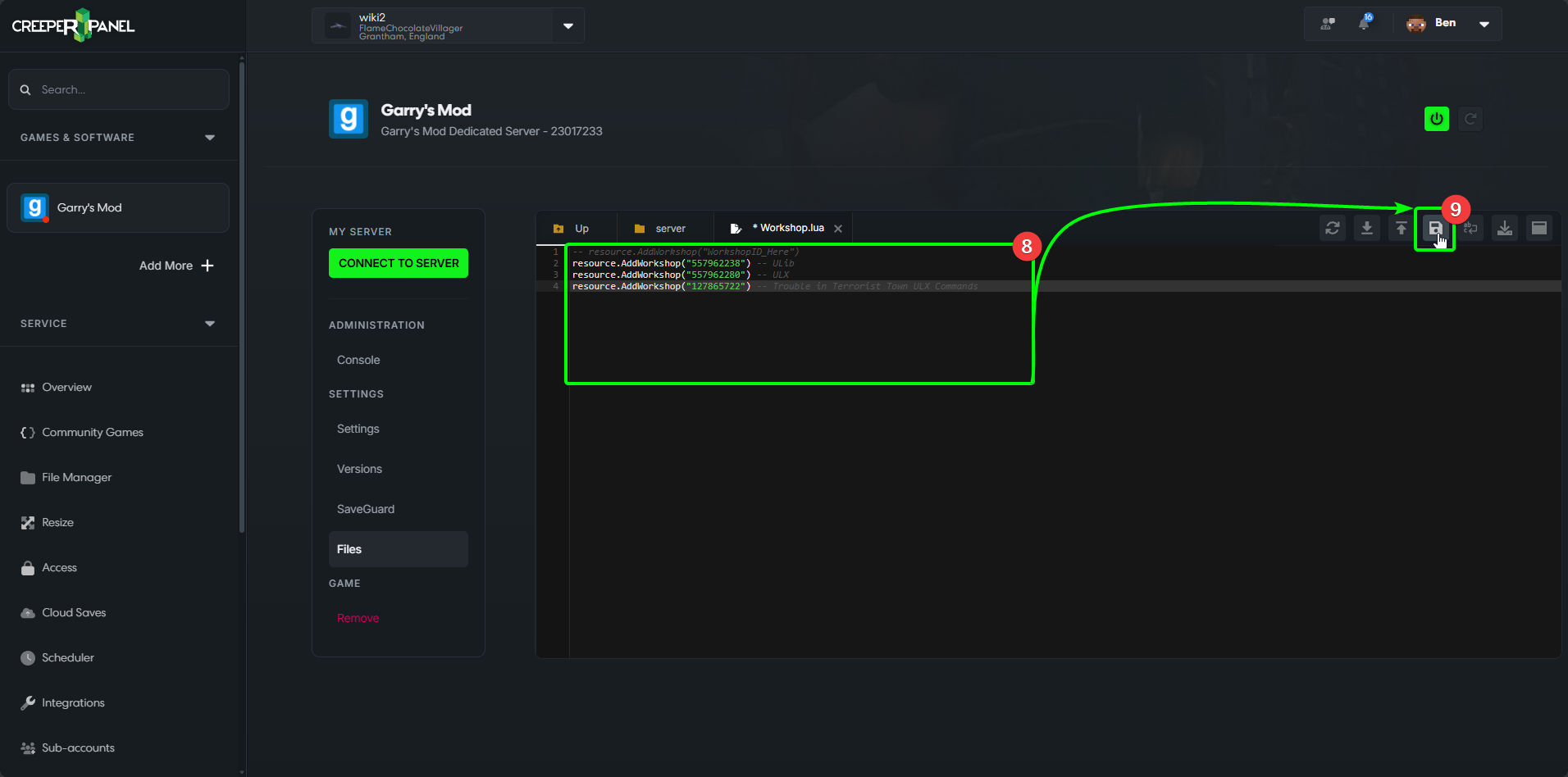
Workshop.luafile. You'll now need to add your desired Workshop content IDs, formatted as shown below:
-- resource.AddWorkshop("WorkshopID_Here")
resource.AddWorkshop("557962238") -- ULib
resource.AddWorkshop("557962280") -- ULX
resource.AddWorkshop("127865722") -- Trouble in Terrorist Town ULX Commands
- When you have added the required Workshop IDs, select the
Savebutton in the top right of the File Manager.
Awesome - when you next load your server, it will automatically download the specified Workshop content.