Changing your Don't Starve Together server settings
The CreeperPanel allows you to easily change your settings for Don't Starve Together. To get started:
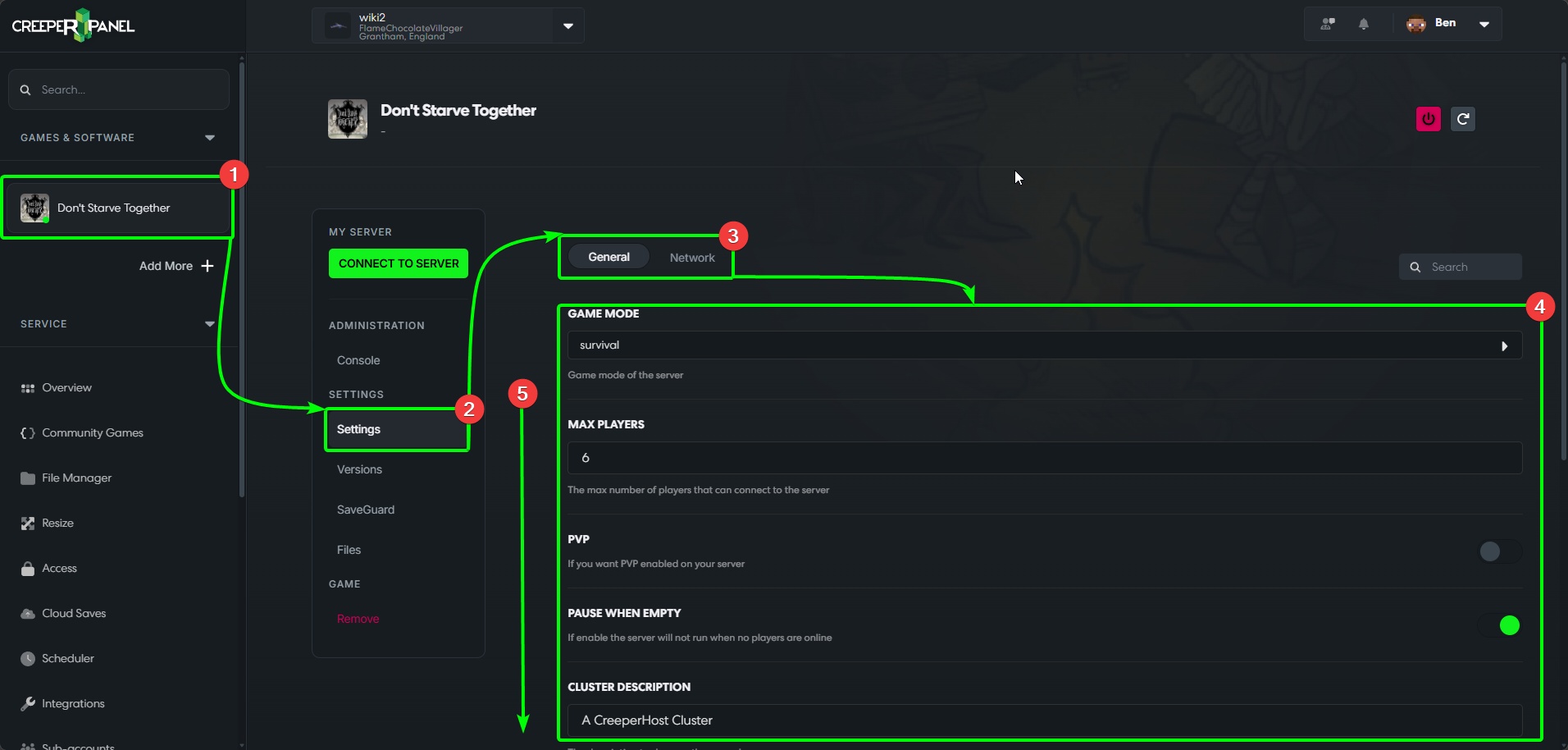
- Select your DST instance from the CreeperPanel, then:
- Select
Settings, found underSettingson the game's sub-menu. - Here you can choose between
GeneralorNetwork.Generalis the default view, and covers basic settings like server name, MOTD etc., whilstNetworkcovers IP and port settings. - You can see your available settings in the main body of the CreeperPanel
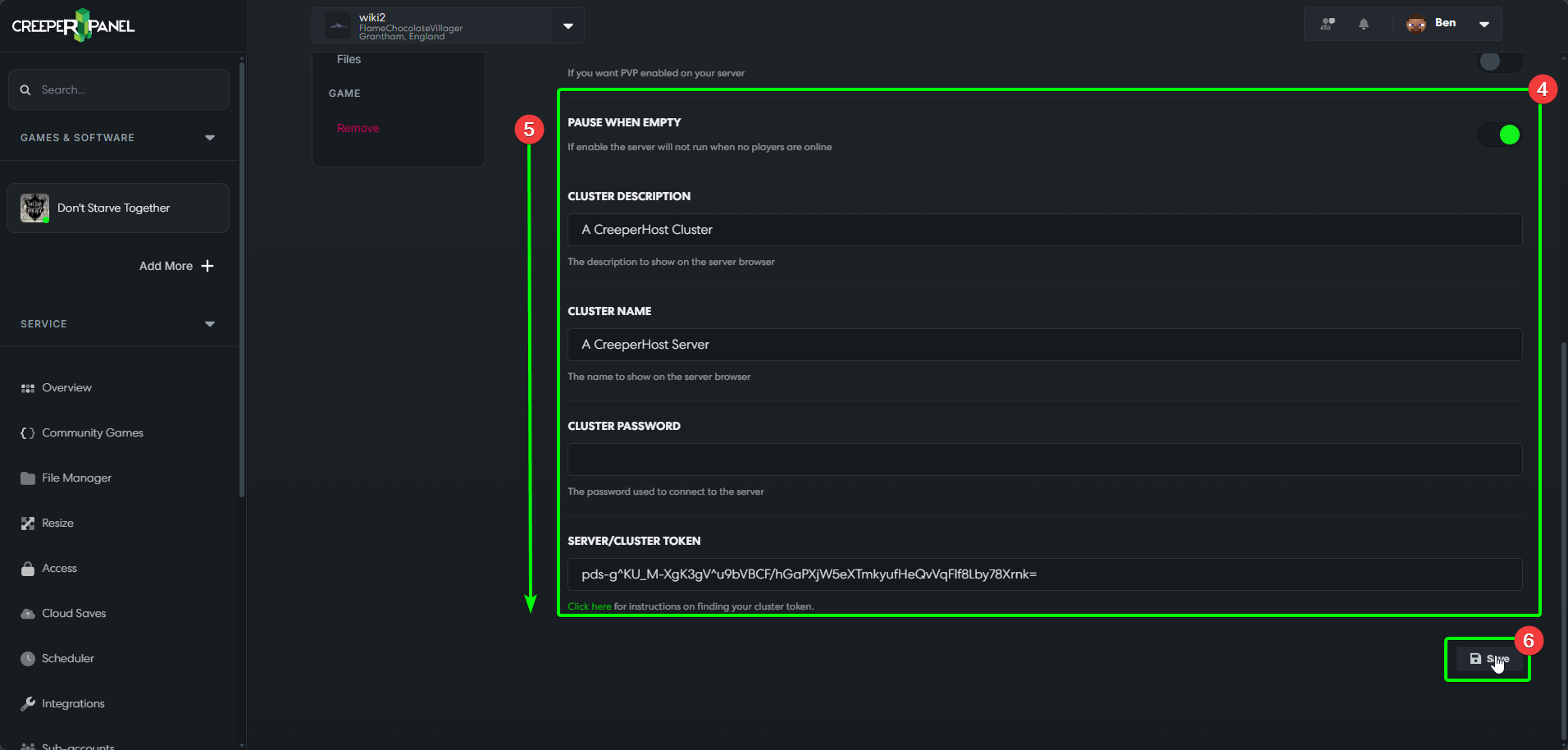
- You may need to scroll down to see the rest of the settings.
- Scrolling to the very bottom will show the
Savebutton. You MUST save any changes you make before navigating away from the settings, otherwise the changes won't take effect.
- Selecting
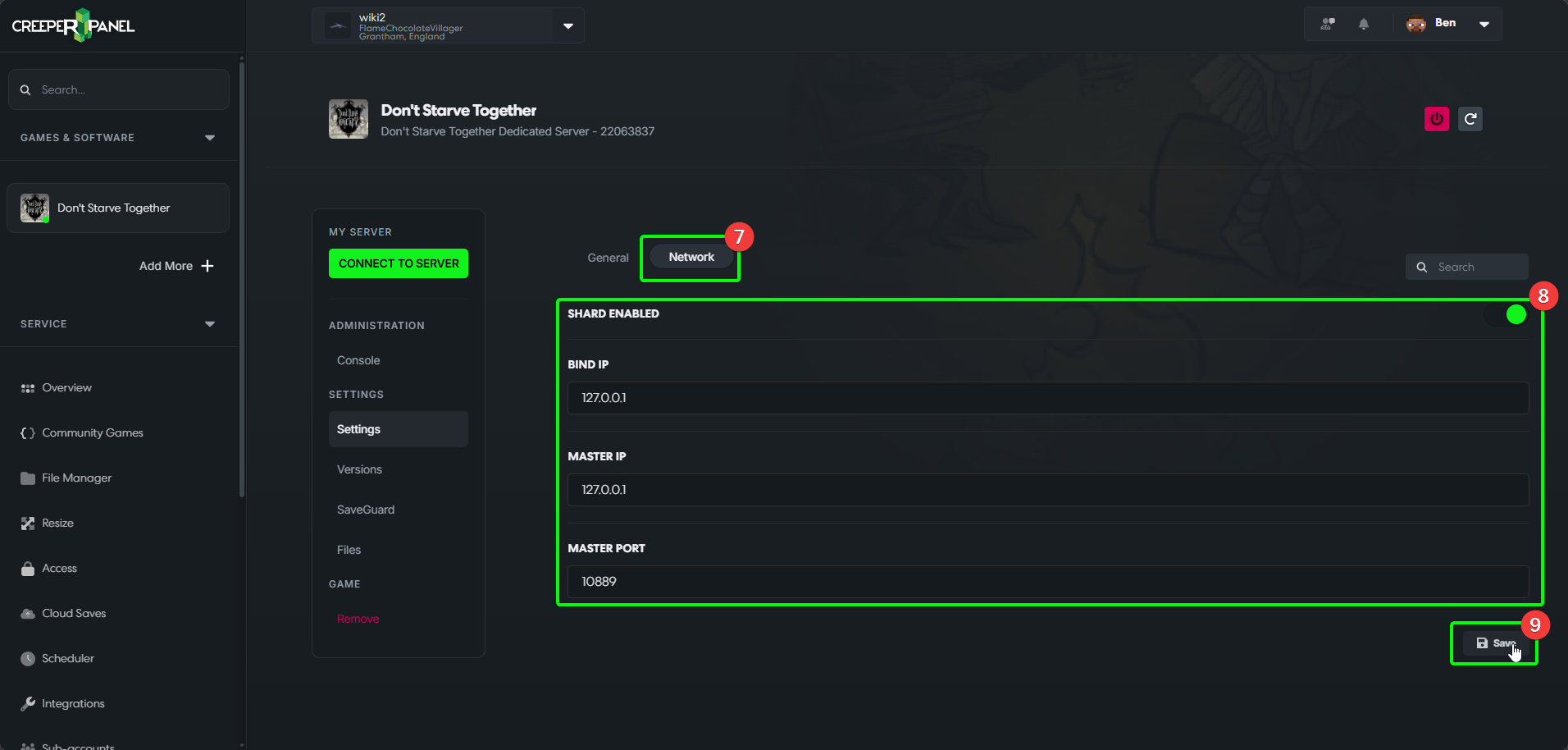
Networkwill show you the available network-related settings. - You can see the
Networksettings displayed in the main body of the CreeperPanel. - You'll see the
Savebutton at the bottom again - remember to save your changes!
That's it! You now know how to configure your Don't Starve Together server directly through the CreeperPanel!