Connecting to your Don't Starve Together instance
info
Before trying to connect to your Don't Starve Together instance, first ensure it is switched on in the CreeperPanel.
It's easy to get connected to your Don't Starve Together instance. To begin:
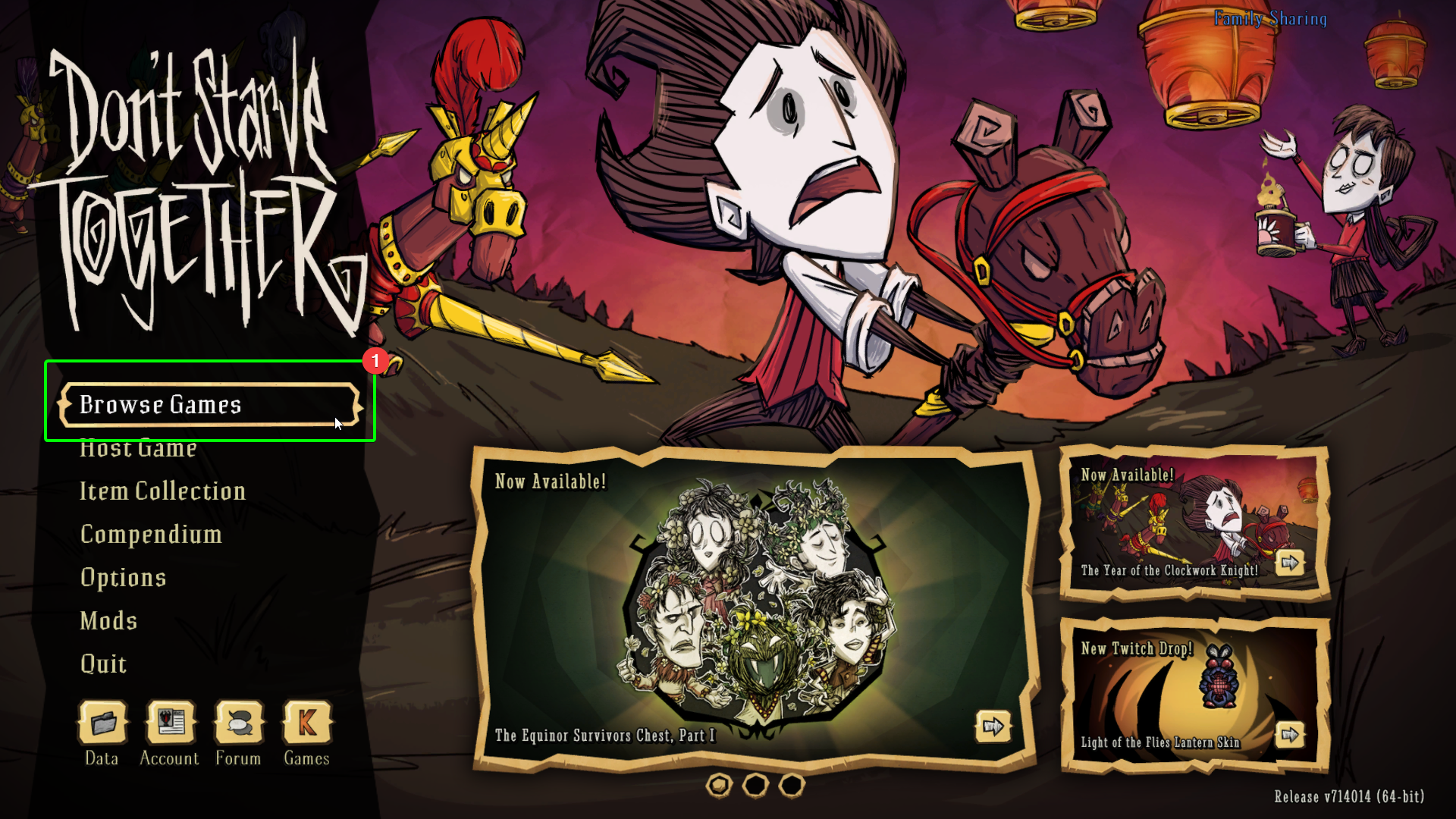
- Open up Don't Starve Together - once you're at the main menu, select
Browse Gamesfrom the menu.
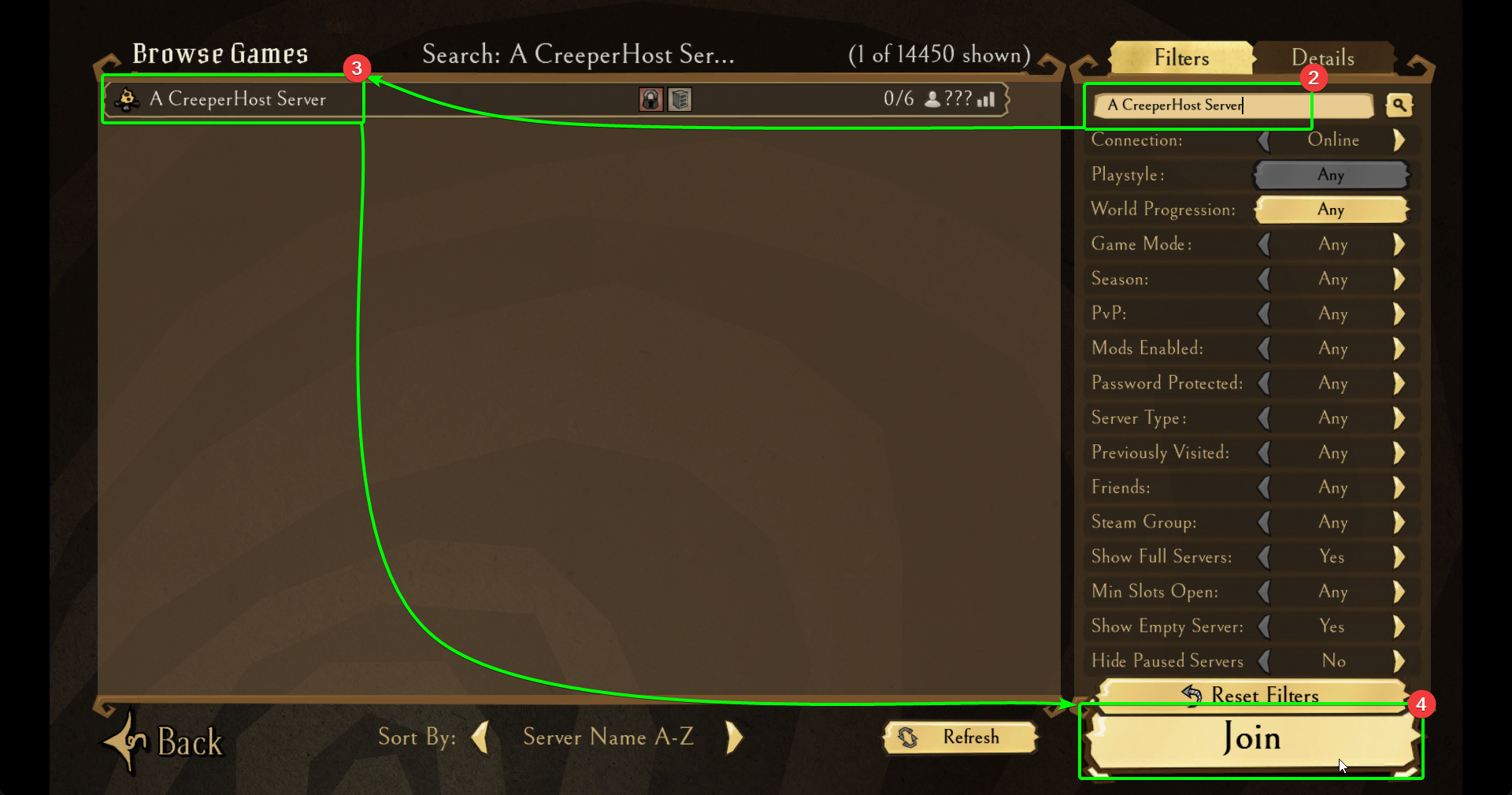
- Now you're on the server browser, use the search bar in the top right to look for your server's name. The results should auto-populate as you type.
- Select your server from the list.
- Select
Joinin the bottom right - you should now start connecting!
- If you have set a password for your server, enter it into the password field, then
- Select
Join,
You should now connect to your server! Awesome!