Connecting to your ARK: Survival Ascended Server
info
Before trying to connect to your ARK: Survival Ascended server, ensure that you have switched it on.
Connecting to your ARK: Survival Ascended server is a simple process. To begin:
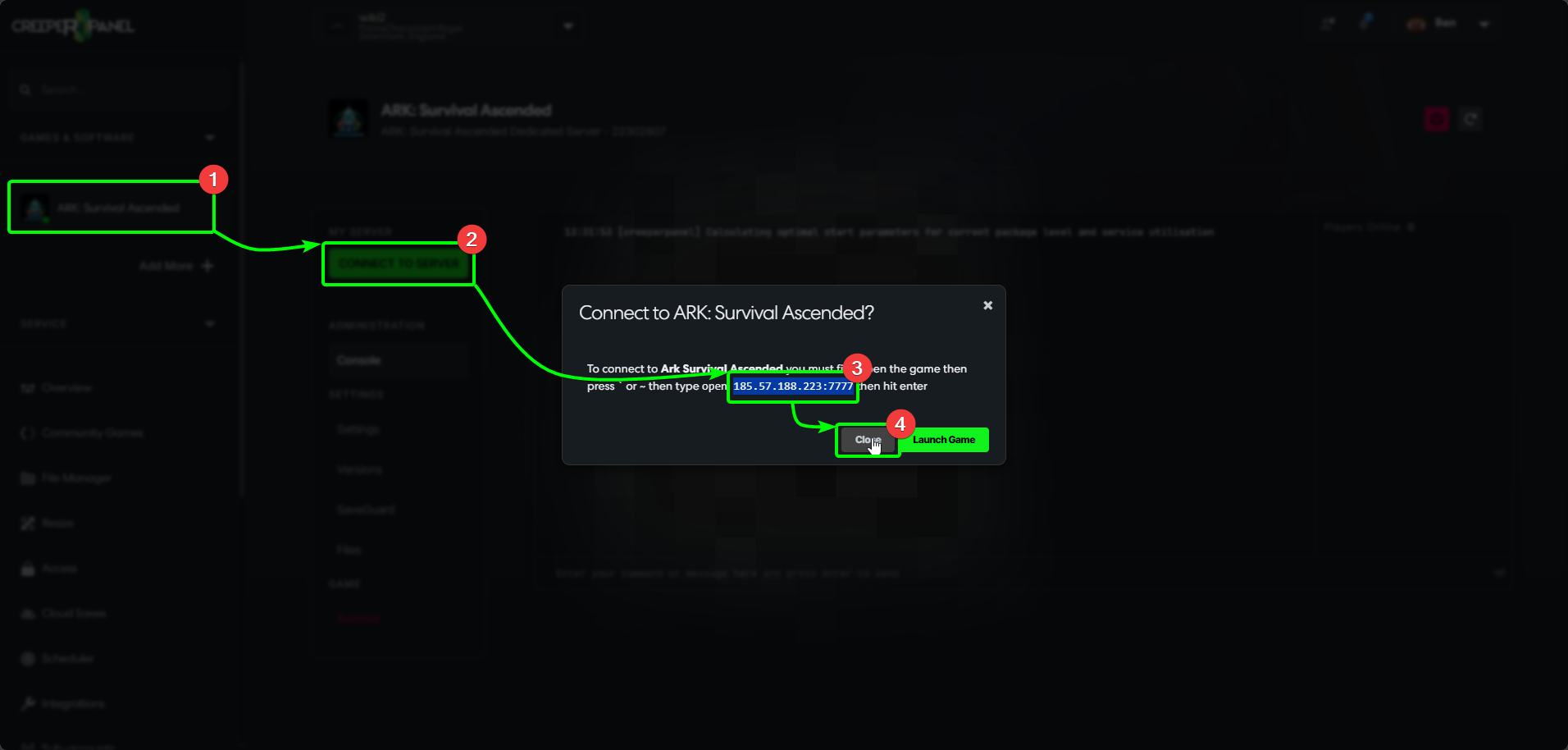
- On the CreeperPanel, select the ARK: Survival Ascended instance you wish to connect to from the Panel's side-bar.
- Select the green
Connect to Serverbutton - this will open a pop-up in the Panel. - You'll see your connection details in the pop-up; keep a note of them, as we will need them in a moment
- Close the pop-up. You can leave it open for the time being if you wish to keep your connection details handy.
Now you'll need to open ARK: Survival Ascended on your client machine. Once it's loaded:
- Open the console - this can be done by pressing either the
`or~key - and enter your connection information. Confirm it's correct, and hit enter to connect to your server.
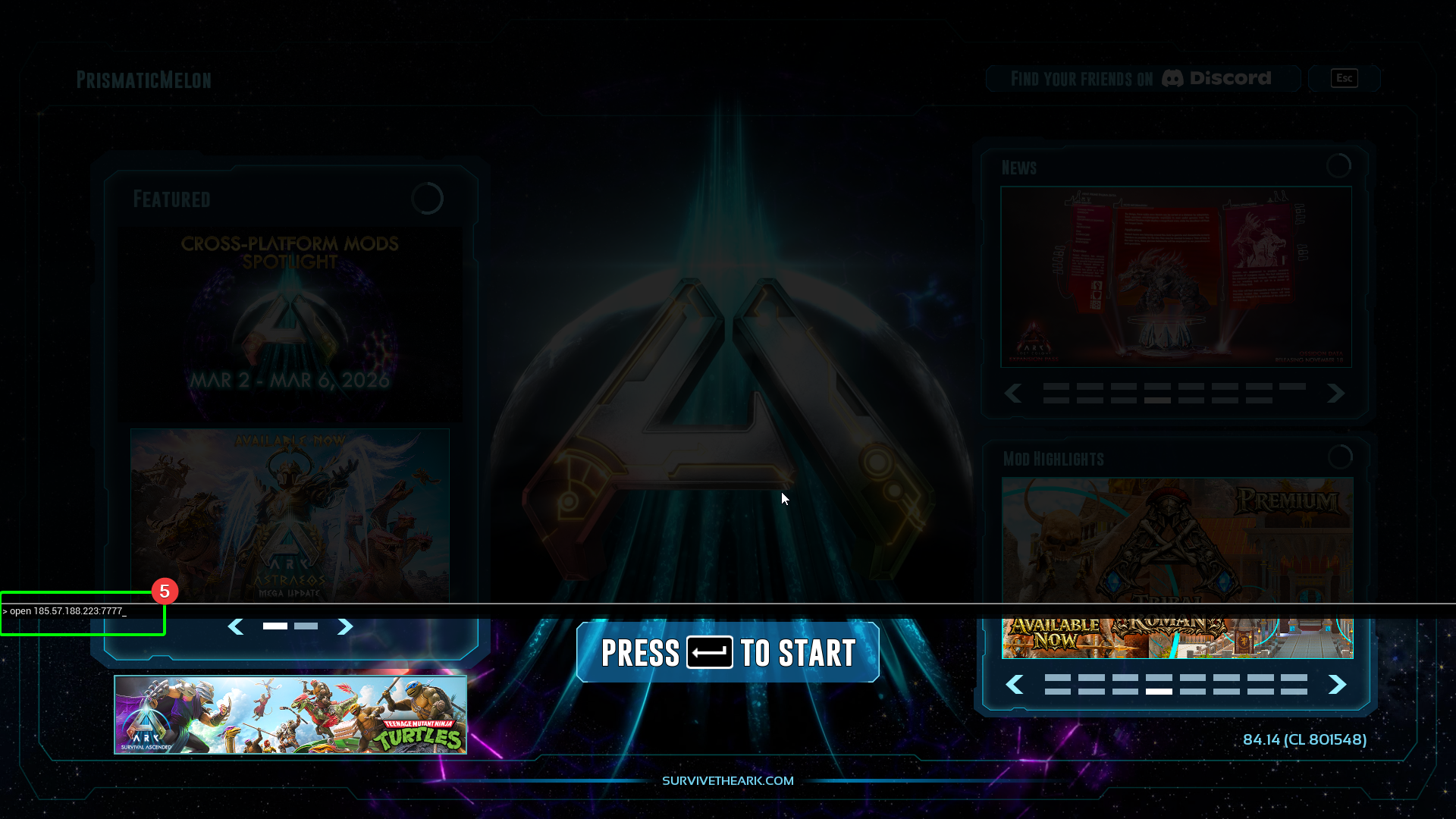
You should now start loading into your ARK: Survival Ascended server!