Creating your Abiotic Factor Server
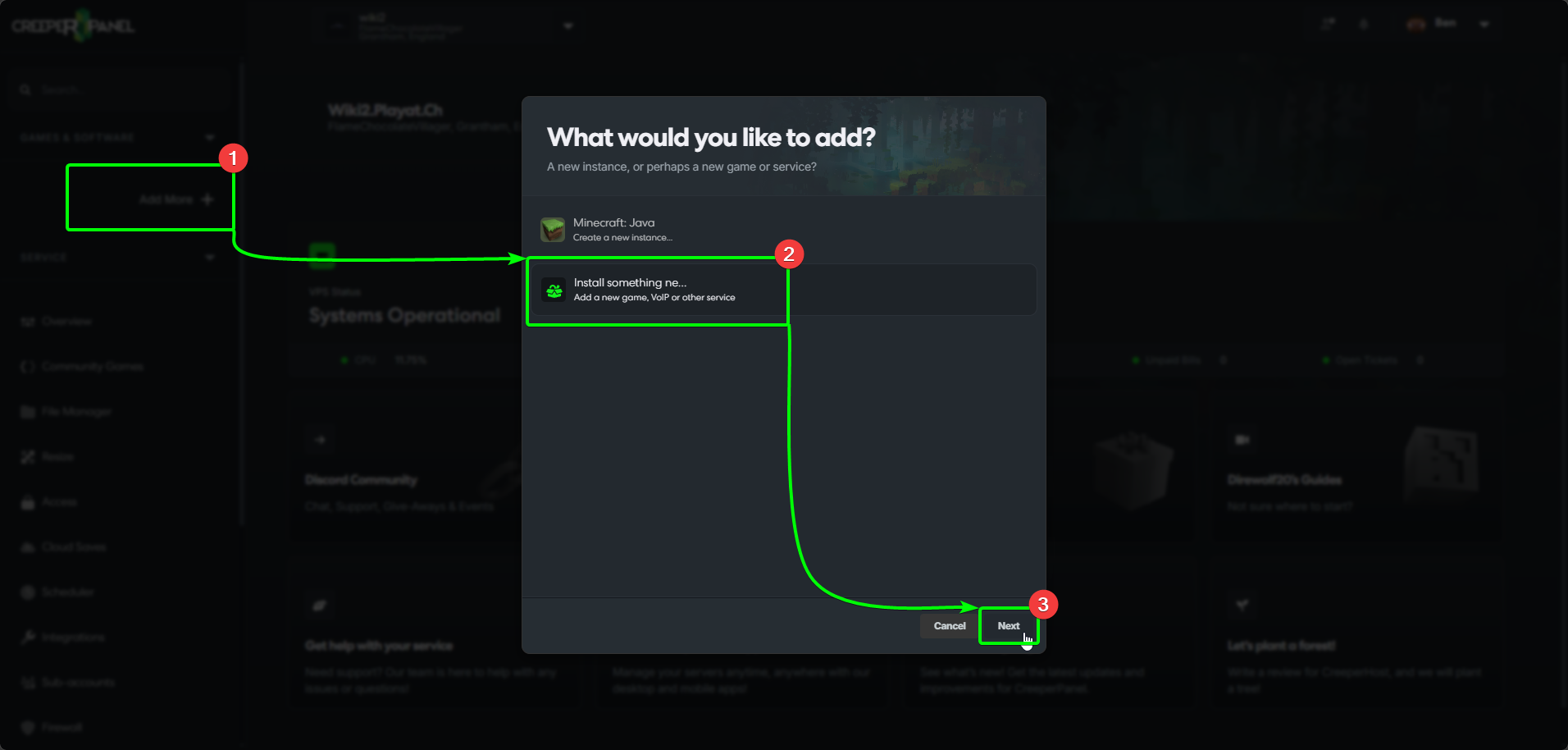
To start creating your Abiotic Factor Server, head to the CreeperPanel, then:
- Select
Add More +from the Panel's side bar, then, - Select
Install Something Newfrom the menu. - Select
Next.
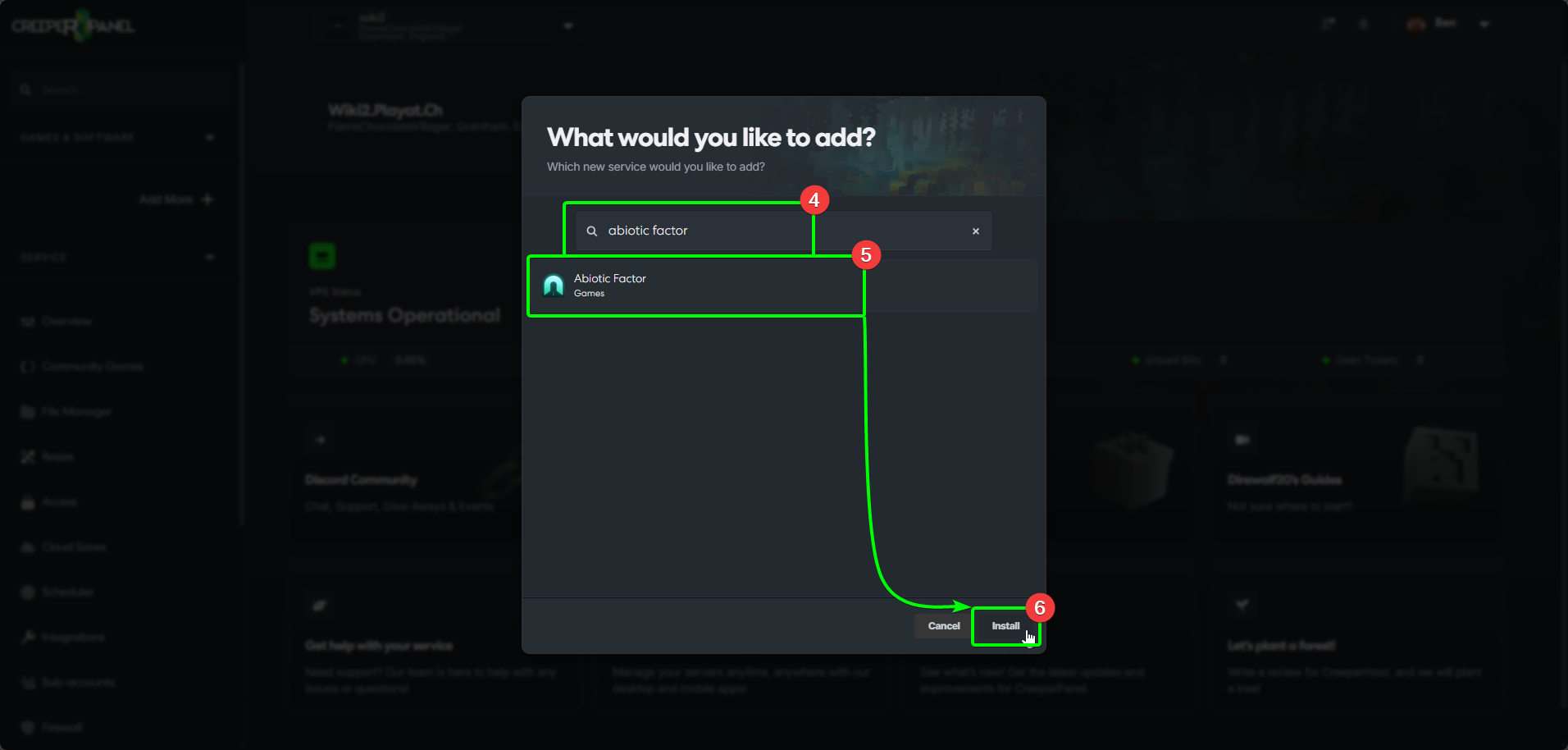
- In the search box, enter
Abiotic Factor- the results will autopopulate as you type. - Select
Abiotic Factorfrom the list, then - Select
Install.
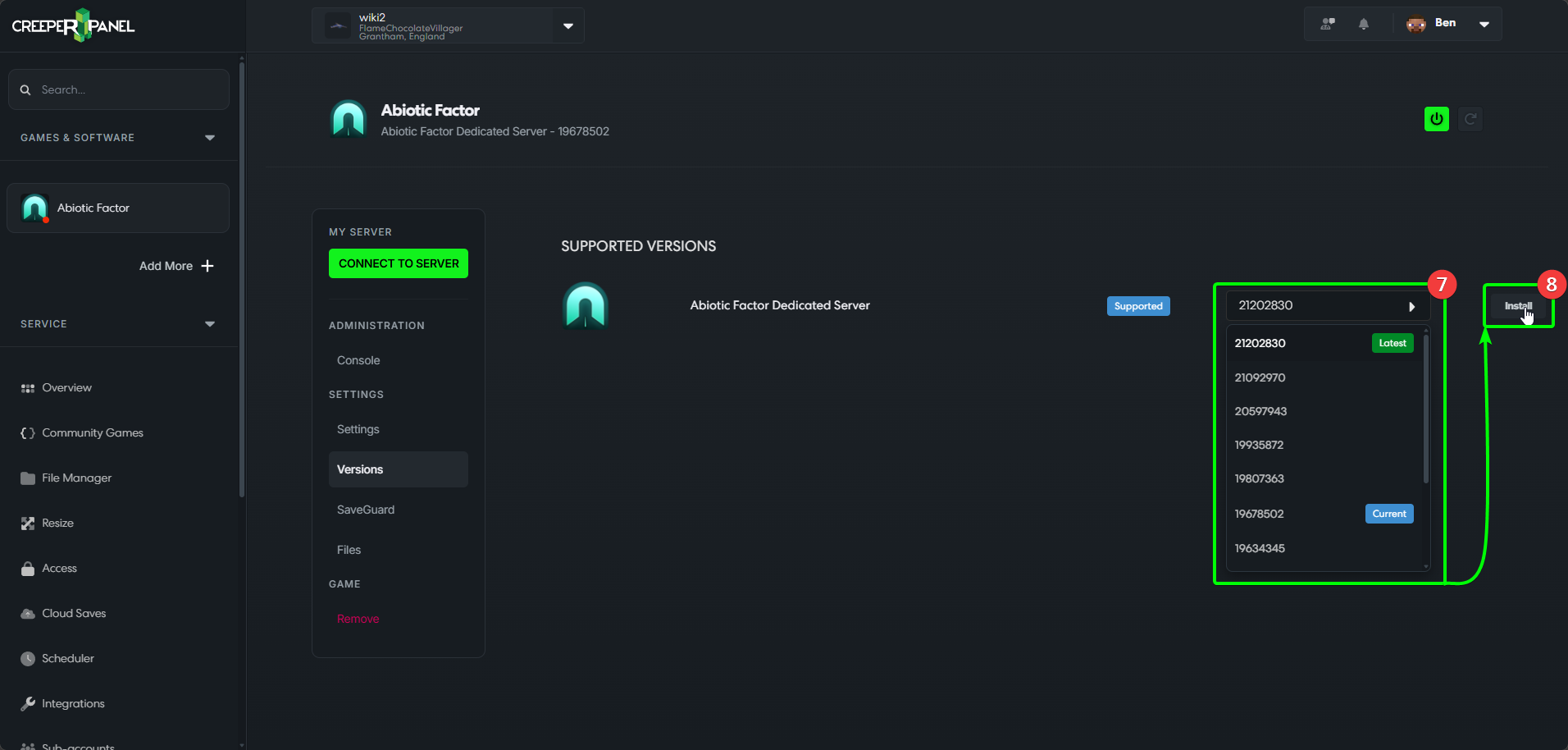
- Next, select the version of Abiotic Factor you wish to install from the version dropdown list, then,
- Select
Install.
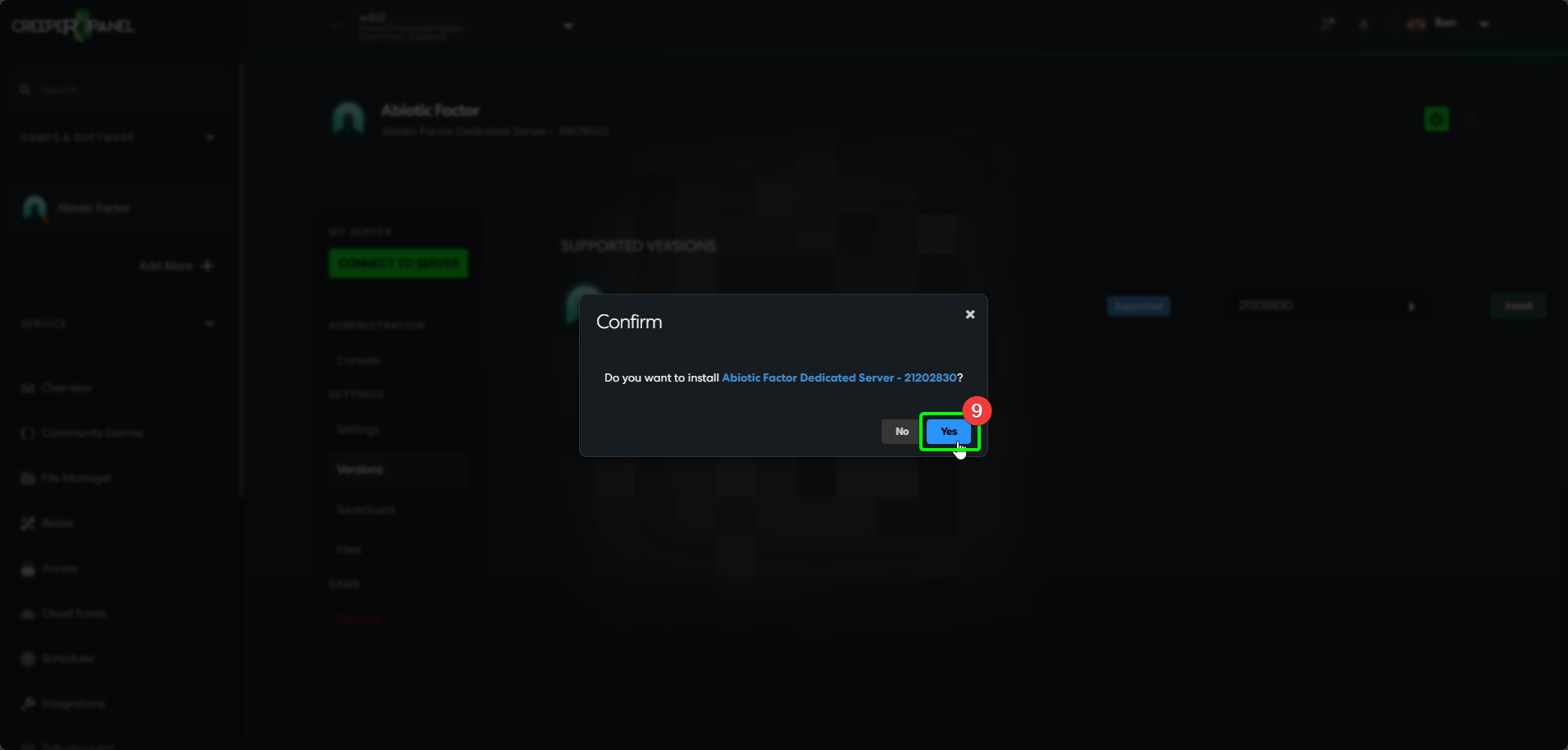
- The Panel will open a popup asking if you wish to install or cancel - select
Install.
That's it - you're now a creation master! Your next steps are getting connected and playing on your server!