Changing settings for your Stardew Valley instance
As always with the CreeperPanel, altering your game settings couldn't be easier. To get started;
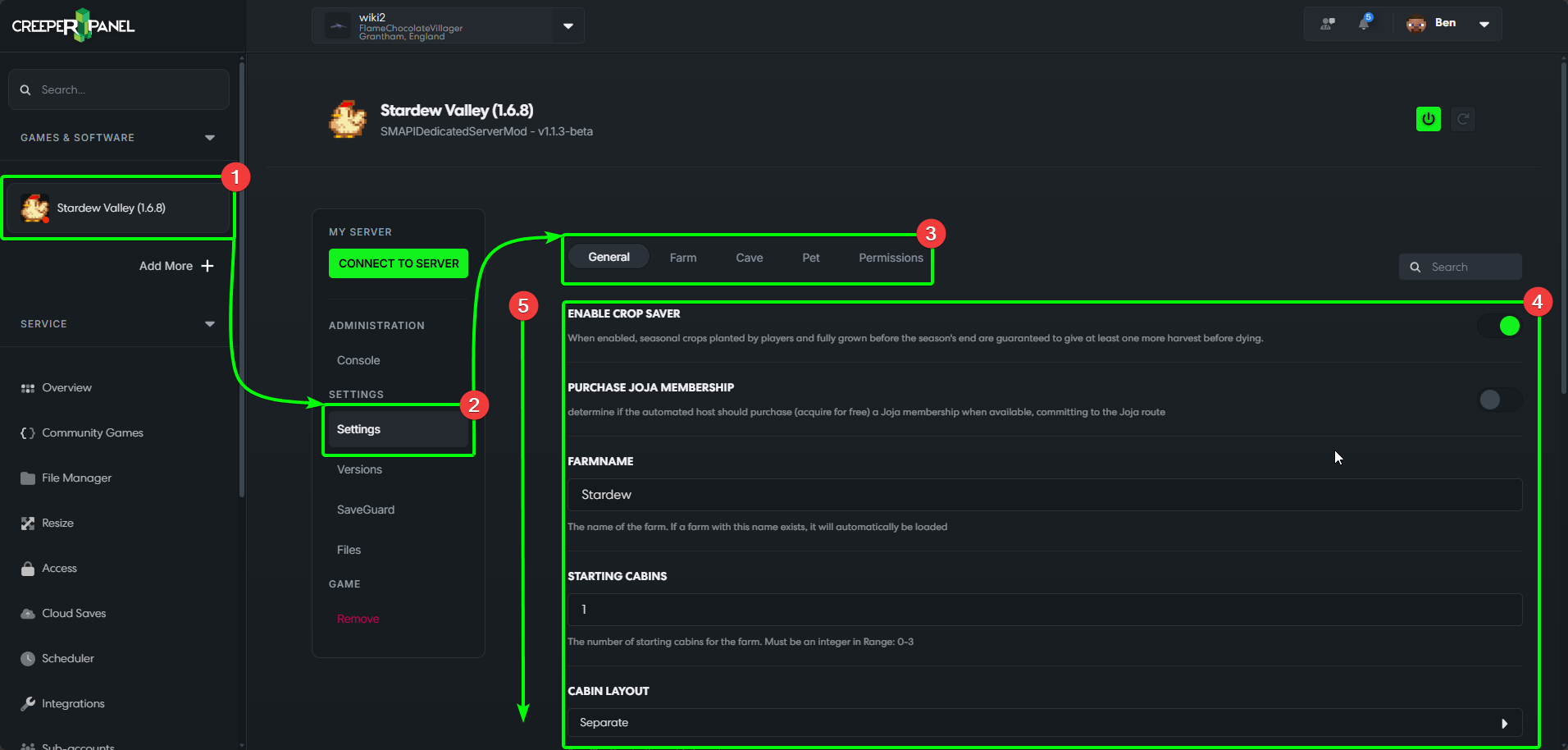
- Select your Stardew Valley instance on the CreeperPanel, then
- Navigate to
Settings, found underSettingsin the instance's submenu. - You'll be taken to the
Generaltab by default. - This tab contains general world settings for cabins, money, etc.
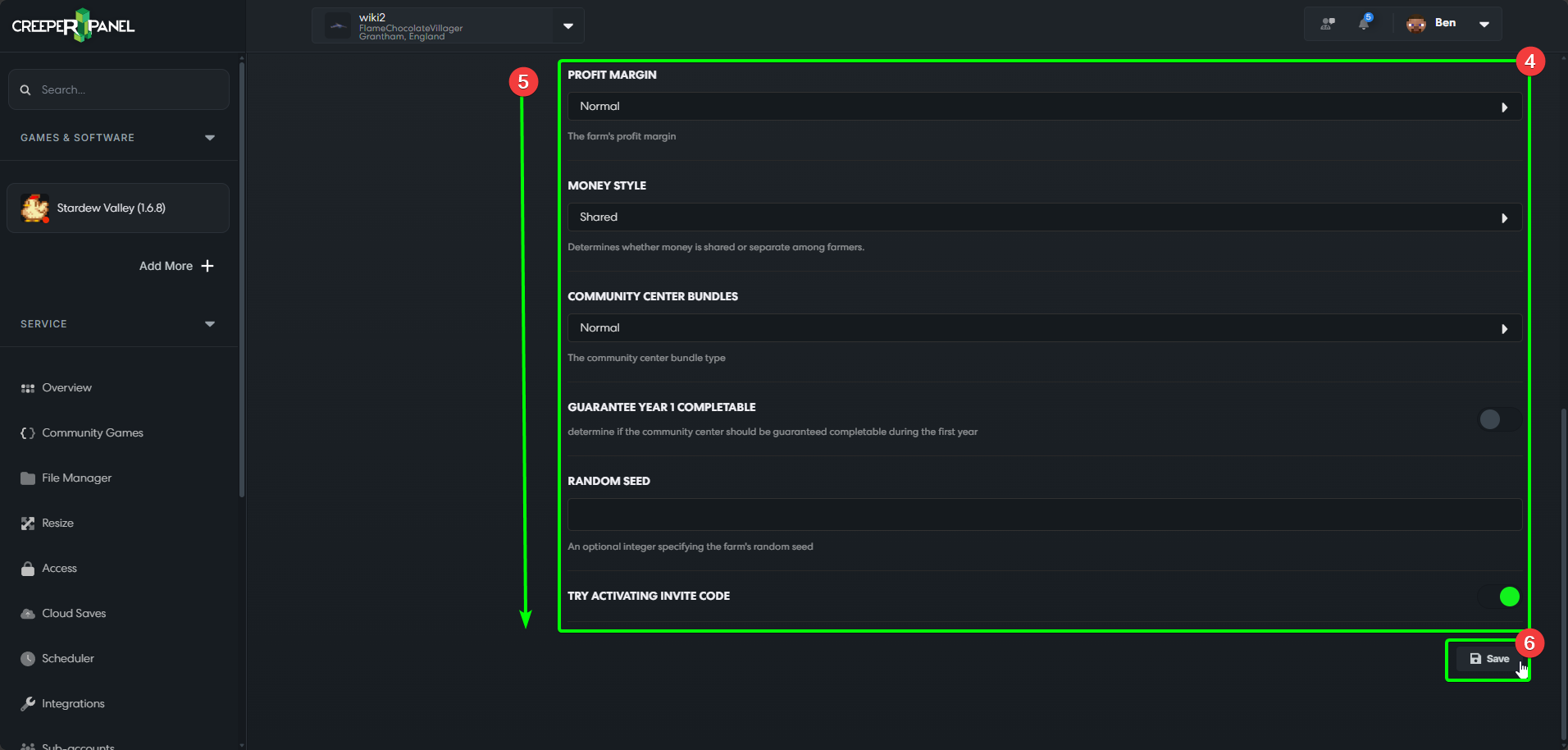
- You may need to scroll down to view all available settings.
- At the bottom of each settings tab, you will find the
Savebutton - remember to save any changes before navigating away from the tab!
- Selecting the
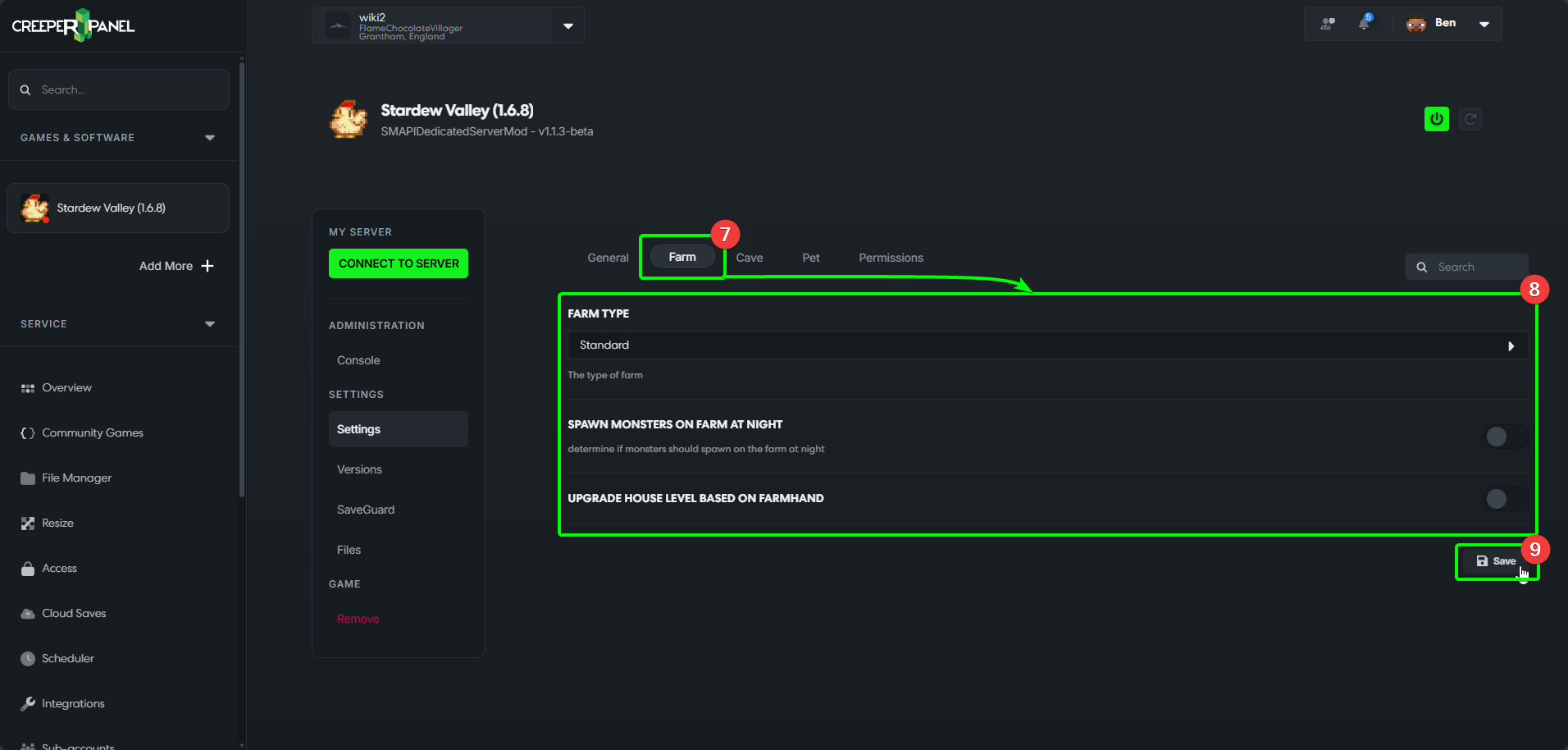
Farmtab will show you settings related to your farm. - The main window contains the available settings.
- Remember to save before navigating away from the tab.
- Selecting the
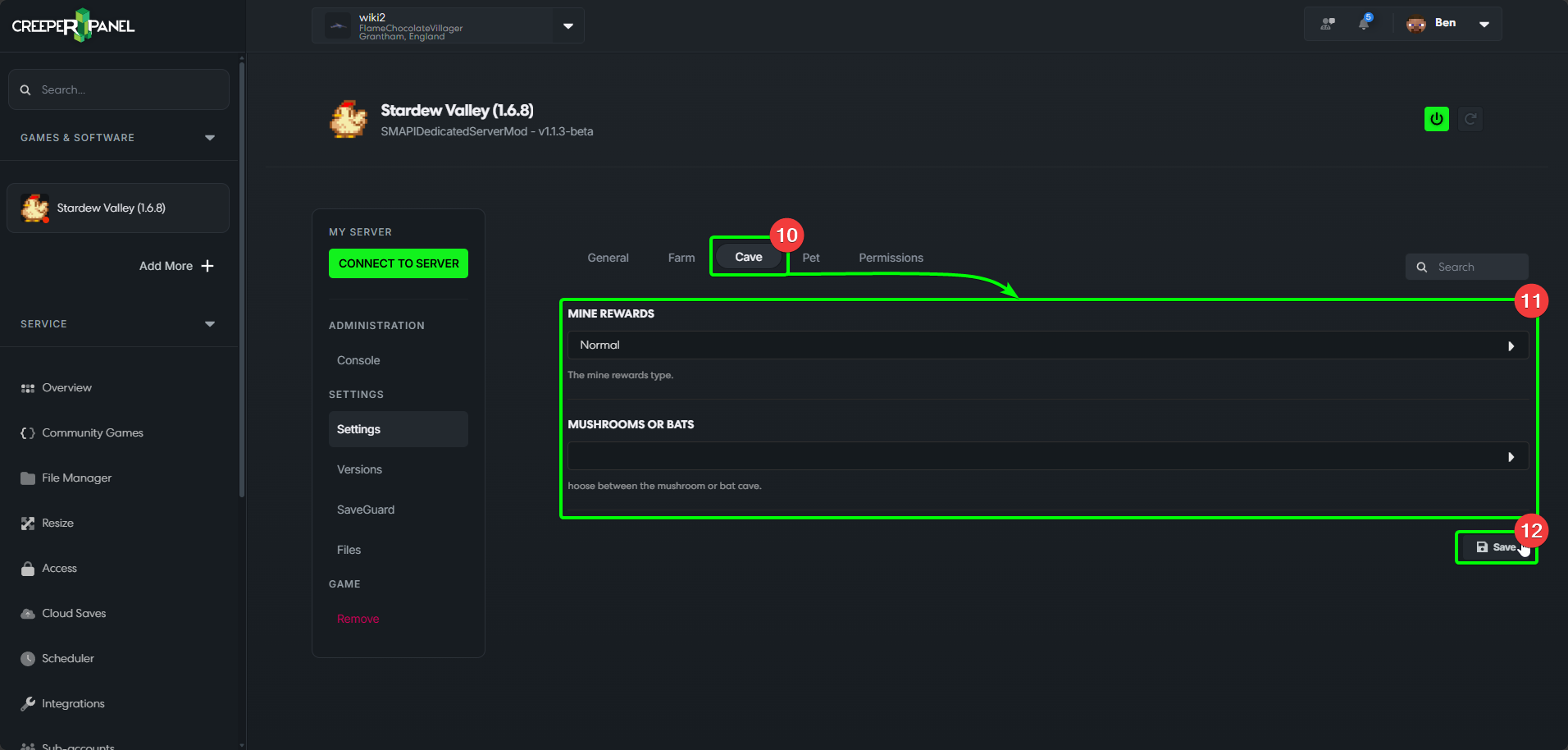
Cavetab will show settings related to cave functions - Here you can set your Mine reward levels, and choose between mushrooms or bats.
- Remember to save any changes you've made before leaving the tab!
- Selecting
Petswill show you pet related settings. - You can set your pet's species, breed and name.
- Remember to save any changes you make before navigating away from the tab.
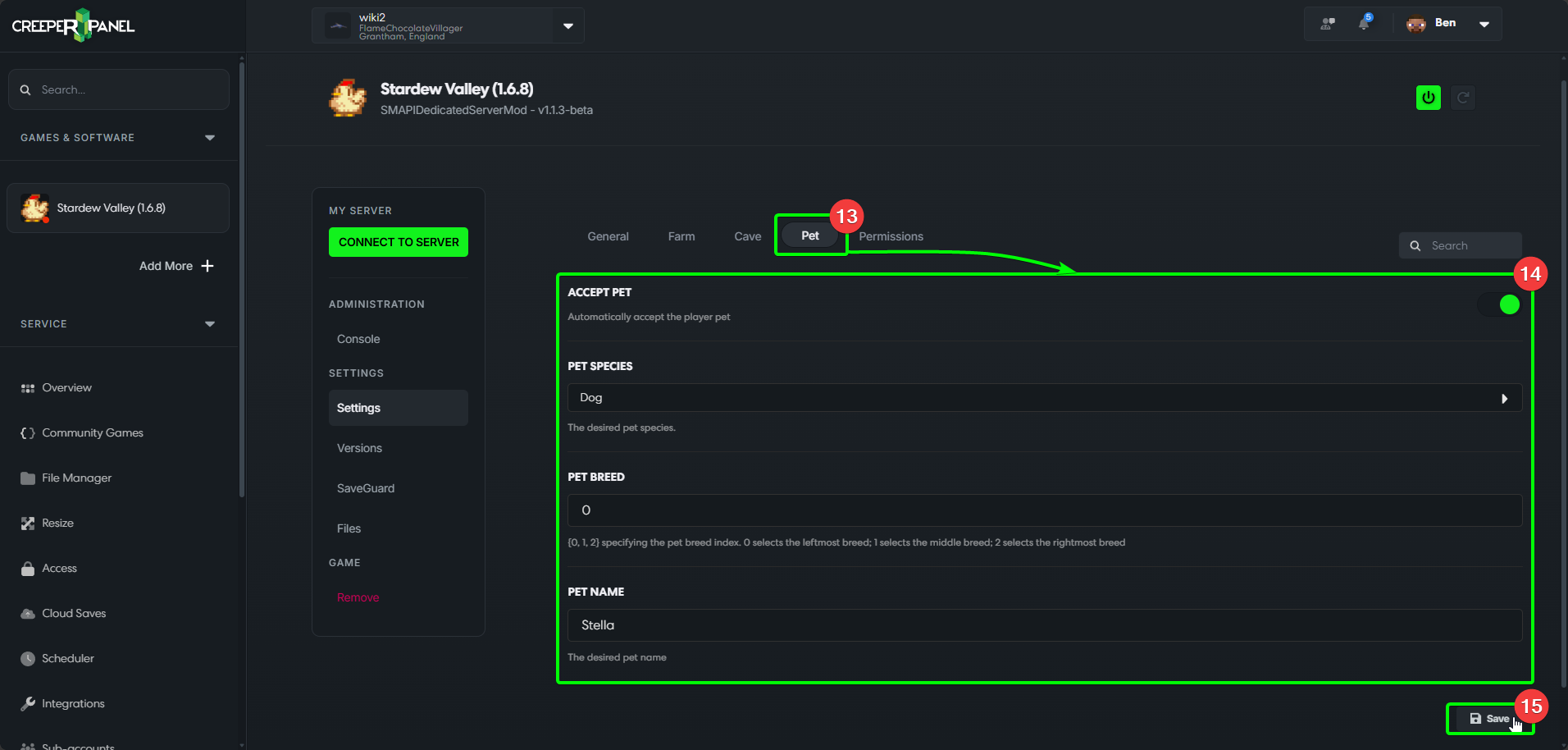
- Selecting
Permissionswill show you all settings with toggle-able permissions. - You can see the command settings in the main window.
- You may need to scroll to see all available permissions.
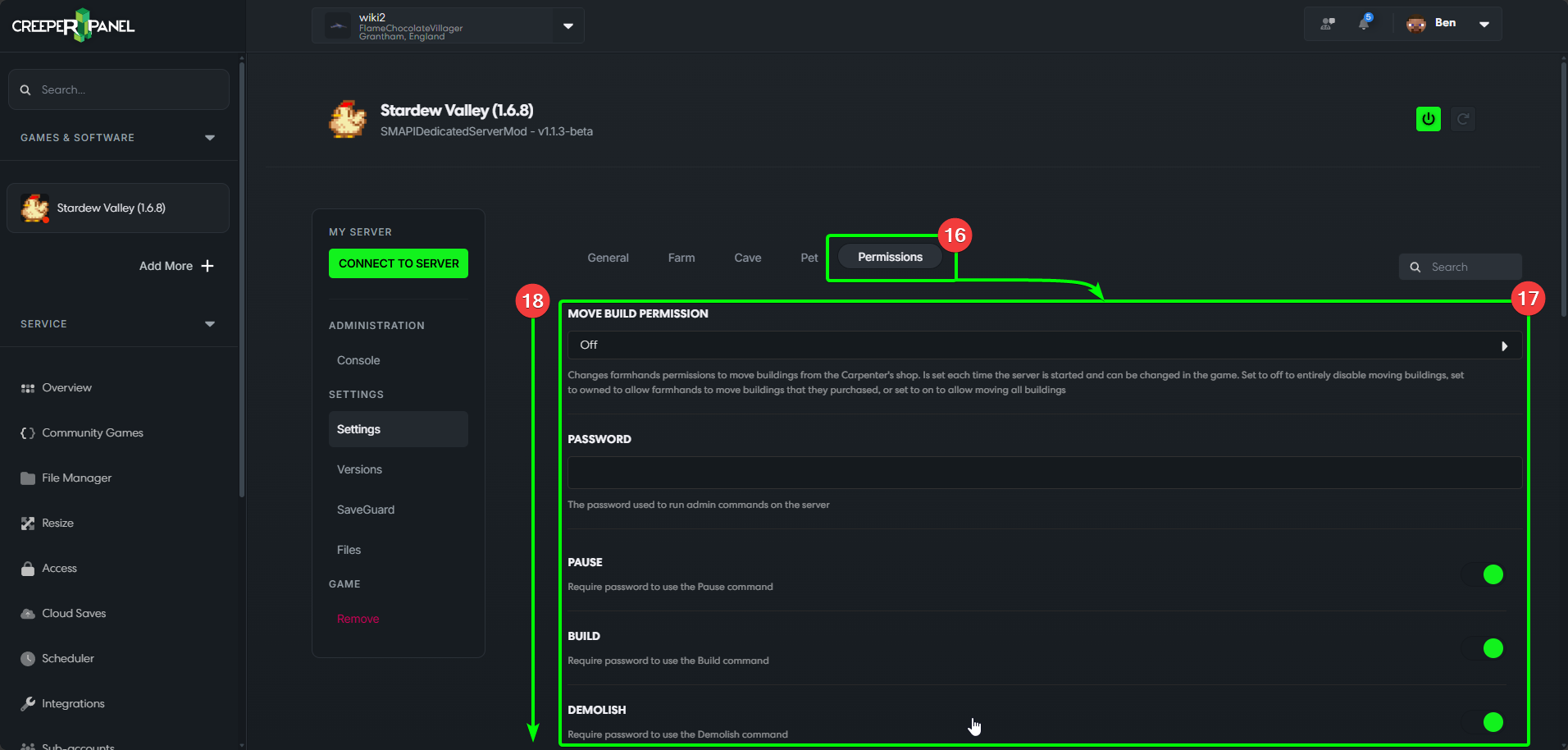
- Don't forget to save your changes before leaving!
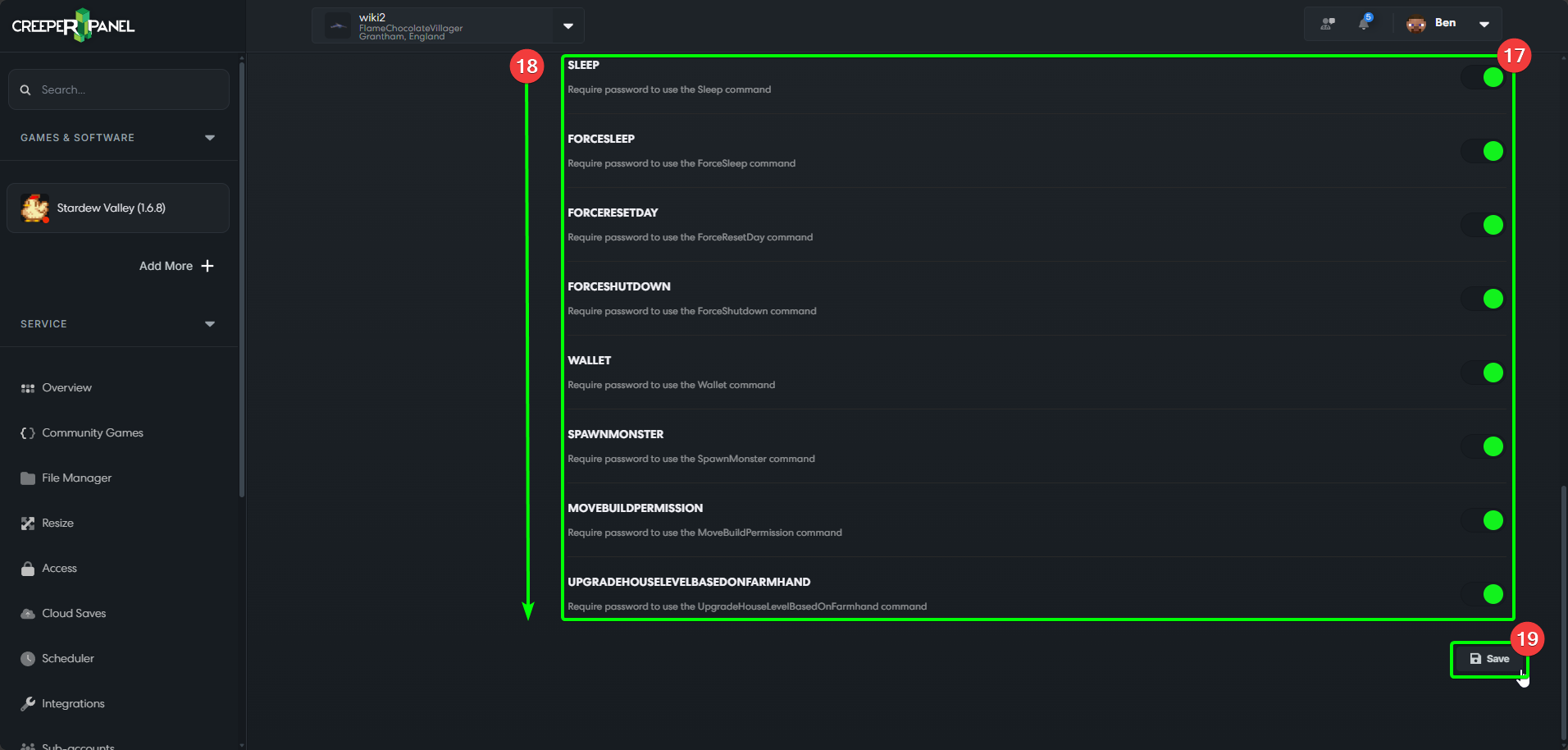
That's it; remember to check back frequently as more settings are added to Stardew Valley!