Creating a Stardew Valley instance
Installing on the CreeperPanel
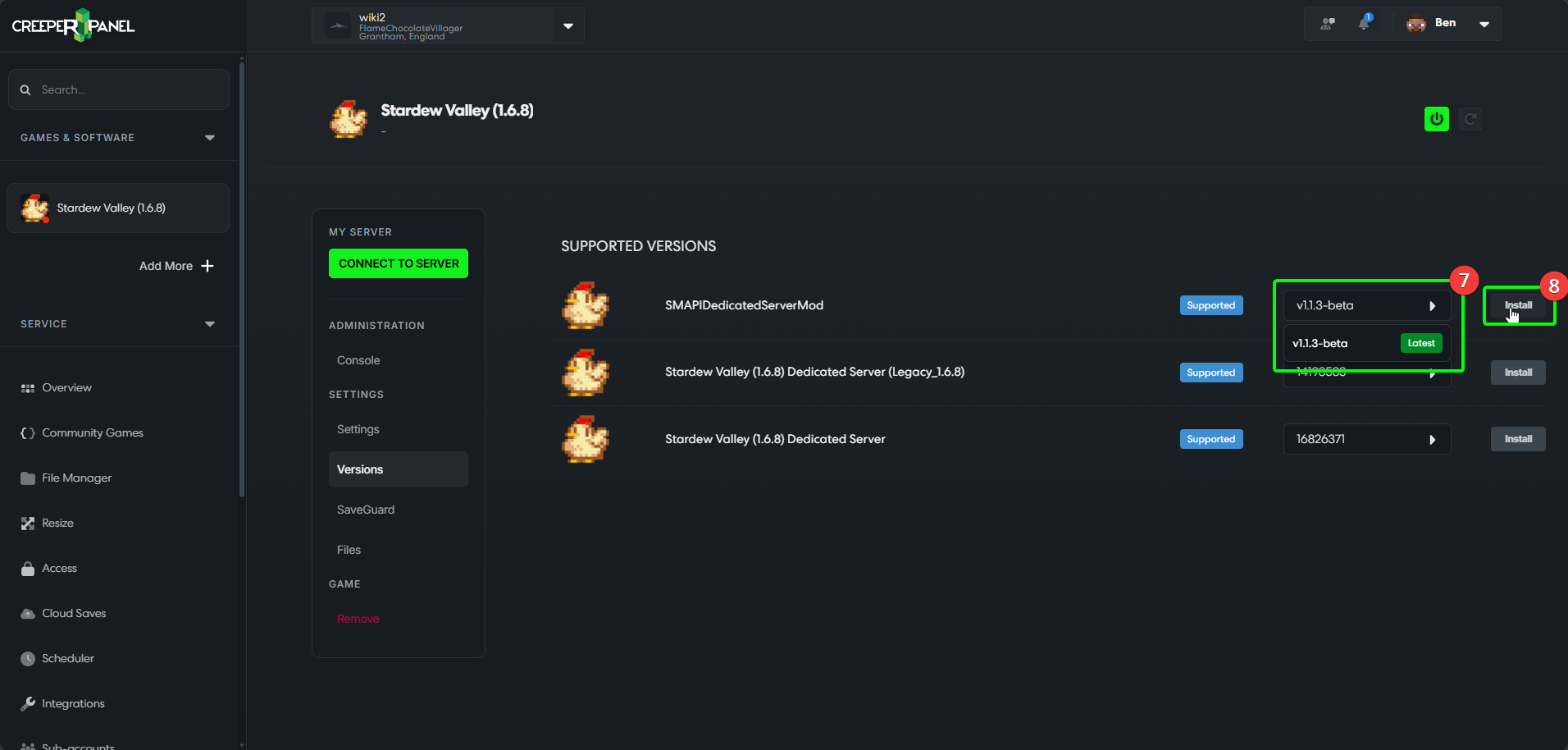
Stardew Valley Dedicated servers can ONLY use specific versions - you will see it listed as either Stardew Valley (1.6.8), or SMAPIDedicatedServerMod - v1.1.3-beta. These are the only versions available for use as a dedicated server; your version is not out of date!
Stardew Valley allows you to play multiplayer via a mod. It's easy to get set up and play, but before you do, you need to make sure of a few things; namely selecting the correct versions on the CreeperPanel, and ensuring client-side compatibility.
To get started creating a Stardew Valley instance on the Panel;
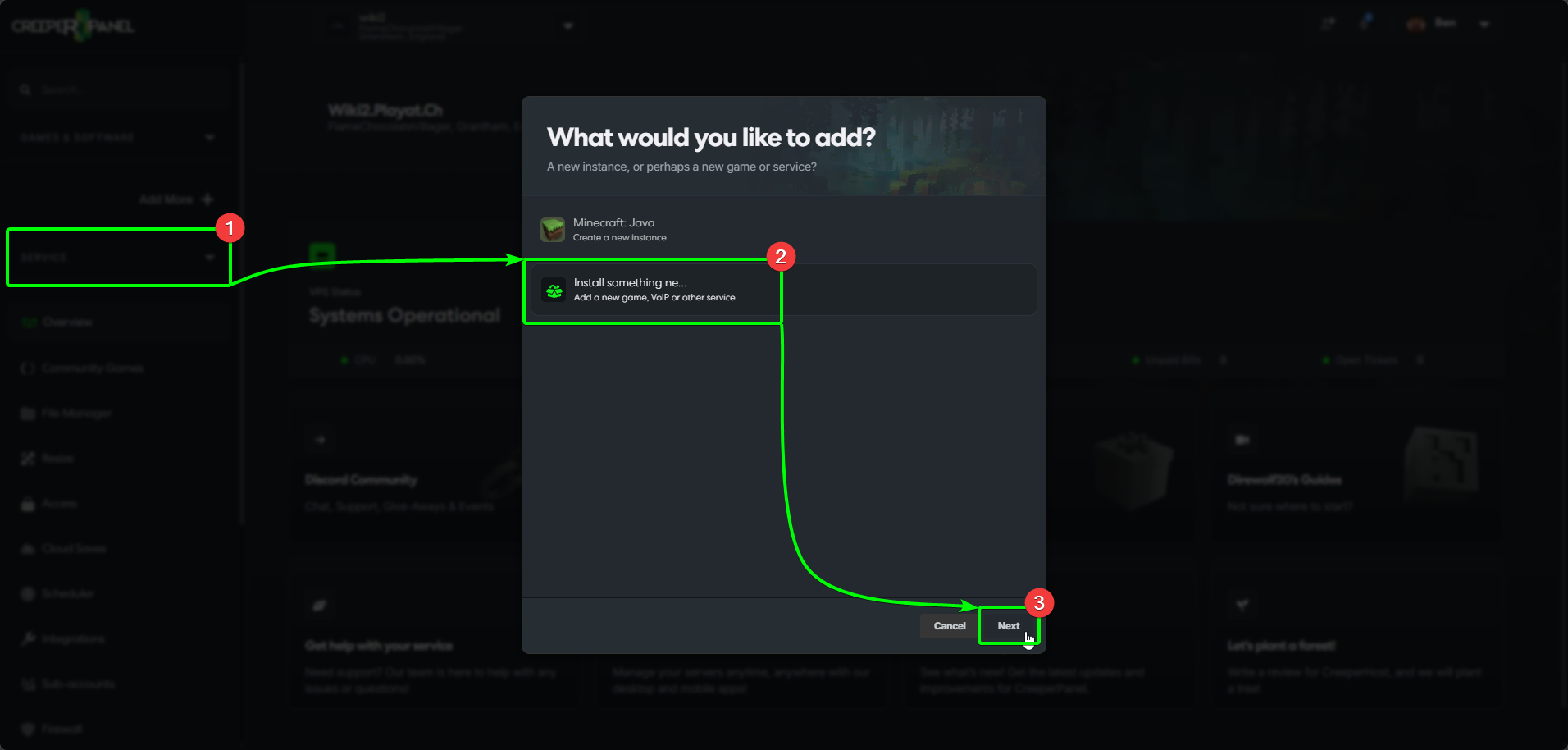
- Select
Add More +from the CreeperPanel's side-bar. - Select
Install something newfrom the menu, then, - Select
Next.
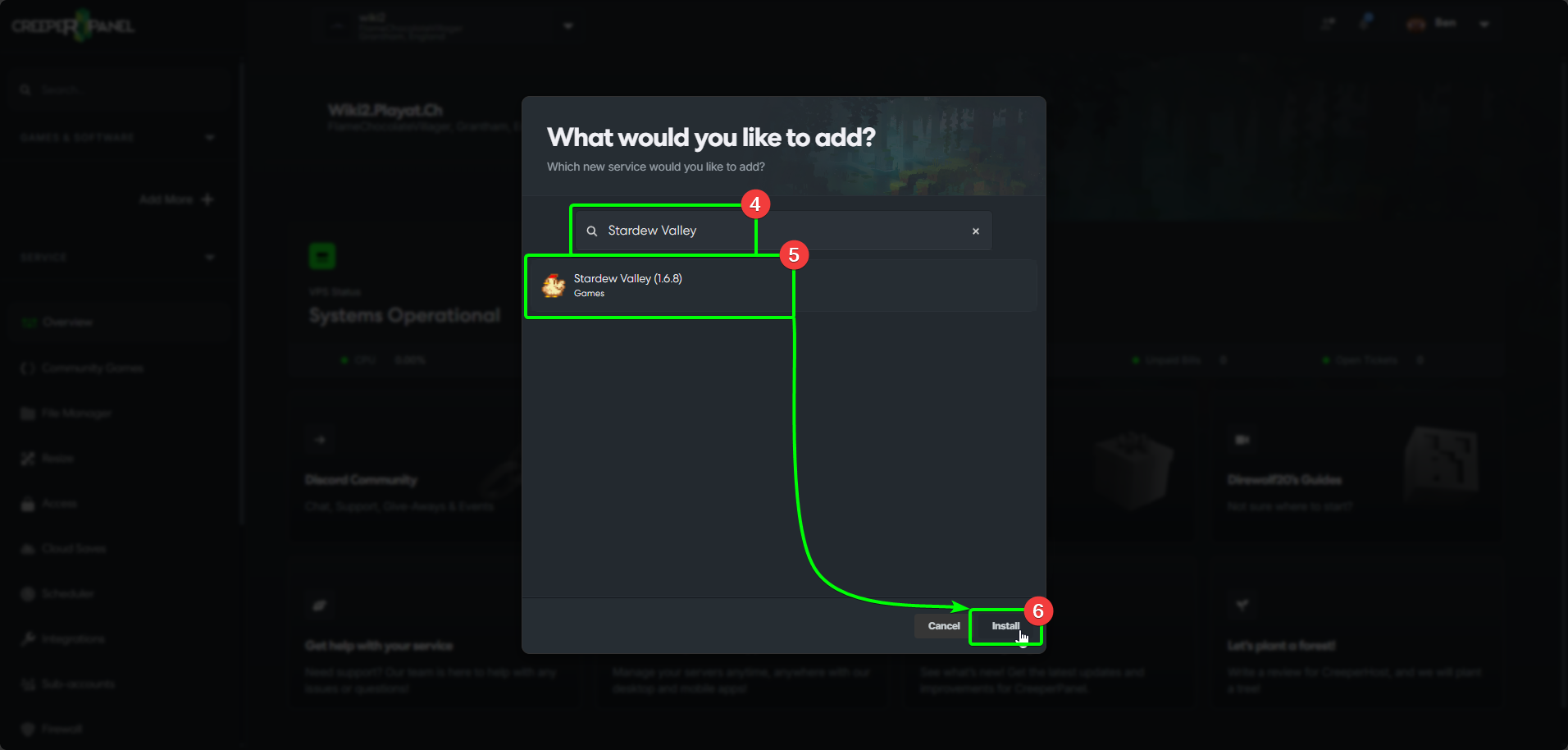
- In the search box, enter
Stardew Valley- the results will auto-populate as you type. - Select
Stardew Valleyfrom the list, and then, - Select
Install.
- Select the version you wish to use from the drop-down list, then
- Select
Install.
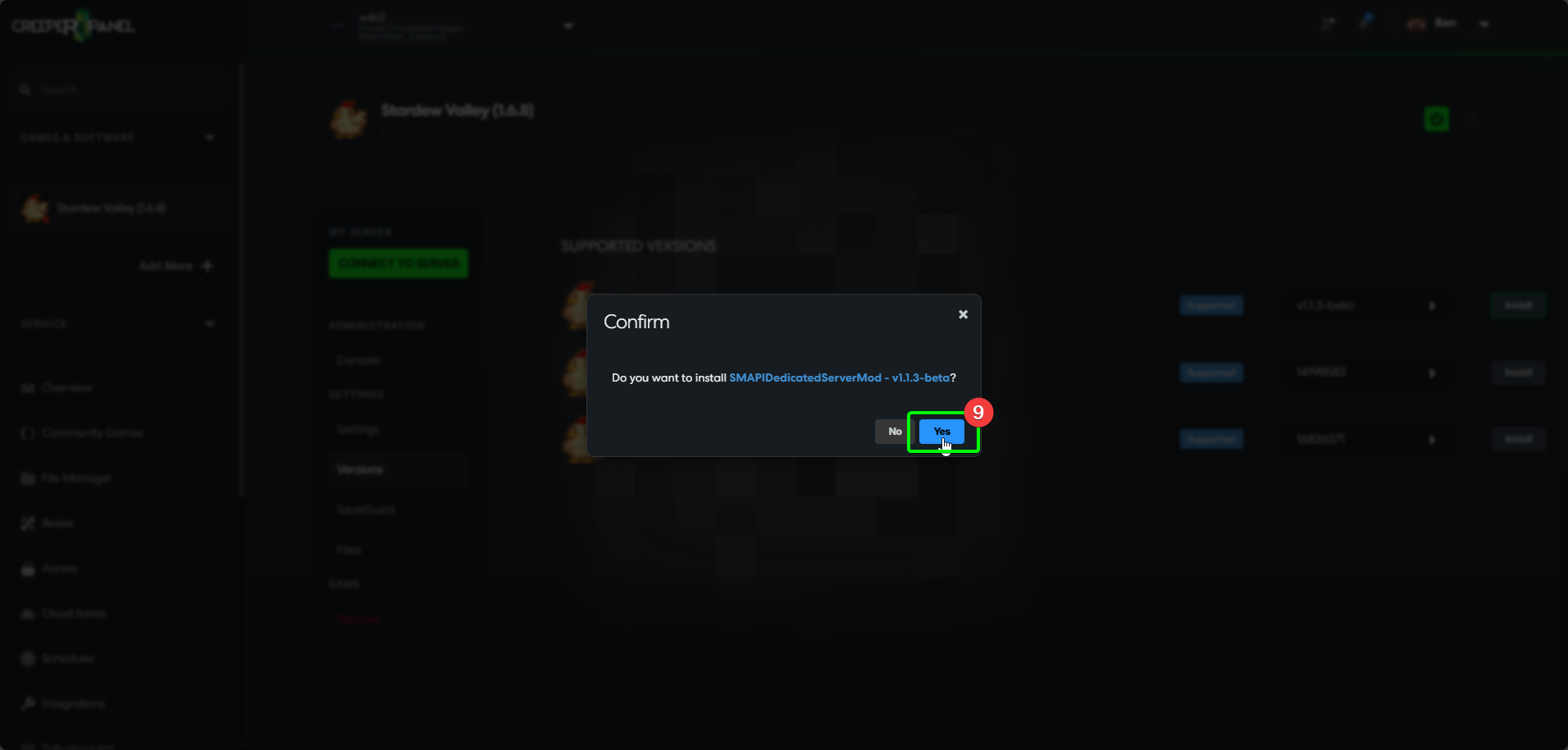
- Select
Yesin the pop-up to confirm the installation.
That's it! The Panel will keep you informed of the status of the installation process. Feel free to familiarise yourself with the Panel whilst you wait for the installation to finish.
Client-side compatibility
You will need to perform the next steps to connect to your server; please be aware that newer, non-legacy branches of Stardew Valley will not work with the server mod.
Now your server is installed, you'll need to make sure you can connect by selecting a version in Steam. To begin:
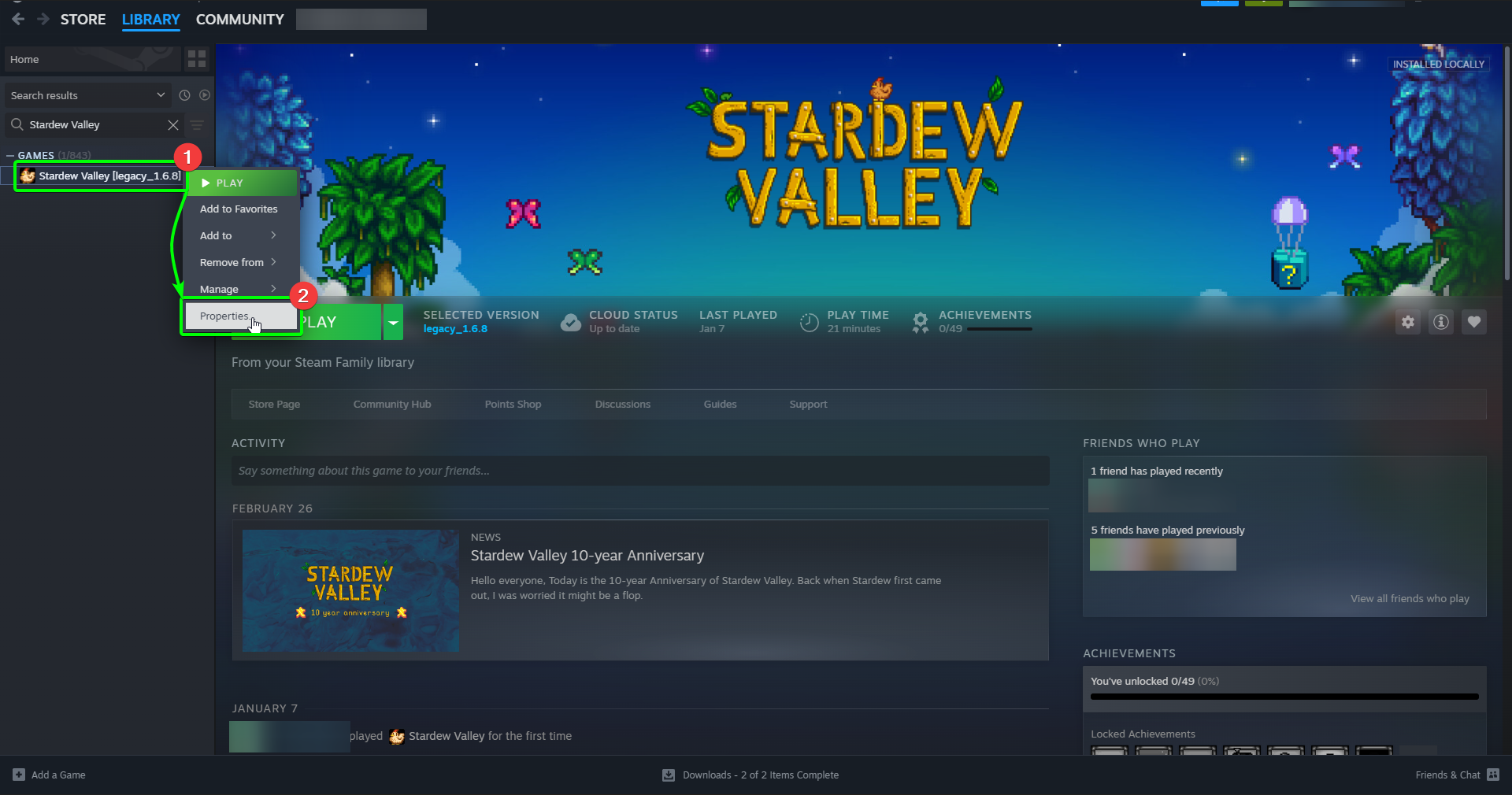
- Locate your client-side installation of Stardew Valley in your Steam library, and right-click it
- Select
Propertiesin the menu.
- In the
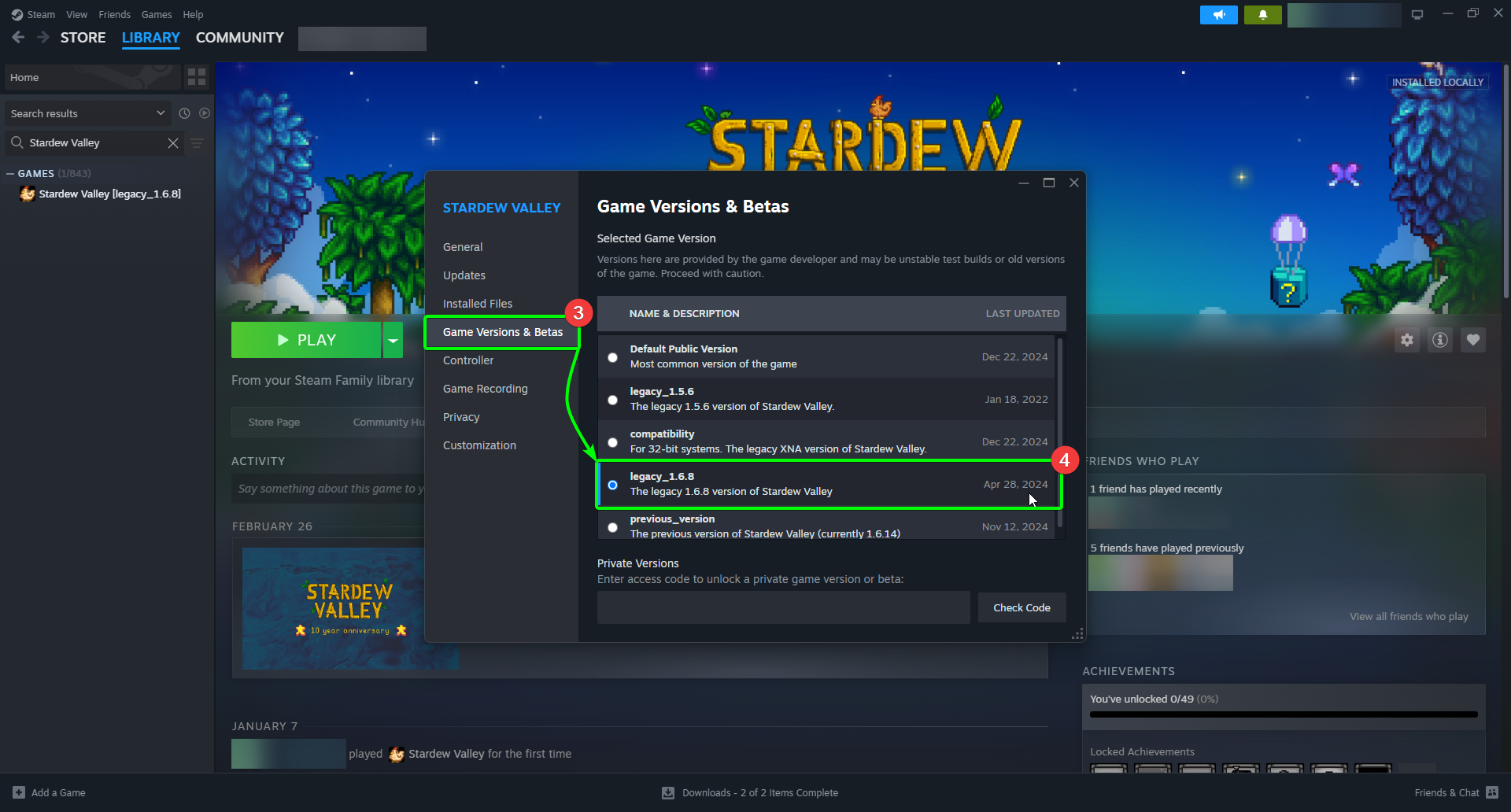
Propertieswindow, selectGame Versions & Betas. Then, - Select
legacy_1.6.8from the versions menu. You can then close the window.
Now you've installed your server, and ensured that your client-side installation is compatible with your server's game version. Awesome stuff!