Adding Plugins
For help locating your instance(s), please follow this guide.
Open the instance you wish to add plugins to. Select Plugins from the instance's submenu.
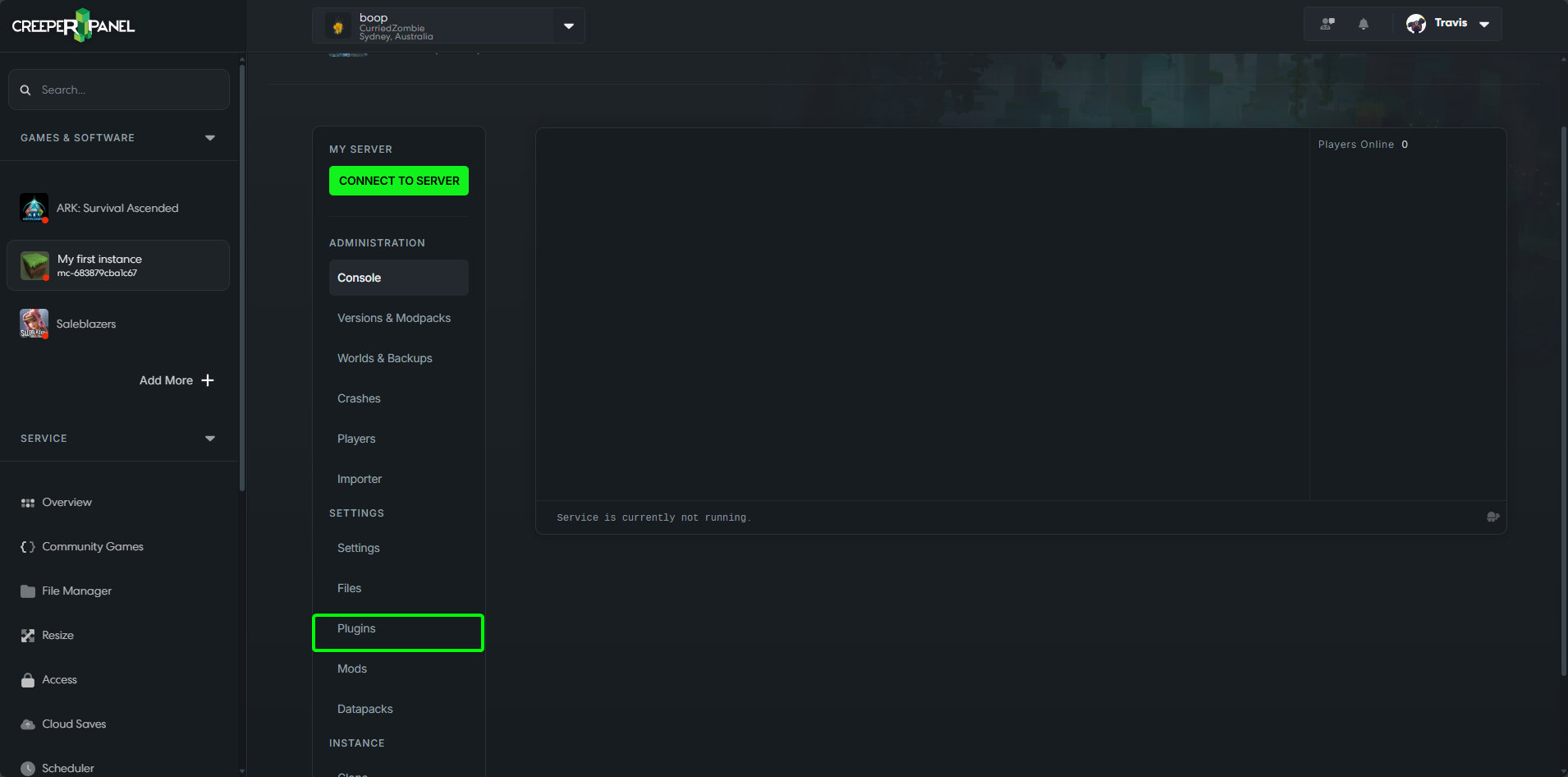
Once on the Plugins page proceed to the steps below.
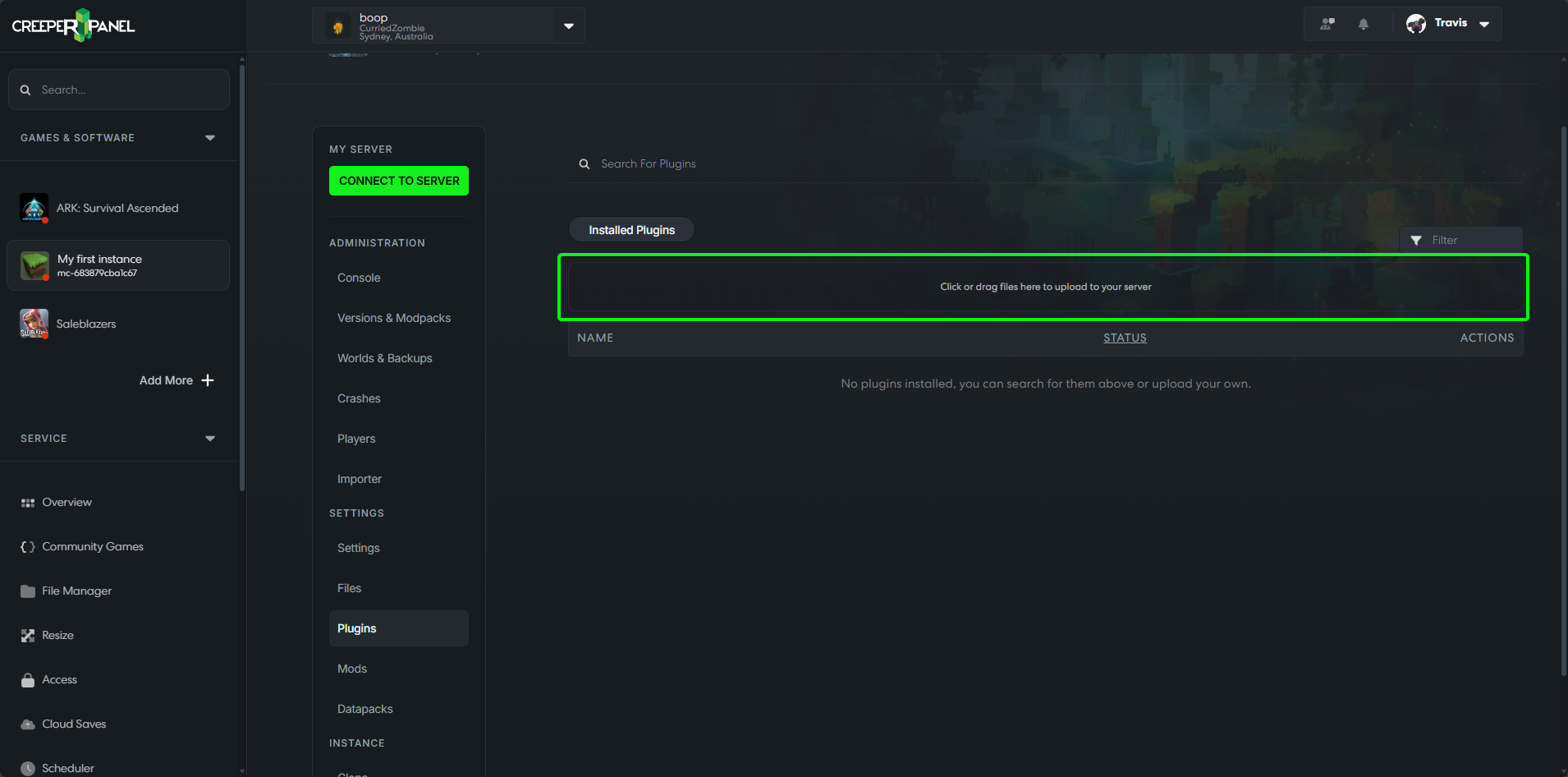
If you have the plugin(s) that you want to add to your server already downloaded then you can click on the darker box that says Click or drag files here to upload to your server.
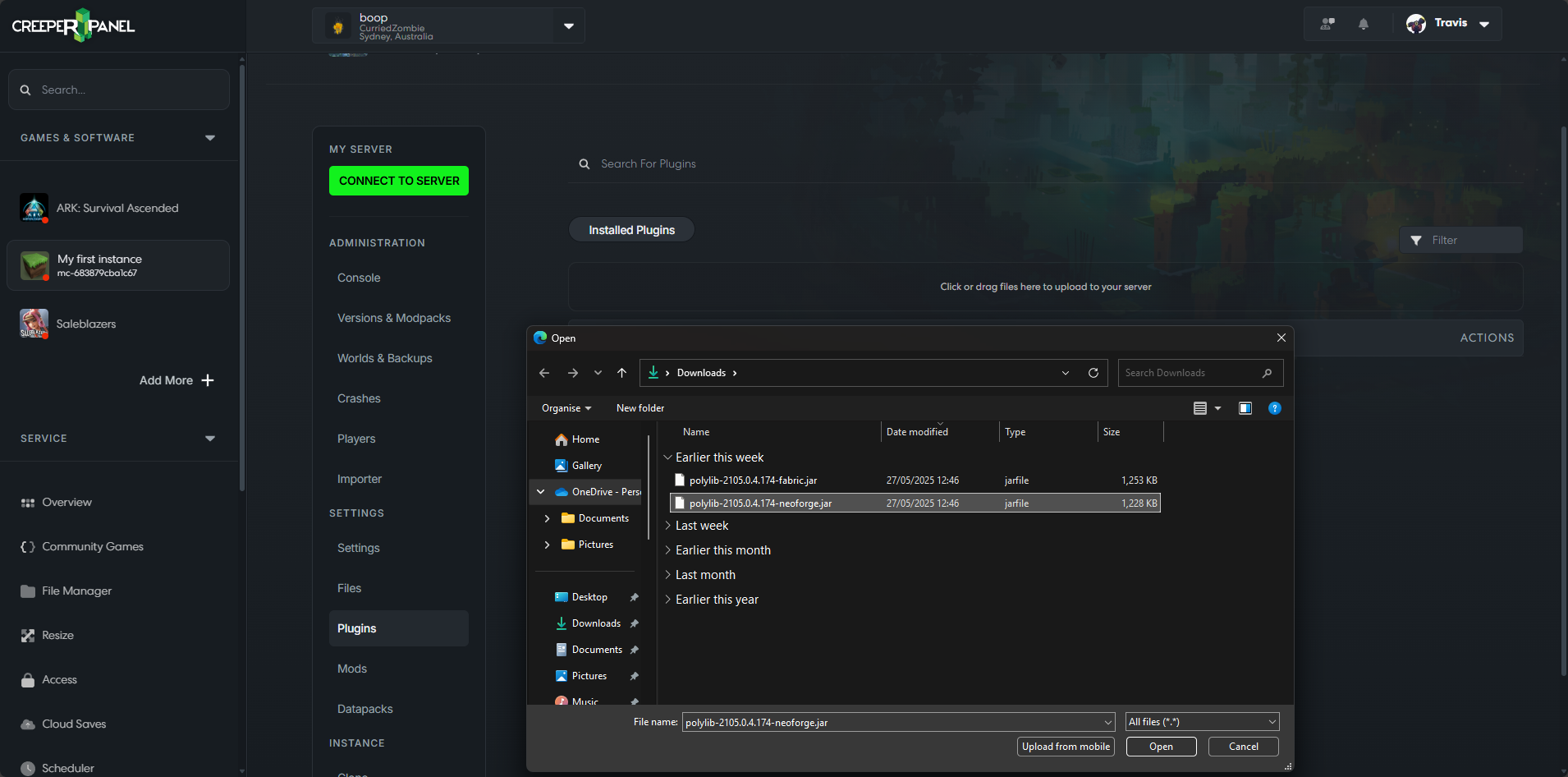
In the window that opens you can then navigate to where the plugin(s) you want to upload are located then click Open.
Once you have your desired plugins, you will need to restart the server to enable them.