Cloning your instance
Cloning an instance can be useful if you want a quick backup that you can easily go back to before you update your server, make any significant changes or want to test something.
To begin creating a clone of your selected instance:
- Navigate to the console page for the instance you wish to clone.
- In the sub-navigation menu, scroll down until;
- You locate
Clone, found underInstance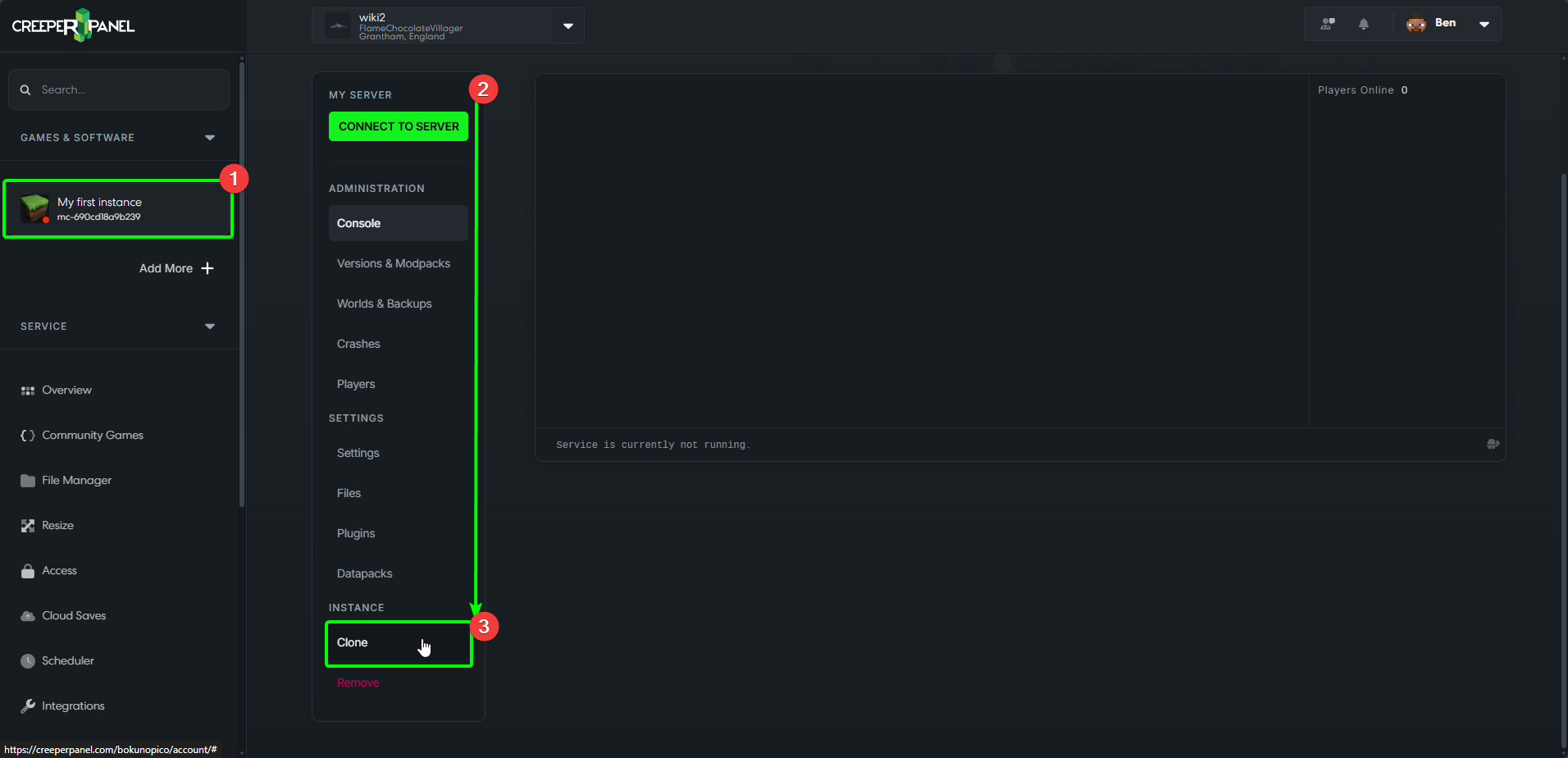
Before you finalise cloning an instance, please make sure you have the space available. A cloned instance will require the same amount of storage as the original instance.
- You will be presented with a pop-up, confirming you want to clone your instance.
- When you are ready to clone your instance, select
Clone.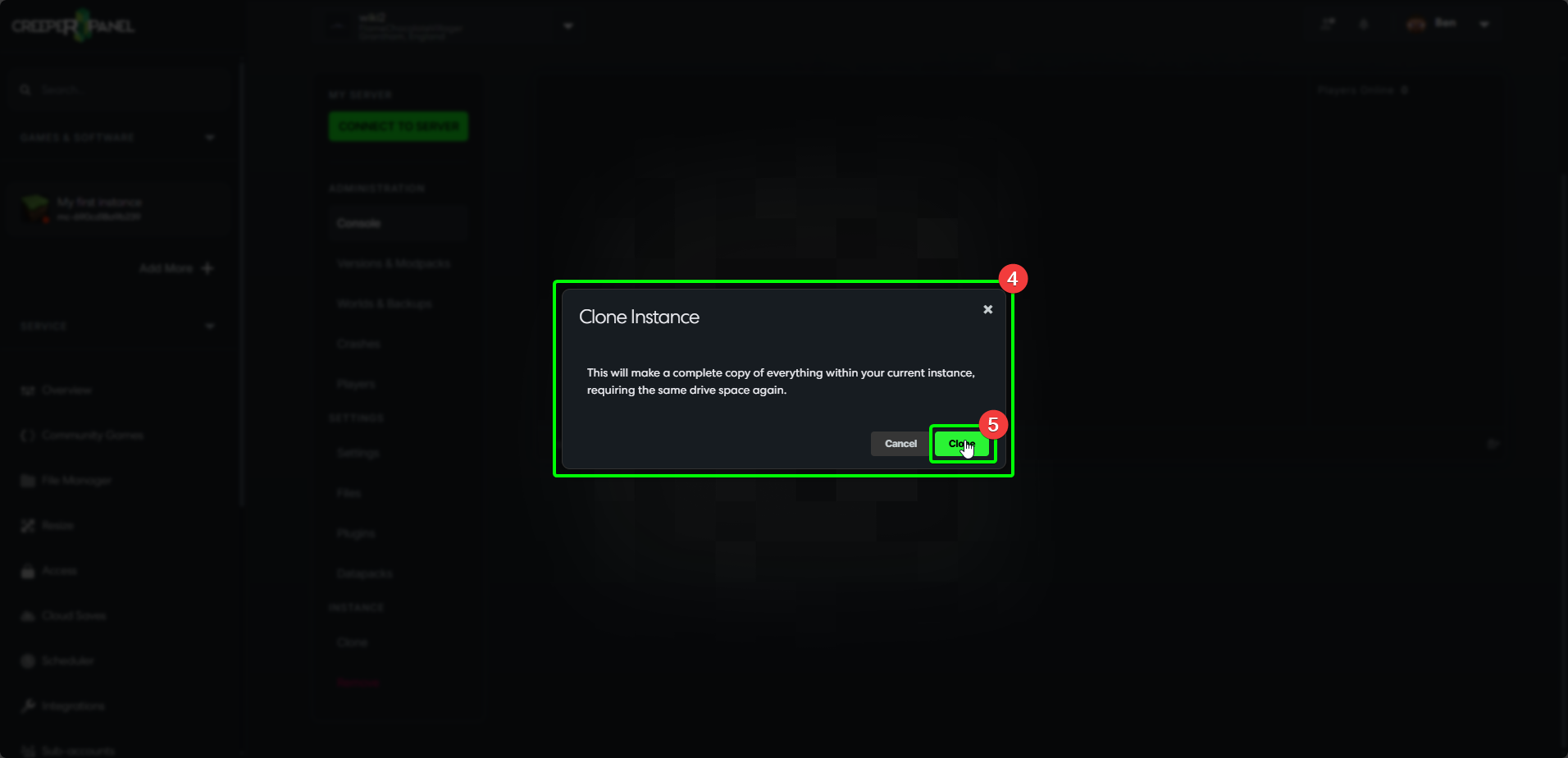
The CreeperPanel will begin cloning your selected instance. Please bear in mind that depending on the size of the original instance, this may take some time to complete. On completion, you will be taken to the newly cloned instance. In some cases, you may need to log out and back into the Panel to see the changes.
Your new clone will be presented as Your Original Instance Name Cloned - in our example, we have My first instance for our original, and My first instance Cloned for our clone:
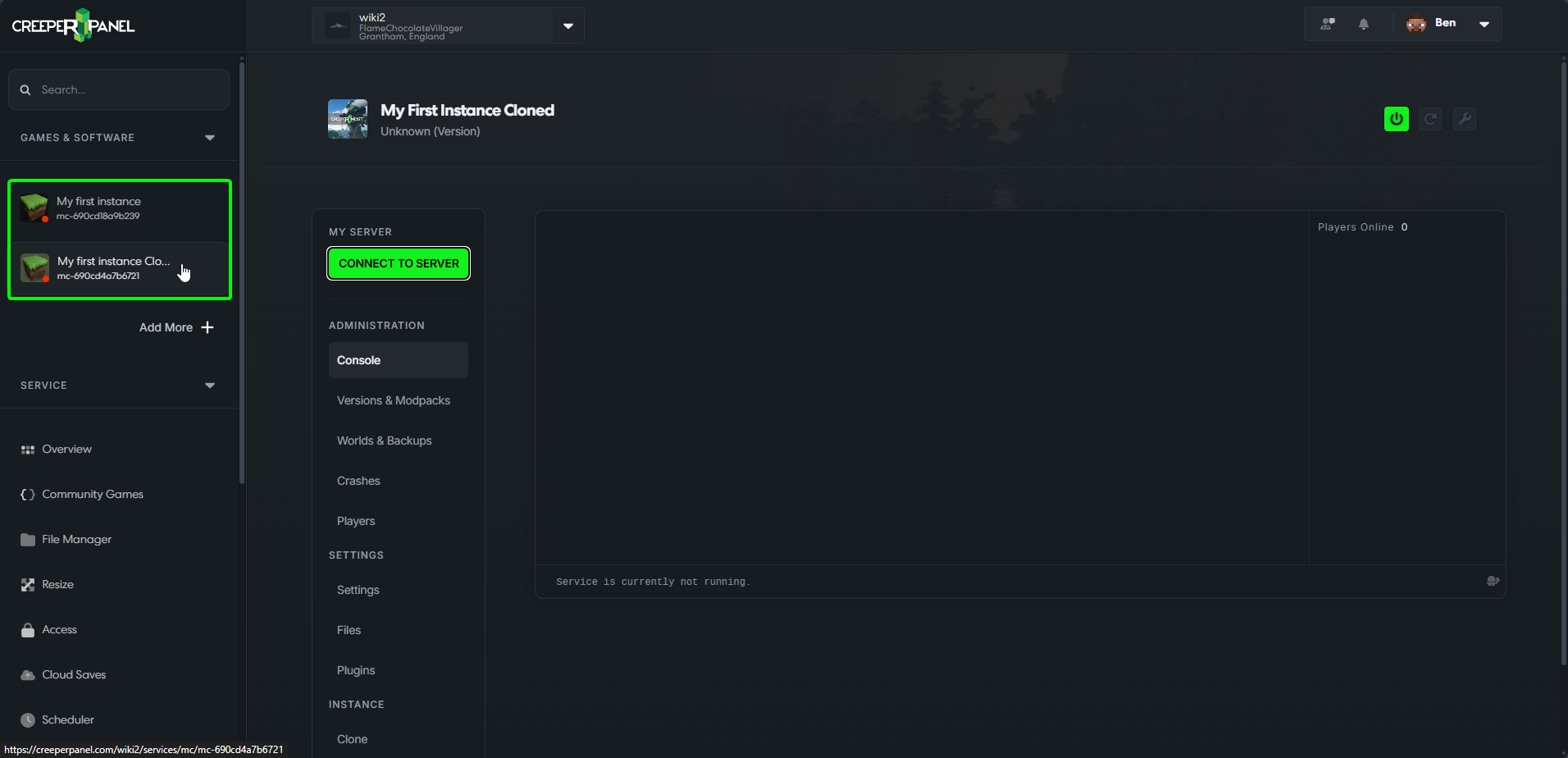
That's it, your instance has now been cloned